Record waste generated in a ward
Log each bag of biomedical waste at the point it is generated, so it can be tracked to disposal.
Record every bag of waste when it is produced. Each line you add is saved as its own waste entry with its own Waste No. and barcode label.
Who does this: ward or department staff · Where: Biomedical Waste › Waste Generation
Add a waste entry
-
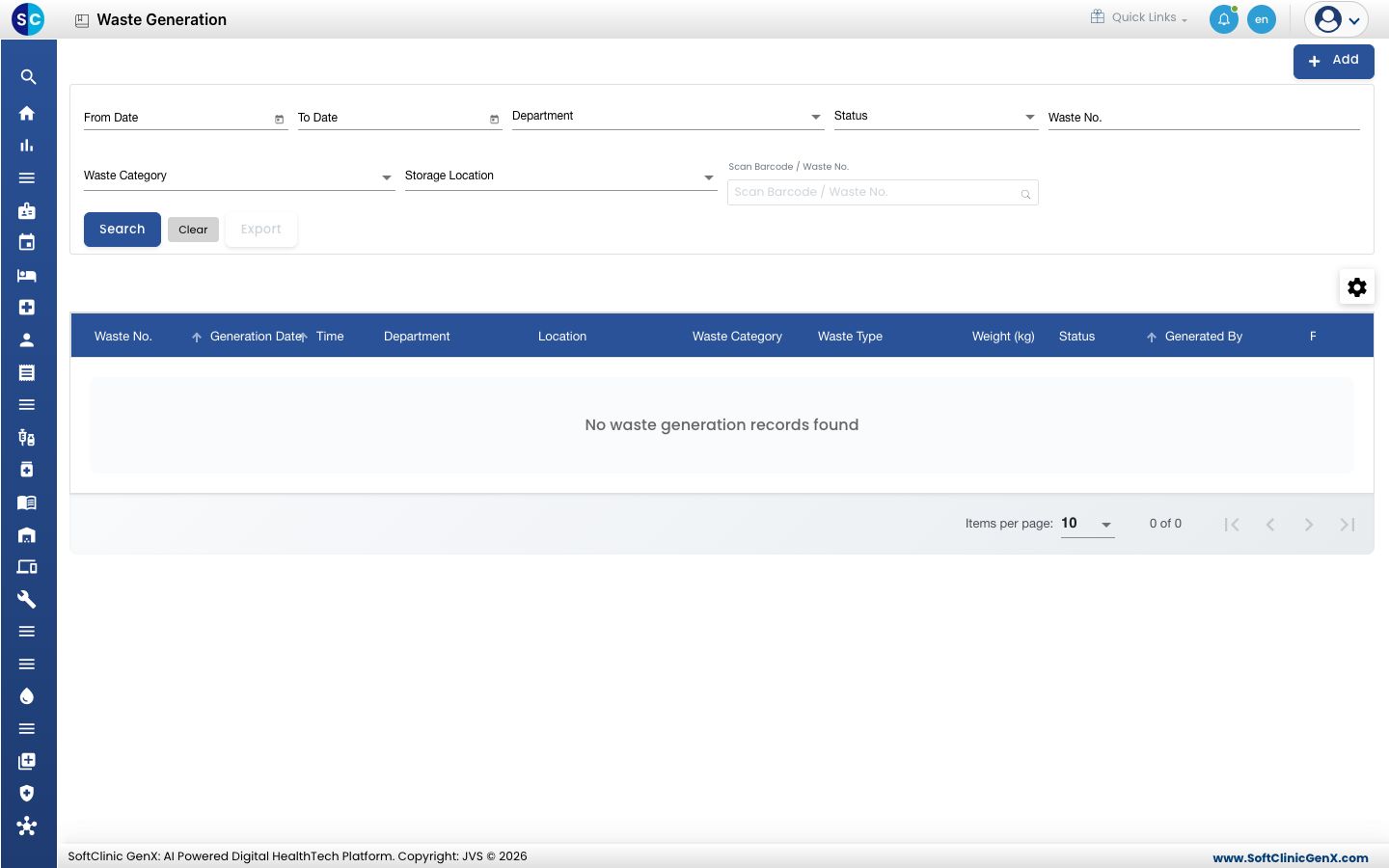
Open Biomedical Waste › Waste Generation. The list shows earlier entries, with filters for date, department, status and waste category.
-
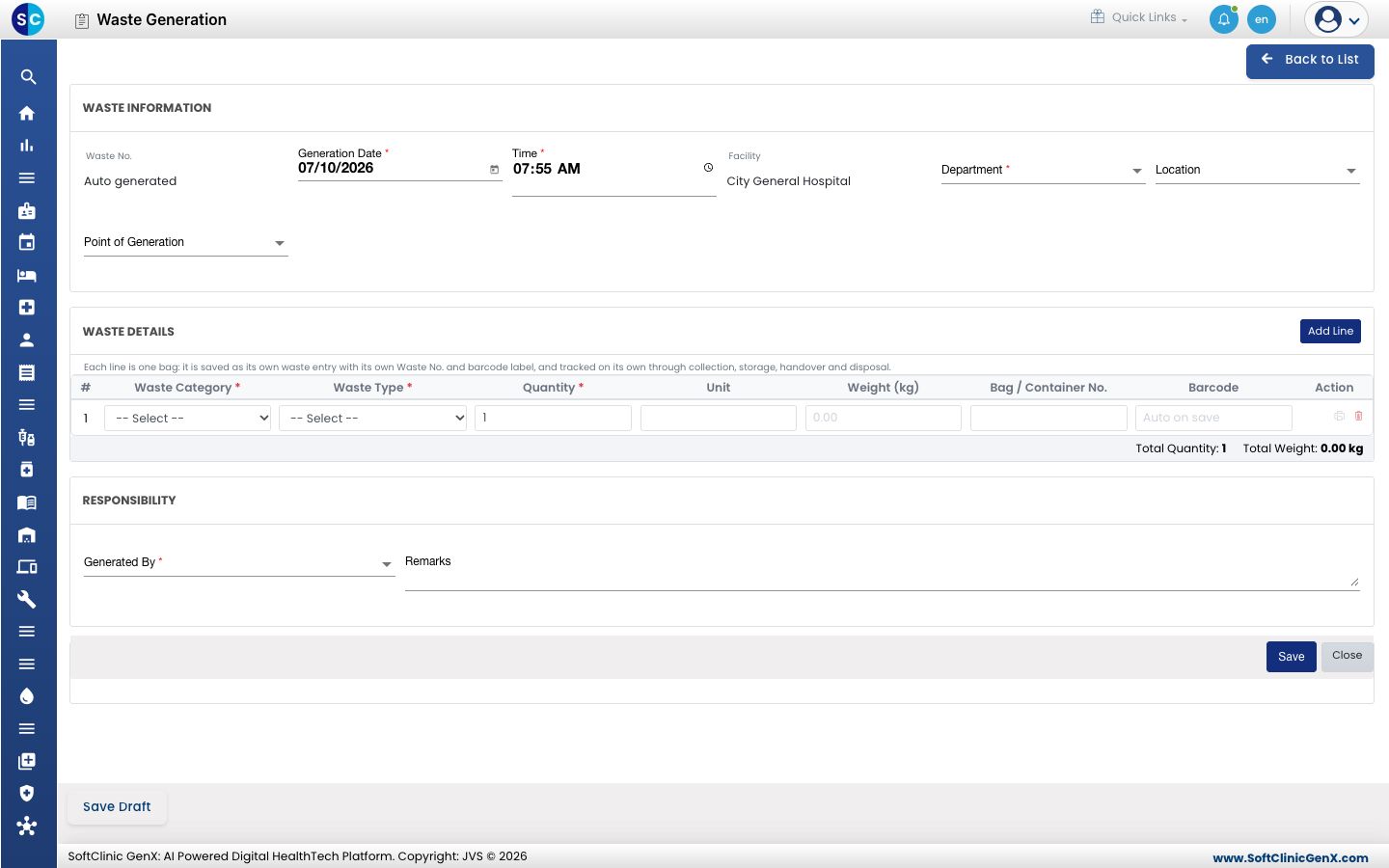
Click Add. The form opens with Waste No. set to Auto generated and today's date and time filled in.
-
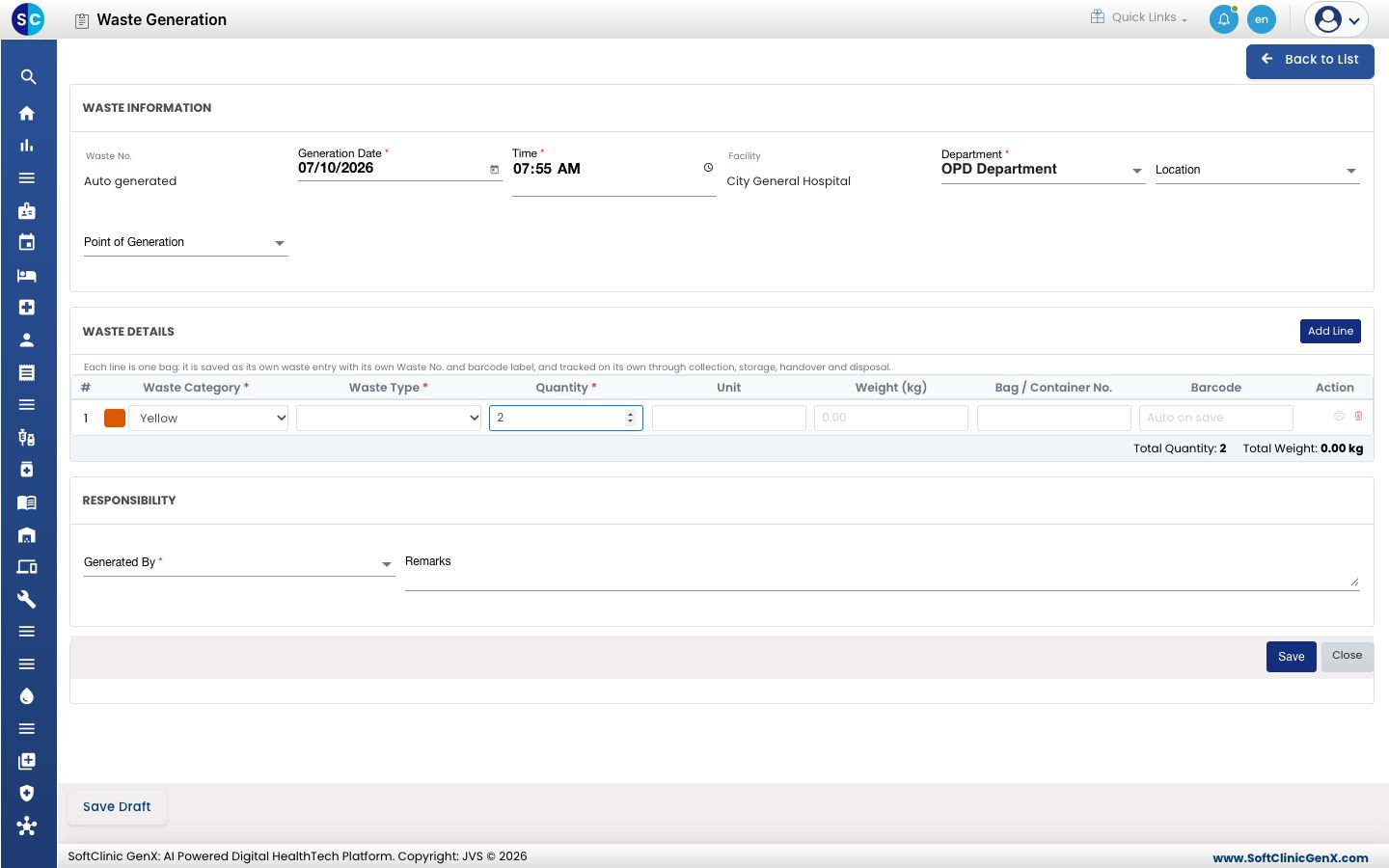
Choose the Department, then pick the Waste Category and Waste Type and enter the Quantity for the first bag. Click Add Line for each further bag. Choose Generated By, then click Save. Click Save Draft to finish later.
| Field | What to enter | Required |
|---|---|---|
| Generation Date, Time | When the waste was produced | Yes |
| Department | Where the waste came from | Yes |
| Waste Category, Waste Type | The colour-coded category and the type of waste | Yes |
| Quantity | Number of items in the bag | Yes |
| Weight (kg), Bag / Container No. | Weight and bag label | No |
| Generated By | The person responsible | Yes |
Good to know
- Each line is tracked on its own through collection, storage, handover and disposal.
- The Barcode column fills in after you save.
Related
- Hand over waste to the disposal agency: the next step.
- Biomedical Waste FAQs: short answers.