Explore Patient Intelligence
See how many patients are registered, who they are and how complete their records are.
The Patient Intelligence Center summarises your patient records: how many there are, who they are and how complete the information is.
Who can use this: management and registration supervisors · Where: Home & Intelligence Dashboards › Patient Intelligence
Read the Patient Intelligence Center
-
Open Home & Intelligence Dashboards › Patient Intelligence.
-
Choose the Facility and the period (Today, This Week, This Month, Last Month, This Year or All Time). Click Compare to compare two periods.
-
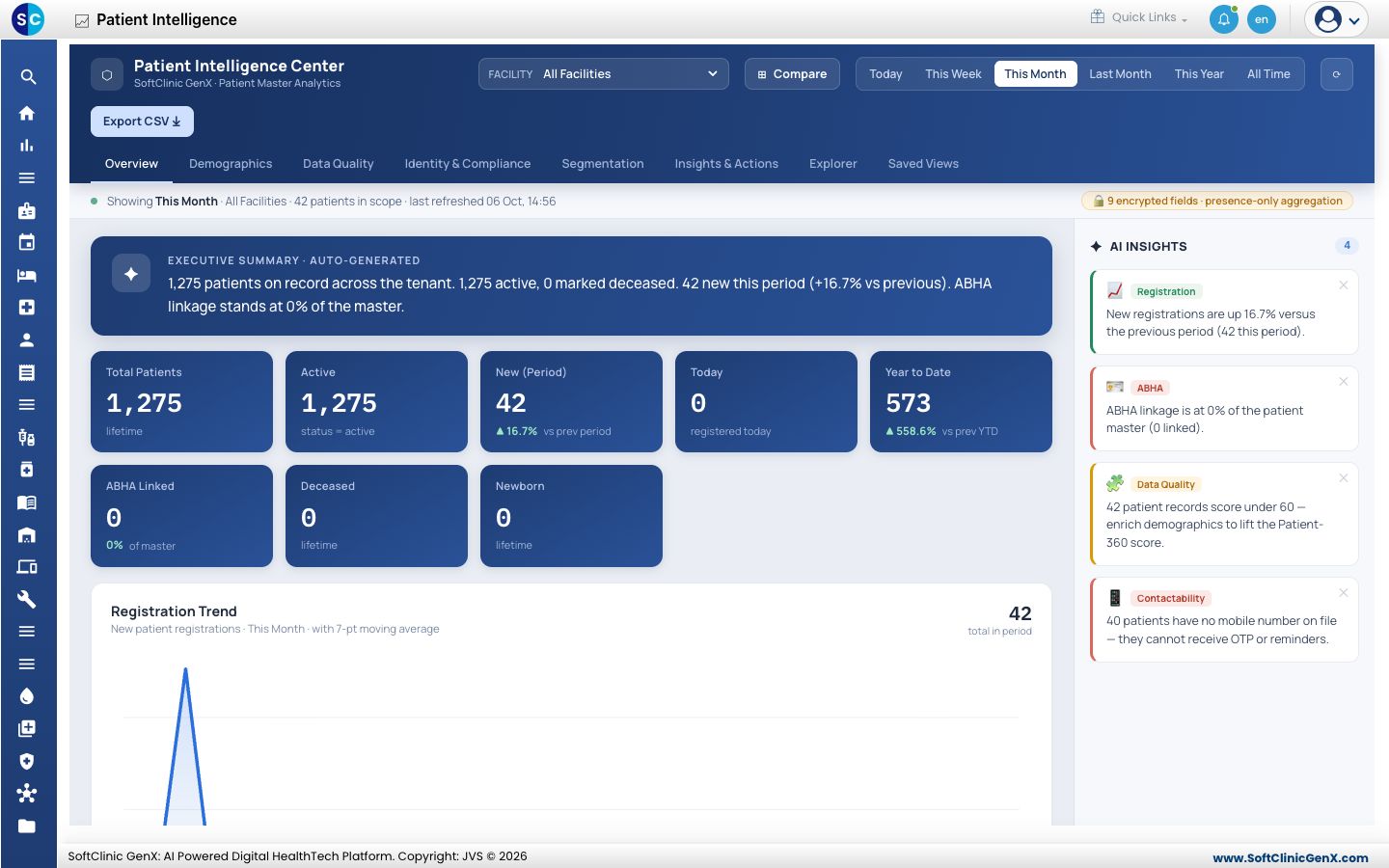
On the Overview tab, read the summary, the patient counts and the Registration Trend. The AI Insights panel on the right lists points that need attention.
-
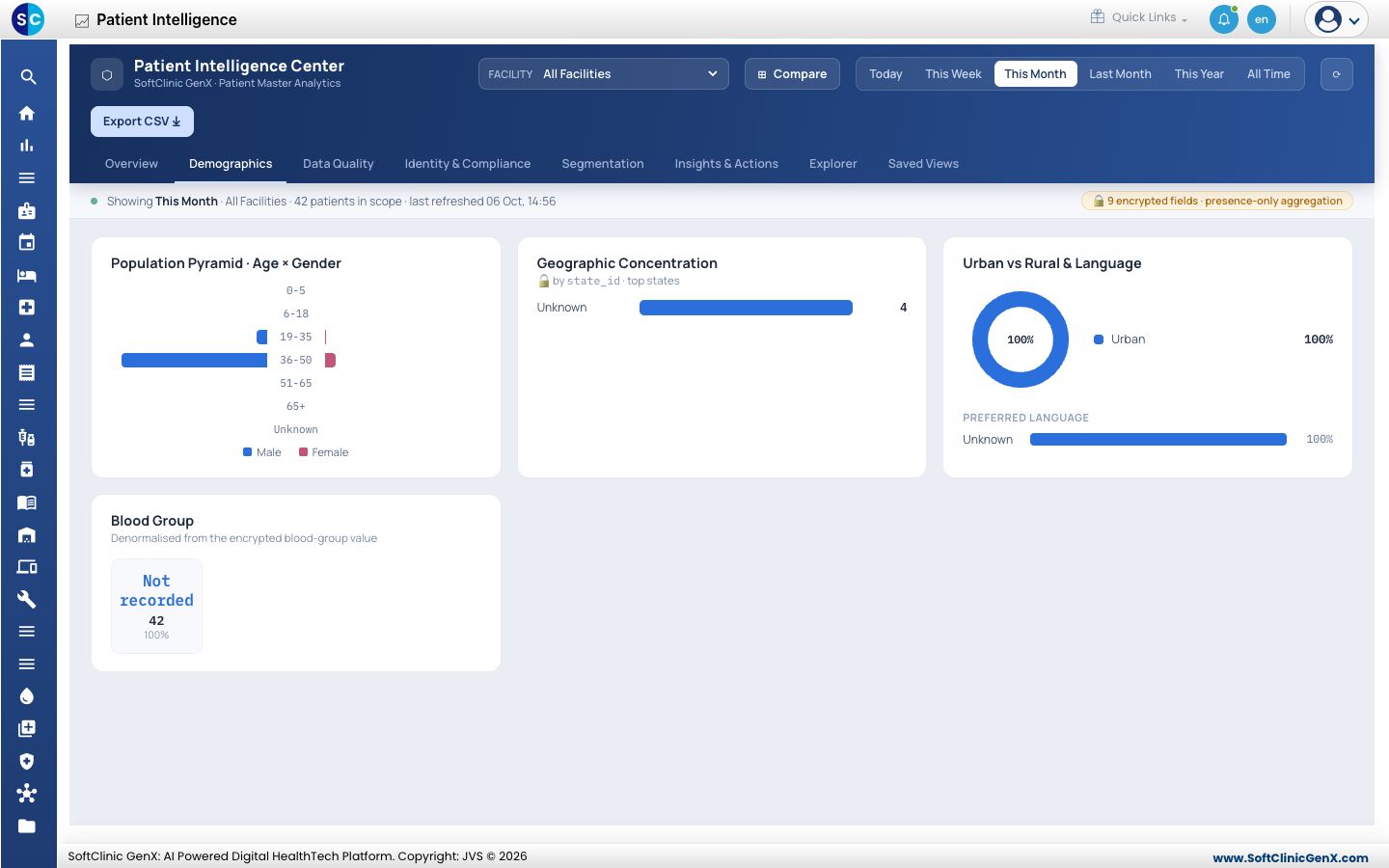
Click Demographics to see the age and gender pyramid, where patients come from, urban or rural split, language and blood group.
-
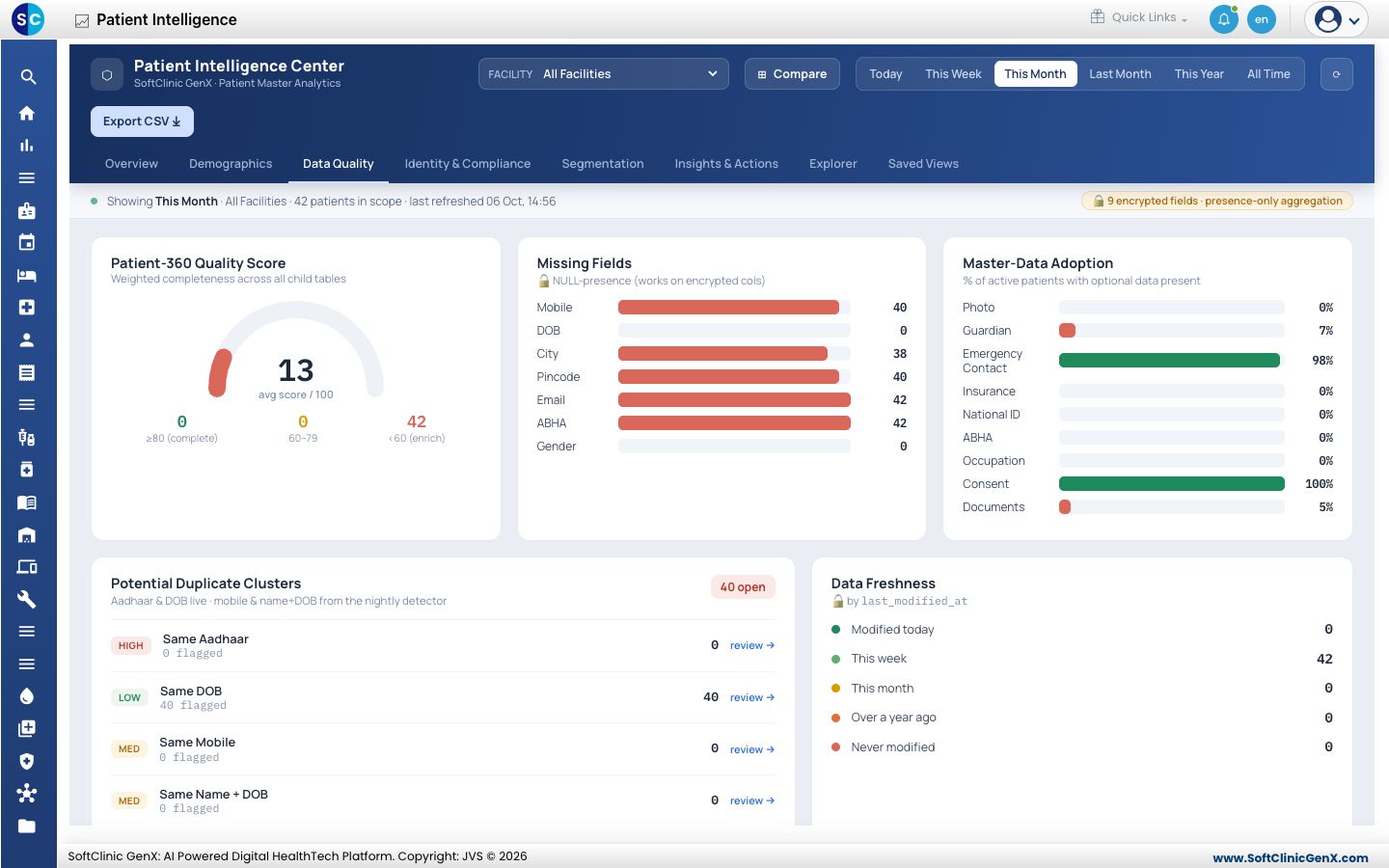
Click Data Quality to see how complete the records are: the quality score, the fields most often missing and possible duplicate patients.
-
Click Export CSV to download the figures. The other tabs, such as Identity & Compliance, Segmentation, Insights & Actions and Explorer, work the same way.
Good to know
- Sensitive fields are counted but never shown, so you can see how many records have a value without seeing the value.
- A low data quality score usually means mobile numbers, dates of birth or addresses are being left empty at registration.
Related
- View Executive Intelligence: hospital-wide performance.
- Home & Dashboards FAQs: short answers about dashboards.