Handle a record request
Log a request for a copy of a medical record, approve it, deliver it and print the copy.
When a patient, an insurer or another person asks for a copy of a medical record, log the request here and follow it through to delivery.
note
Who does this: medical records staff · Where: Medical Records › Record Requests
Log and process a request
-
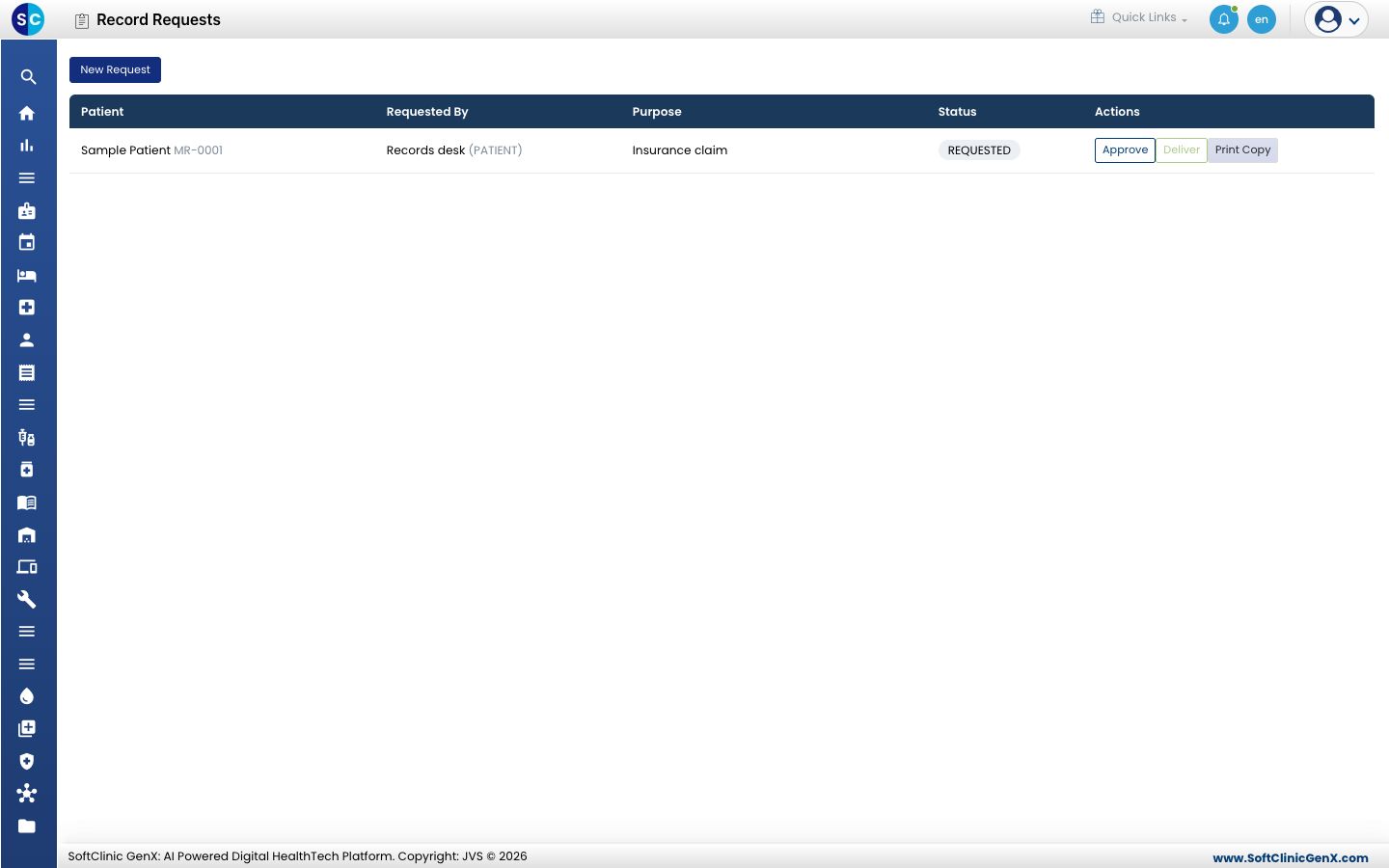
Open Medical Records › Record Requests. The list shows each request with the patient, who asked, the purpose and the status.
-
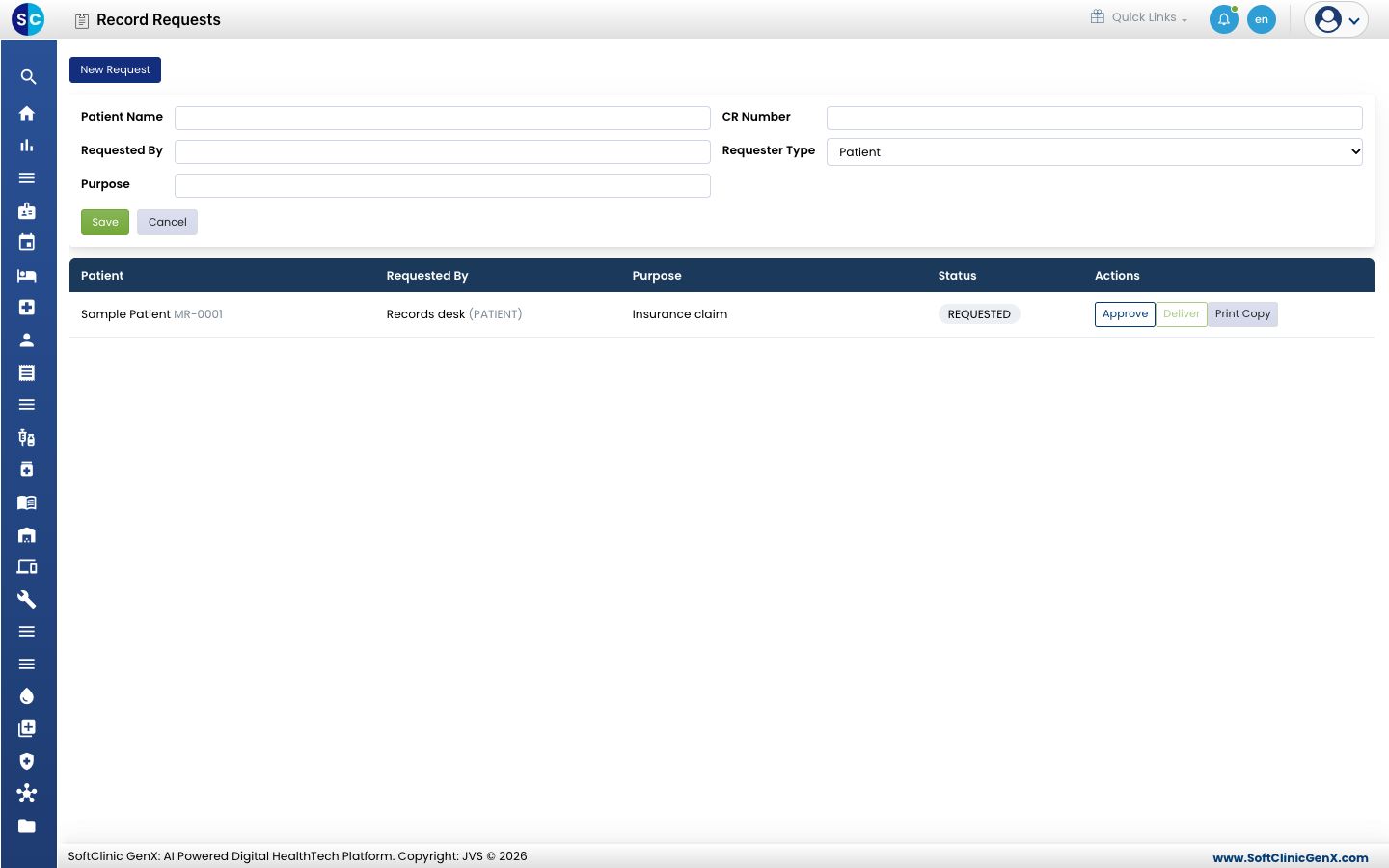
Click New Request.
-
Enter the Patient Name and CR Number, who is asking in Requested By, choose the Requester Type, and write the Purpose.
-
Click Save. The request shows as REQUESTED.
-
Click Approve when the request is allowed, then Deliver once the copy is handed over. Click Print Copy to print it.
Related
- Process a medical record: get the record itself ready.
- Medical Records FAQs: short answers about requests.
Was this helpful?