Check blood stock
See how many units of each blood group and component are available, and which are running low or about to expire.
The Inventory Dashboard shows the blood bank's stock at a glance. Use it to decide when to hold a collection drive and which units to use first.
Who does this: blood bank staff · Where: Blood Bank › Blood Inventory
Read the Inventory Dashboard
-
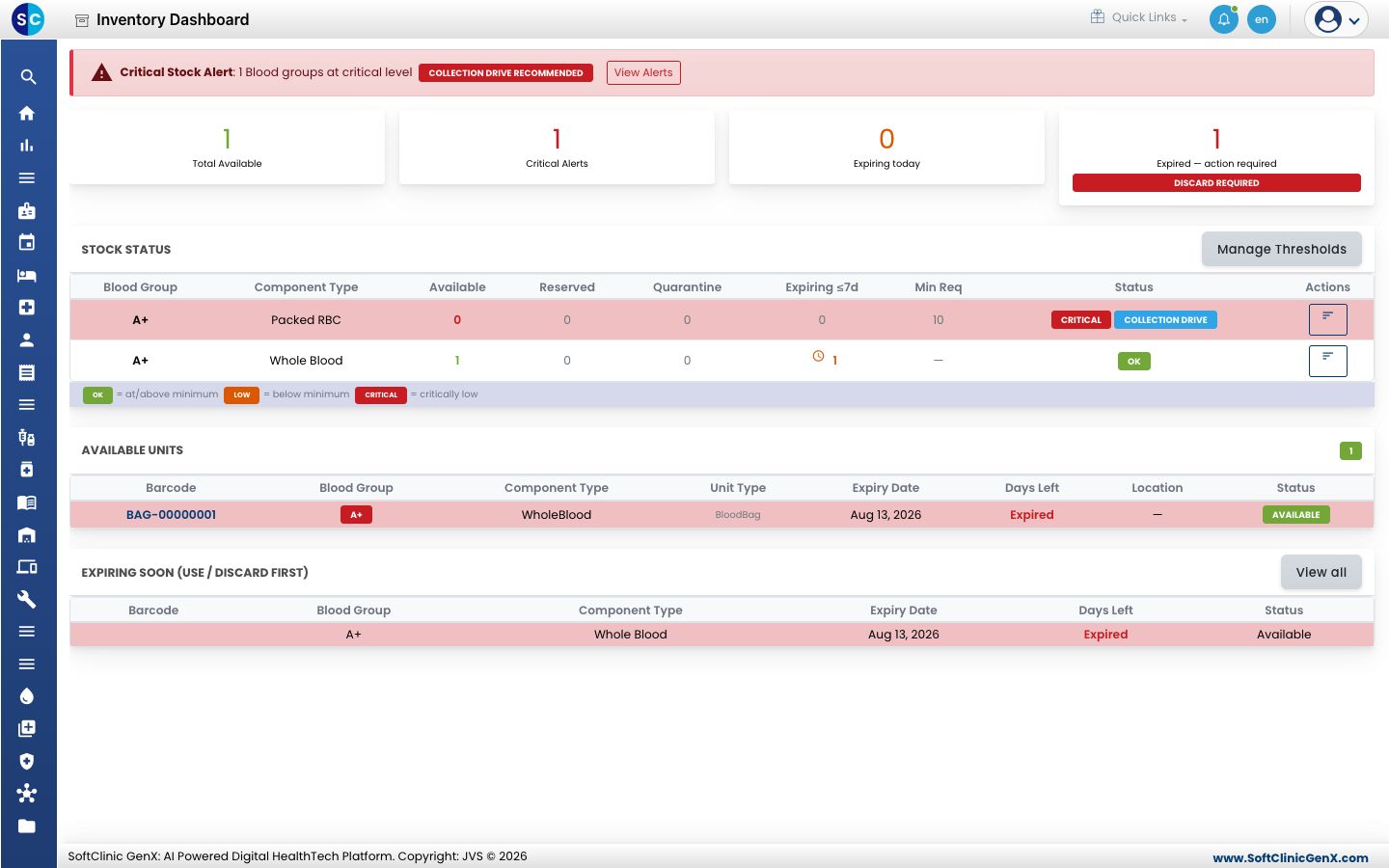
Open Blood Bank › Blood Inventory. A red banner appears at the top when any blood group is at a critical level.
-
The tiles show the Total Available units, Critical Alerts, units Expiring today, and expired units that must be discarded.
-
Stock Status lists each blood group and component with the units Available, Reserved, Quarantine and Expiring ≤7d, the Min Req and a status: OK, low or critical.
-
Available Units lists each bag by barcode, with its expiry date and days left. Expiring Soon shows what to use or discard first.
-
Click Manage Thresholds to set the minimum stock for each blood group and component.
See the alerts
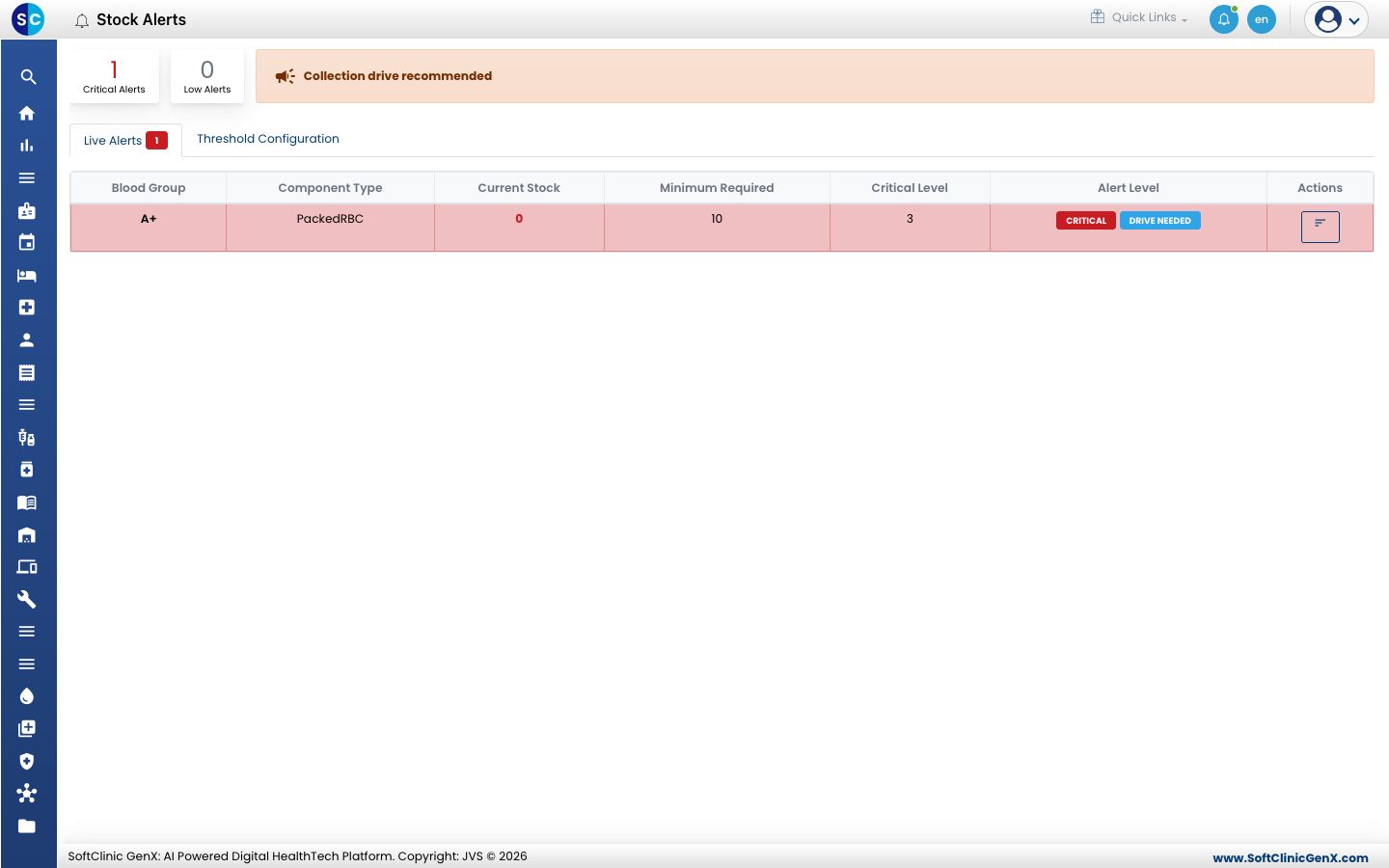
Click View Alerts, or open Stock Alerts, to see each alert with the current stock, the minimum required and the critical level. A Collection drive recommended message appears when stock is critical.
Related
- Register a blood donor: add donors for a collection drive.
- Blood Bank FAQs: short answers about stock.