Raise a blood request
Ask the blood bank for blood or a blood component for a patient.
A blood request tells the blood bank which component, blood group and quantity a patient needs, and how urgently.
Who does this: ward nurse or doctor · Where: Blood Bank › Blood Requests
Raise a request
-
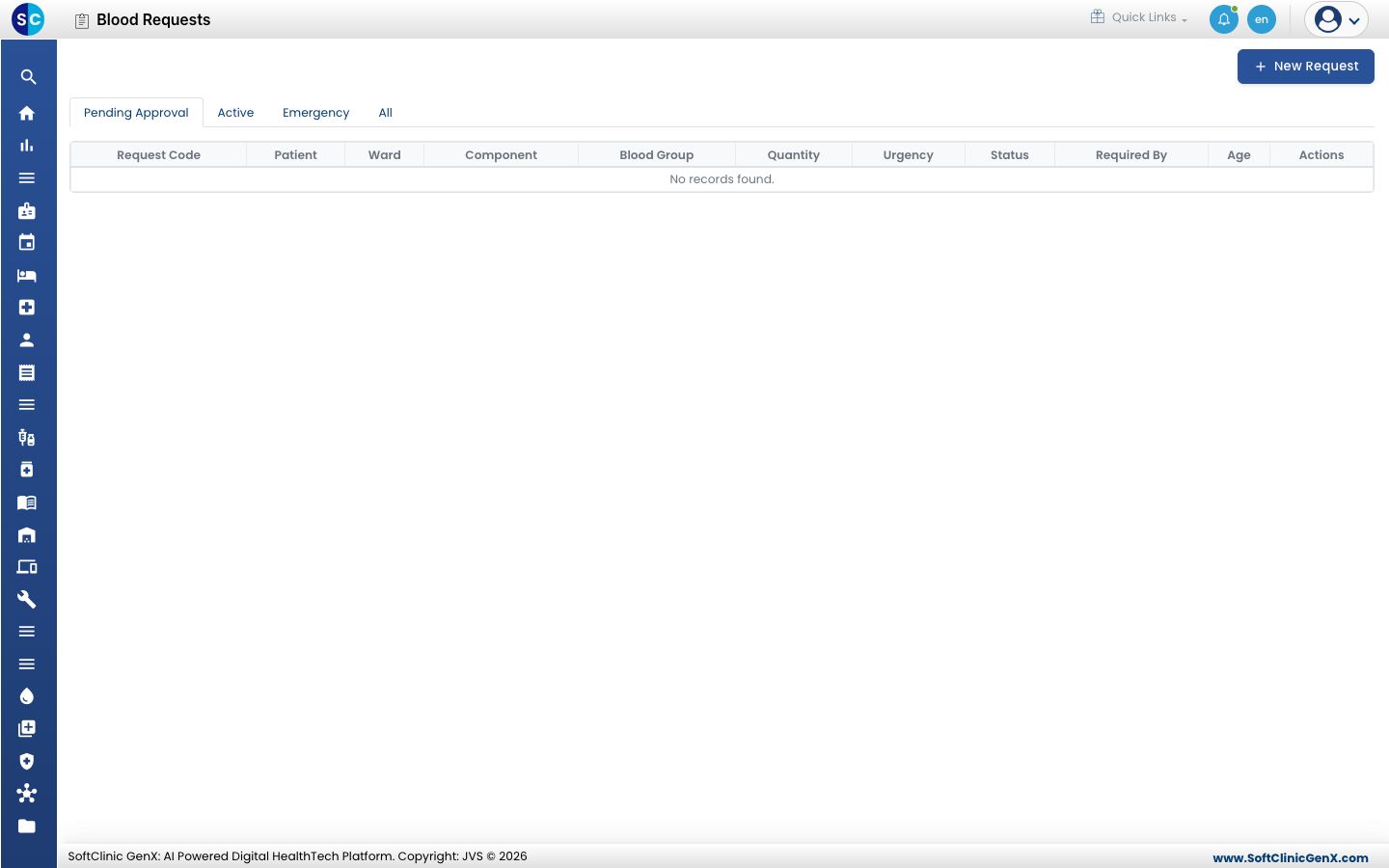
Open Blood Bank › Blood Requests. The tabs are Pending Approval, Active, Emergency and All.
-
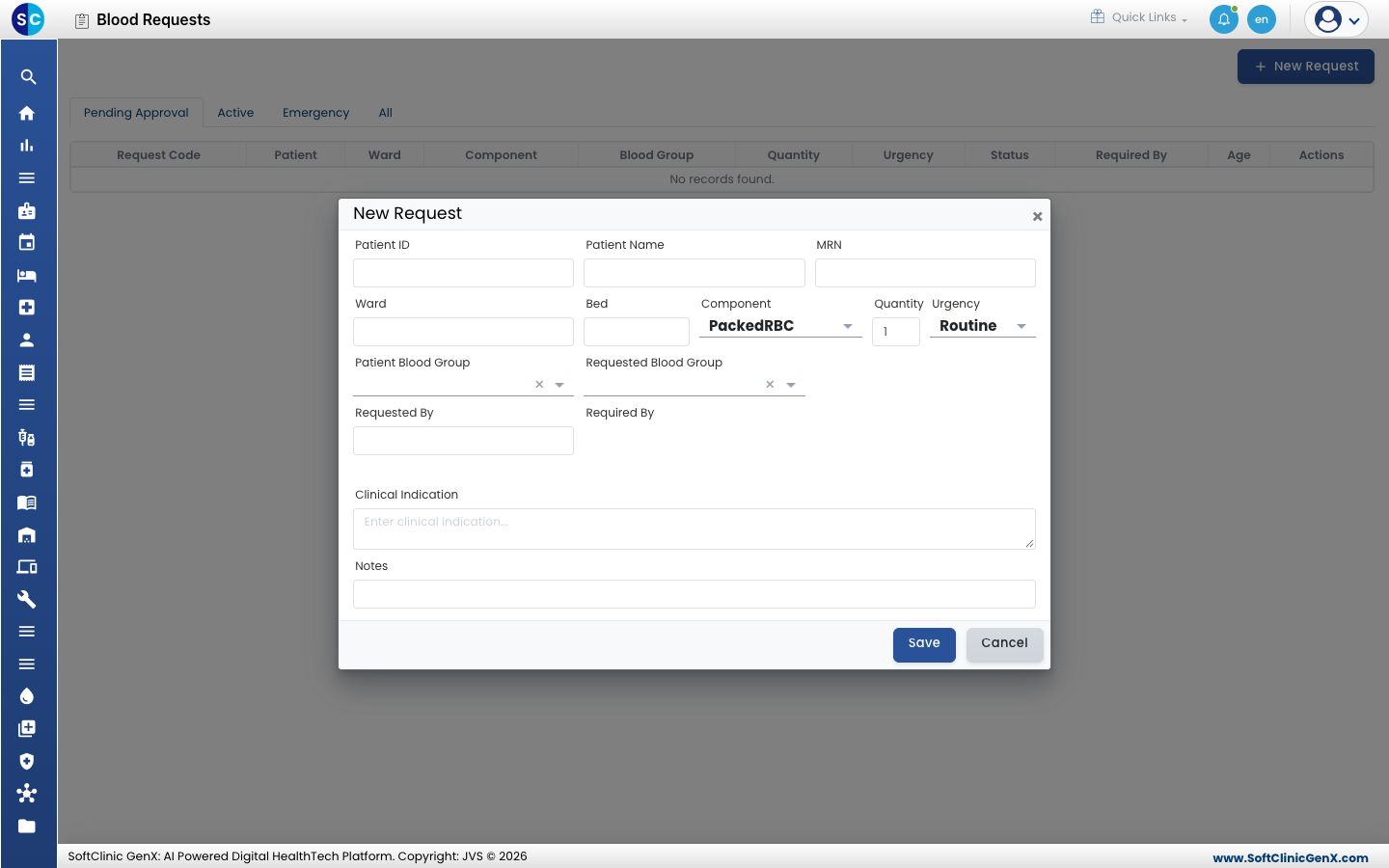
Click New Request.
-
Enter the patient's Patient ID, Patient Name and MRN, and the Ward and Bed.
-
Choose the Component and enter the Quantity. Choose the Urgency; the default is Routine.
-
Choose the Patient Blood Group and the Requested Blood Group, then enter Requested By and Required By.
-
Write the Clinical Indication and any Notes, then click Save.
The request appears under Pending Approval until the blood bank approves it.
Related
- Follow a transfusion: track the transfusion once blood is issued.
- Blood Bank FAQs: short answers about requests.