Register a blood donor
Add a new donor to the Blood Bank so their donations can be recorded.
Every blood donation is linked to a donor. Register the donor once here, and record each donation against them later.
note
Who does this: blood bank staff · Where: Blood Bank › Donors
Register a donor
-
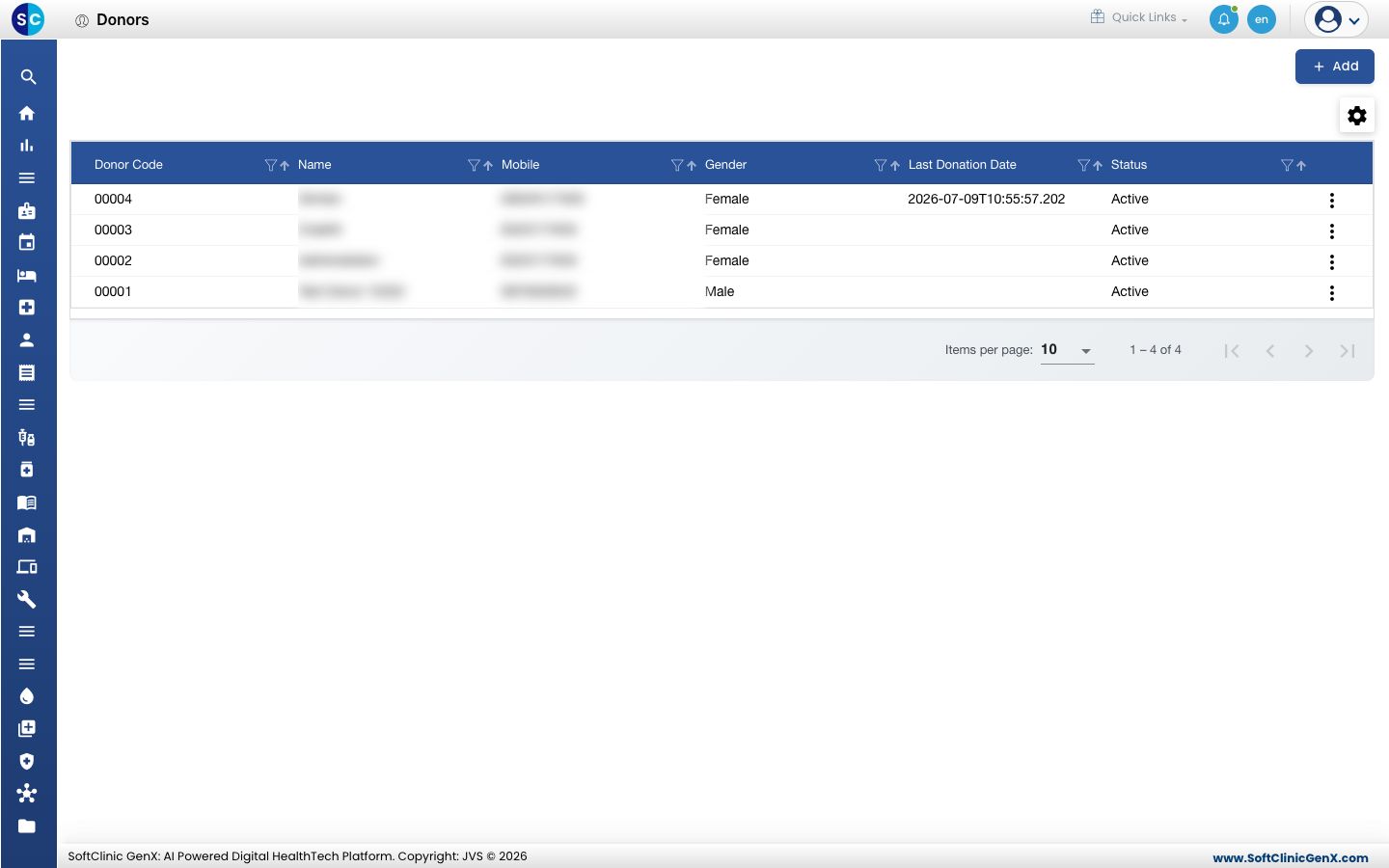
Open Blood Bank › Donors. The list shows each donor's code, name, mobile number, gender, last donation date and status.
-
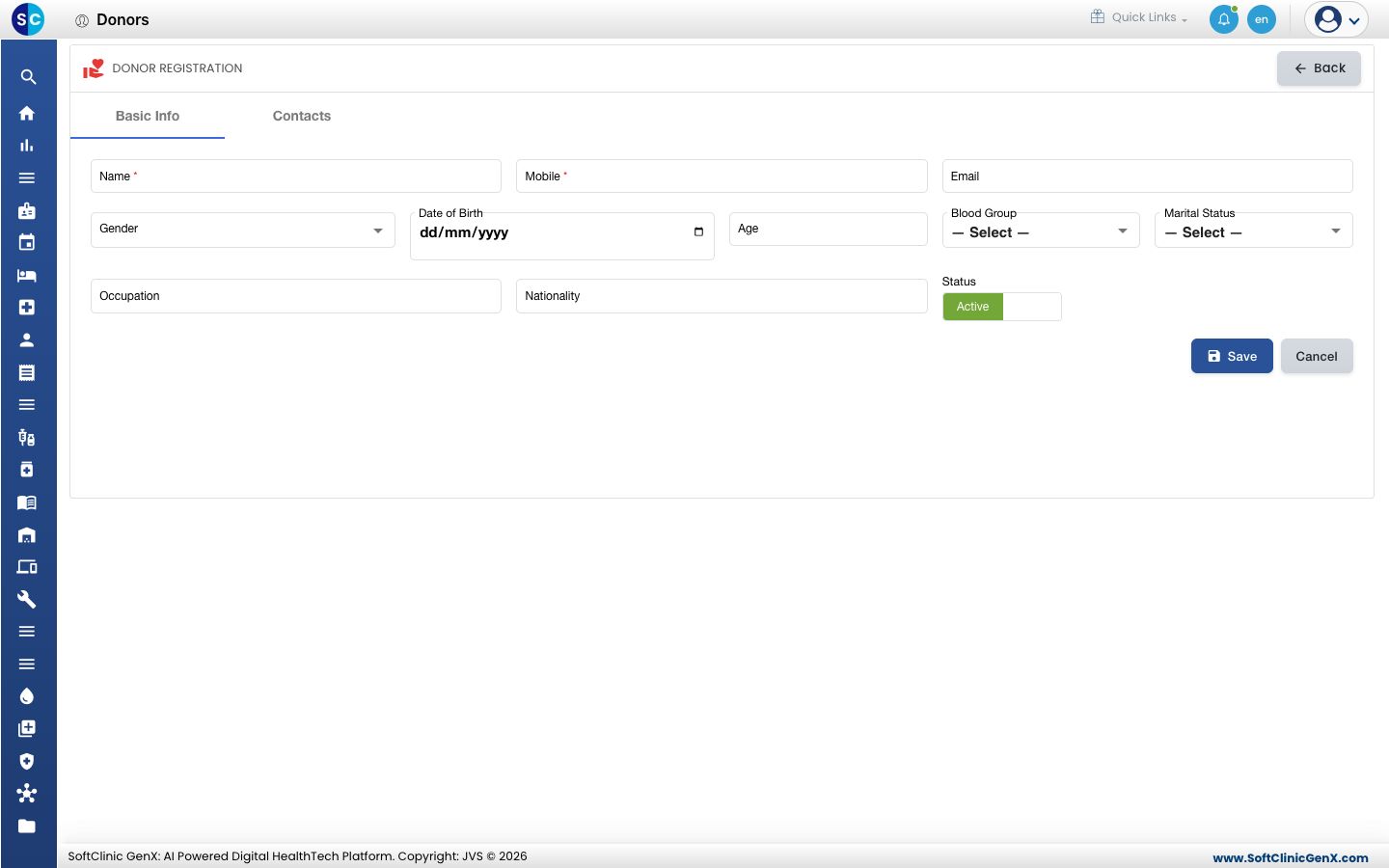
Click Add. The Donor Registration form opens on the Basic Info tab.
-
Enter the donor's Name and Mobile. Both are required. Add the Email, Gender, Date of Birth, Occupation and Nationality if you have them.
-
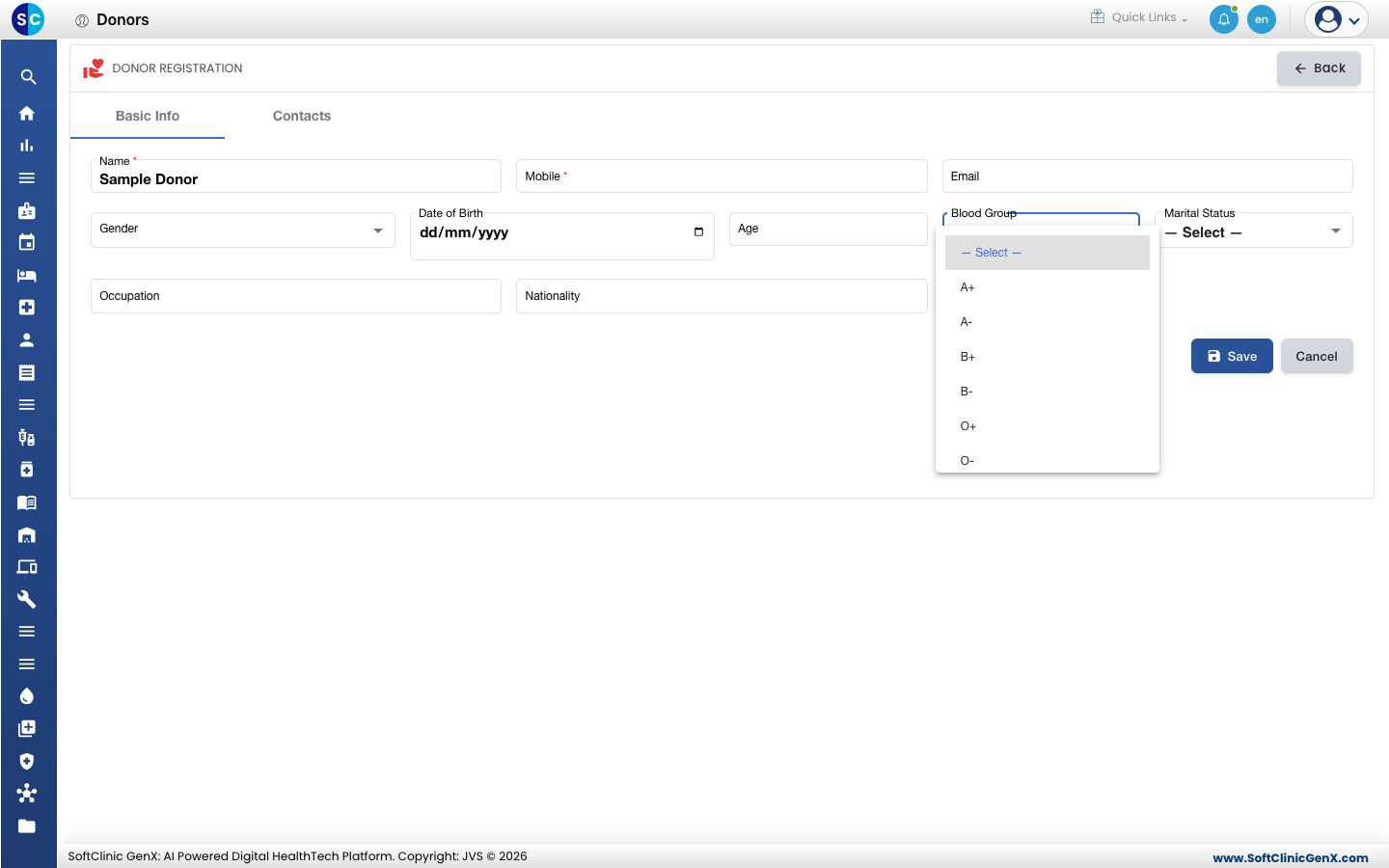
Choose the Blood Group.
-
Open the Contacts tab to add the donor's contact details.
-
Leave Status on Active and click Save.
Good to know
- The Last Donation Date fills in after the donor's first donation.
- A donor who should not give blood for now can be set to inactive instead of being deleted.
Related
- Check blood stock: see what is in the blood bank.
- Blood Bank FAQs: short answers about donors.
Was this helpful?