Set up Certificate Master
Create the certificate templates, such as consent forms and medical certificates, that staff issue to patients.
A certificate template holds the wording of a certificate. It has placeholders for patient and doctor details that fill in automatically when the certificate is issued.
Who does this: hospital administrator · Where: Certificate › Certificate Master
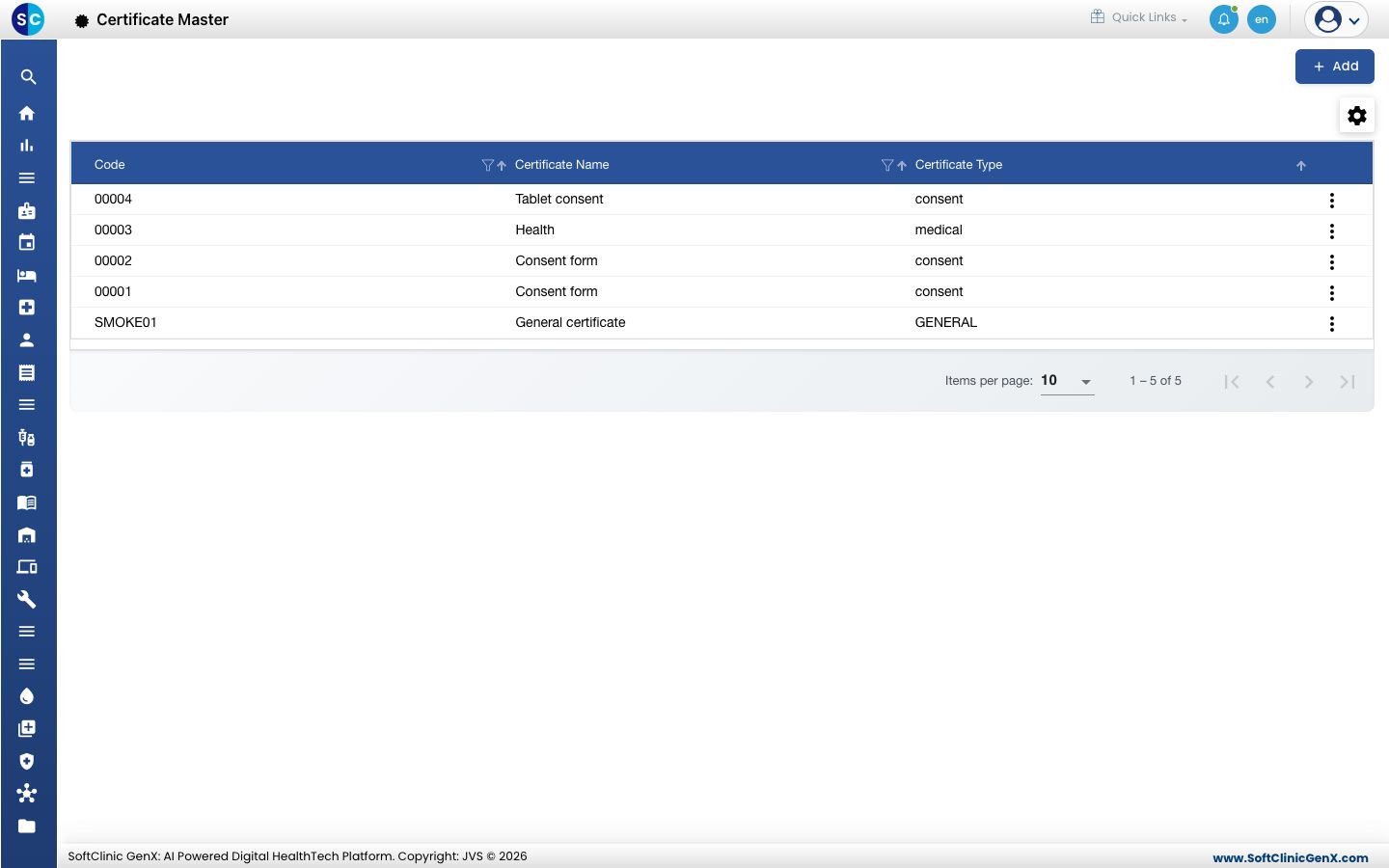
Create a certificate template
-
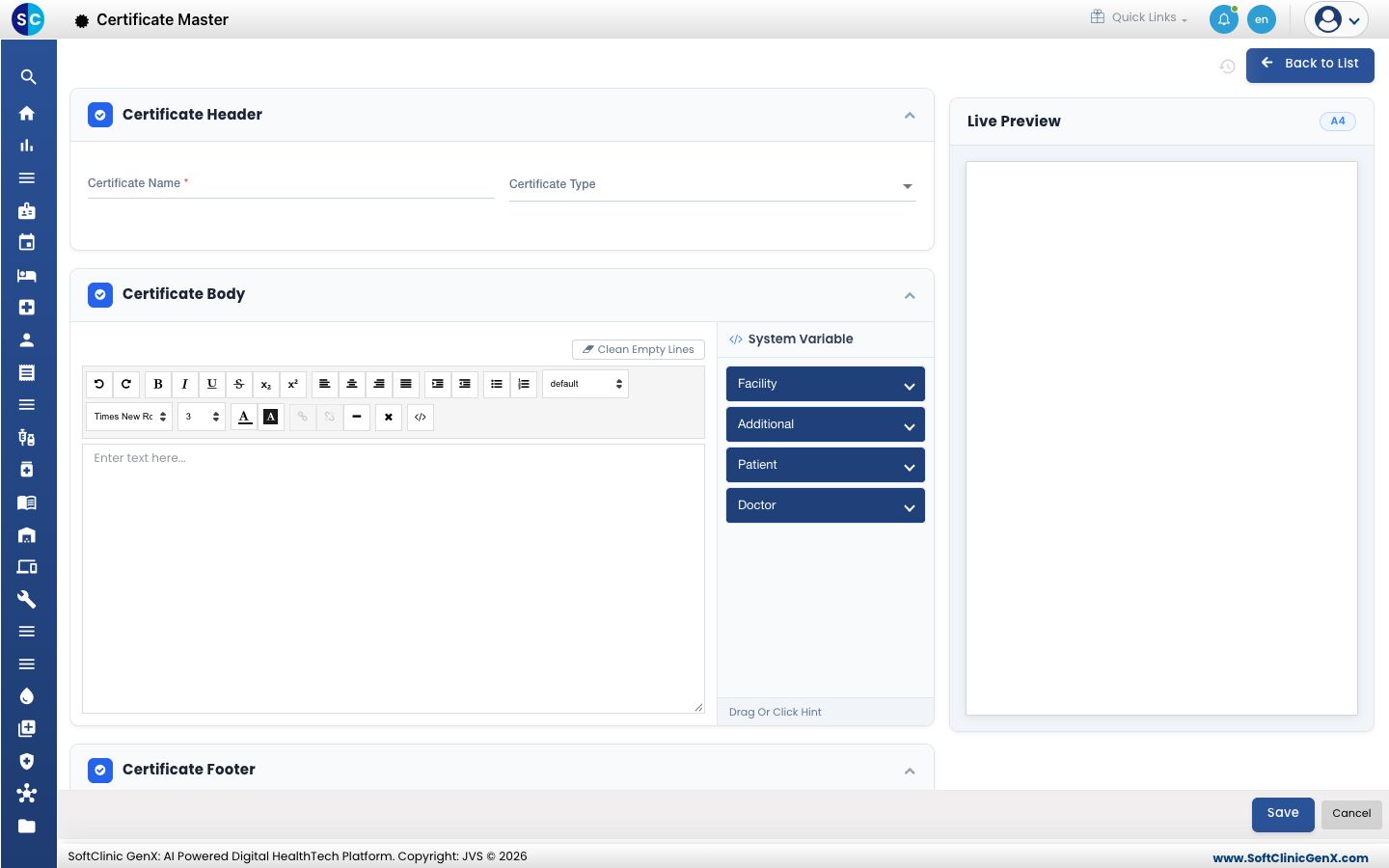
Open Certificate › Certificate Master and click Add. The form opens with the Certificate Header, Certificate Body and Certificate Footer sections and a Live Preview on the right.
-
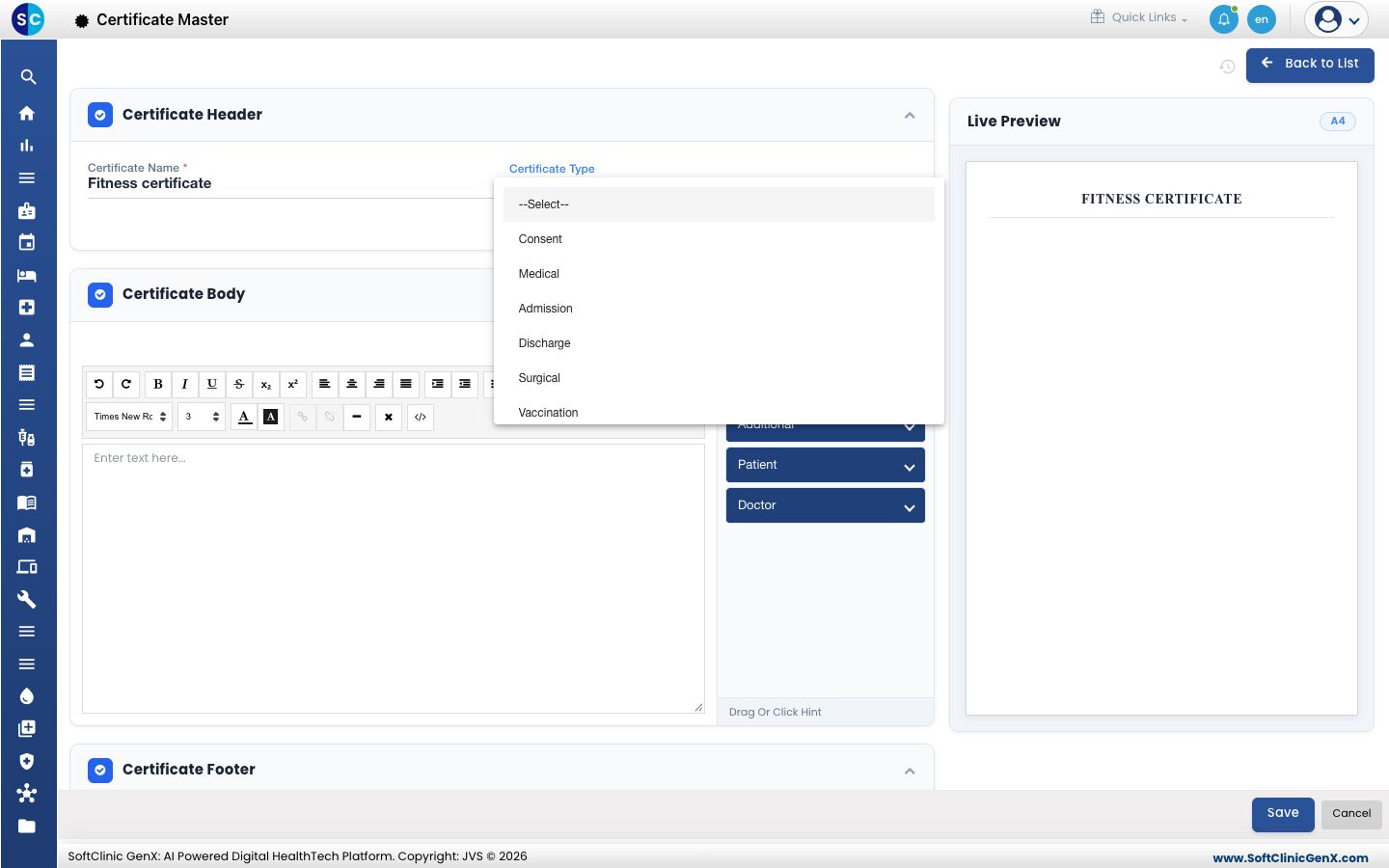
Enter the Certificate Name and choose the Certificate Type. The name also appears as the heading in the preview.
-
Write the certificate in Certificate Body. Use the toolbar to format the text.
-
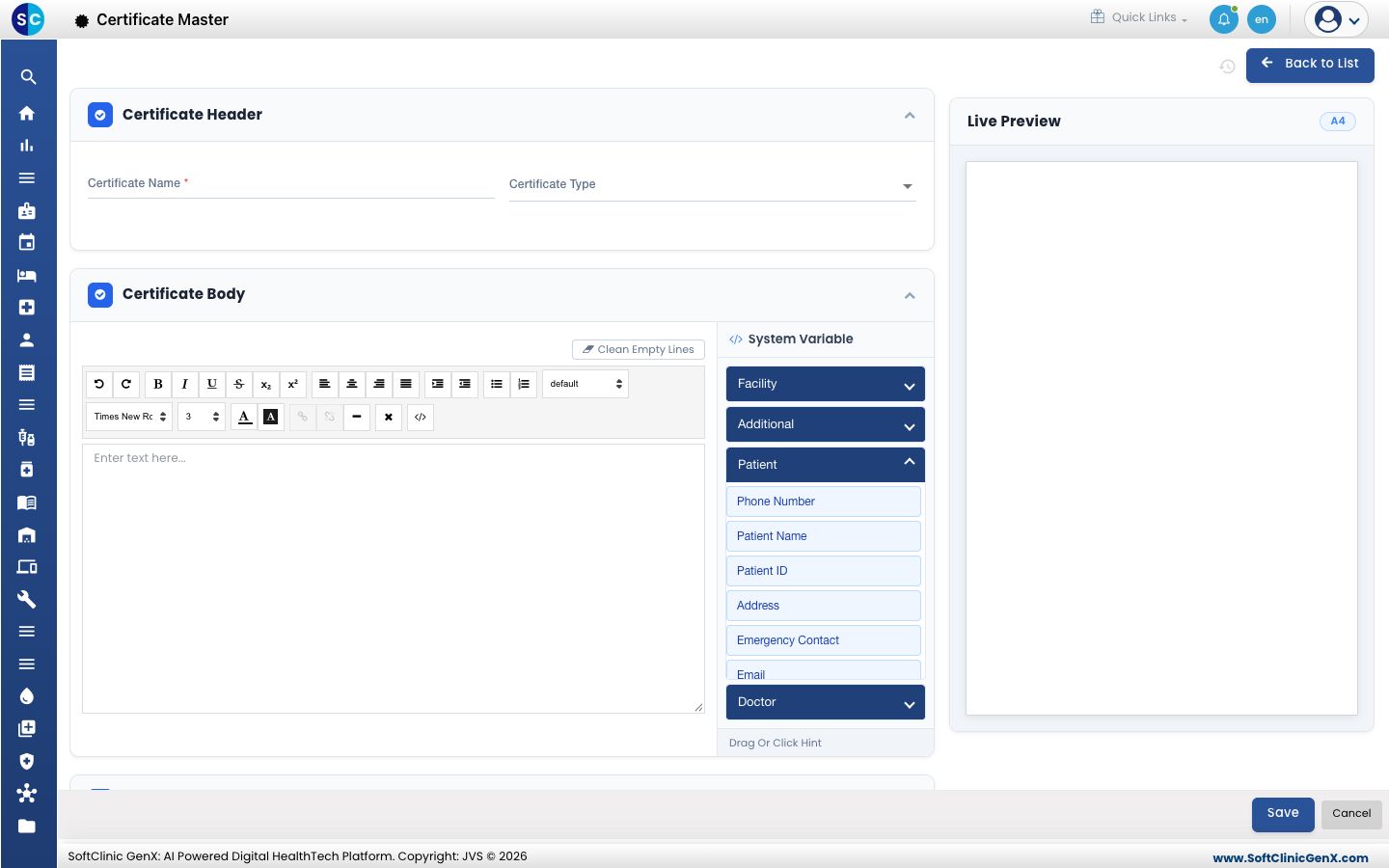
To insert details that change for each patient, open Facility, Additional, Patient or Doctor under System Variable and click an item, for example Patient Name. It is added where your cursor is.
-
Fill in Certificate Footer if you need one, check the Live Preview, then click Save.
Change a template
Click the three dots at the end of the row to edit or preview a template.
Good to know
- Clean Empty Lines removes blank lines that are left in the body.
- The certificate type decides how the template is grouped when staff choose it.
Related
- Issue a certificate: use a template for a patient.
- Certificate FAQs: short answers about certificates.