Set up Drug Generic
Who does this: hospital administrator or pharmacy in-charge Where: General Masters › Drug Masters › Drug Generic Set up before: Drug Classification, Unit of Measurement
A drug generic is the medicine molecule, for example AMOXICILLIN, as opposed to a brand. It carries the facts that are the same for every brand: its classification, drug schedule, the forms and strengths it comes in and how it is given. Each drug you stock is then linked to its generic.
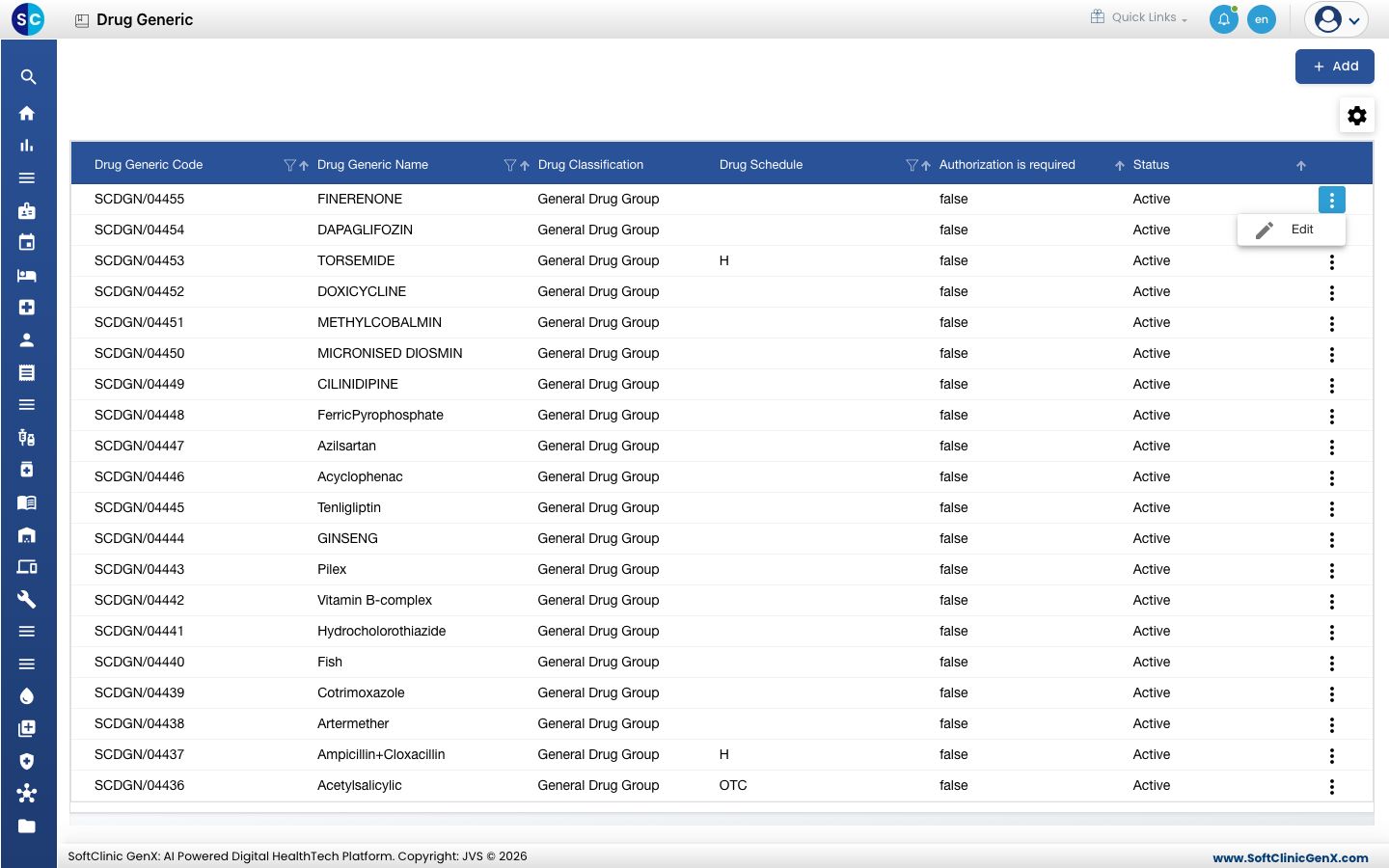
Add a drug generic
-
Go to General Masters › Drug Masters › Drug Generic.
-
Click Add. The drug generic form opens.
-
Fill in the top of the form:
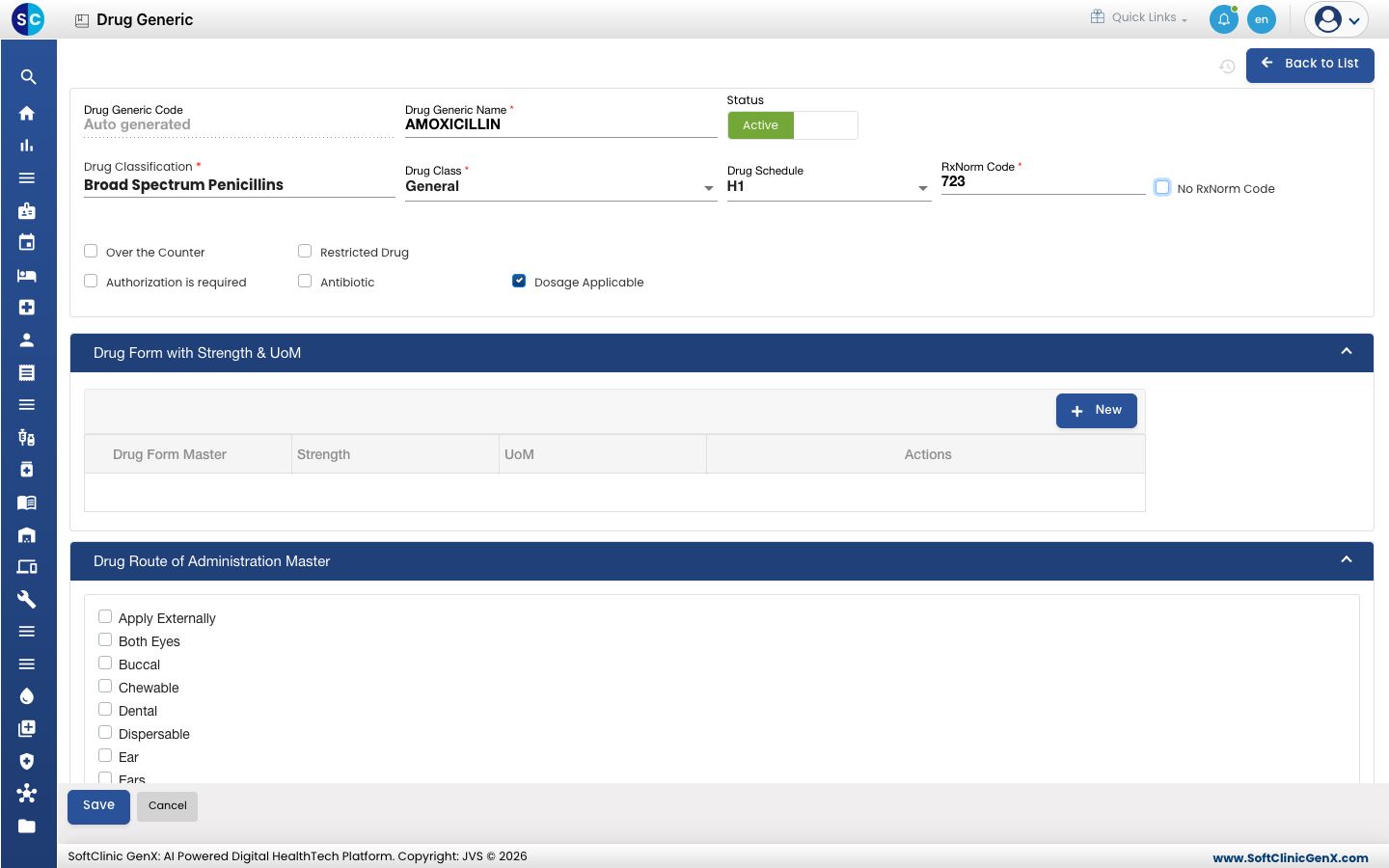
Field What to enter Required Drug Generic Code Filled in automatically when you save. — Drug Generic Name The molecule name, for example AMOXICILLIN. Up to 150 characters. Yes Status Leave on Active. — Drug Classification Start typing and pick the classification, for example Broad Spectrum Penicillins. Yes Drug Class Pick the class, for example General or Schedule H. Yes Drug Schedule The statutory schedule: X, H1, H, G or OTC. No RxNorm Code The international code for the molecule, for example 723 for amoxicillin. Yes, for a new generic No RxNorm Code Tick this when the molecule has no RxNorm code, then enter the Reason for No RxNorm Code. No Over the Counter, Restricted Drug, Authorization is required, Antibiotic, Dosage Applicable Tick each one that applies. Dosage Applicable is ticked for you. No -
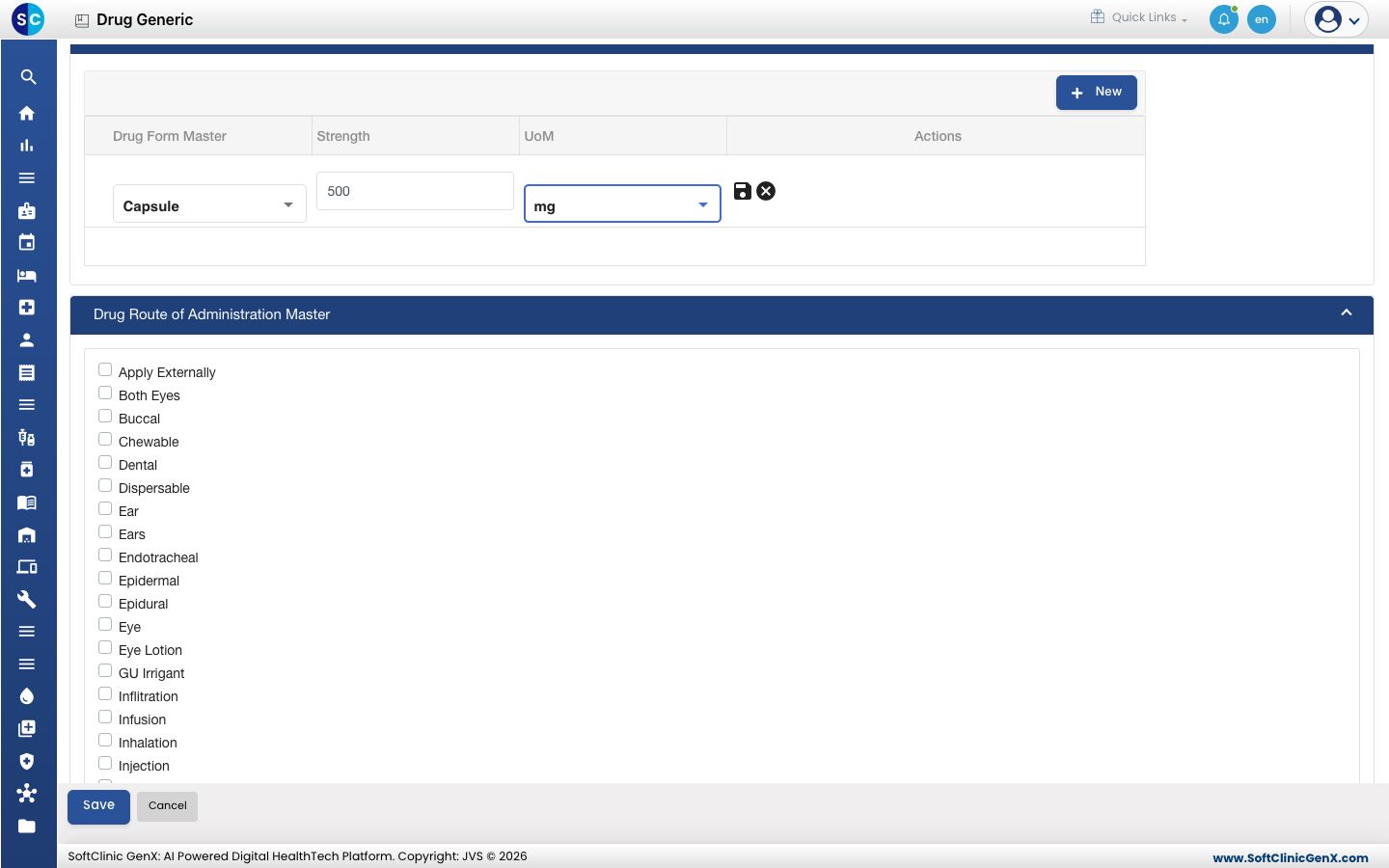
Under Drug Form with Strength & UoM, click New and fill in the row: pick the Drug Form Master (for example Capsule), type the Strength (for example 500) and pick the UoM (for example mg). Click the save icon at the end of the row. Add a row for each form and strength.
-
Under Drug Route of Administration Master, tick every route by which the medicine is given, for example Oral.
-
Click Save. You return to the list and the new generic appears in it.
Change or deactivate a drug generic
- In the list, click ⋮ at the end of the row and choose Edit.
- Change the fields you need. To stop using the generic, switch Status to Inactive.
- Click Save.
Drug generics cannot be deleted from this screen. Make a generic Inactive instead.
Good to know
- Drug generic names must be unique.
- Tick at least one route of administration, or the generic cannot be saved.
- A strength must be more than 0 and less than 1000.
- The routes you tick here are the only routes you can pick later on each drug linked to this generic.
- Most common generics are usually already in the list. Search with the filter icon in the Drug Generic Name column before adding one.
Related
- Previous: Set up Drug Classification
- Next: Set up Drug
- Pharmacy FAQs