Set up Drug
Who does this: hospital administrator or pharmacy in-charge Where: General Masters › Drug Masters › Drug Set up before: Item, Drug Generic
A drug is a medicine you stock, by its trade name, for example Anset R Injection. You do not type drugs in here: each item with the item type Drugs in the item master becomes a drug. On this screen you link the drug to its generic, strength and route of administration, and then make it Active.
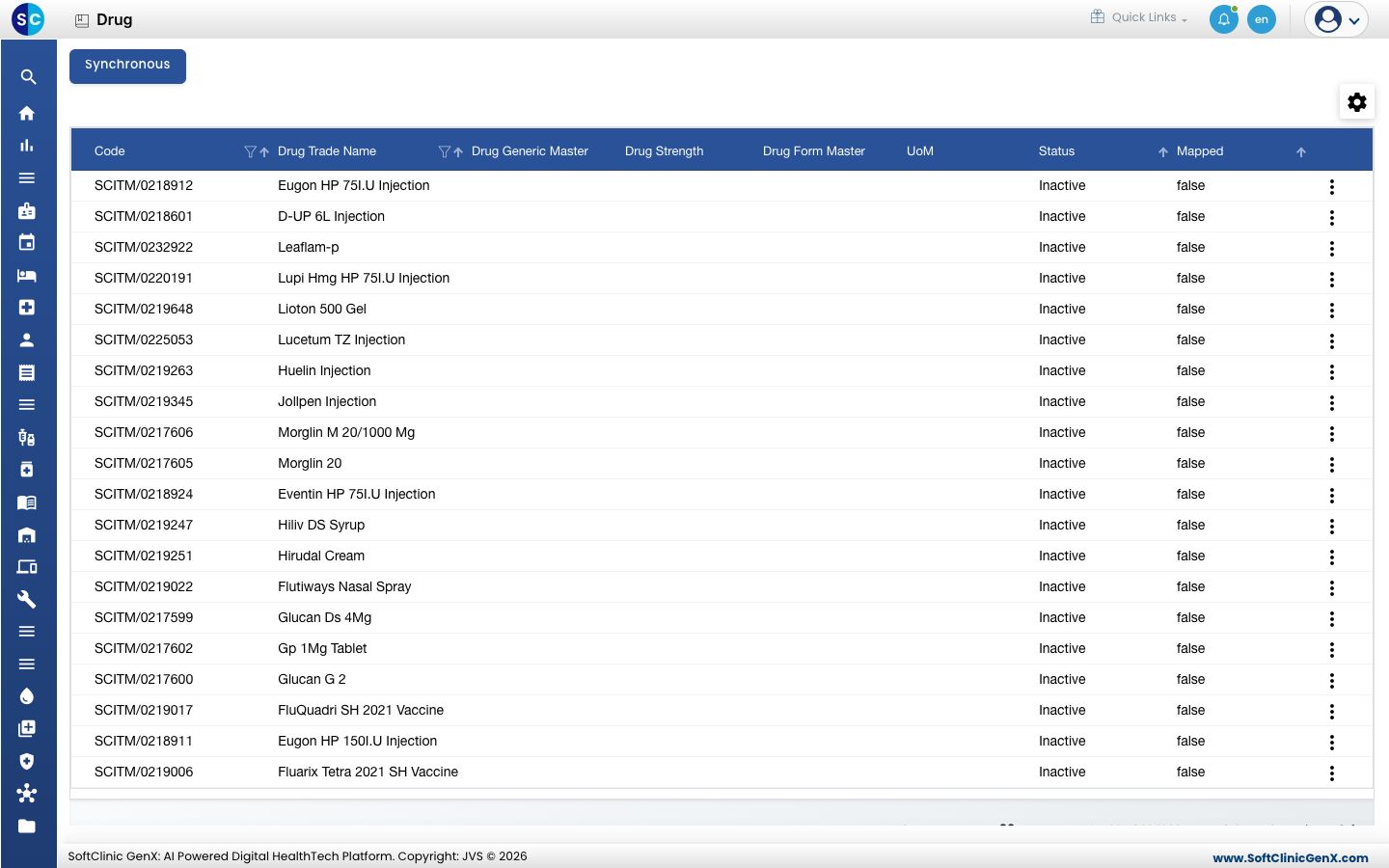
Bring in new items as drugs
- Add the medicine in the item master first. See Set up Item.
- Go to General Masters › Drug Masters › Drug.
- Click Synchronous. Every new drug item is added to the list with status Inactive, and names changed in the item master are updated.
Link a drug to its generic
-
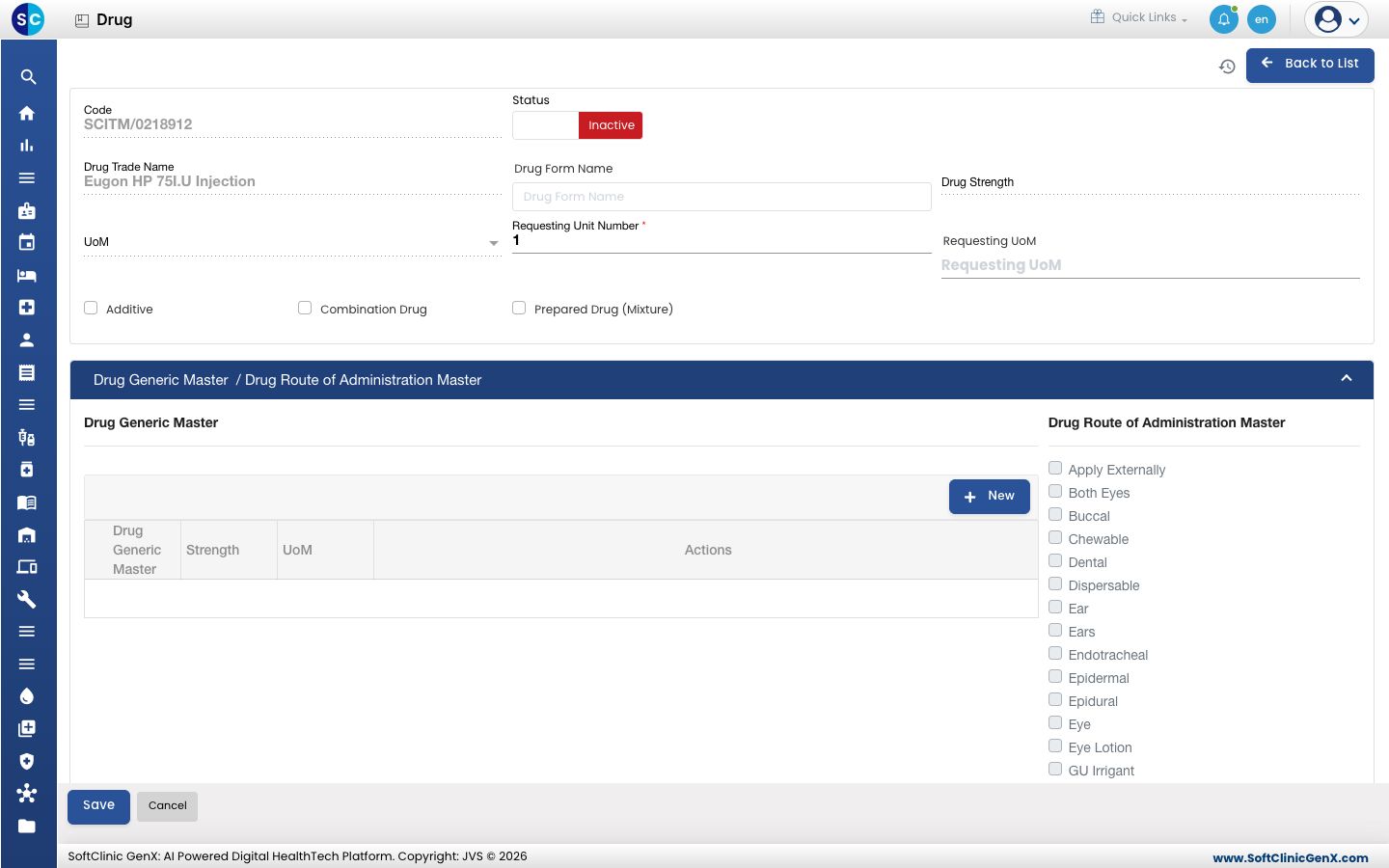
In the list, click ⋮ at the end of the row and choose Edit. The drug form opens.
-
Fill in the top of the form:
Field What to enter Required Code, Drug Trade Name Taken from the item master. You cannot change them here. — Status Switch to Active when the drug is ready to use. — Drug Form Name Start typing and pick the form, for example Capsule. Yes Requesting Unit Number How many units make one request. 1 is filled in for you. Yes Requesting UoM Start typing and pick the unit used when wards request the drug. Yes Additive Tick if the drug is added to another preparation. No Combination Drug Tick if the drug contains more than one generic. No Prepared Drug (Mixture) Tick if the drug is made up from other drugs. No -
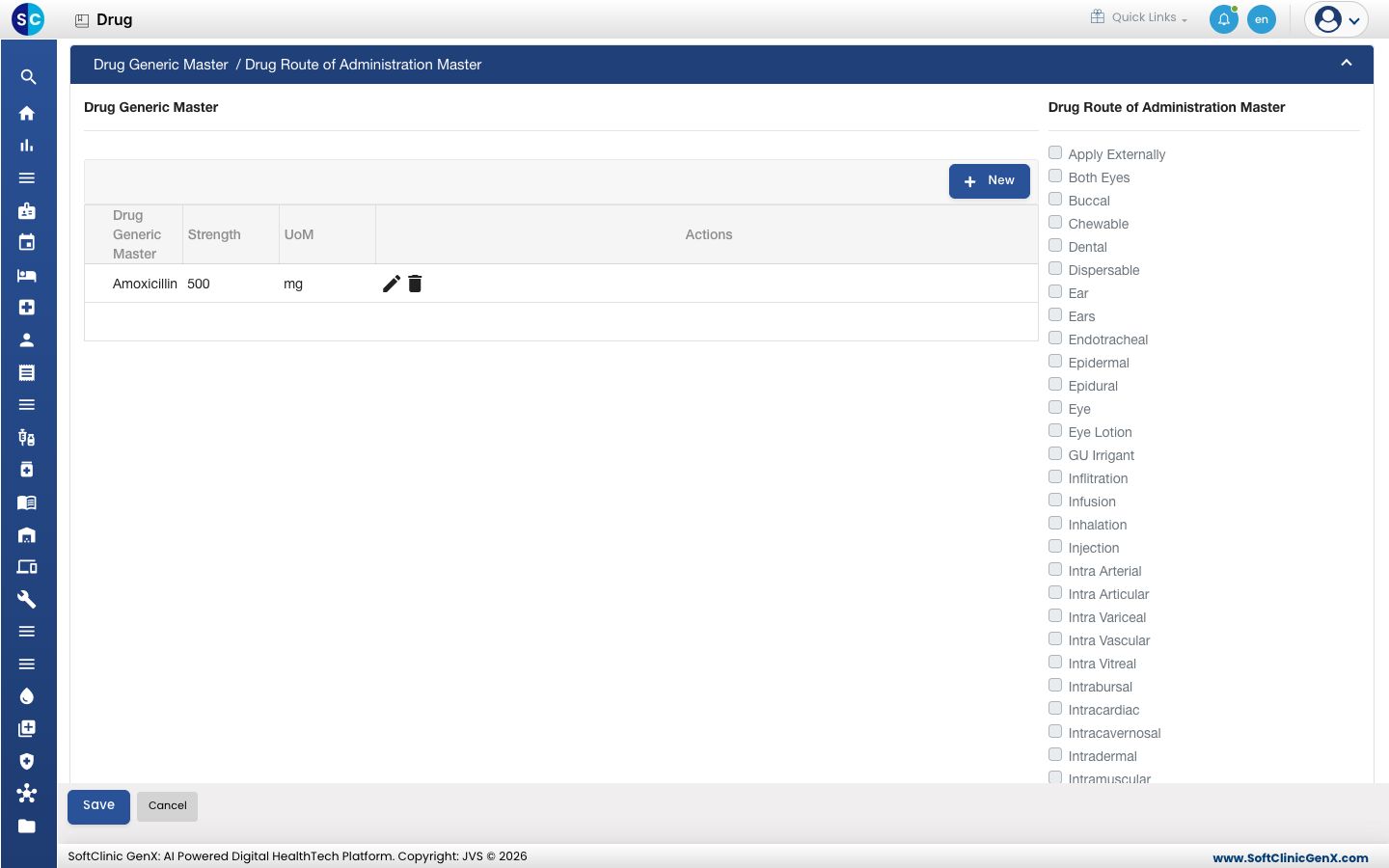
Under Drug Generic Master, click New. Start typing the generic and pick it, type the Strength, pick the UoM, and click the save icon at the end of the row.
-
Under Drug Route of Administration Master, the routes of the chosen generic are ticked for you. Clear any route that does not apply to this drug.
-
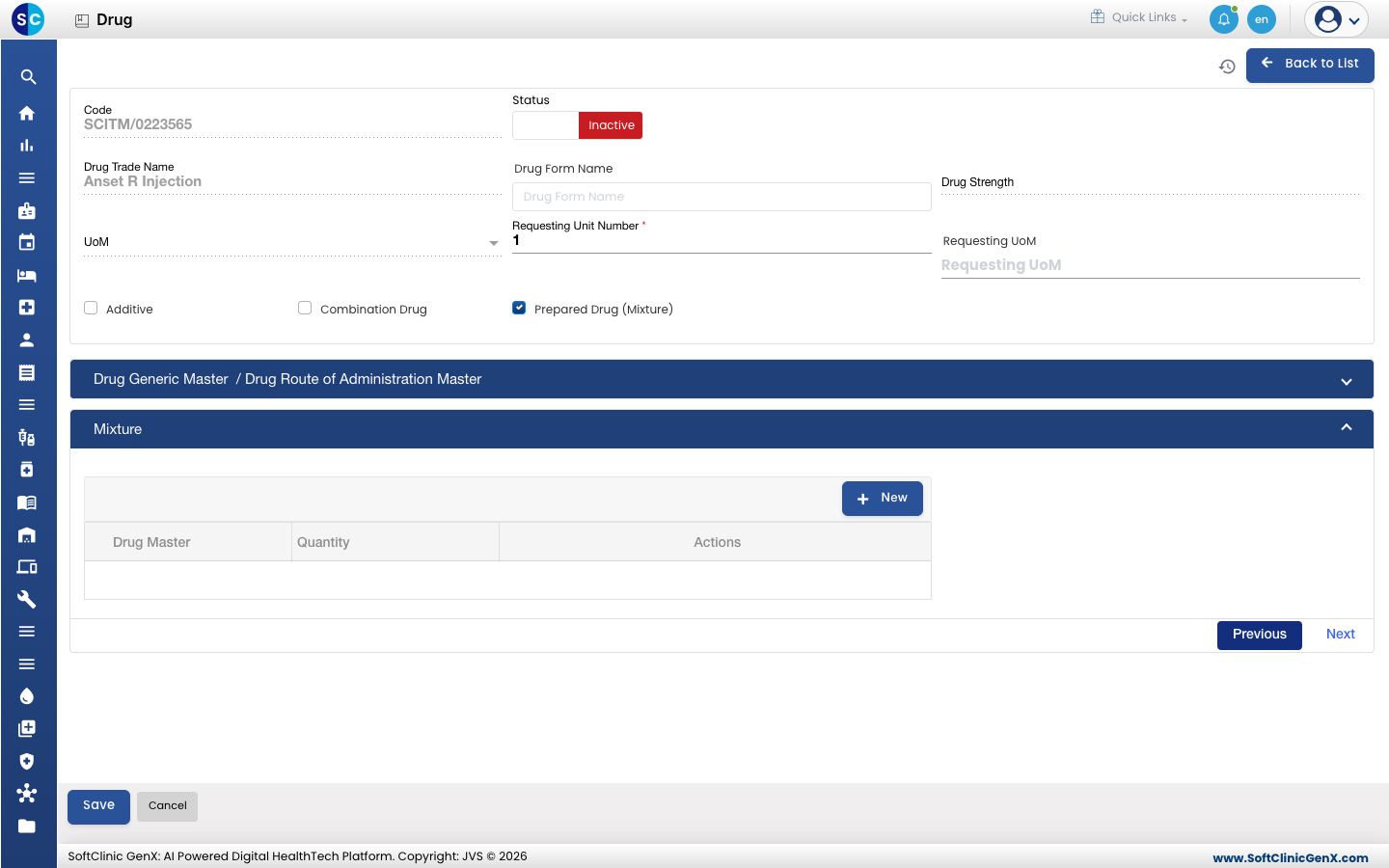
For a prepared drug, open Mixture, click New, pick each Drug Master that goes into it and type the Quantity.
-
Click Save.
Good to know
- A drug must have at least one generic and at least one route of administration, or it cannot be saved.
- Only one generic can be added unless Combination Drug is ticked.
- Rows can be added under Mixture only when Prepared Drug (Mixture) is ticked.
- Only the routes set on the generic can be ticked. To offer another route, add it to the generic first.
- Drugs cannot be deleted from this screen. Make a drug Inactive instead.