Record an AMC contract
Record an annual maintenance contract for an asset, with its dates, charges and service terms.
An annual maintenance contract (AMC) is an agreement with a service agent to maintain an asset. Record it here so the dashboard can warn you before it expires.
Who does this: biomedical or administration in-charge · Where: Asset Management › AMC Details
Record a contract
-
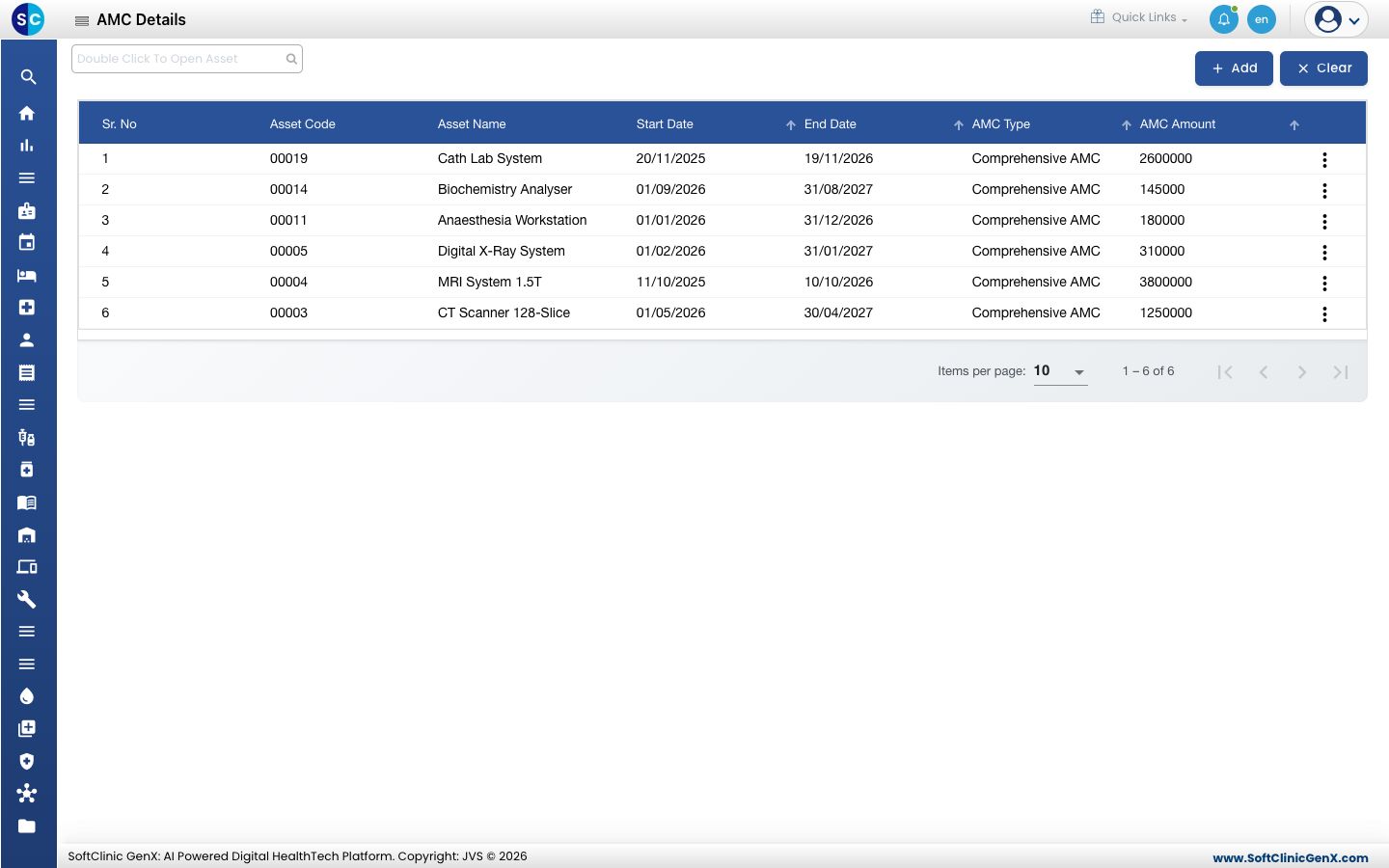
Open Asset Management › AMC Details. The list shows each contract with its asset, start and end dates, AMC type and amount.
-
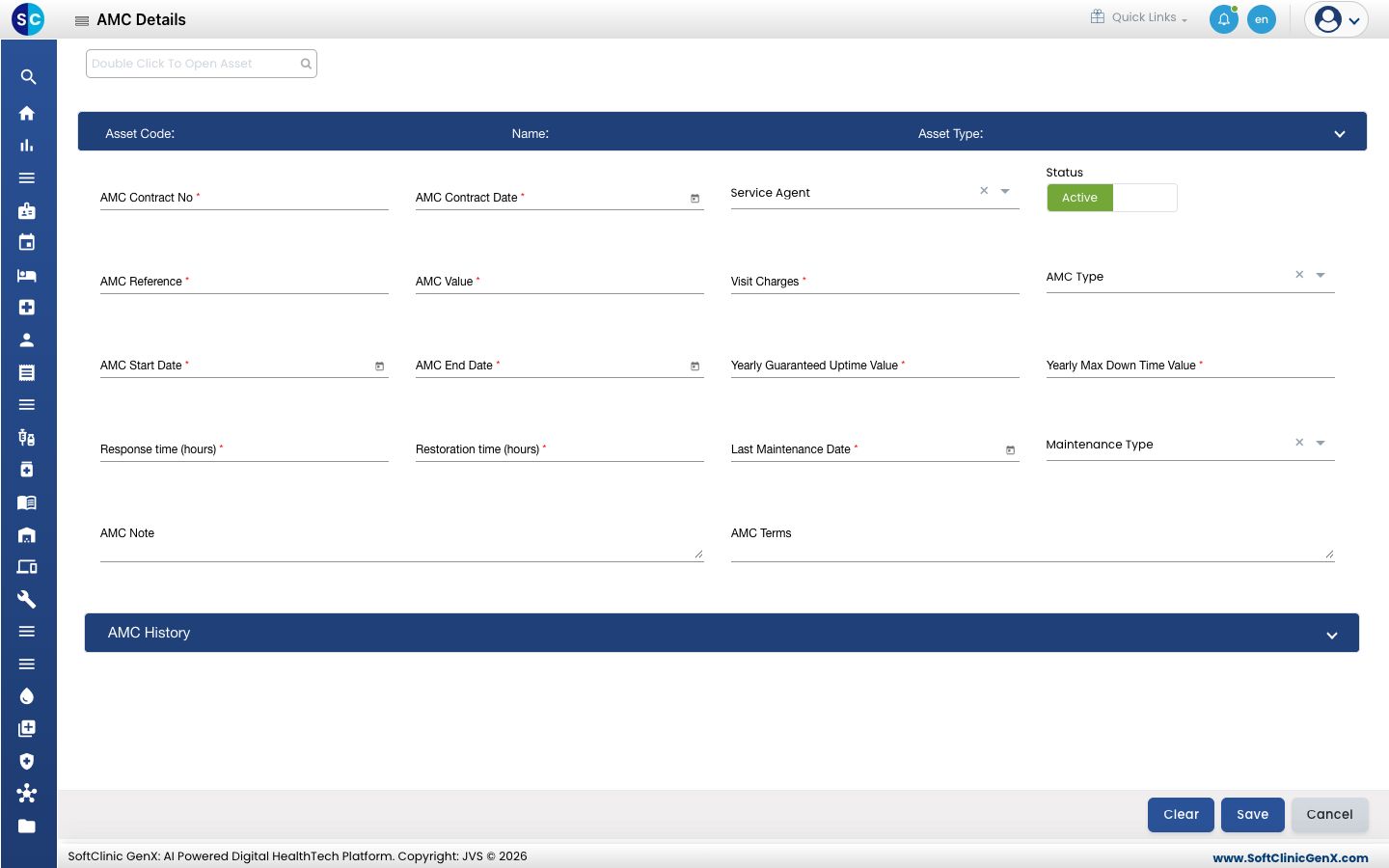
Click Add, then double-click the asset search box at the top and choose the asset.
-
Fill in the contract: AMC Contract No, AMC Contract Date, Service Agent, AMC Reference, AMC Value, Visit Charges, AMC Type, AMC Start Date and AMC End Date. These are required.
-
Enter the service terms: Yearly Guaranteed Uptime Value, Yearly Max Down Time Value, Response time (hours), Restoration time (hours), Last Maintenance Date and Maintenance Type.
-
Add the AMC Note and AMC Terms if you need them, then click Save. Open AMC History to see earlier contracts for the asset.
Related
- View the asset dashboard: see which AMCs are about to expire.
- Asset Management FAQs: short answers about AMC.