Track asset calibration
See when each asset was last calibrated and when it is next due, as a list or a calendar.
Some equipment must be calibrated at regular intervals. The calibration screen shows what was done and what is due.
note
Who does this: biomedical in-charge · Where: Asset Management › Asset Calibration
See what is due
-
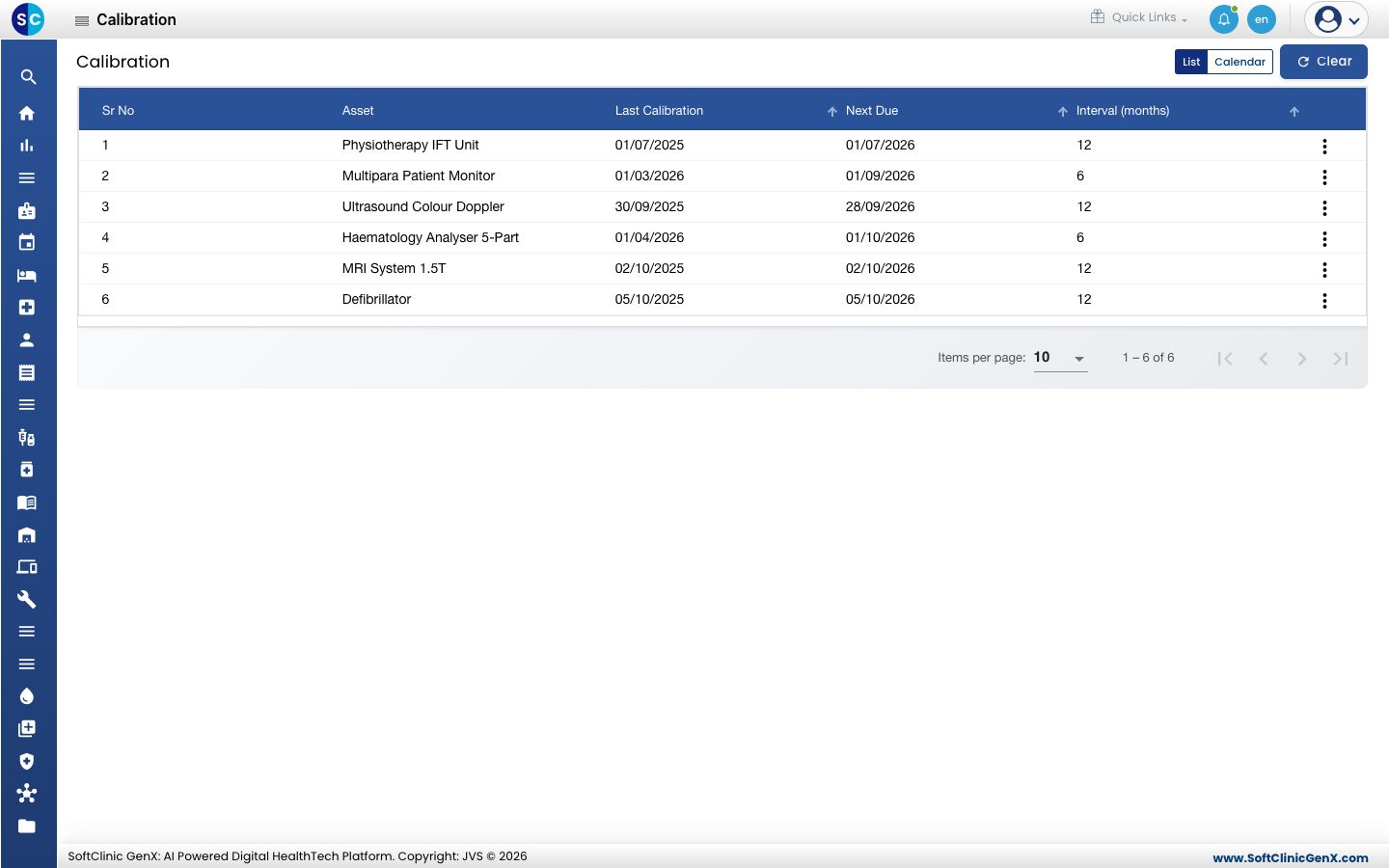
Open Asset Management › Asset Calibration. The List view shows each asset with its Last Calibration, Next Due and Interval (months).
-
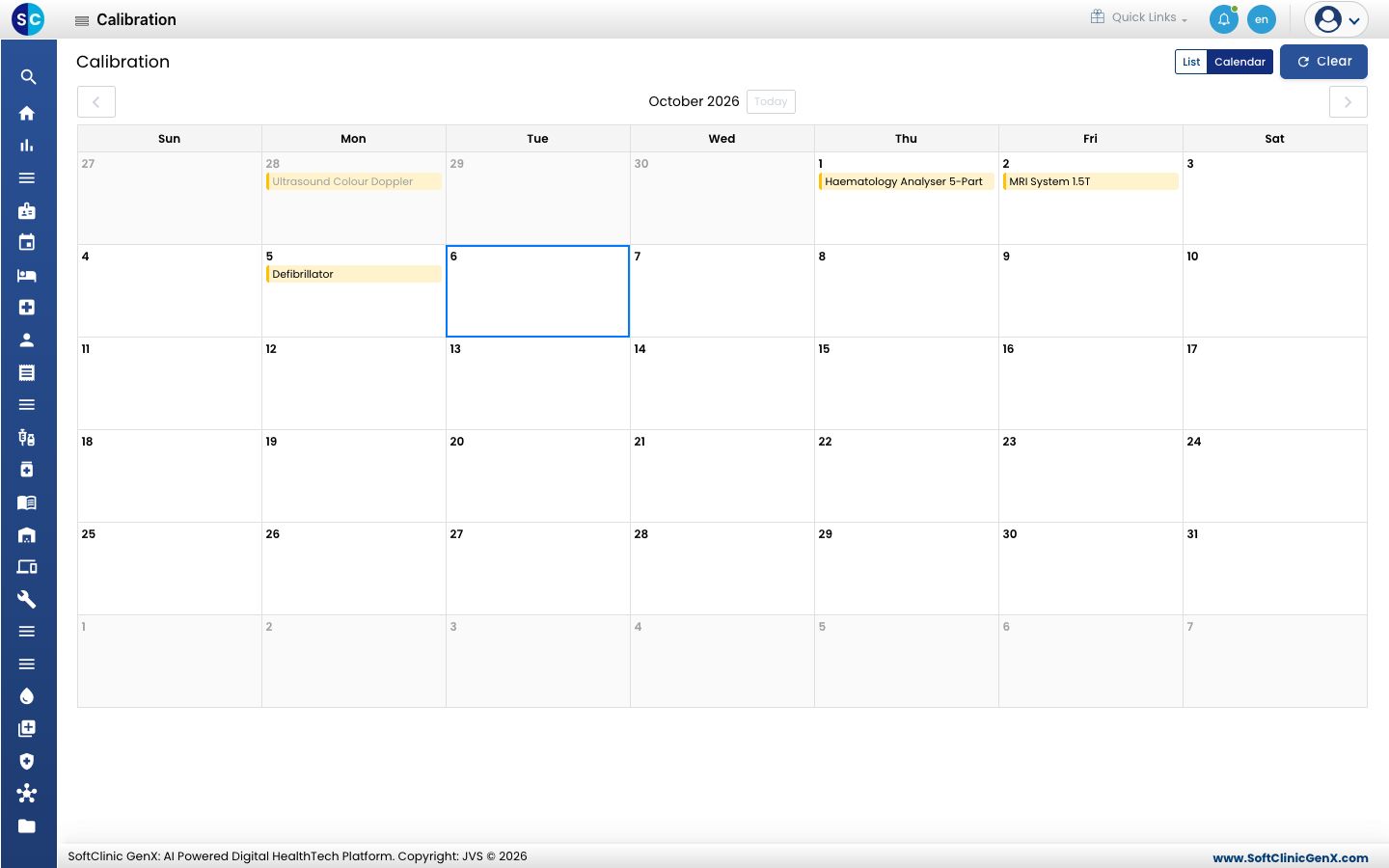
Click Calendar to see the due dates on a month calendar. Use the arrows to move between months, and click a date to see what falls on it.
-
Click List to go back, and Clear to reset the screen. Use the three dots at the end of a row for the options on that asset.
Related
- View the asset dashboard: see all calibrations that are overdue.
- Asset Management FAQs: short answers about calibration.
Was this helpful?