Register an asset
Add a piece of equipment to the asset register with its location, warranty and other details.
Every piece of equipment you want to track, maintain and depreciate starts as a registered asset.
Who does this: biomedical or administration in-charge · Where: Asset Management › Asset Registration
Register an asset
-
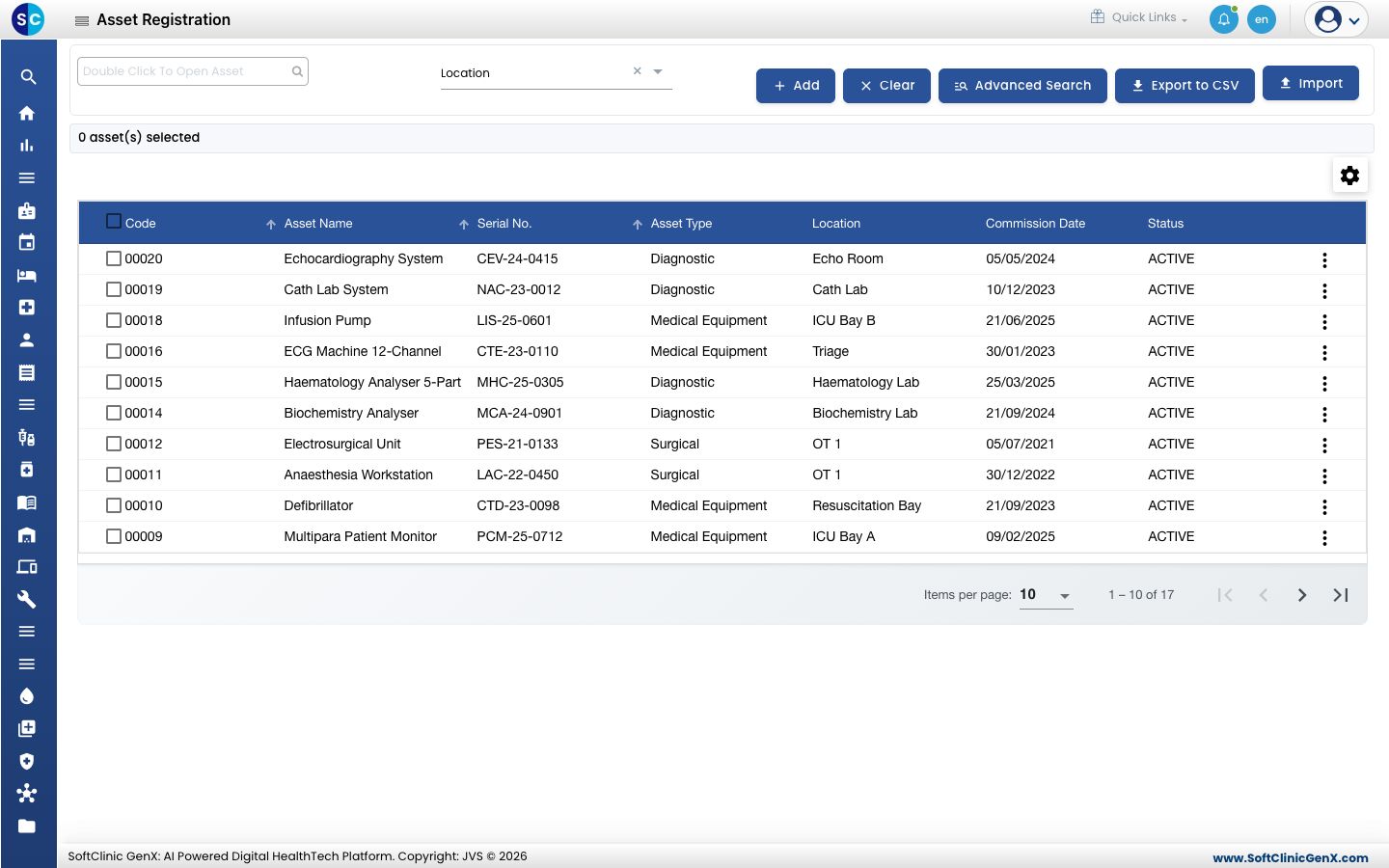
Open Asset Management › Asset Registration. The list shows each asset with its code, name, serial number, type, location, commission date and status. Use Advanced Search to find an asset, Export to CSV to download the list, or Import to add many assets at once.
-
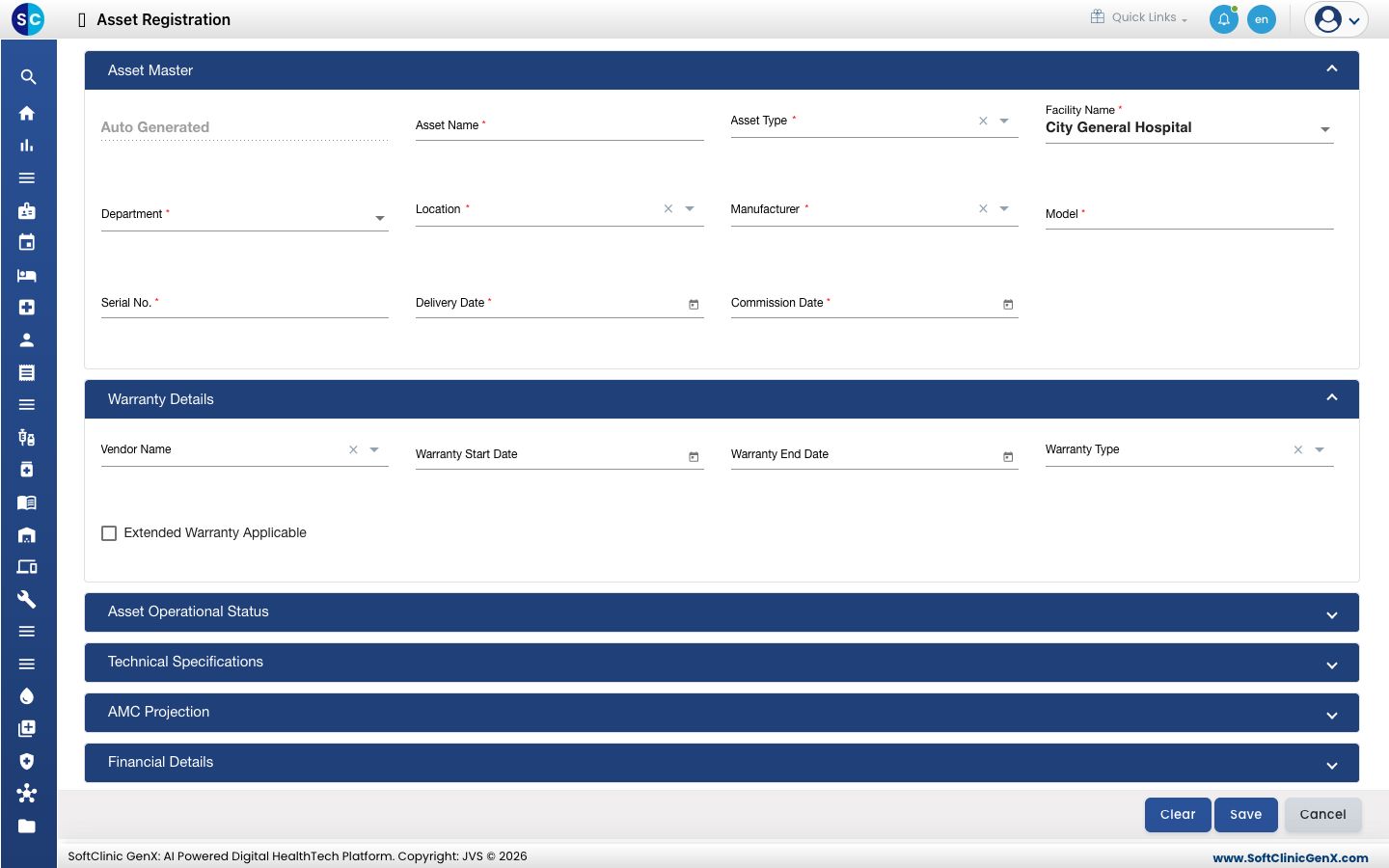
Click Add. The Asset Master section opens first.
-
Fill in the Asset Master details: Asset Name, Asset Type, Facility Name, Department, Location, Manufacturer, Model, Serial No., Delivery Date and Commission Date. Fields marked * are required. The asset code is created for you.
-
Open Warranty Details to enter the Vendor Name, Warranty Start Date, Warranty End Date and Warranty Type.
-
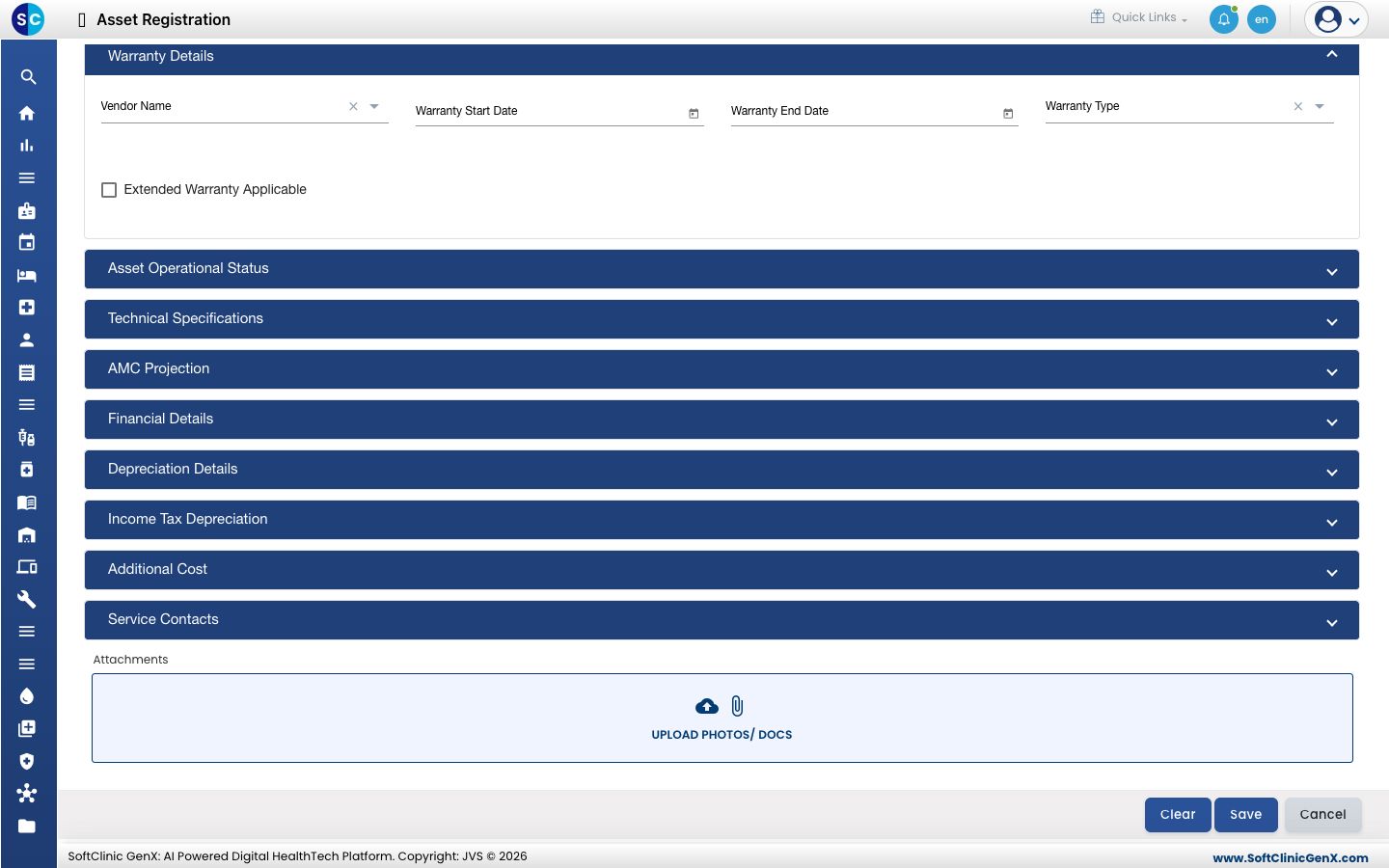
Open the other sections if you need them, such as Technical Specifications, AMC Projection, Financial Details, Depreciation Details and Service Contacts. Use Upload Photos/ Docs to attach papers.
-
Click Save. Use Clear to empty the form.
Related
- Set up Asset Type: create the types first.
- Transfer an asset: move an asset to another department.
- Asset Management FAQs: short answers about registering assets.