Transfer an asset
Move an asset to another facility, department or location and keep a record of the move.
When equipment moves, record it so the register always shows where each asset is.
Who does this: biomedical or administration in-charge · Where: Asset Management › Asset Transfer
Transfer an asset
-
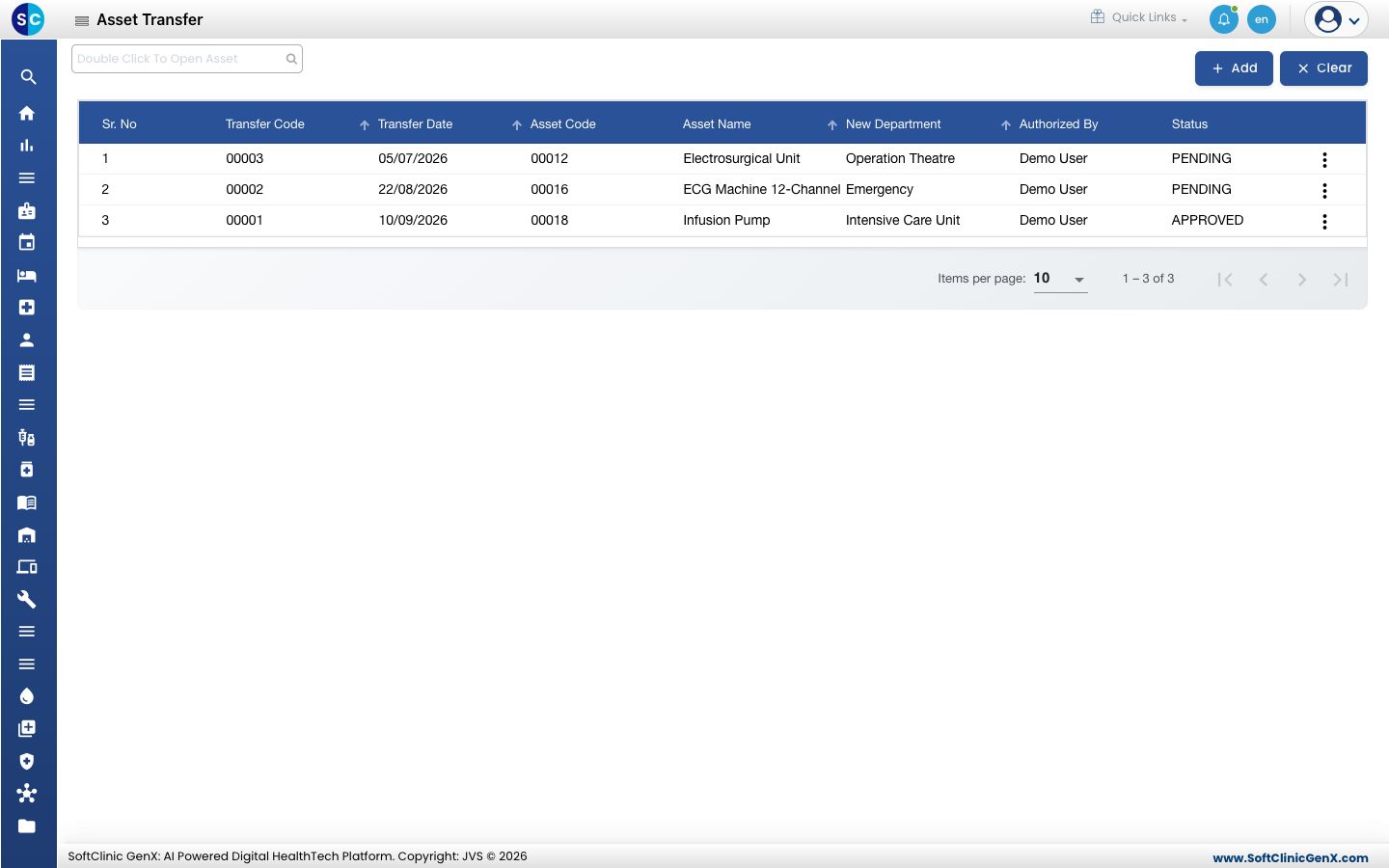
Open Asset Management › Asset Transfer. The list shows earlier transfers with their date, asset, new department, who authorised them and the status.
-
Click Add.
-
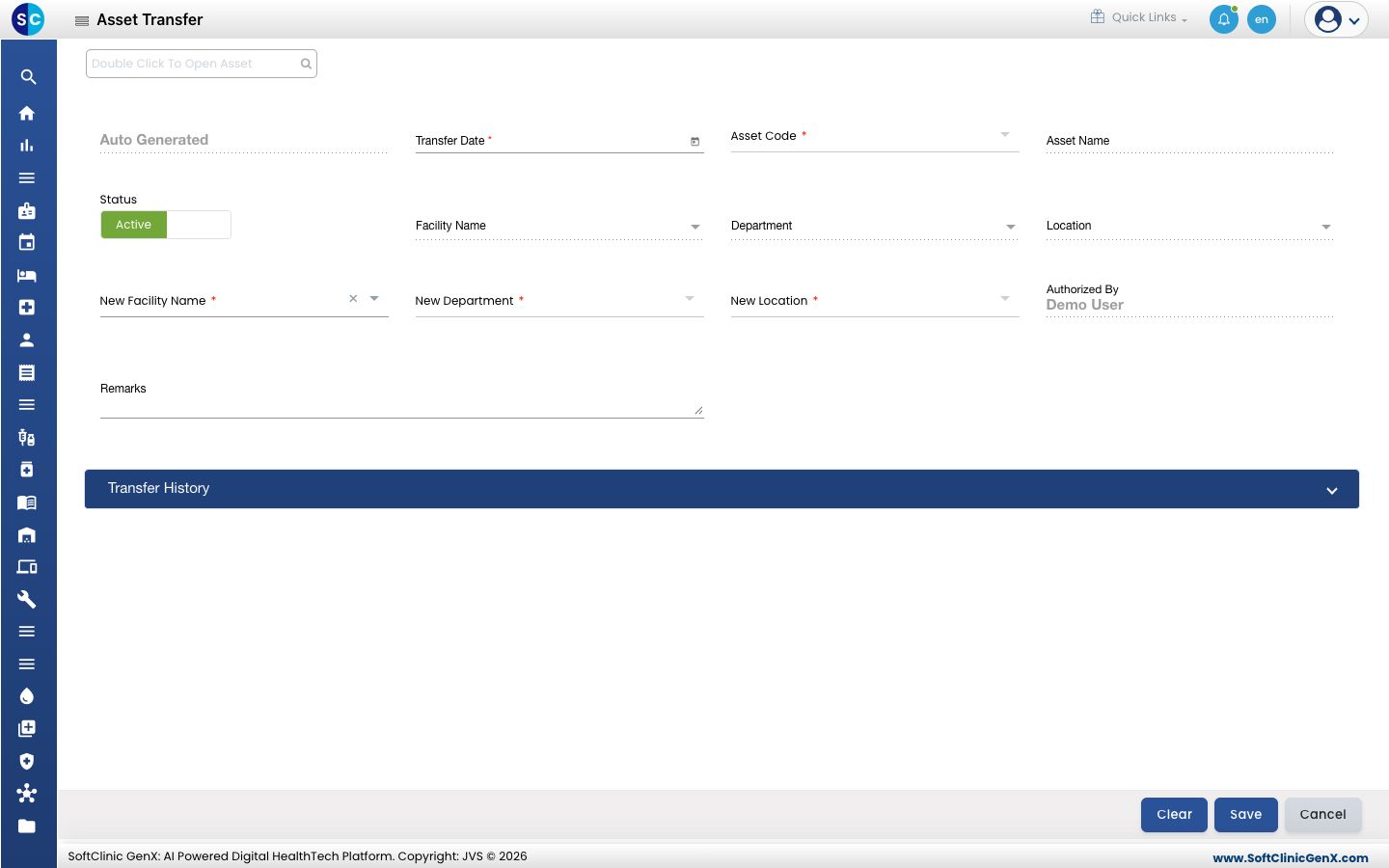
Choose the Asset Code. The asset name and its current facility, department and location fill in.
-
Choose the New Facility Name, New Department and New Location. All three are required.
-
Add Remarks if needed, then click Save. Authorized By shows the signed-in user.
Open Transfer History at the bottom of the form to see earlier moves of the same asset.
Related
- Register an asset: add the asset first.
- Asset Management FAQs: short answers about transfers.