Report a data breach
Record a personal data breach, set its severity and follow it until it is closed.
When personal data is leaked or exposed, report it straight away so the response is tracked and the time limit is watched.
note
Who does this: data protection officer · Where: DPDP Compliance › Breach Incidents
Report a breach
-
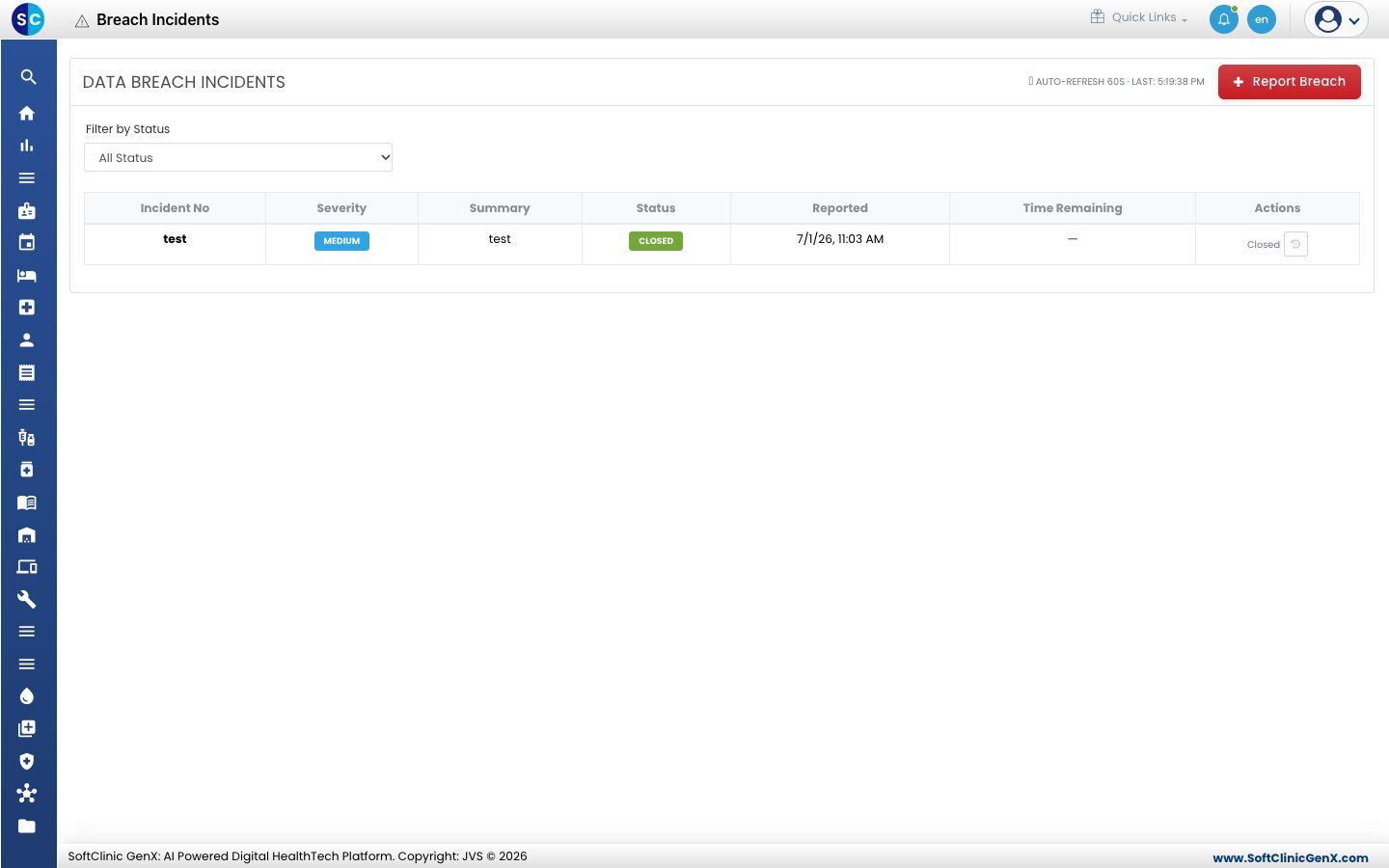
Open DPDP Compliance › Breach Incidents. The list shows each incident with its number, severity, summary, status, reported time and the time remaining. Use Filter by Status to narrow it.
-
Click Report Breach.
-
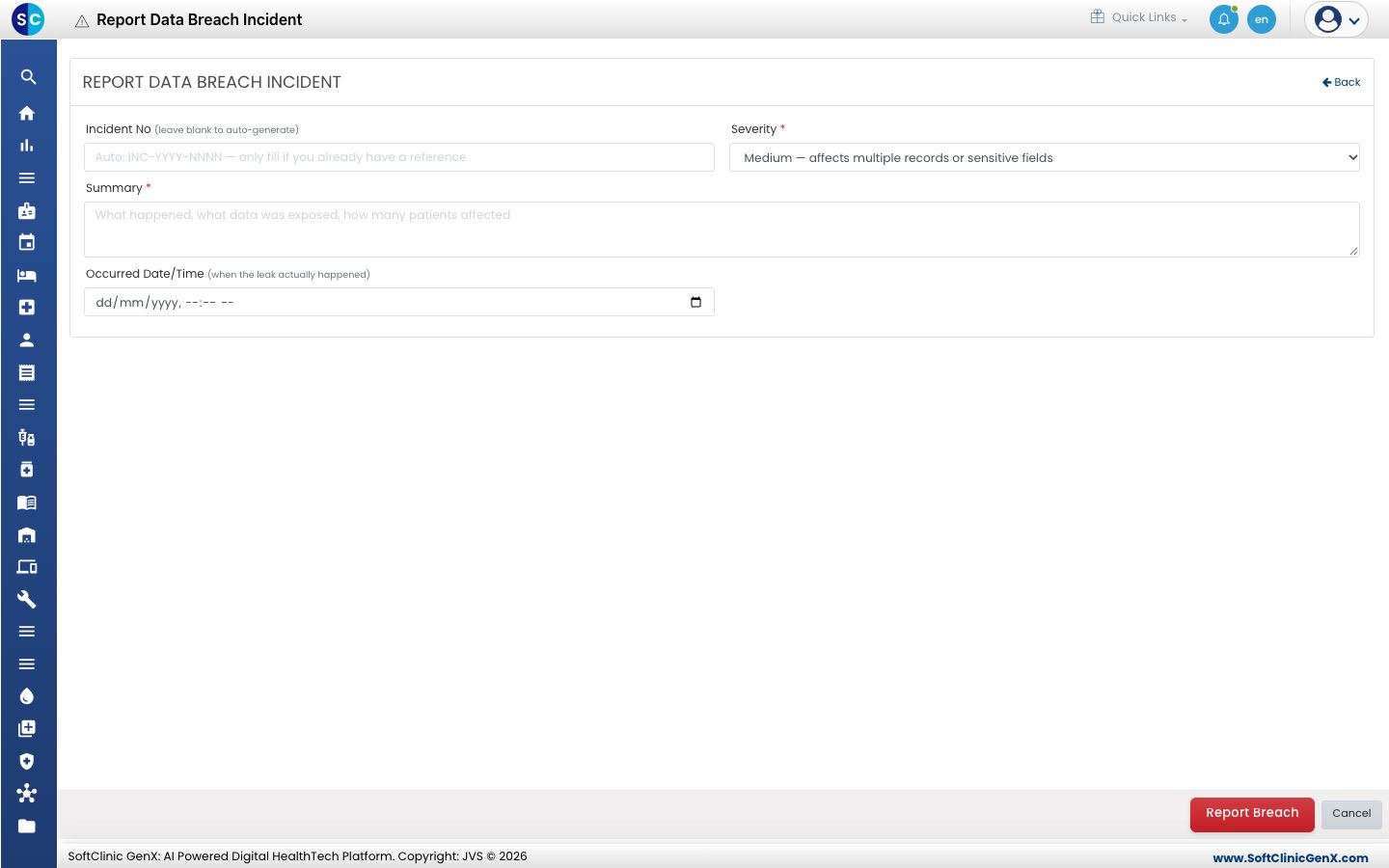
Leave Incident No blank to have one created, or enter your own reference.
-
Choose the Severity and describe what happened in Summary: what data was exposed and how many patients are affected.
-
Enter the Occurred Date/Time and click Report Breach.
Related
- Review the DPO dashboard: see open breaches.
- DPDP Compliance FAQs: short answers about breaches.
Was this helpful?