Handle a data subject request
Log a patient's request to see, correct or erase their data and follow it to completion.
A data subject request (DSR) is a patient asking what data the hospital holds about them, or asking for it to be corrected or erased. The law sets a time limit, so each request shows how many days remain.
Who does this: data protection officer · Where: DPDP Compliance › Data Subject Requests
Log and follow a request
-
Open DPDP Compliance › Data Subject Requests. The list shows each request with its reference, type, patient, status, dates and the days left on its 30-day limit. Use Filter by Status to narrow it.
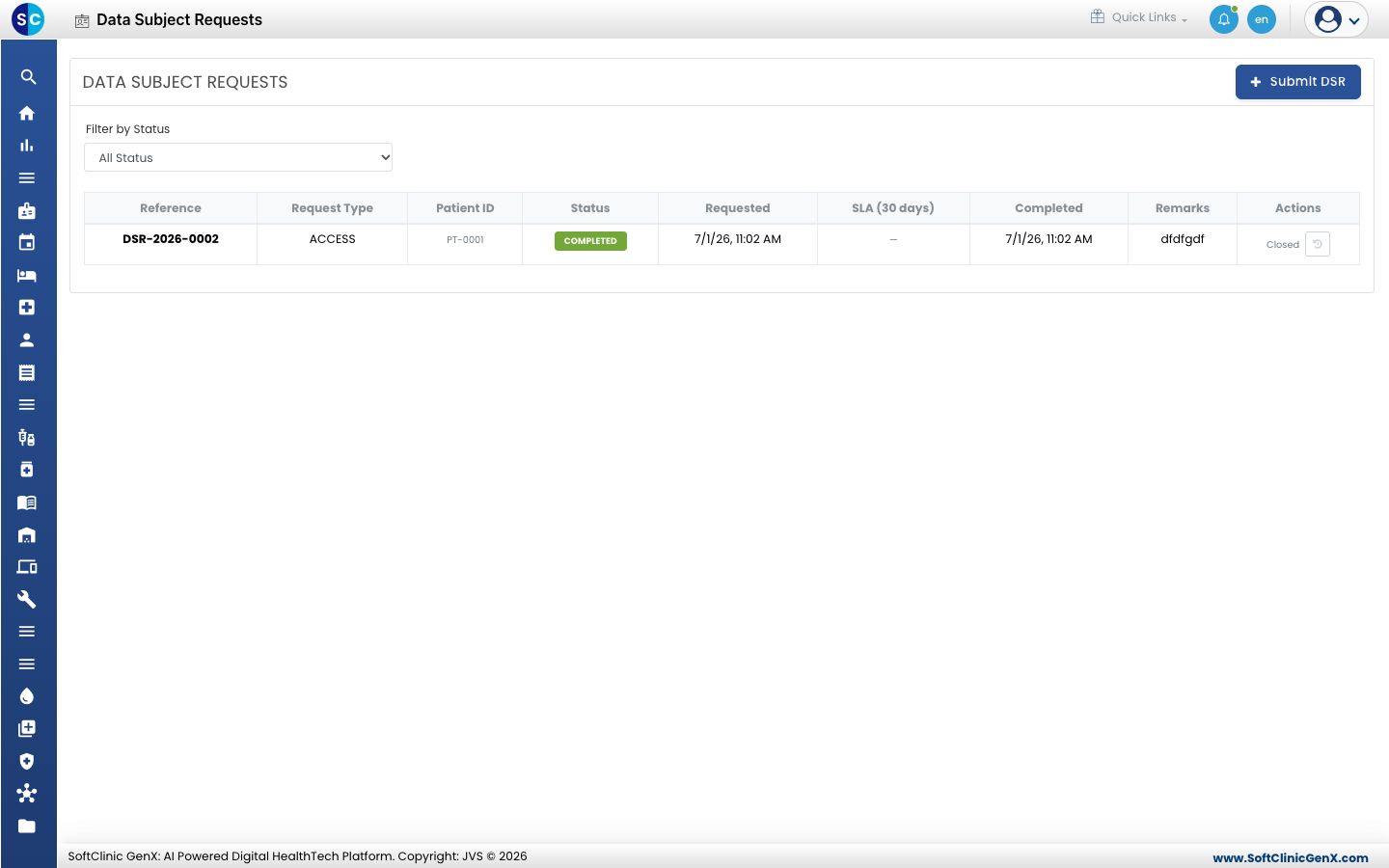
-
Click Submit DSR.
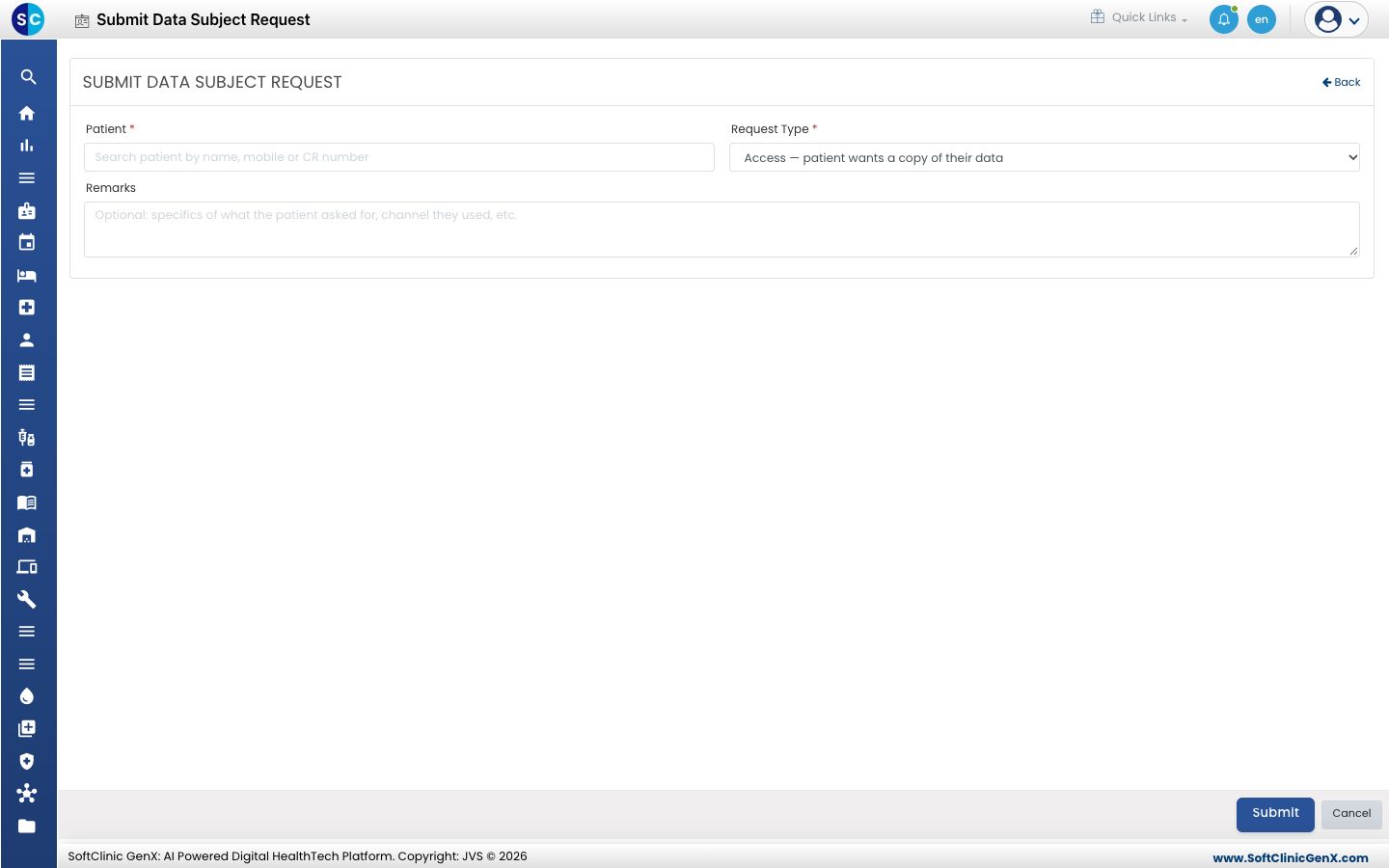
-
Search for the Patient by name, mobile or CR number, and choose the Request Type, for example Access, where the patient wants a copy of their data. Add Remarks about what the patient asked for.
-
Click Submit. The request shows as pending.
-
Use the buttons in the Actions column to move the request forward and close it when it is done.
Related
- Review the DPO dashboard: see how many requests are pending.
- DPDP Compliance FAQs: short answers about requests.