Review the DPO dashboard
See pending data requests, breaches, grievances and consents at a glance.
The DPO Dashboard gives the data protection officer a quick view of where the hospital stands under the Digital Personal Data Protection Act.
Who does this: data protection officer · Where: DPDP Compliance › DPO Dashboard
Read the dashboard
-
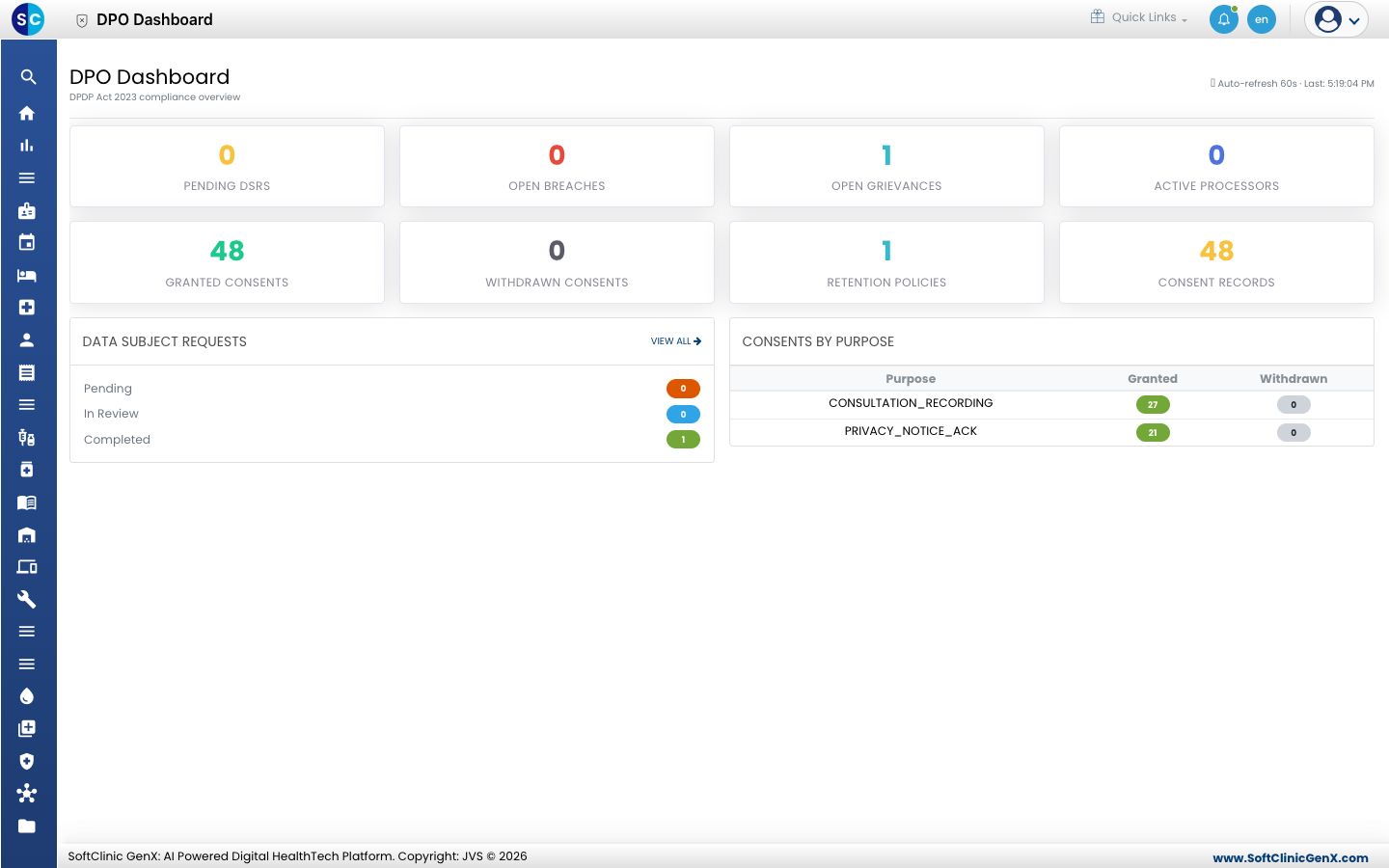
Open DPDP Compliance › DPO Dashboard. The figures refresh automatically every minute.
-
Read the top tiles: Pending DSRs, Open Breaches, Open Grievances and Active Processors, then Granted Consents, Withdrawn Consents, Retention Policies and Consent Records.
-
Data Subject Requests shows how many are pending, in review and completed. Click View all to open the full list.
-
Consents by Purpose shows, for each purpose, how many patients granted and how many withdrew consent.
Related
- Handle a data subject request: act on pending requests.
- DPDP Compliance FAQs: short answers about the module.