Handle a grievance
Record a patient's complaint about how their data was handled and follow it to resolution.
A patient can complain about how the hospital handled their data. Record each grievance so it is answered within the time limit.
Who does this: data protection officer · Where: DPDP Compliance › Grievances
Submit and follow a grievance
-
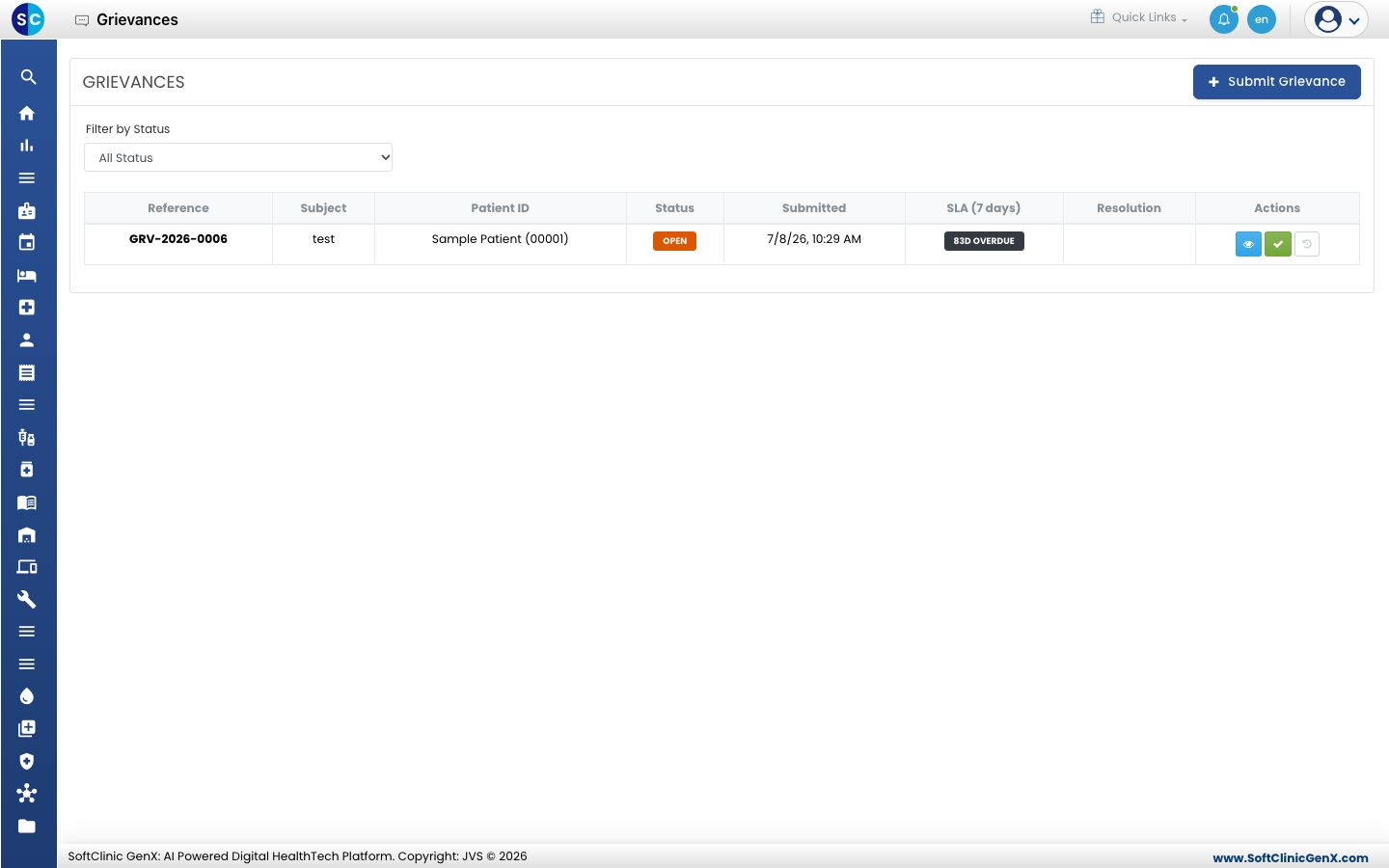
Open DPDP Compliance › Grievances. The list shows each grievance with its reference, subject, patient, status, submitted date and the days left in its 7-day limit. A late one shows how many days overdue it is.
-
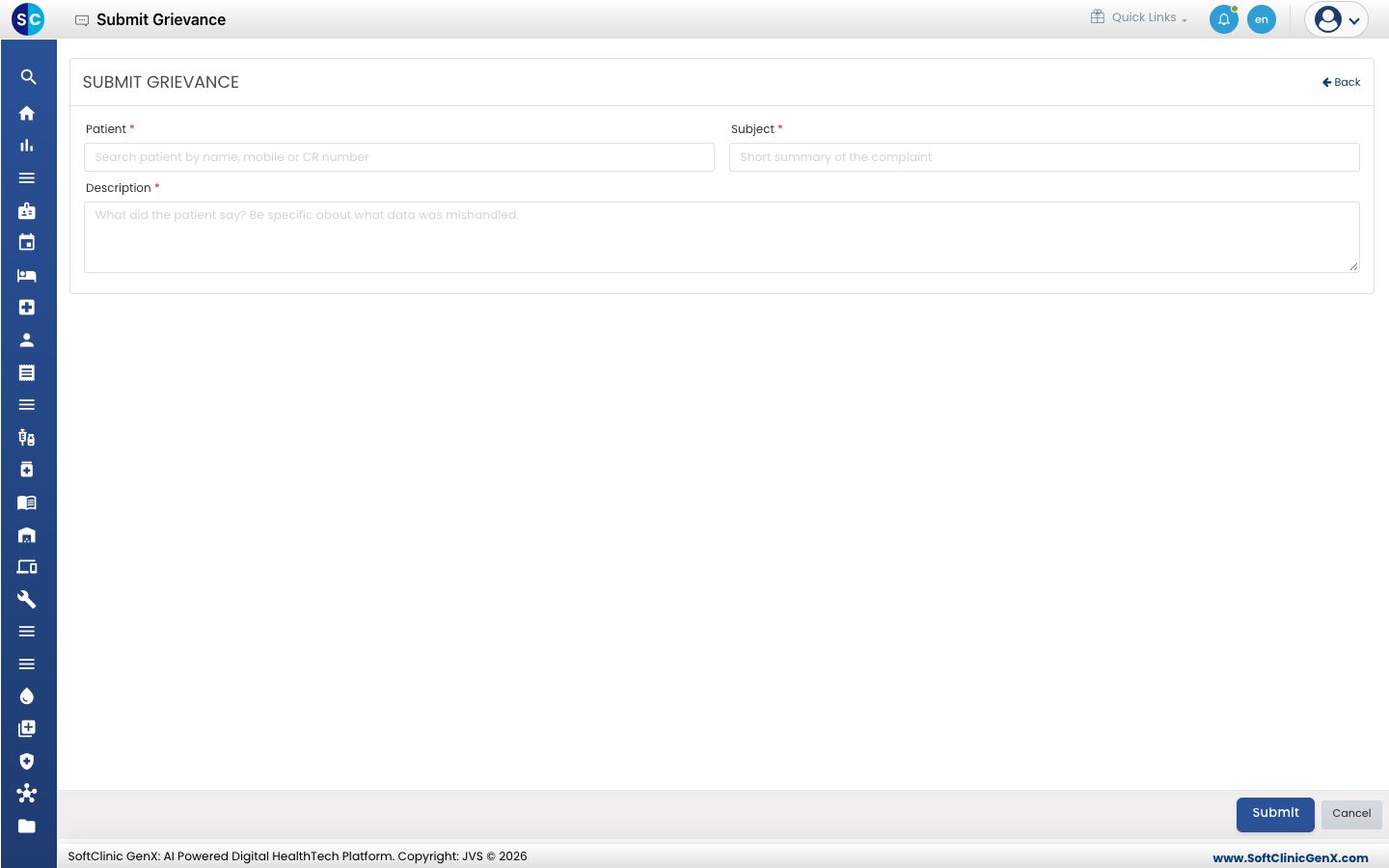
Click Submit Grievance.
-
Search for the Patient by name, mobile or CR number, give a short Subject, and write the Description: what the patient says was mishandled.
-
Click Submit.
-
Use the buttons in the Actions column to review the grievance and record its resolution.
Related
- Review the DPO dashboard: see open grievances.
- DPDP Compliance FAQs: short answers about the module.