Set up Designation
Who does this: hospital administrator Where: Human Resource › Employee Masters › Designation
A designation is a staff member's job title, such as Radiologist, Pathologist or Head Of Department (Hod). Every employee must have one: you pick it in the Designation field when you add an employee. Designations ticked as IsHead also decide who can be chosen as the head of a department.
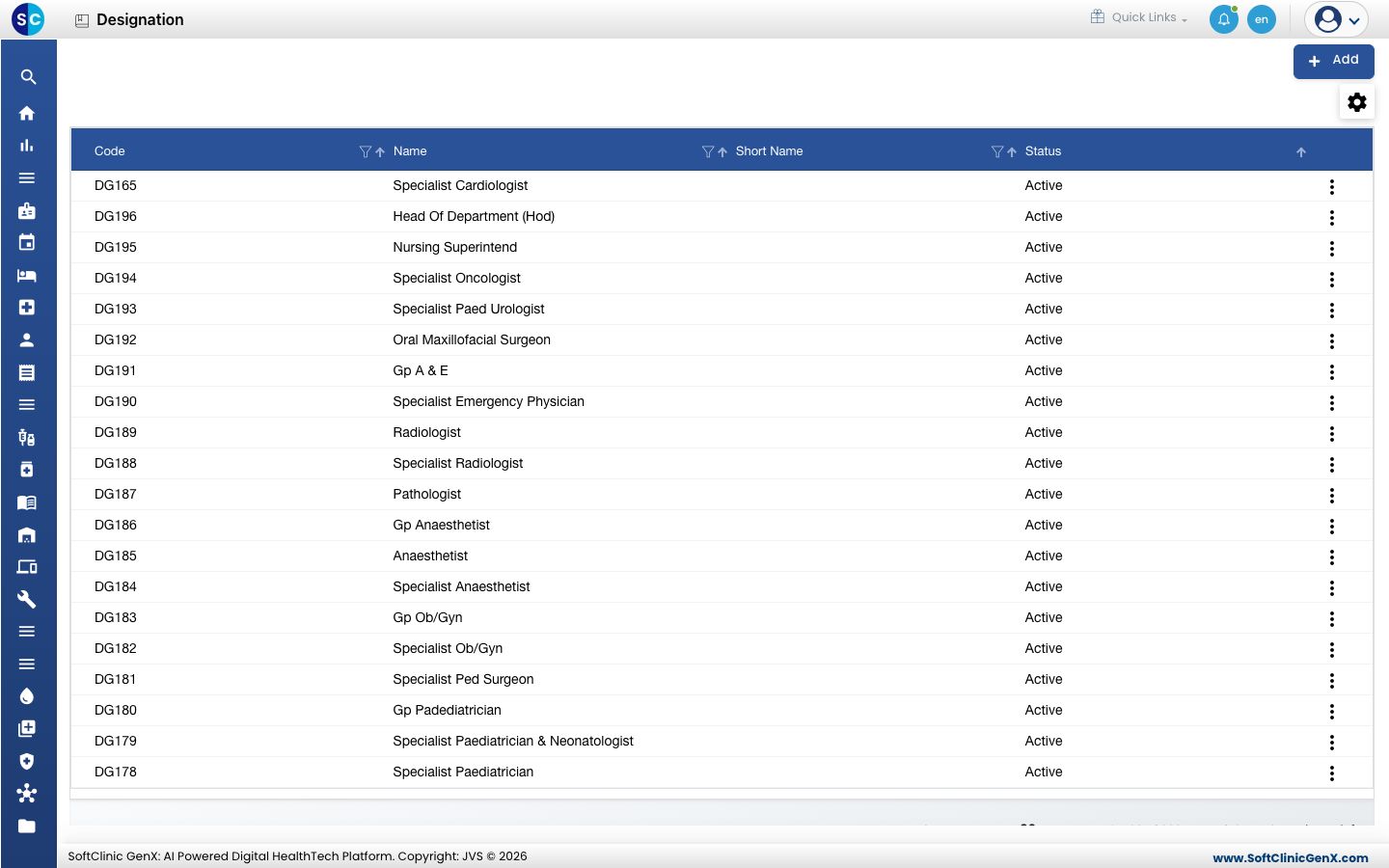
Add a designation
-
Go to Human Resource › Employee Masters › Designation.
-
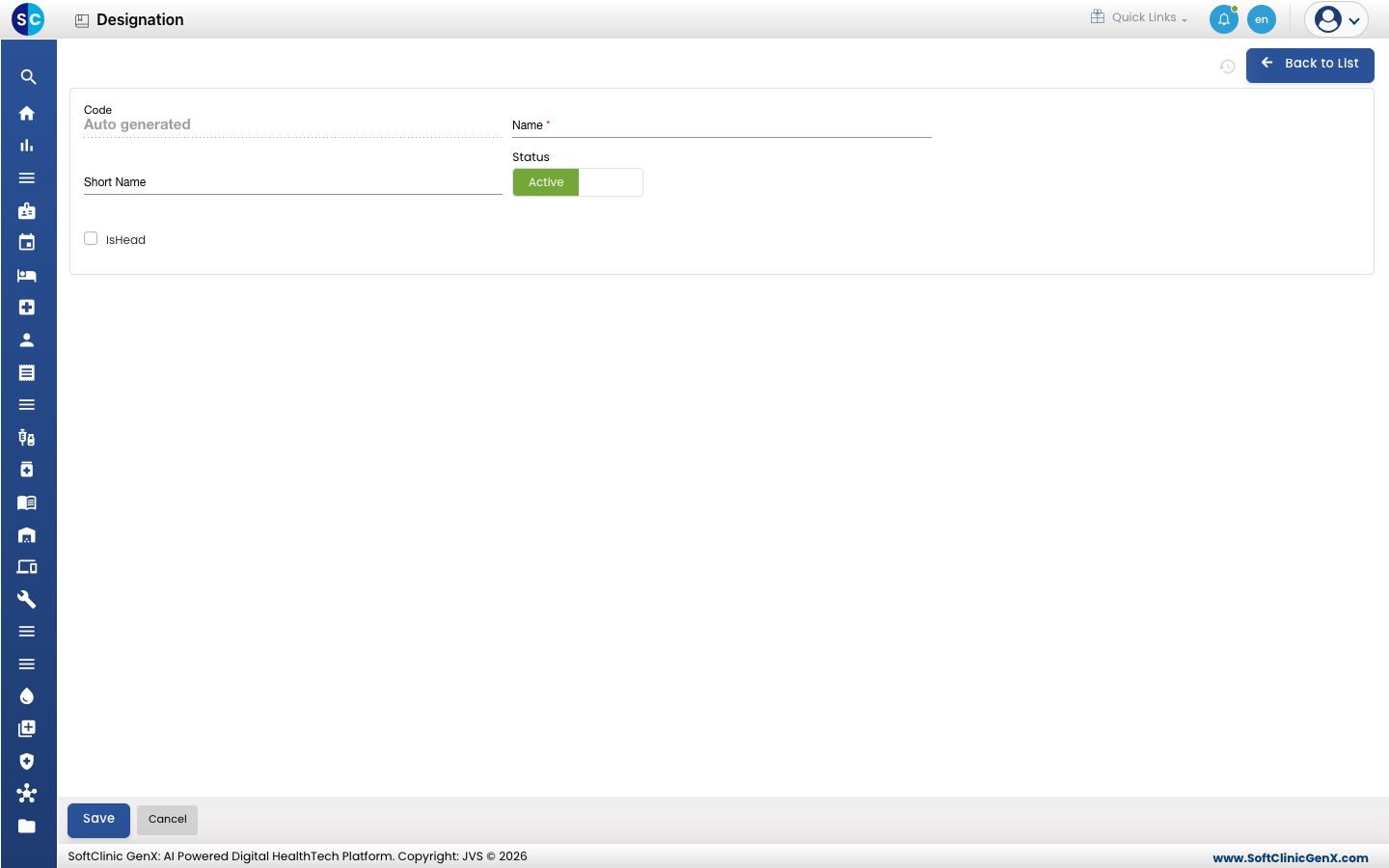
Click Add. The designation form opens.
-
Fill in the fields:
Field What to enter Required Code Filled in automatically when you save. — Name The job title, for example Staff Nurse. Up to 50 characters. Yes Short Name A short form of the title, for example SN. No Status Leave on Active. — IsHead Tick for titles that head a department or team, such as Head Of Department (Hod). No -
Click Save. You return to the list and the new designation appears in it.
Change or deactivate a designation
- In the list, click the ⋮ button at the end of the row and choose Edit.
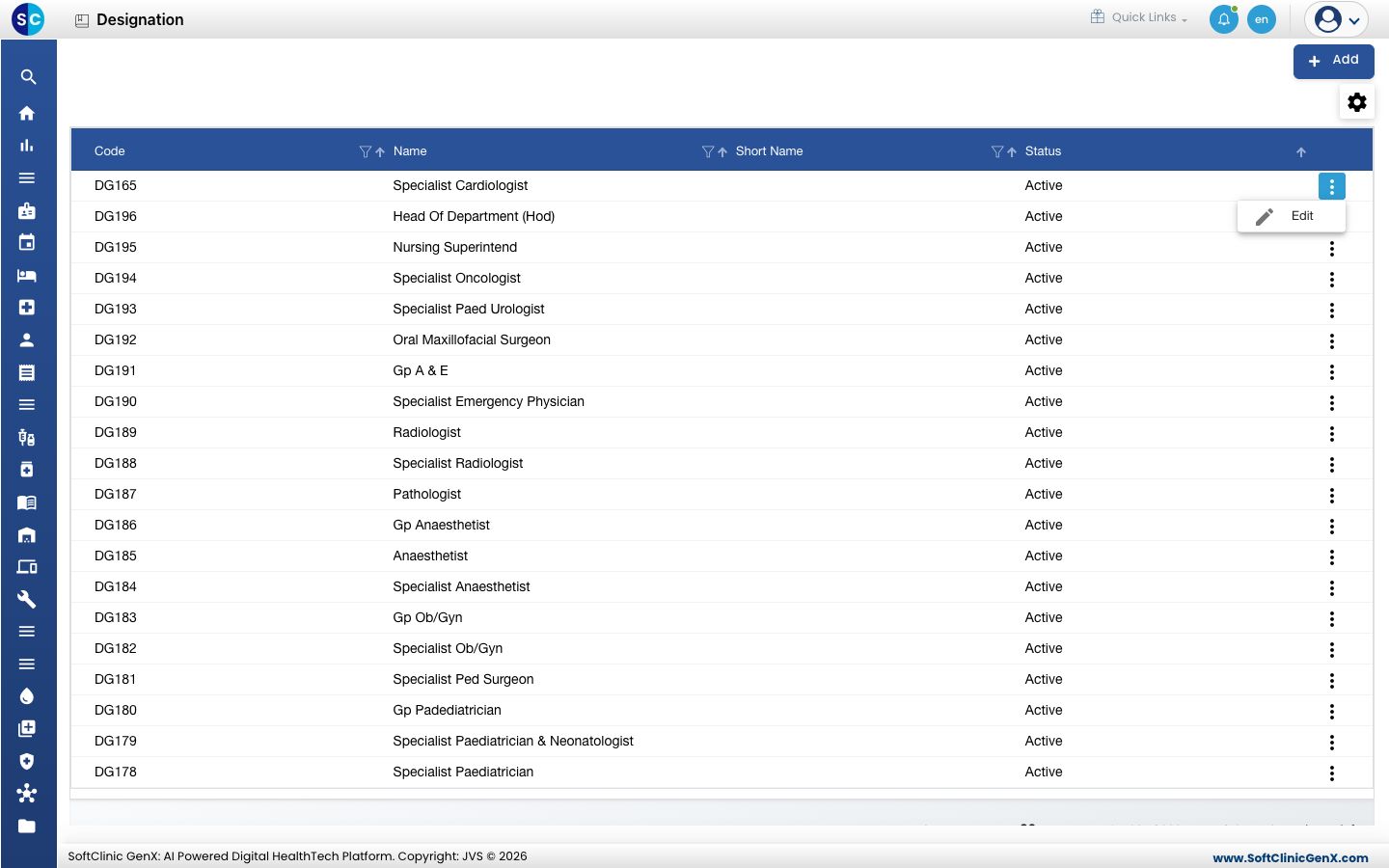
- Change the fields you need. To stop using the designation, switch Status to Inactive.
- Click Save.
Designations cannot be deleted from this screen. Make a designation Inactive instead.
Good to know
- Codes and names must be unique. Saving a name that already exists shows an error.
- Staff whose designation is ticked IsHead appear in the Head list of Department. If the person you want is missing from that list, tick IsHead on their designation.
- Use the filter and sort icons in the column headers to find a designation quickly.
- Click Back to List or Cancel to leave the form without saving.
Related
- Next: Set up Specialty
- Then: Set up Employee
- Human Resource FAQs