Set up Department
Who does this: hospital administrator Where: General Masters › Location Masters › Department Set up before: Facility, and a location of type Department in Location
A department is a section of a facility, such as Emergency, Laboratory or Radiology. Departments are created from locations: when you save a location of type Department, it is added to this list automatically as a Clinical department. Use this screen to set whether the department is clinical or non-clinical and who heads it.
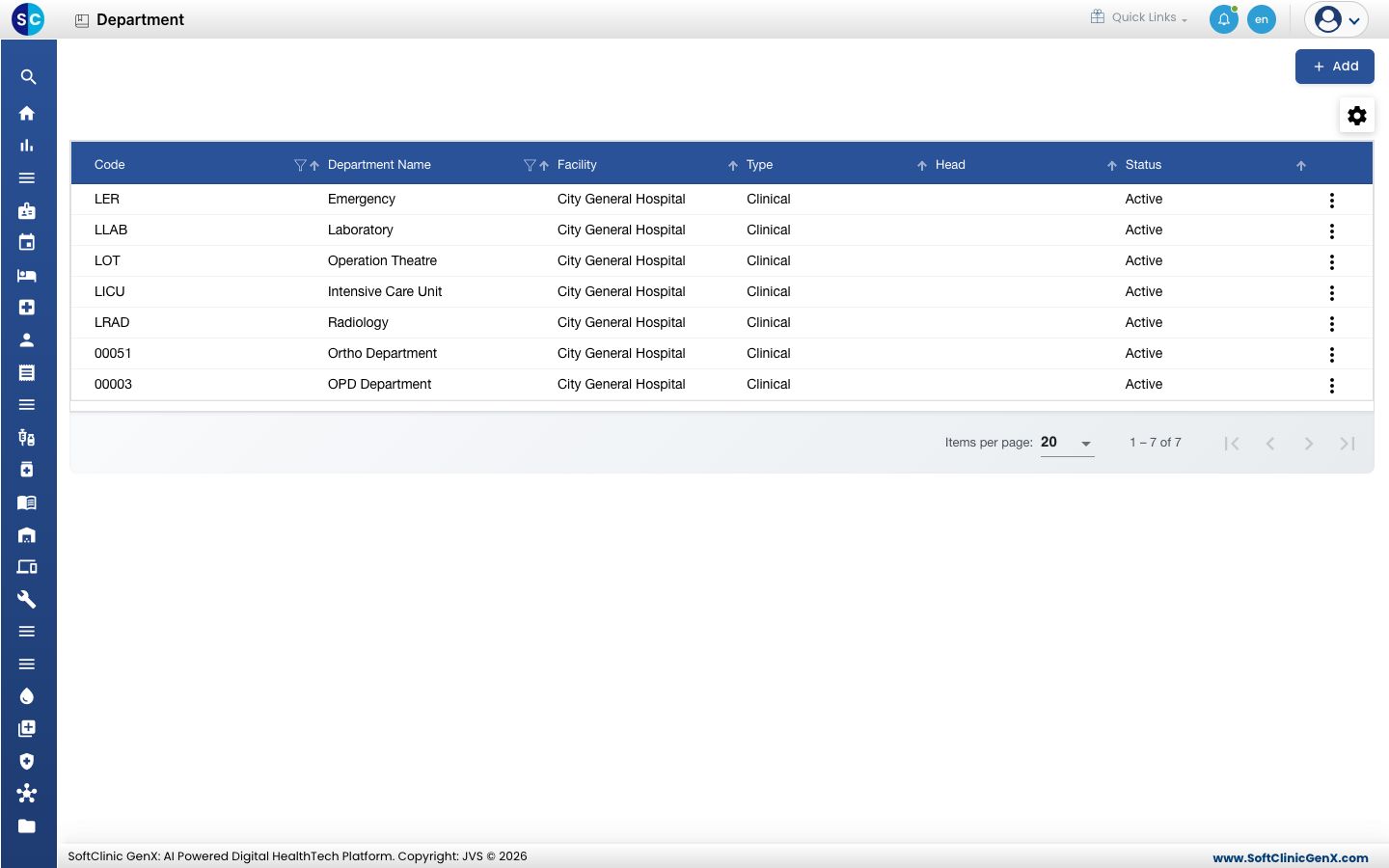
Add a department
-
First create the department in General Masters › Location Masters › Location with Location Type set to Department and its facility as Parent Location. It then appears in this list on its own.
-
To set its details, go to General Masters › Location Masters › Department and click Add. The department form opens.
-
In Department Name, start typing and pick the department from the list.
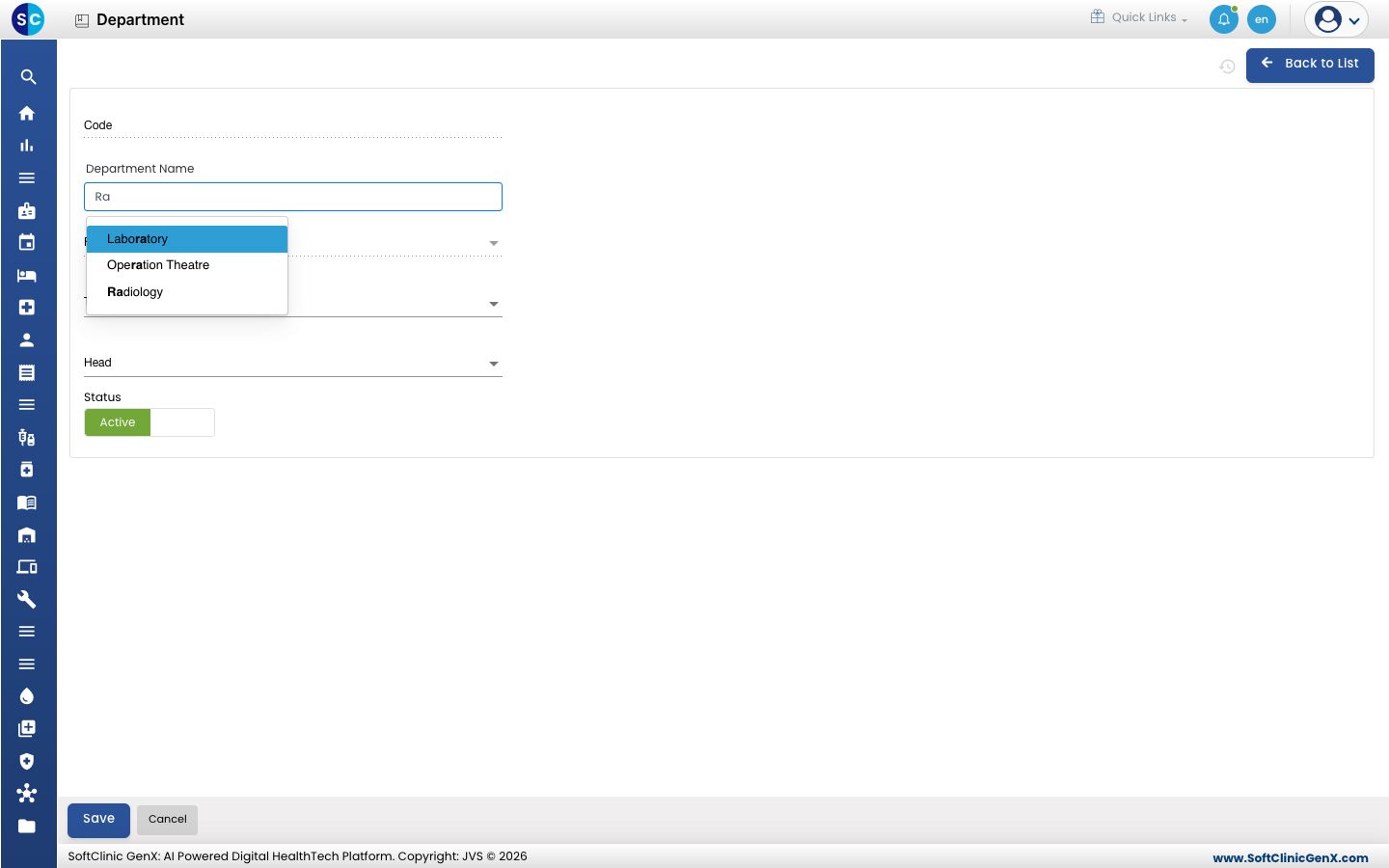 Code and Facility are filled in from the location. If the department already exists, its saved details load so you can change them.
 -
Fill in the fields:
Field What to enter Required Code Filled in automatically from the location. — Department Name Pick from the list of Department locations. Yes Facility Filled in automatically. — Type Clinical for departments that treat patients, Non Clinical for support departments. Yes Head The staff member who heads the department. No Status Leave on Active. — 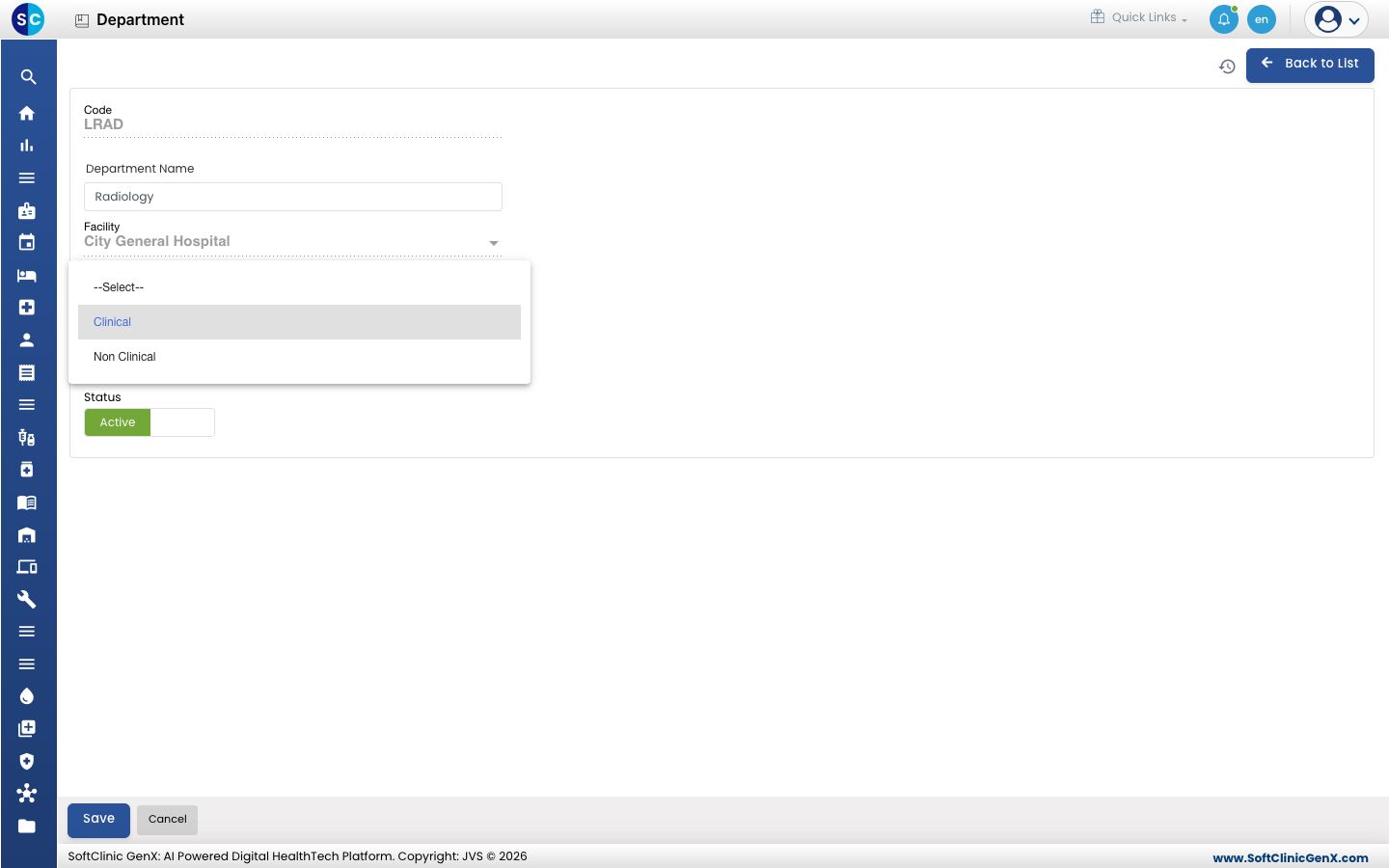
-
Click Save. You return to the list.
Change or deactivate a department
- In the list, click the ⋮ button at the end of the row and choose Edit.
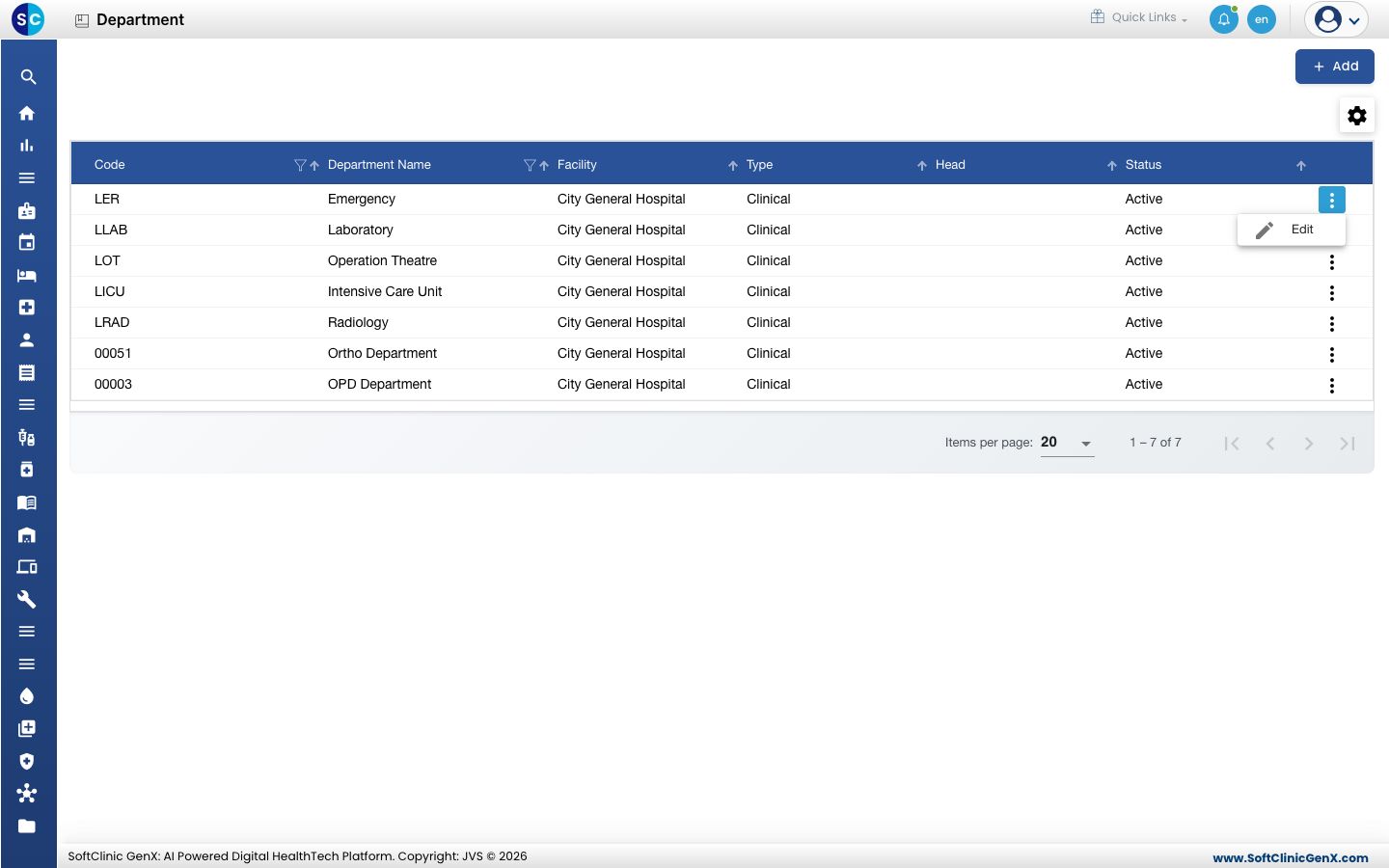
- Change the fields you need. To stop using the department, switch Status to Inactive.
- Click Save.
Departments cannot be deleted. Make a department Inactive instead.
Good to know
- A new department comes from the Location screen. If a department is missing from the Department Name list, add it in Location with Location Type set to Department.
- To rename a department, rename its location in Location. The new name and the location's status carry over to this list.
- Department codes must be unique. A department name must be unique within a facility; another facility can use the same name.
- Click Back to List to leave the form without saving.
Related
- Previous: Set up Facility
- Next: Set up Location
- General Masters FAQs