Register a pre-authorisation application
Ask the insurer to approve an admitted patient's treatment before the bill is raised.
A pre-authorisation application tells the insurer what treatment an admitted patient needs and how much it is expected to cost. You register it here, then record the insurer's reply under Approval.
Who does this: insurance desk · Where: Insurance › Pre-Authorization › Application
Register the application
-
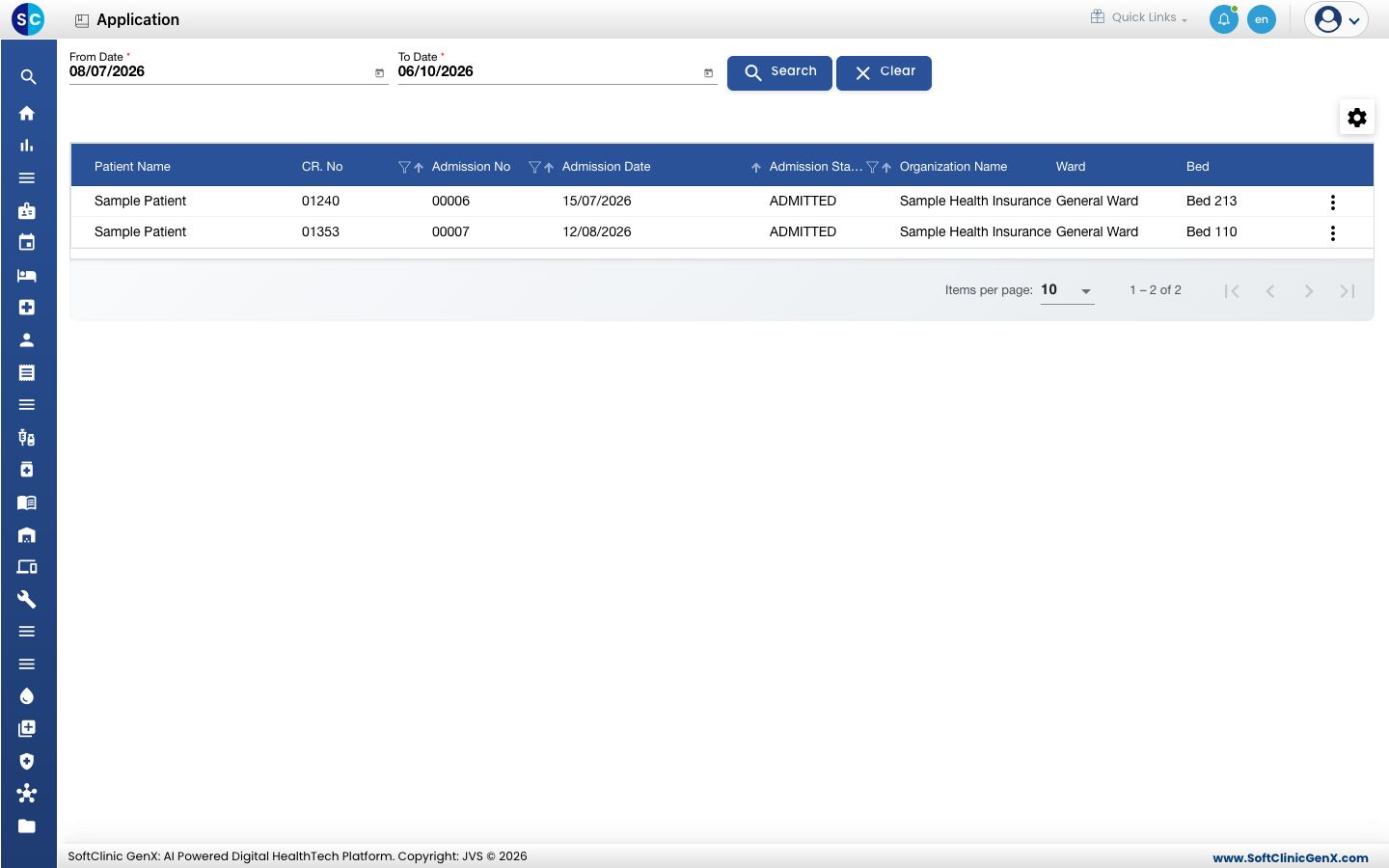
Open Insurance › Pre-Authorization › Application. The list shows admitted patients with an insurance organisation. Choose the From Date and To Date and click Search to change the period.
-
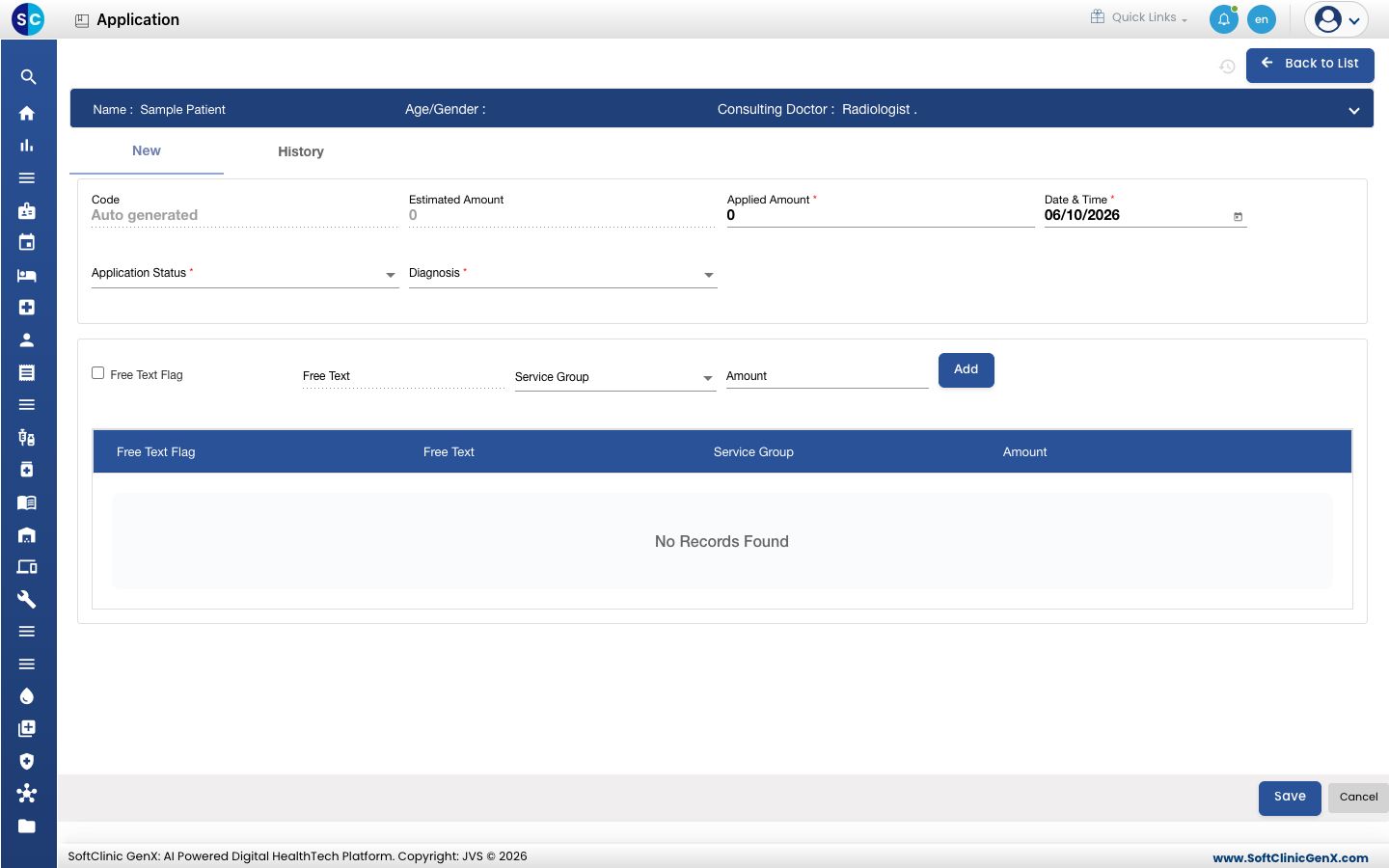
Click the three dots at the end of the patient's row and choose Register Application. The patient's details show at the top.
-
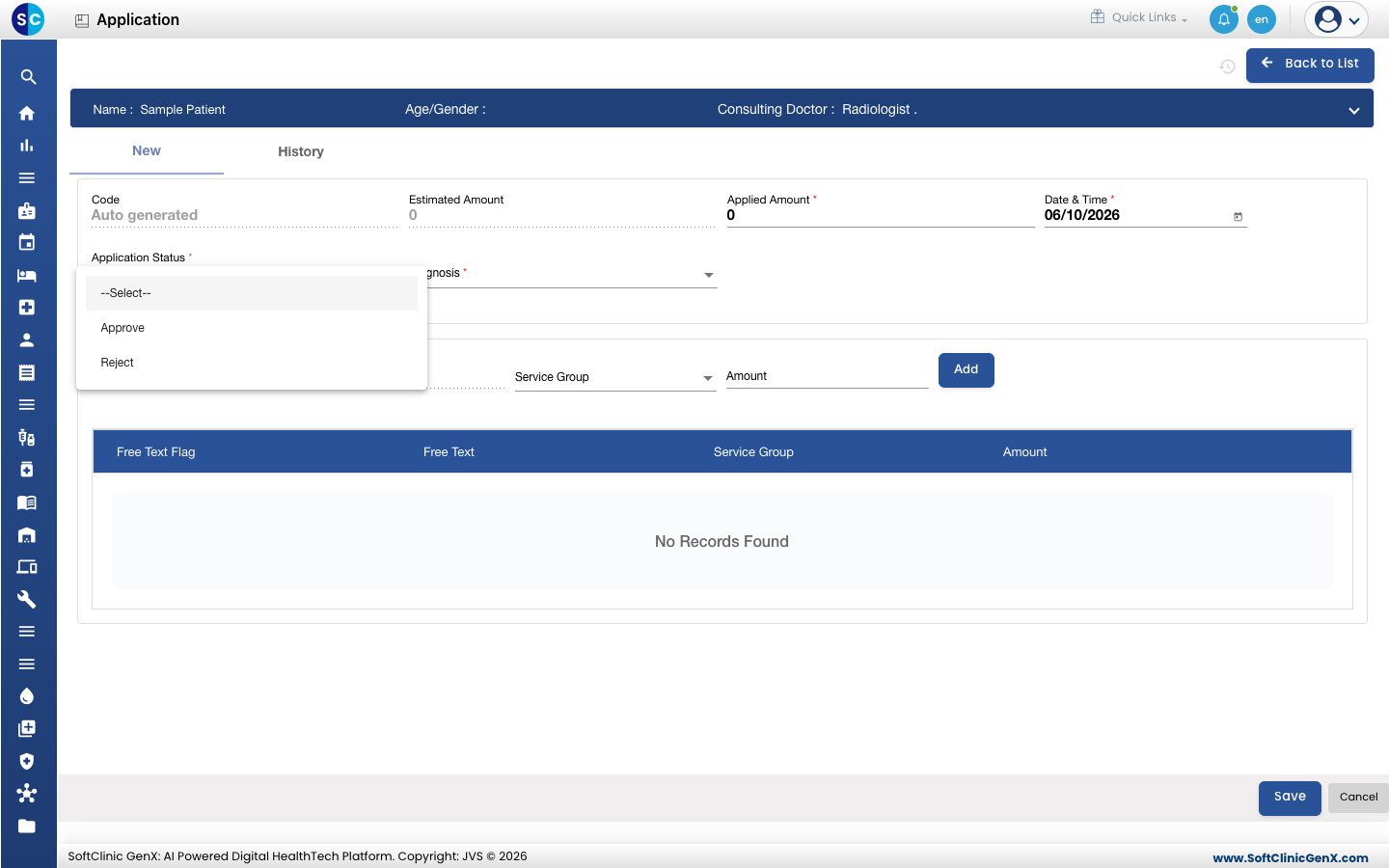
Enter the Applied Amount, choose the Diagnosis, and choose the Application Status.
-
To list the services, enter the Free Text or choose the Service Group, enter the Amount and click Add. Tick Free Text Flag when the service is not in your service list.
-
Click Save. Use the History tab to see earlier applications for this admission.
Troubleshooting
| What you see | What it means | What to do |
|---|---|---|
| The patient is not in the list. | Only admitted patients with an insurance organisation appear. | Check the admission and the patient's organisation, then widen the dates. |
| Save does not go through. | A required field, marked with *, is empty. | Fill in Applied Amount, Date & Time, Application Status and Diagnosis. |
Related
- Record the insurer approval: note the insurer's reply.
- Insurance FAQs: short answers about applications.