Submit an insurance claim
Link a patient's approved cover and unpaid bills into a claim to send to the insurer.
A claim pulls together the approvals and the patient's bills so you can ask the insurer for payment.
note
Who does this: insurance desk · Where: Insurance › Claim Management › Claim Submission
Submit a claim
-
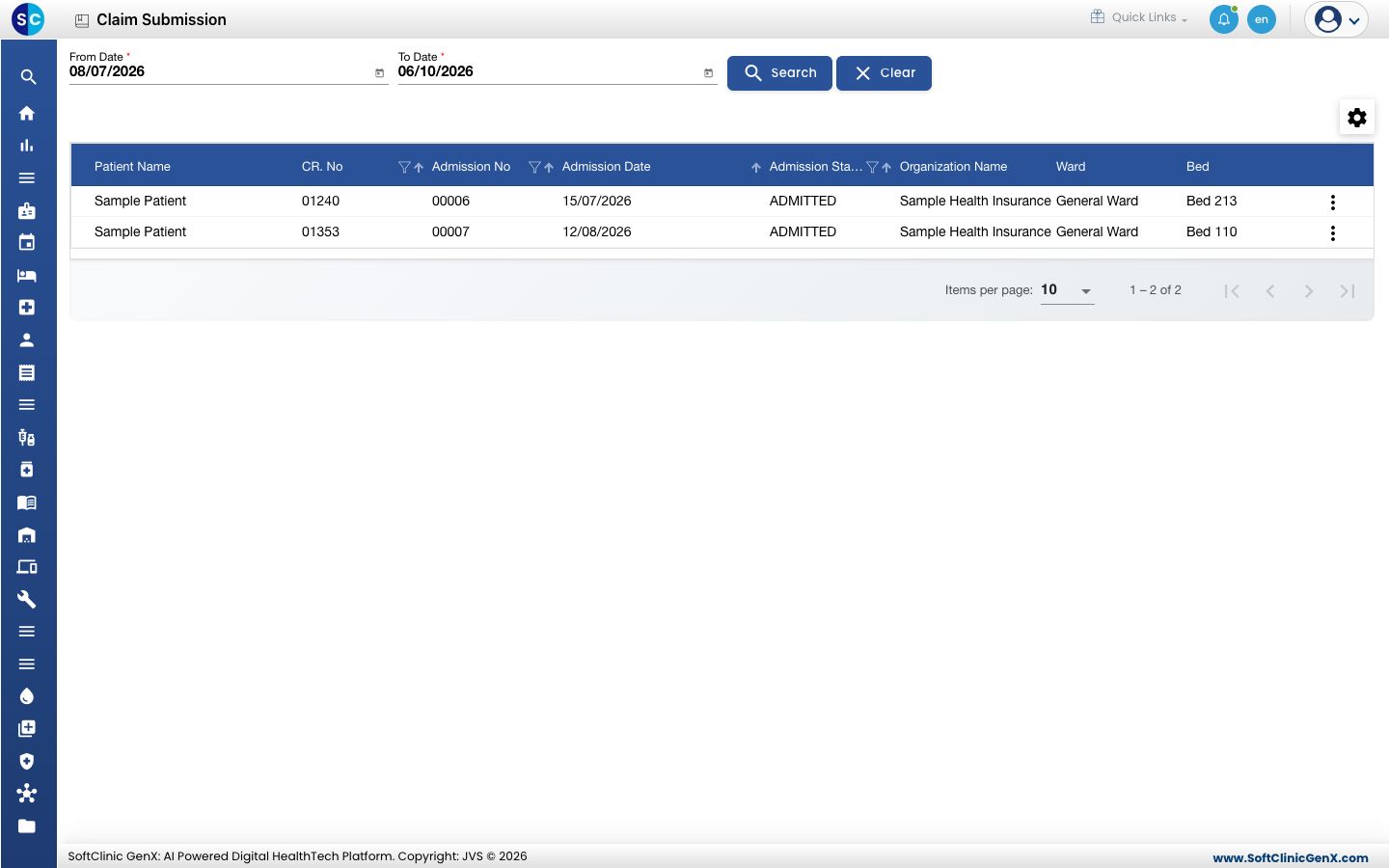
Open Insurance › Claim Management › Claim Submission. Choose the From Date and To Date and click Search to change the period.
-
Click the three dots at the end of the patient's row and choose Claim Entry.
-
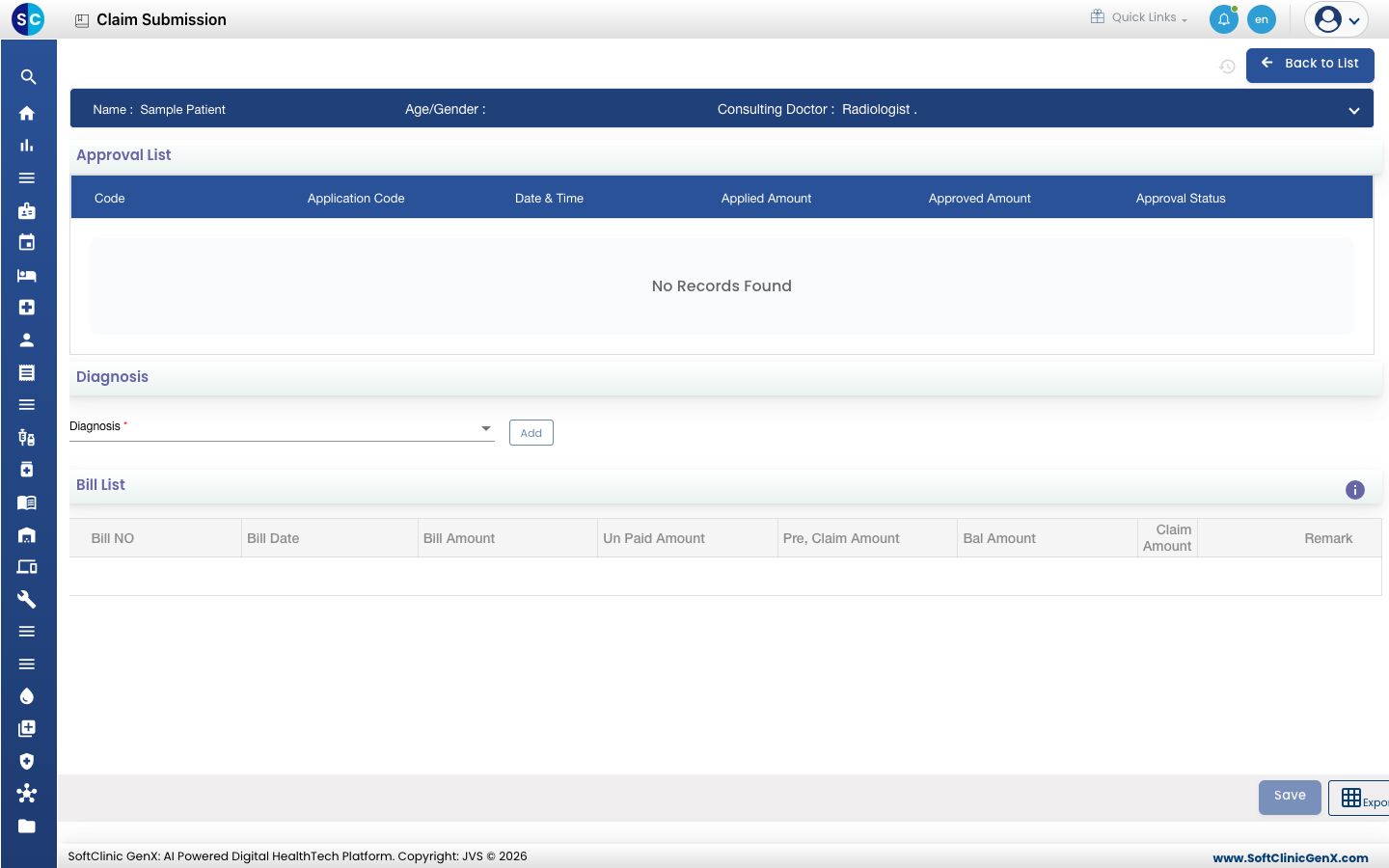
Check the Approval List. It shows each approval recorded for this patient.
-
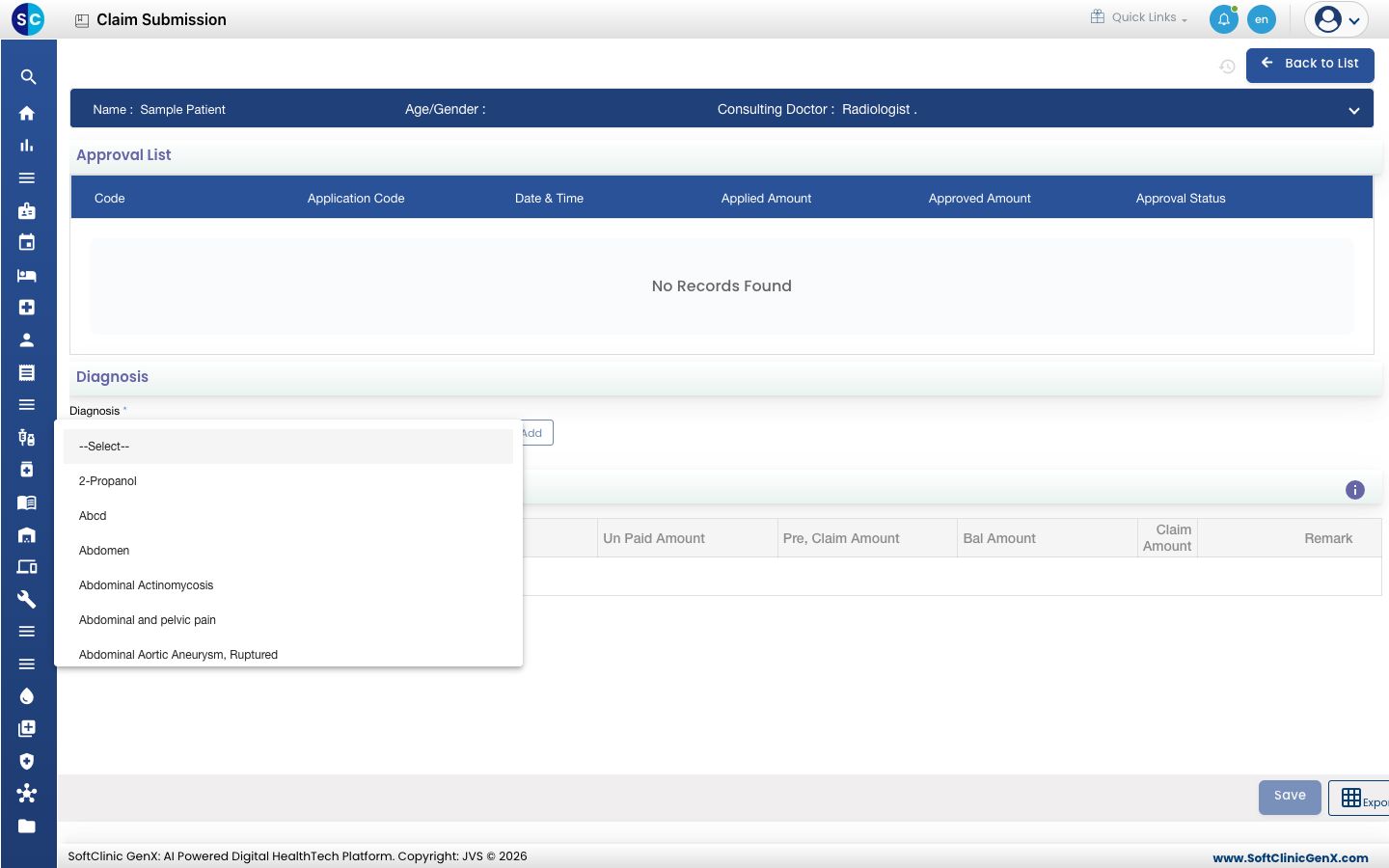
Choose the Diagnosis and click Add.
-
In the Bill List, enter the Claim Amount against each bill you are claiming. The Un Paid Amount and Bal Amount show what is left.
-
Click Save.
Troubleshooting
| What you see | What it means | What to do |
|---|---|---|
| Invoice not available for this patient | The patient has no bill yet, so there is nothing to claim. | Raise the bill first, then open Claim Entry again. |
| No Records Found under Approval List | No approval has been recorded for this patient. | Record it under Record the insurer approval. |
Related
- Record a claim settlement: record the insurer's payment.
- Insurance FAQs: short answers about claims.
Was this helpful?