Certify test results
Approve entered lab results under the pathologist's signature so the report can be printed, and correct a certified result.
Certification is the pathologist's approval of the results. Only certified results print on the lab report. The certifying doctor's name and the approval time appear on the report.
note
Who can do this: pathologist or authorised laboratory staff · Where: Laboratory › Lab Dashboard › Certification icon
Before you start
- The results are entered and saved. See Enter test results.
Certify the results
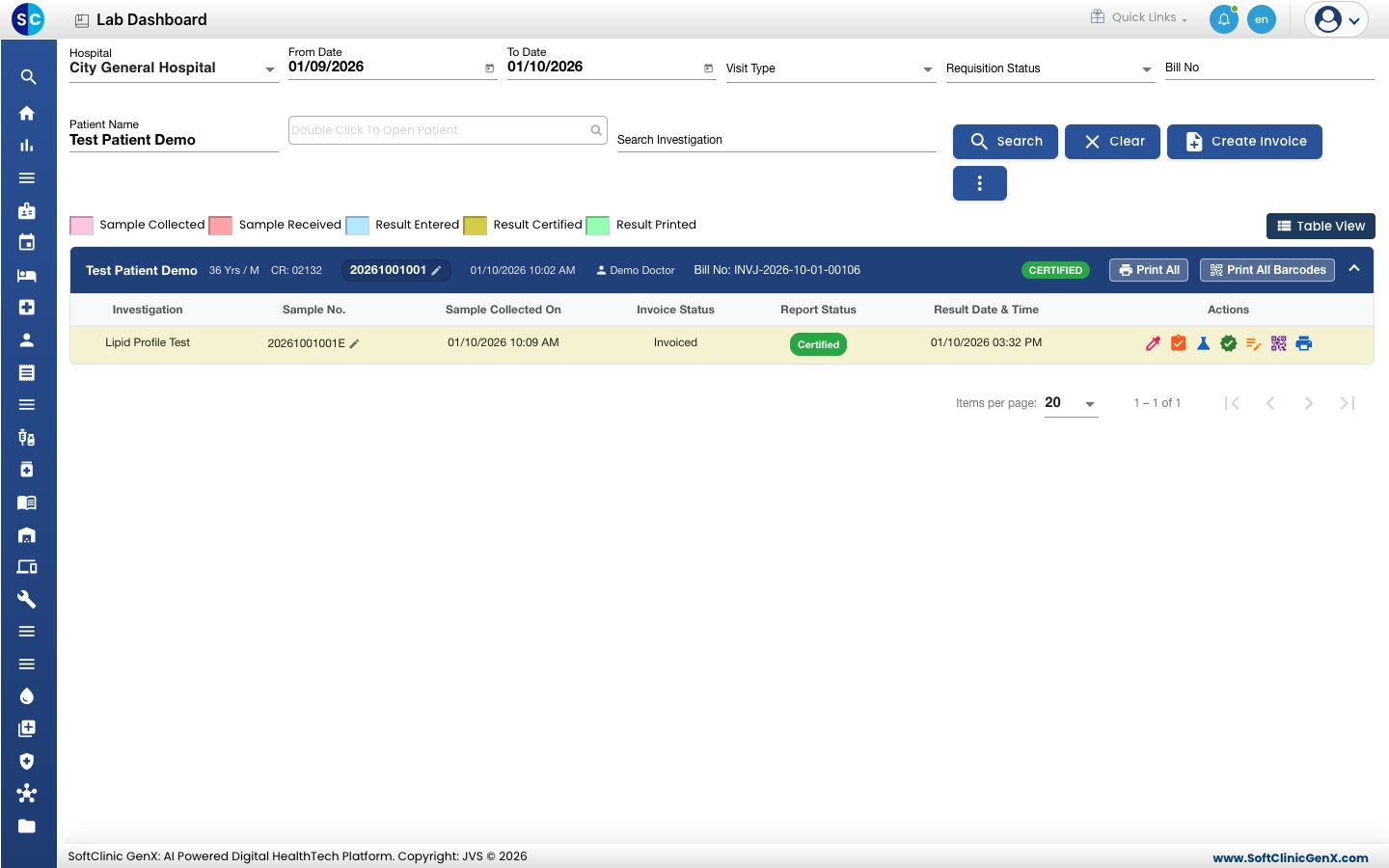
- Open the order card on the Lab Dashboard and click the Certification icon (the green tick) on the test line. The Certification screen opens with the entered results and their flags.
- Check each value against Normal Range. Abnormal values carry an H, L, HH or LL flag.
- Tick Certified on each line you approve. To approve a whole test, tick the box on its heading line; to approve everything, tick Certify All.
- Choose the doctor in Doctor Signature. Technician Signature is filled in for you; change it if needed.
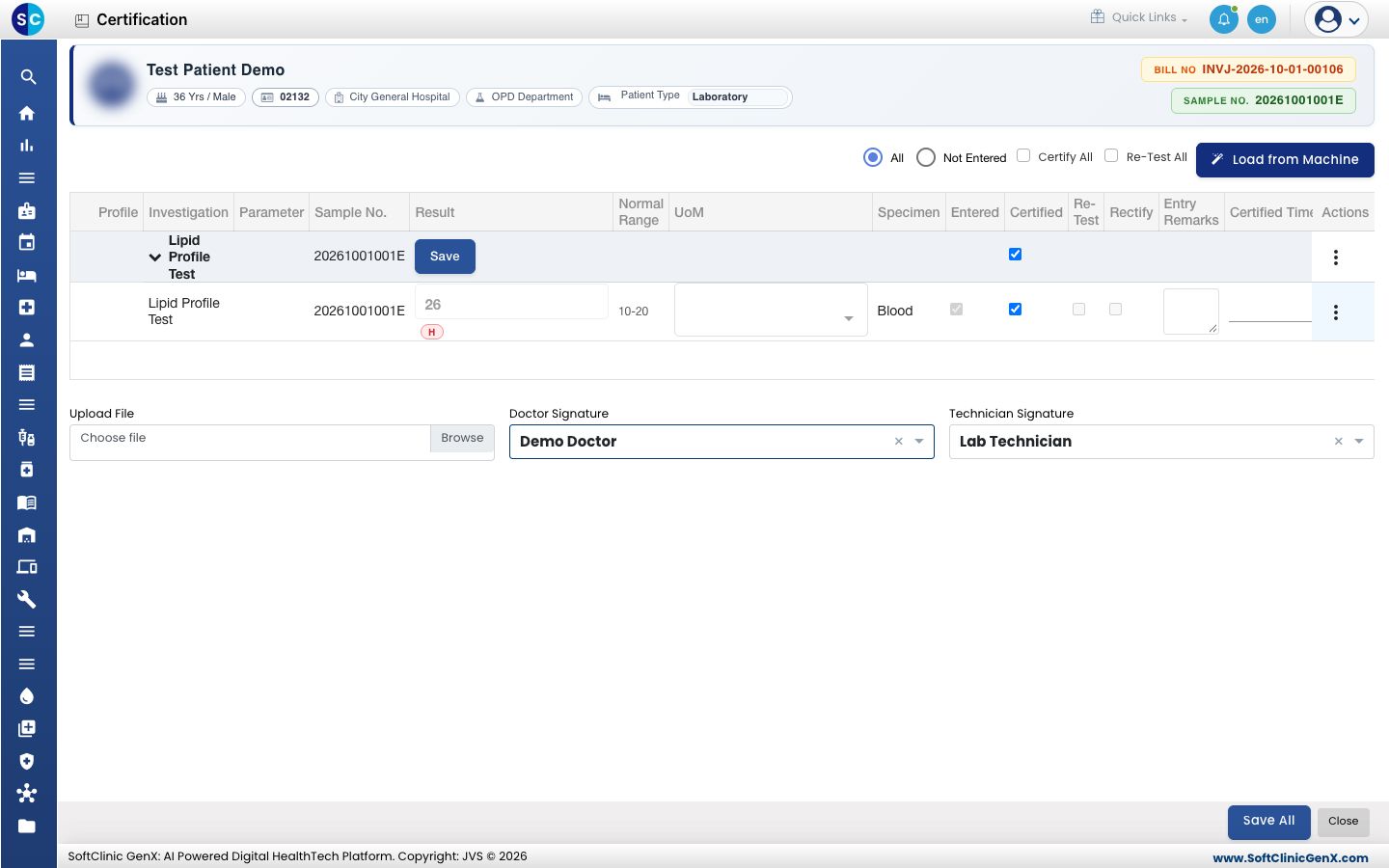
- Click Save All. The report is prepared, the screen closes and the test line turns yellow with Certified in Report Status. The card now shows Print All.
tip
To send a test back for a new sample instead, tick Re-Test on its line (or Re-Test All) and save.
Correct a certified result
- Click the Result Rectification icon on the test line. It appears only after the test is certified.
- Change the value. The line loses its certification and is marked Rectify.
- Certify it again as above and save. The earlier value, signer and time are kept in the record.
Troubleshooting
| What you see | What it means | What to do |
|---|---|---|
| Please select doctor | Doctor Signature is empty. | Choose the certifying doctor, then save. |
| No Certification icon on the line | No result is saved for the test yet. | Enter the results first. |
| This report is not yet certified. when printing | The test was saved but not certified. | Tick Certified, choose the doctor and save. |
Related
- Print a lab report: the next step.
- Enter test results: typing and correcting values before certification.
- Laboratory FAQs: common questions.