Enter test results
Type the results for a collected sample, see the normal range beside each value and spot abnormal results.
Result entry is where the technician types the value for each test or parameter. The normal range for the patient's age and gender is shown beside each value, and a saved value outside that range is flagged.
Who can do this: laboratory technician · Where: Laboratory › Lab Dashboard › Result Entry icon
Before you start
- The sample is collected and has a sample number. See Collect a sample.
- The test's normal ranges are set up in Investigation Masters.
Enter the results
- Open the order card on the Lab Dashboard and click the Result Entry icon (the blue flask) on the test line. The Result Entry screen opens with the patient, BILL NO and SAMPLE NO. at the top.
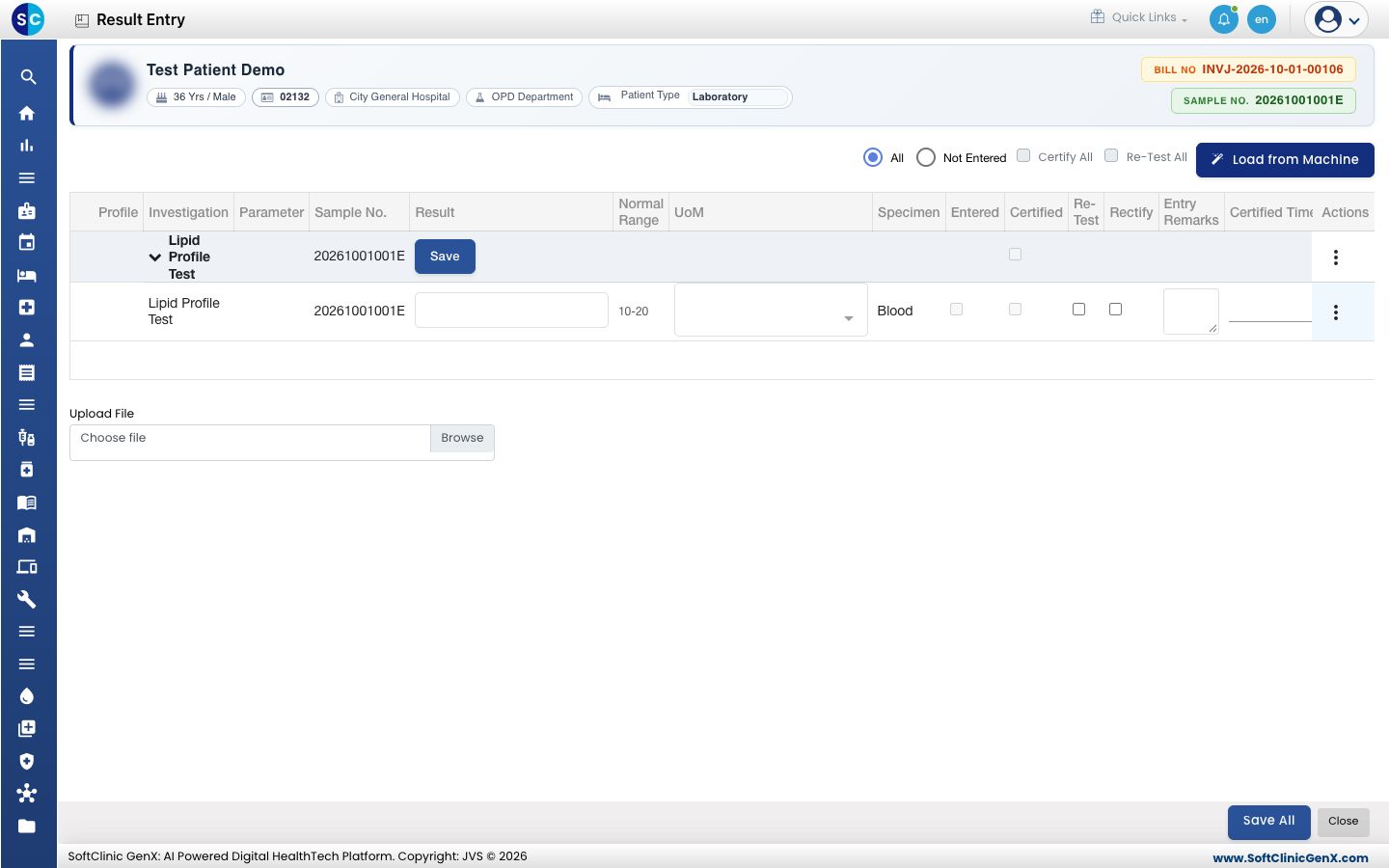
- Type each value in Result. Normal Range and UoM (unit) show what is expected. Entered is ticked as you type.
- Add a note in Entry Remarks if needed.
- Click Save All. To save one test only, click the Save button on its heading line. After Save All the screen closes and the test line turns light blue (Result Entered).
Choose Not Entered at the top to show only the lines that still need a value. For a lab analyser, Load from Machine fills the results the machine sent.
How an abnormal result shows
When you open a saved result, a value outside the normal range has a flag under it:
- H (red): above the normal range.
- L (blue): below the normal range.
- HH or LL (solid dark red): a critical value, beyond the critical limit set for the test.
- N (green): within the normal range.
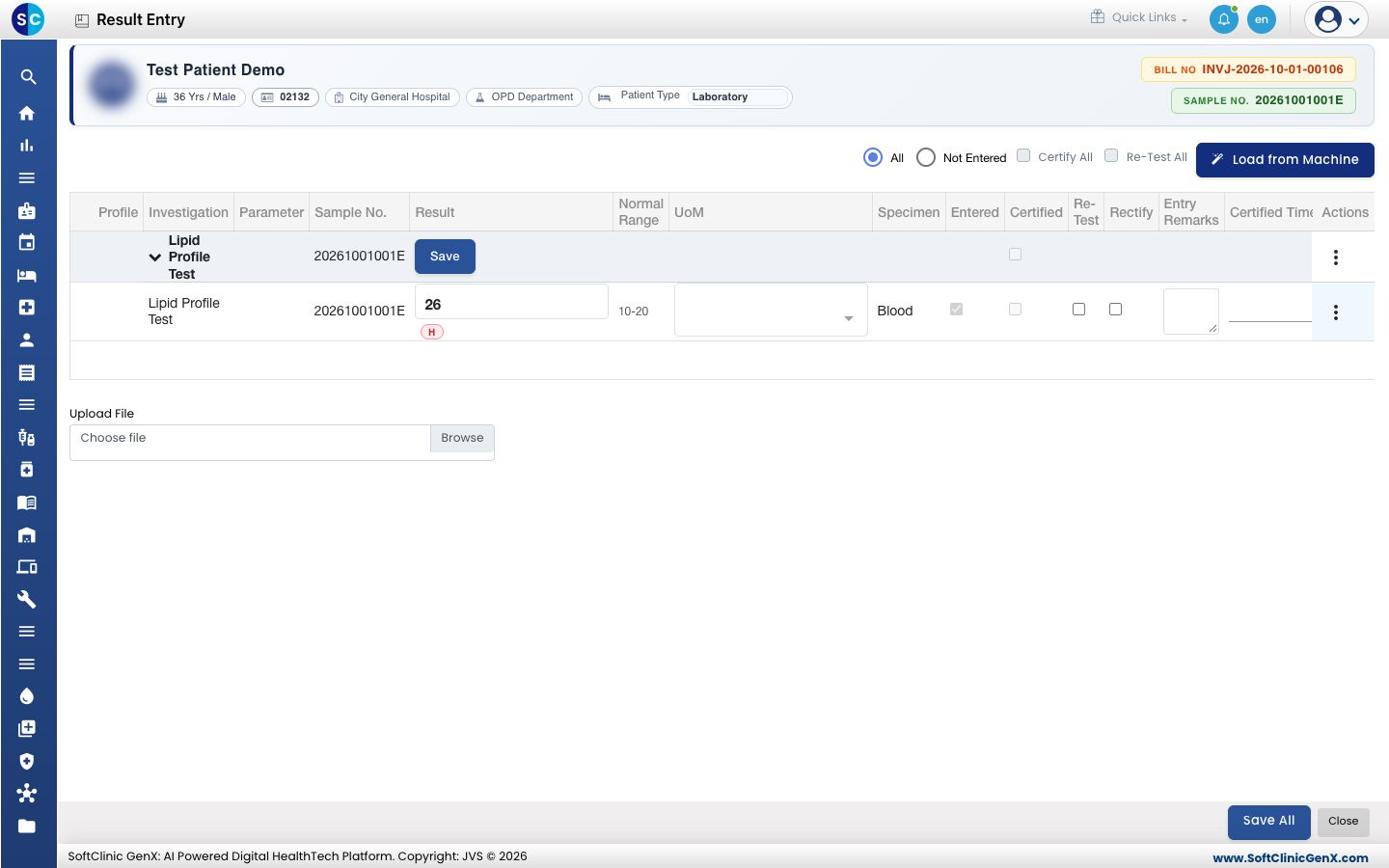
Text results, ready-made choices such as Positive or Negative, and tests with no numeric range are not flagged. The same flag prints on the report, where the abnormal value is also in bold. See Print a lab report.
Change a result before it is certified
Open Result Entry again, change the value and click Save All. After certification, use Result Rectification instead. See Certify test results.
Troubleshooting
| What you see | What it means | What to do |
|---|---|---|
| Enter at least one Result Entry | No value was typed. | Type at least one result, then save. |
| Not saved — nothing was entered for: … | The tests named had no value, so they were skipped. | Type their values and save again. |
| Sample collection has not been done yet for this test. | The sample is not collected. | Collect the sample first. |
| No flag beside an out-of-range value | The flag appears after the value is saved, or the test has no numeric range. | Save, then open the result again. Ask your administrator to check the range in Investigation Masters. |
Related
- Certify test results: the next step.
- Set up Investigation Masters: normal and critical ranges.
- Laboratory FAQs: common questions.