Print a lab report
Preview, print or download a certified lab report, choose letterhead or plain paper, and print it again later.
The lab report lists each certified result with its unit and biological reference range, and is signed by the certifying doctor. You can print it as many times as needed.
note
Who can do this: laboratory or front desk staff with lab print rights · Where: Laboratory › Lab Dashboard › Print icon or Print All
Before you start
- The results are certified. See Certify test results.
Print one test
- Open the order card on the Lab Dashboard and click the Print icon (the blue printer) on the test line. The Lab Report Preview opens.
- Choose how to print:
- Print On Letterhead: leaves the top blank for your pre-printed letterhead paper.
- Print On Plain Paper: prints the hospital letterhead with the report.
- Download: saves the report as a PDF.

Print several tests together
- Click Print All on the order card. Select Reports & Print Order opens with every certified report in the order.
- Tick the reports to print, or use Select All / Clear All. Drag a row by its handle to change the print order. PRINT STATUS shows whether a report was printed before.
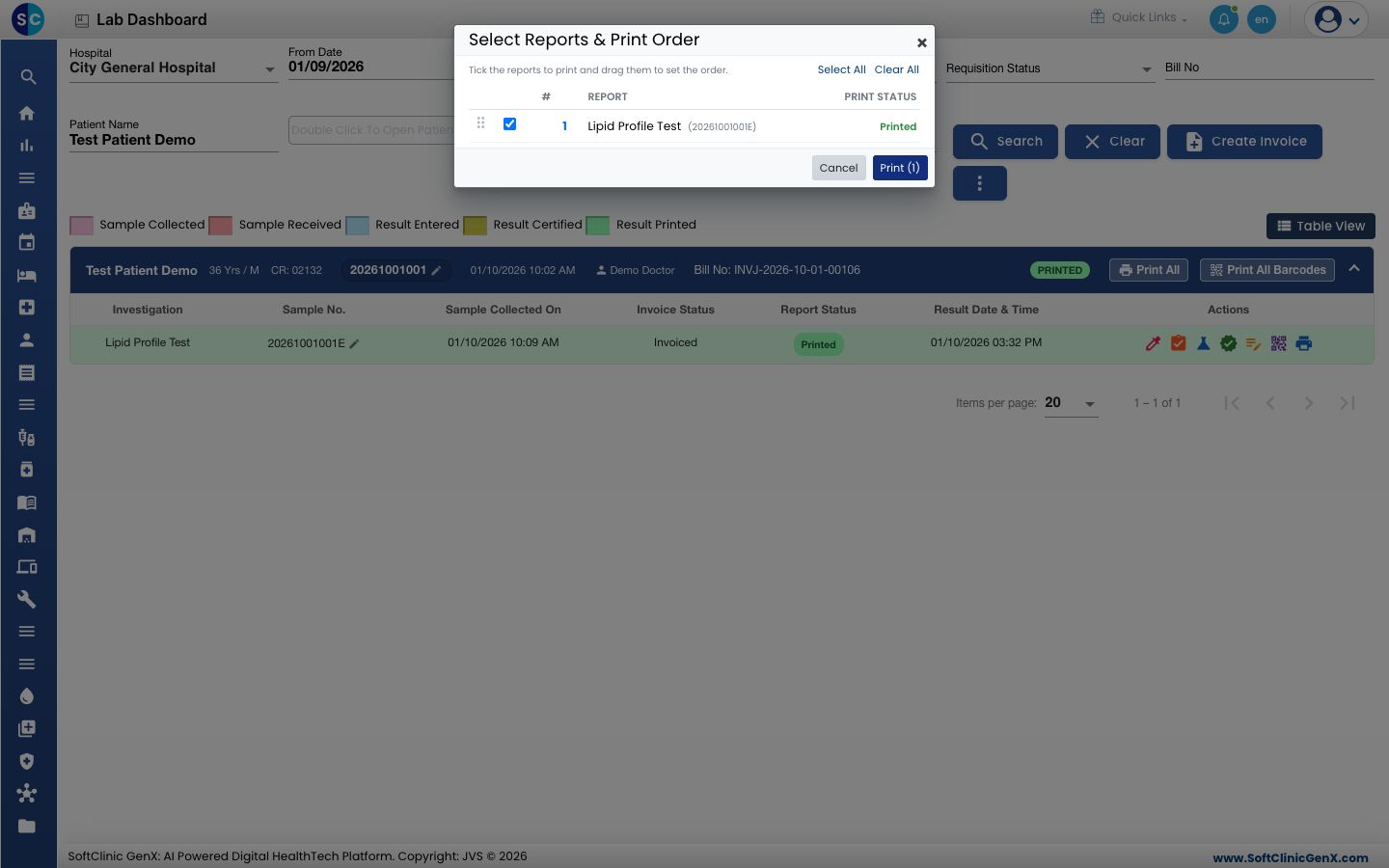
- Click Print (n). The Lab Report Preview opens with the chosen reports.
What the report shows
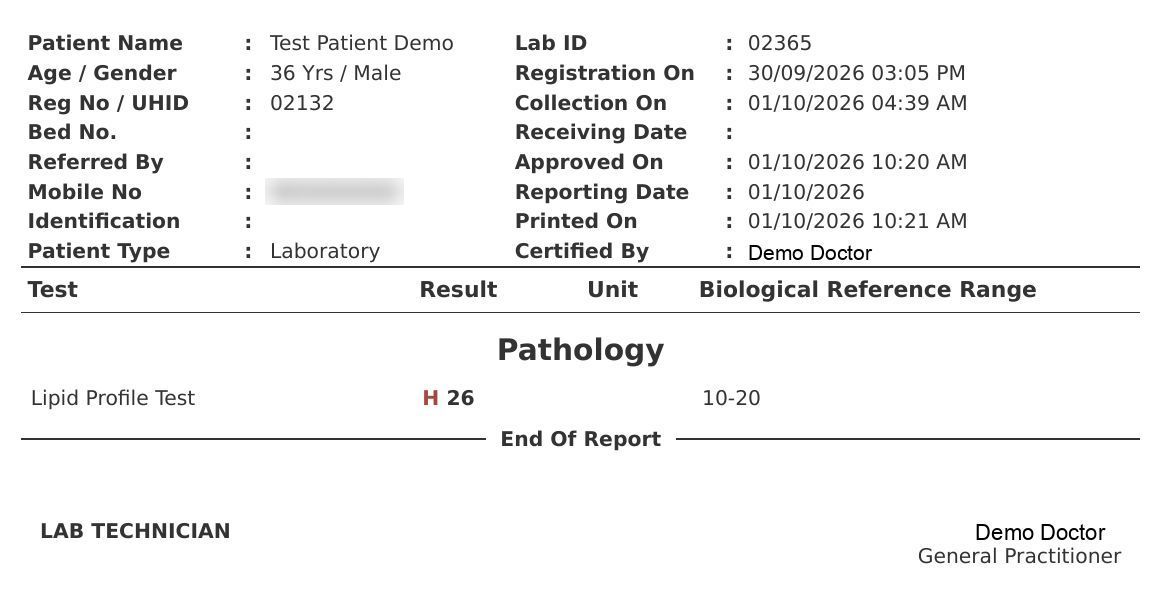
- The patient details, sample collection, approval and print times, and the certifying doctor.
- One line per test: Test, Result, Unit and Biological Reference Range. The range is the one for the patient's age and gender.
- An abnormal result is in bold with H (high) or L (low) beside it; a critical result is marked HH or LL.
- End Of Report and the signatures at the bottom.
Print again
Open the order and click Print or Print All again. A printed test stays certified; its line turns green and Report Status shows Printed.
Troubleshooting
| What you see | What it means | What to do |
|---|---|---|
| This report is not yet certified. | Only certified results print. | Certify the results first. |
| You do not have rights to print | Your role has no print right for lab results. | Ask your administrator to grant it. |
| Select at least one report to print. | No report is ticked in Select Reports & Print Order. | Tick at least one report. |
Related
- Certify test results: approval before printing.
- Set up Investigation Masters: reference ranges and units on the report.
- Laboratory FAQs: common questions.