Set up Template & Service Link
Who does this: radiology or hospital administrator Where: Radiology › Masters › Template & Service Link Set up before: Service and Radiology Template Master
Template & Service Link connects radiology tests to report templates. For each radiology service you list the templates that suit it, for example several ultrasound formats for USG of lower abdomen, and mark one as the default. When the report for that test is written in Radiology Requisitions, these templates are offered.
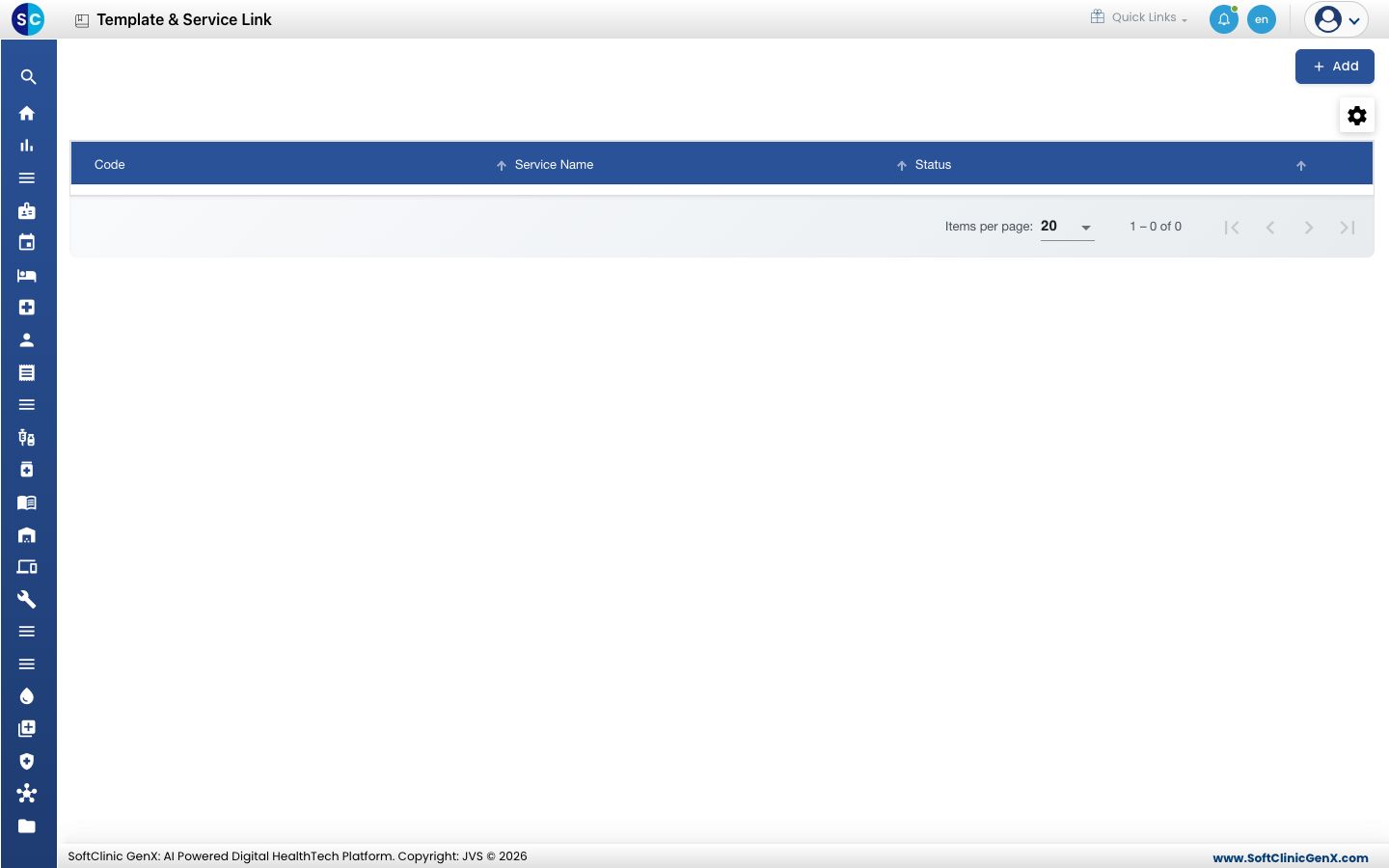
Link templates to a service
- Go to Radiology › Masters › Template & Service Link and click Add.
- In Service Name, type part of the service name and pick the radiology service. The service field locks, and the template fields become available.
- In Template Name, type part of the template name and pick it.
- Tick Is Default if this template should be the one offered first for the service.
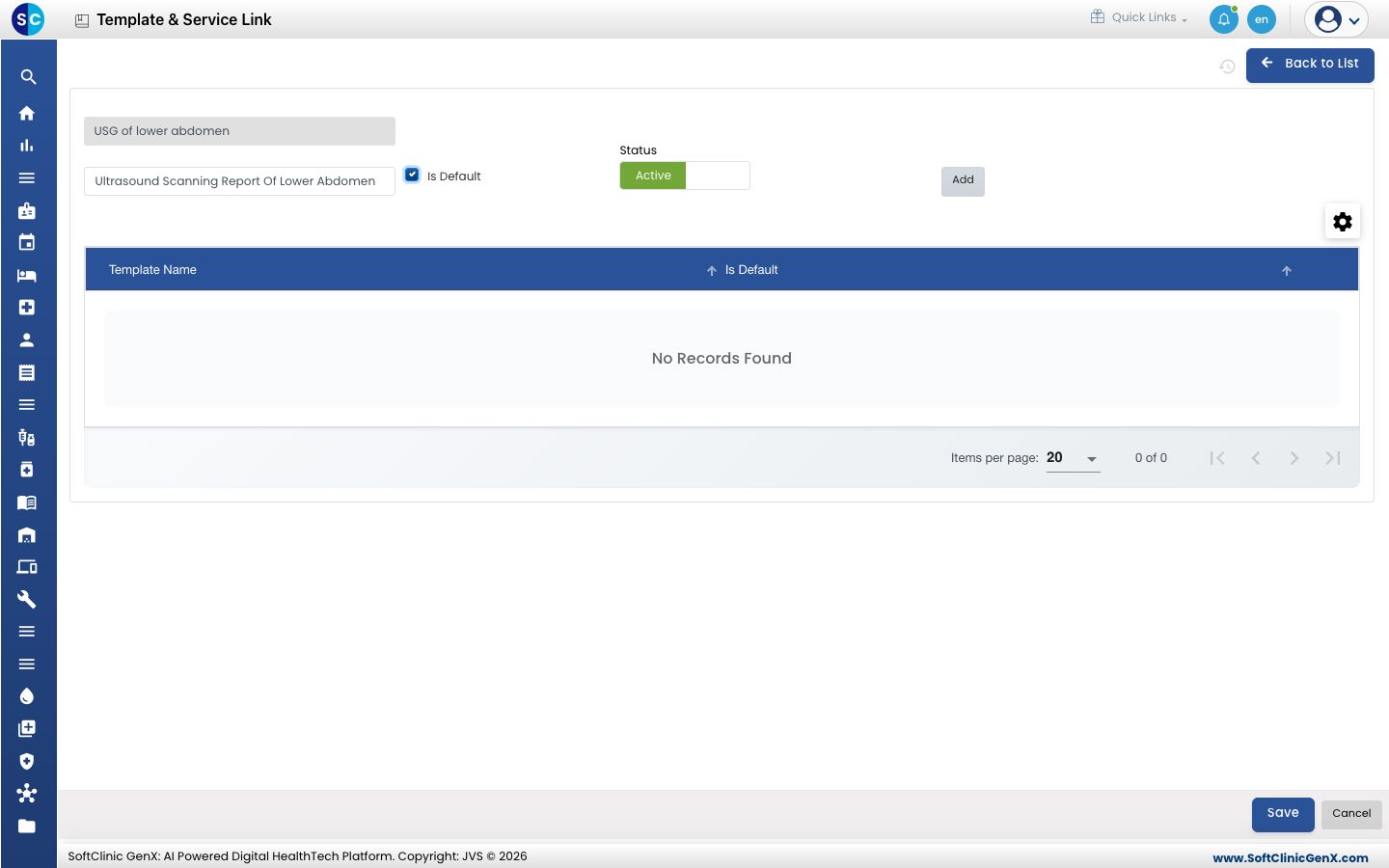
- Click Add. The template appears in the table below. Repeat steps 3 to 5 for every template that suits the service.
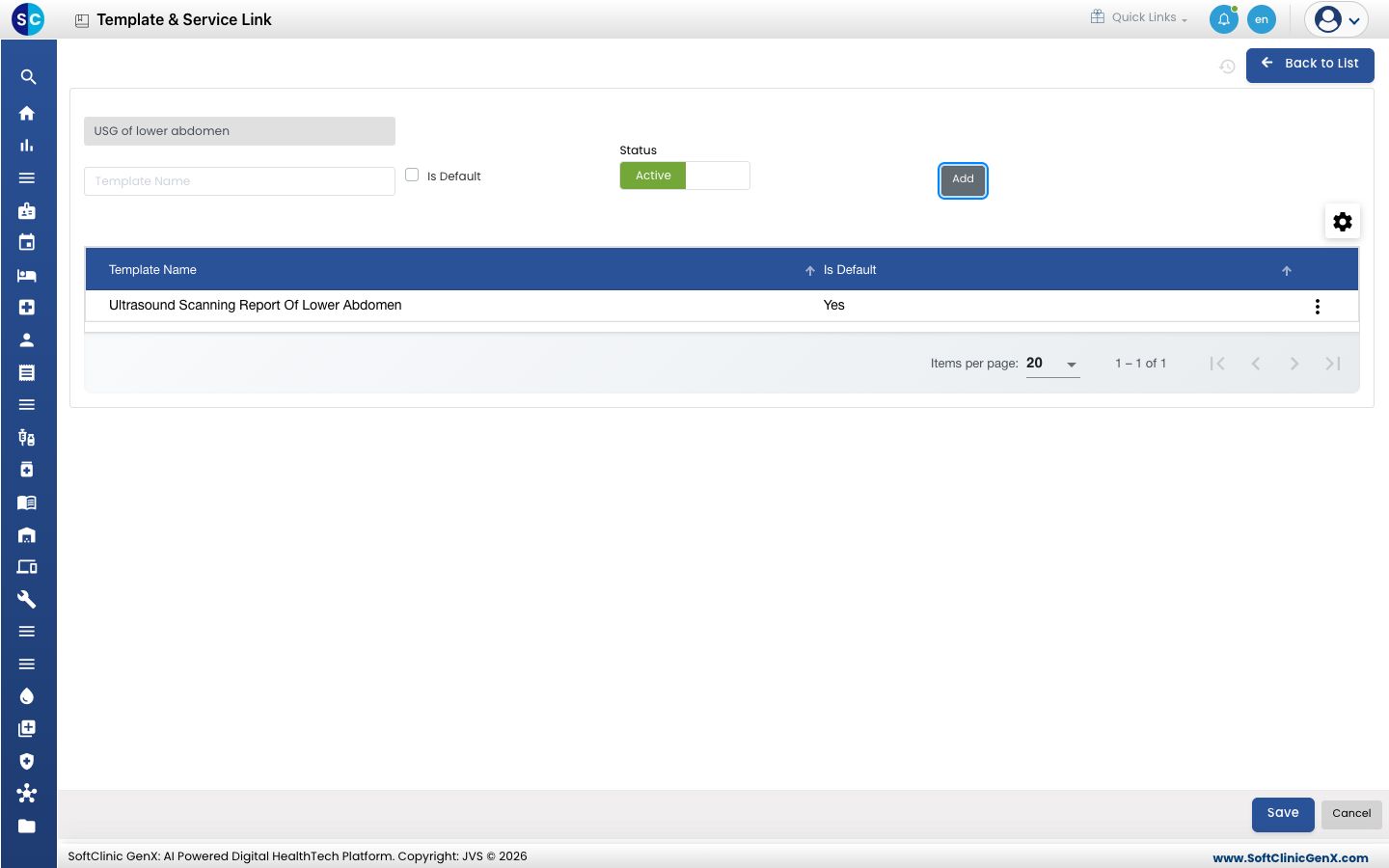
- Click Save.
| Field | What to enter | Required |
|---|---|---|
| Service Name | The radiology service, picked from the list. | Yes |
| Template Name | A template from Radiology Template Master. | Yes, for each row you add |
| Is Default | Tick for the template to offer first. Only one template can be the default. | No |
| Status | Active to use the link. | — |
Change a link
- In the list, click the ⋮ button at the end of the row and choose Edit.
- In the templates table, use the row ⋮ menu to Preview a template or Delete it from the service. Add more templates as above.
- Click Save.
Good to know
- Each service has one link record. If you add a service that is already linked, you are asked to update the existing record instead.
- The same template cannot be added twice to one service.
- If you tick Is Default while another template is already the default, you are asked whether to replace it.
- To give one doctor a different set of templates for the same test, use Template Doctor Link.