Set up Frequency
Who does this: hospital administrator, medical superintendent or pharmacy in-charge Where: Doctor Work Bench › Masters › Frequency
A frequency tells the patient and the nurse how often to take a medicine — for example 1 Tablet In Morning And Night. Doctors pick it when they prescribe, and its name is printed on the prescription. Nurses' medication schedules use it to set dose times. A set of common frequencies is already in place.
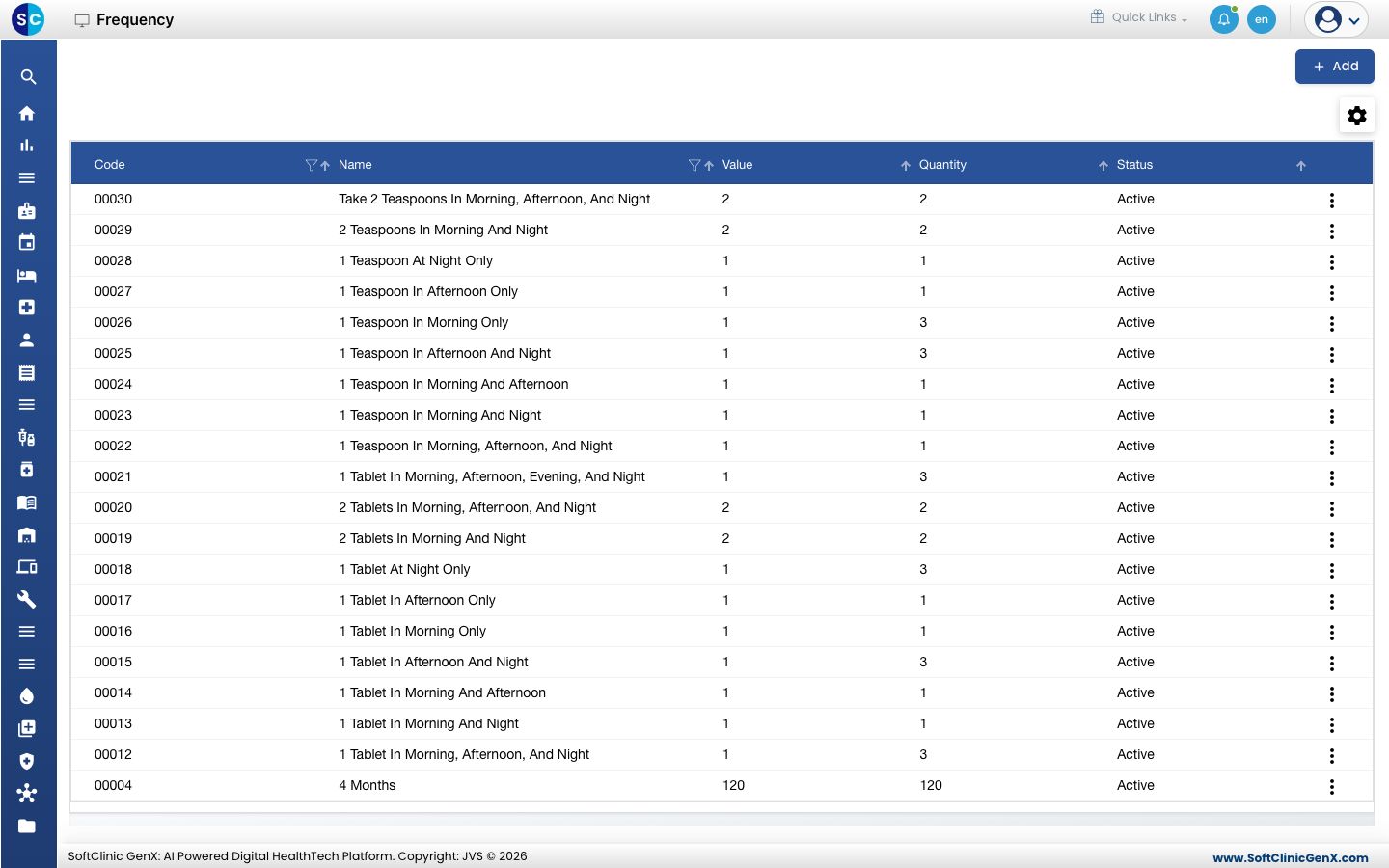
Add a frequency
-
Go to Doctor Work Bench › Masters › Frequency.
-
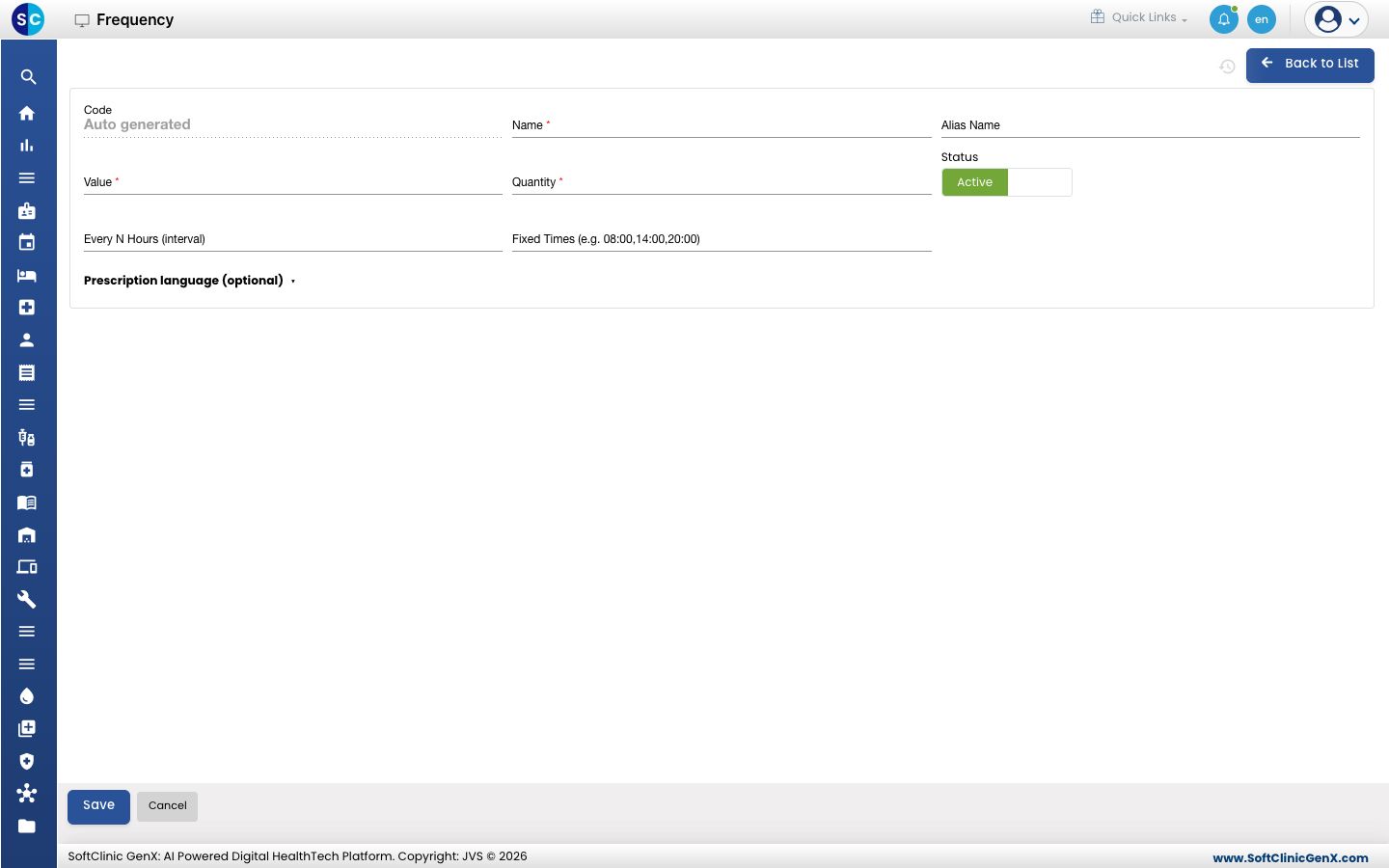
Click Add. The frequency form opens.
-
Fill in the fields:
Field What to enter Required Code Filled in automatically when you save. — Name The wording printed on the prescription, for example 1 Tablet In Morning, Afternoon And Night. Yes Alias Name Another name for the frequency, for example TDS. No Value How many doses are given in a day, for example 3. Numbers from 0 to 9999. Yes Quantity The quantity given with each dose, for example 1. Numbers from 0 to 9999. Yes Status Leave on Active. — Every N Hours (interval) For "every N hours" frequencies, the number of hours between doses, for example 8. No Fixed Times (e.g. 08:00,14:00,20:00) The clock times doses are due, separated by commas. No -
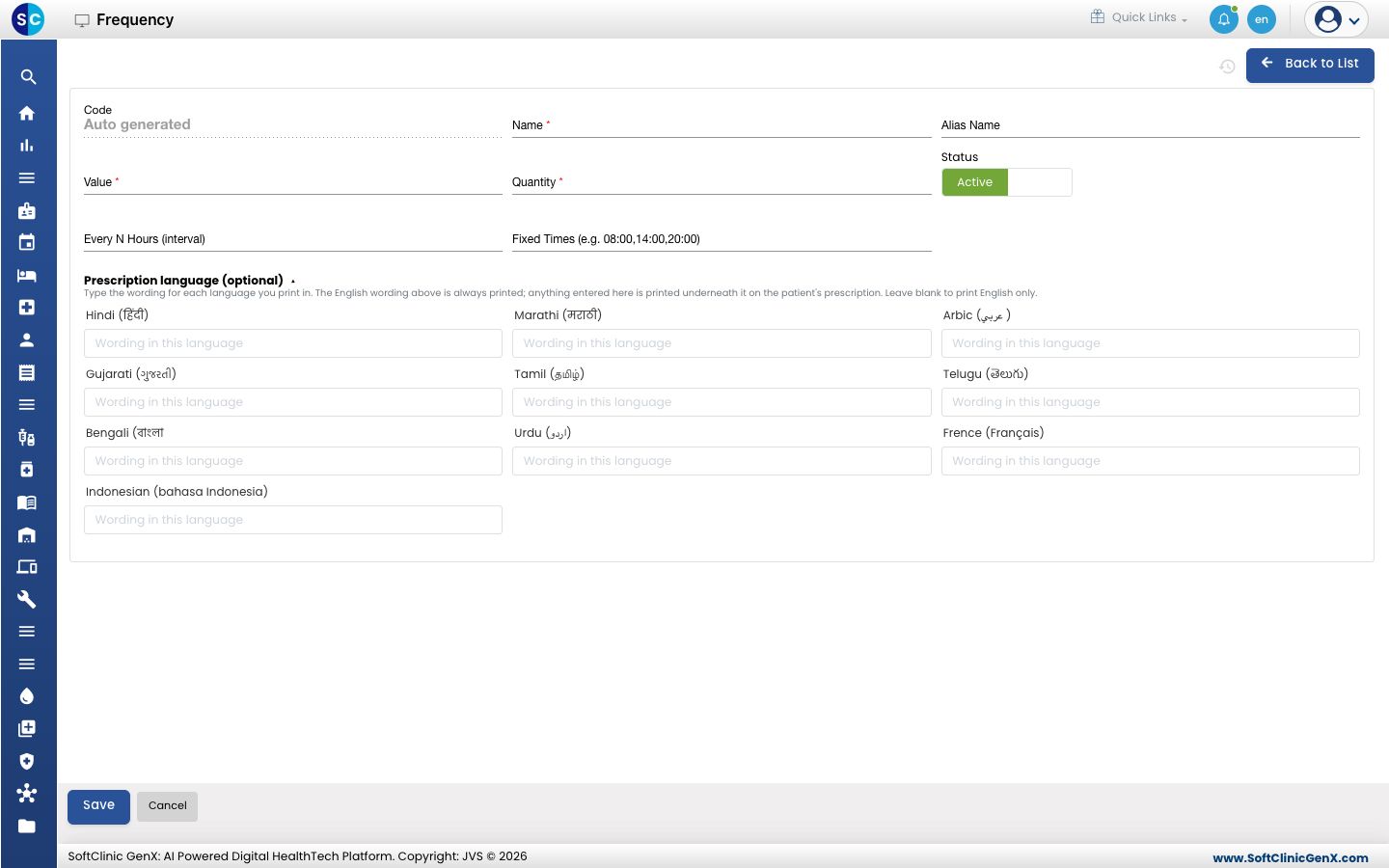
To print the frequency in another language as well, click Prescription language (optional) and type the wording for each language you print in.
-
Click Save. You return to the list and the new frequency appears in it.
Change or deactivate a frequency
- In the list, click the ⋮ button at the end of the row and choose Edit.
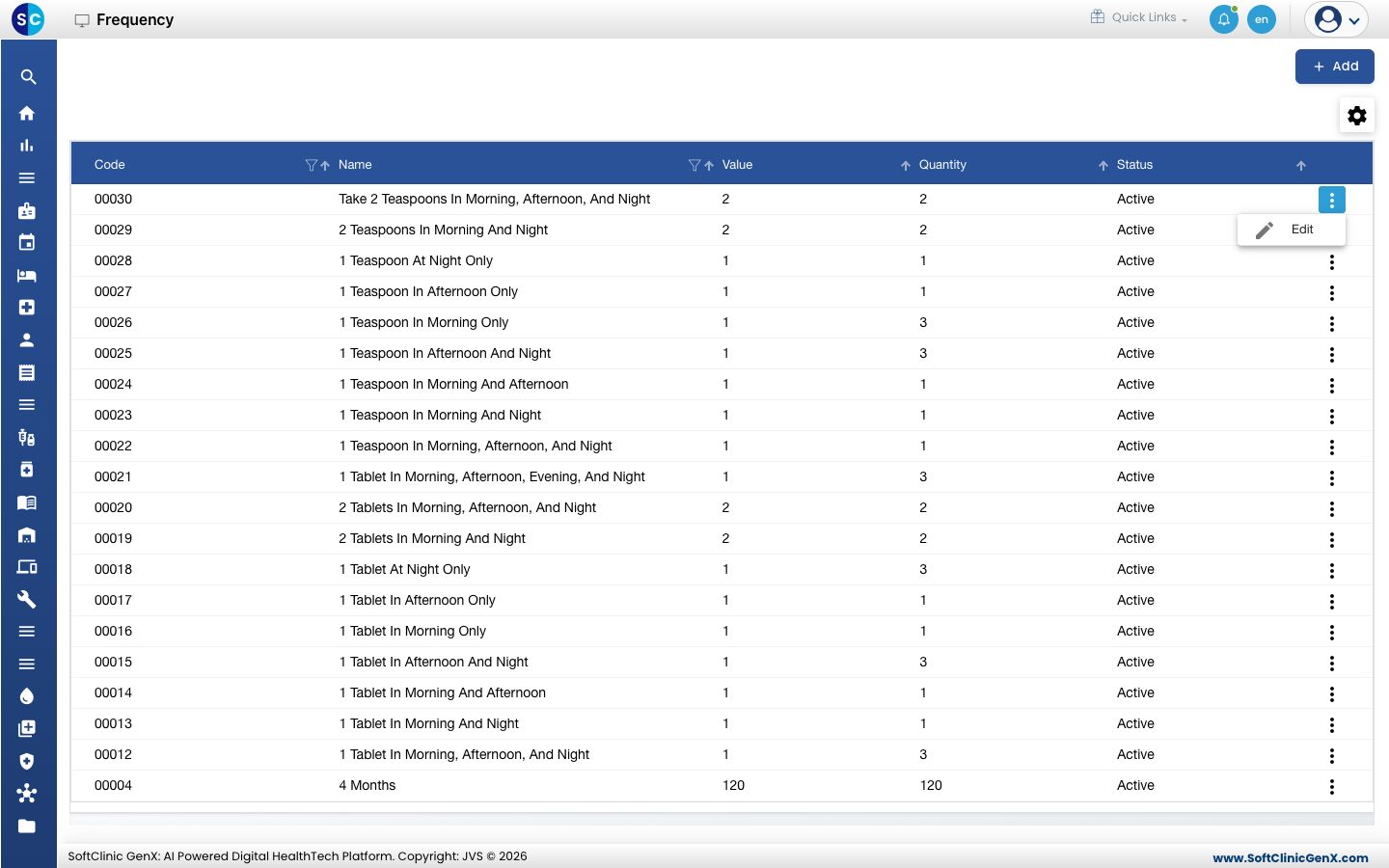
- Change the fields you need. To stop offering the frequency, switch Status to Inactive.
- Click Save.
Frequencies cannot be deleted from this screen. Make a frequency Inactive instead.
Good to know
- Frequency names must be unique.
- The English Name always prints. Wording entered under Prescription language (optional) prints underneath it on the patient's prescription; leave it blank to print English only.
- When Fixed Times is filled in, doses are scheduled at those times. Otherwise Every N Hours is used, and then Value.
- Use the filter and sort icons in the column headers to find a frequency quickly.
- Click Back to List or Cancel to leave the form without saving.
Related
- Previous: Set up Diagnosis
- Next: Set up Vital
- Doctor Work Bench FAQs