Certify and print a radiology report
Approve a written radiology report, print it for the patient, or reopen it for correction.
Certifying is the doctor's approval of the report. Once a report is certified you can print it. If a mistake turns up later, decertify it, correct it and certify it again.
Who can do this: radiologist or reporting doctor · Where: Radiology › Radiology Requisitions › row menu
Before you start
- The report is written and the order shows Report Entered. See Write a radiology report.
Certify the report
-
Go to Radiology › Radiology Requisitions, click the three dots at the end of the order's row and choose Certify.
-
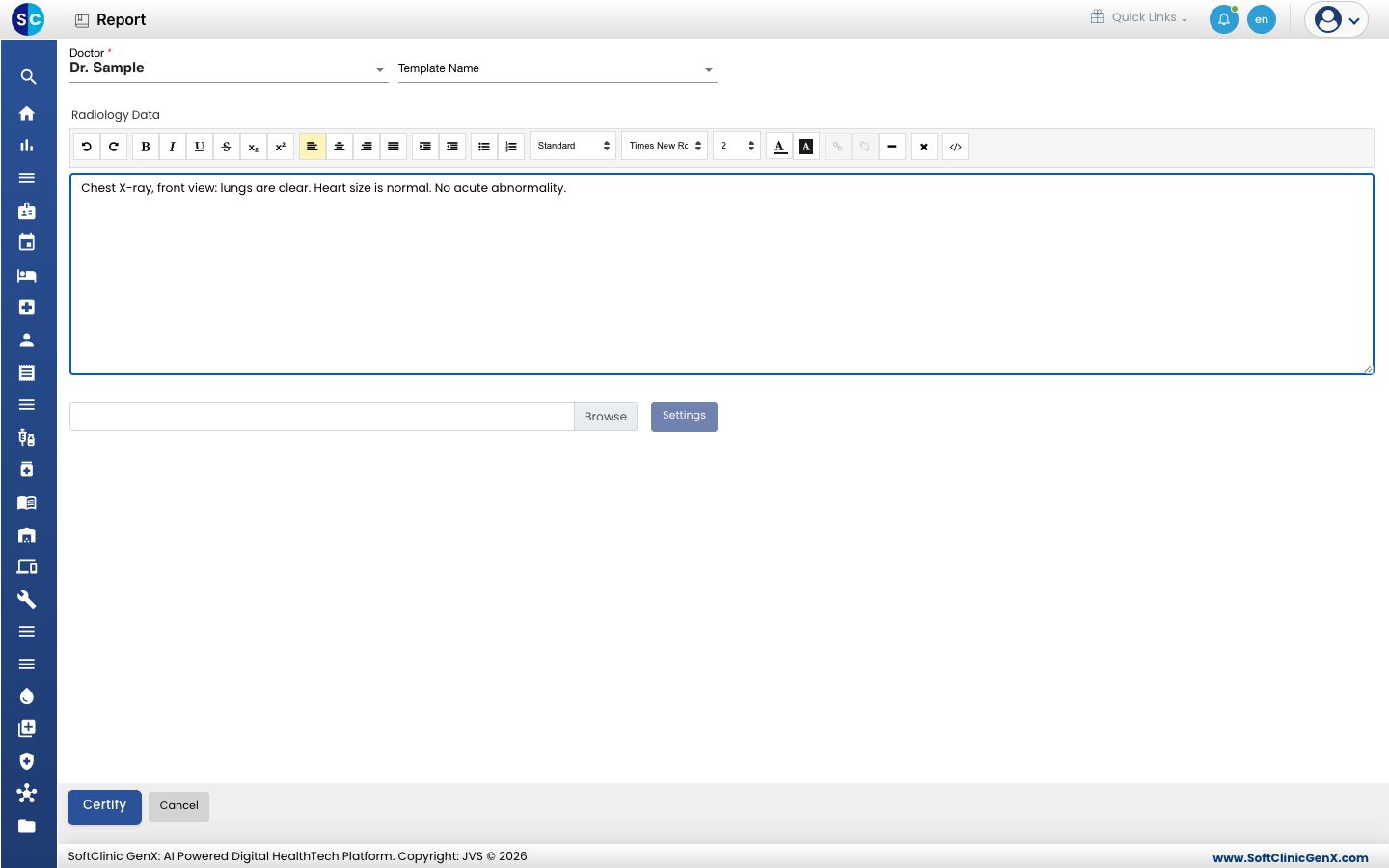
The report opens. Read it and correct anything that is wrong.
-
Check Doctor, then click Certify. A message confirms the report is certified and the order shows Certified.
Print the report
- Click the three dots at the end of the row and choose Print. The report opens in a new window with the print dialog.
- Choose your printer and print. The order shows Printed.
The printout carries the hospital header, the patient and referring doctor, the findings, any images, and the reporting doctor's name and signature.
Print is greyed out while the order is Requested, Patient In, Patient Out or Decertified. If the print window does not open, allow pop-ups for the site.
Correct a certified report
- Click the three dots at the end of the row and choose Decertify. The order shows Decertified.
- Choose Report, correct the findings and click Save.
- Choose Certify again and certify the report.
Decertifying records who reopened the report and when, and the count of times it was reopened. A decertified report cannot be printed until it is certified again.
Troubleshooting
| What you see | What it means | What to do |
|---|---|---|
| Certify is greyed out | The report is not written yet, or is already certified. | Write the report first. |
| Decertify is greyed out | The report is not certified. | Certify it first. |
| Print is greyed out | The order is not at a printable status. | Write or re-certify the report. |
| The print window does not open | The browser blocked the pop-up. | Allow pop-ups for the site and choose Print again. |
Related
- Find and track radiology orders: what each status means.
- Radiology FAQs: short answers.