View radiology bills and receipts
List the bills and payments for radiology tests by date, doctor and payment type.
Radiology has its own Bill List and Receipt List. They work like the billing lists, but show only radiology tests, so the radiology desk can check what was billed and collected.
Who can do this: radiology and billing staff · Where: Radiology › Views › Radiology Billing List and Radiology Receipt List
See radiology bills
-
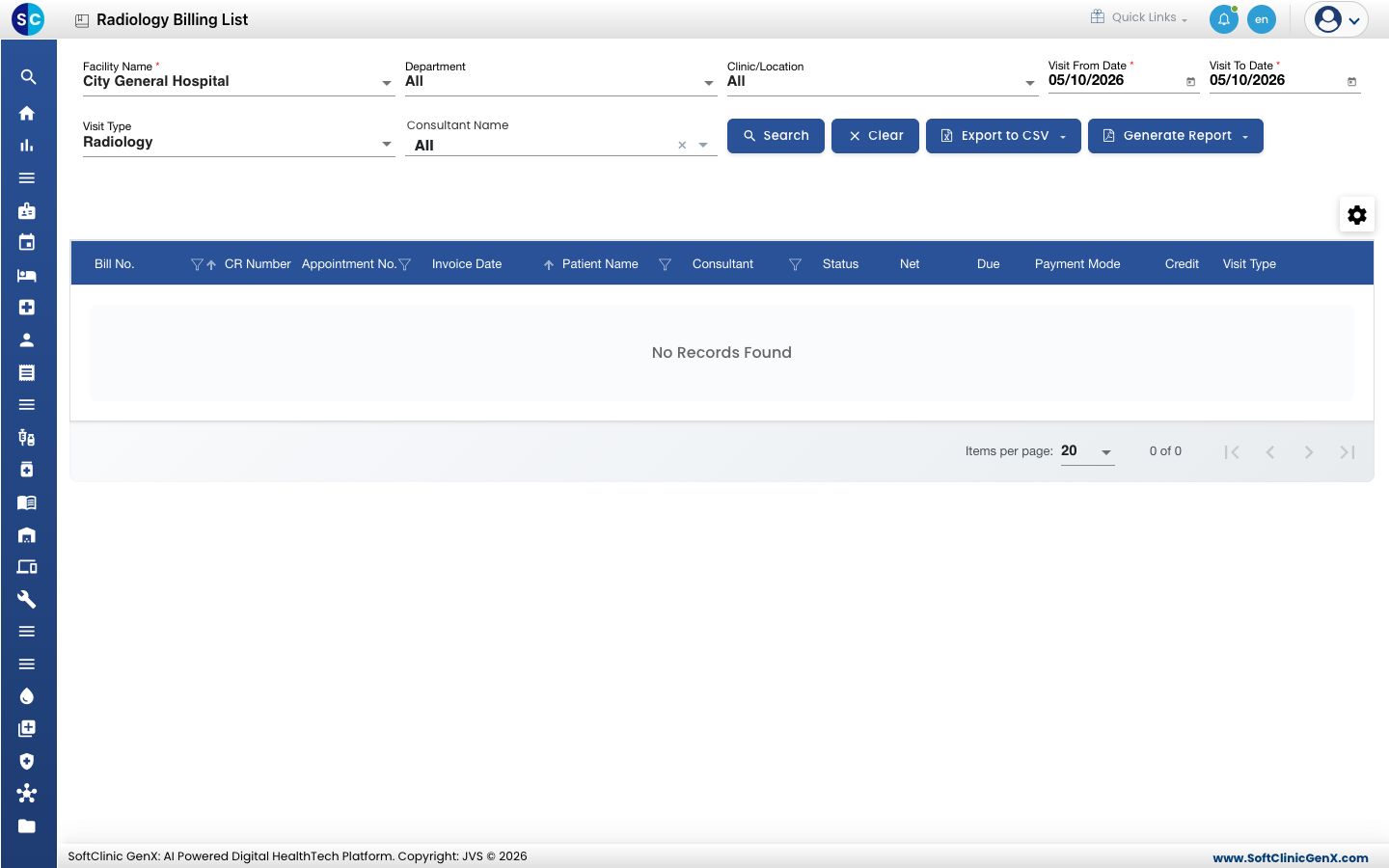
Go to Radiology › Views › Radiology Billing List. Visit Type is already Radiology.
-
Set Facility Name, Visit From Date and Visit To Date. To narrow further, choose a Department, Clinic/Location or Consultant Name.
-
Click Search. Each bill shows its Bill No., Invoice Date, Patient Name, Net, Due and Payment Mode.
-
Click Export to CSV to open the list in a spreadsheet, or Generate Report for a printable report. Clear resets the filters.
See radiology receipts
-
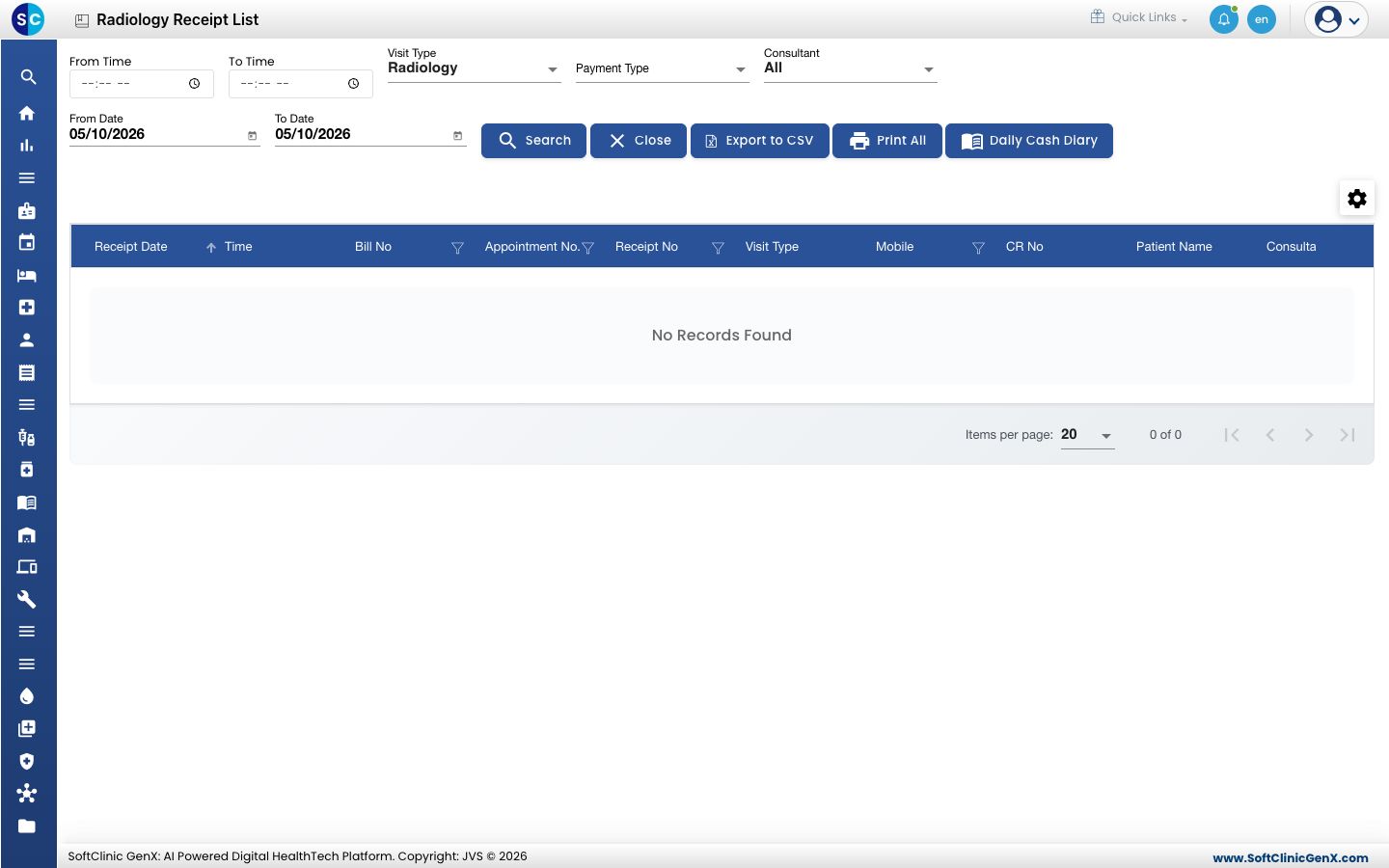
Go to Radiology › Views › Radiology Receipt List.
-
Set From Date and To Date. To check one shift, also set From Time and To Time. Choose a Payment Type or Consultant if you need one.
-
Click Search. Each payment shows its Receipt No, Bill No, Transaction Type, Payment Mode and Amount.
-
Click Export to CSV or Print All to take the list out. Daily Cash Diary opens the day's collection totals.
Troubleshooting
| What you see | What it means | What to do |
|---|---|---|
| No Records Found | No radiology bill or receipt matches the dates. | Widen the dates and click Search. Both lists open on today. |
| A test billed under another visit type is missing | These lists show only radiology tests. | Use the billing lists in View bills and the daily collection. |
Related
- View bills and the daily collection: the full billing lists and the Daily Cash Diary.
- Order a radiology test: how a radiology bill is created.
- Radiology FAQs: short answers.