Order a radiology test
Bill a patient for an X-ray, ultrasound or CT scan so the order reaches the radiology worklist.
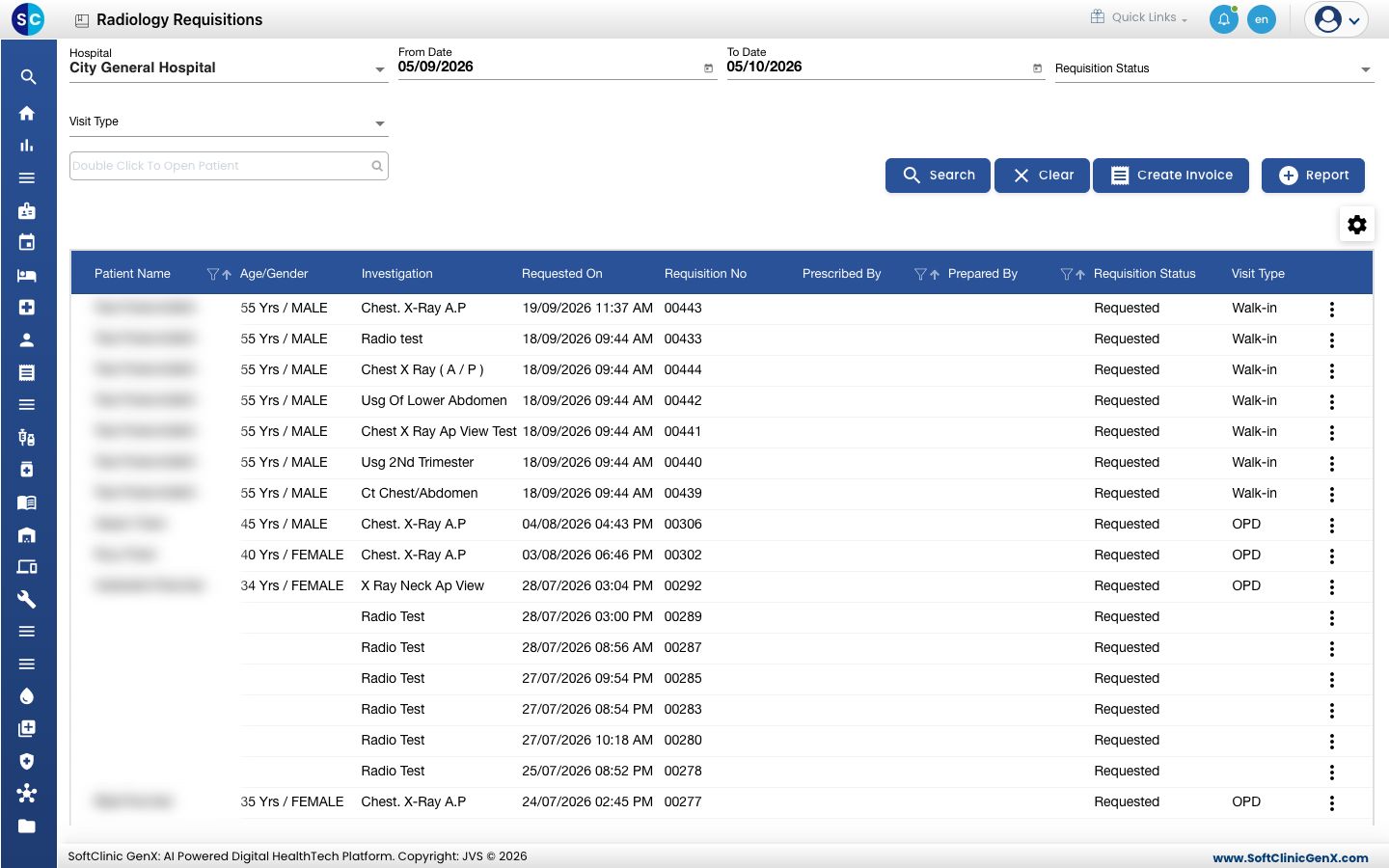
A radiology order starts as a bill. When you save the bill, each radiology test on it appears as a line on the Radiology Requisitions worklist, ready for the radiology team.
Who can do this: billing or radiology front-desk staff with billing rights · Where: Radiology › Radiology Requisitions › Create Invoice
Before you start
- The test is set up as a radiology test. See Set up Radiology Masters.
- The patient is registered. See Register a new patient.
Bill a radiology test
-
Go to Radiology › Radiology Requisitions and click Create Invoice.
-
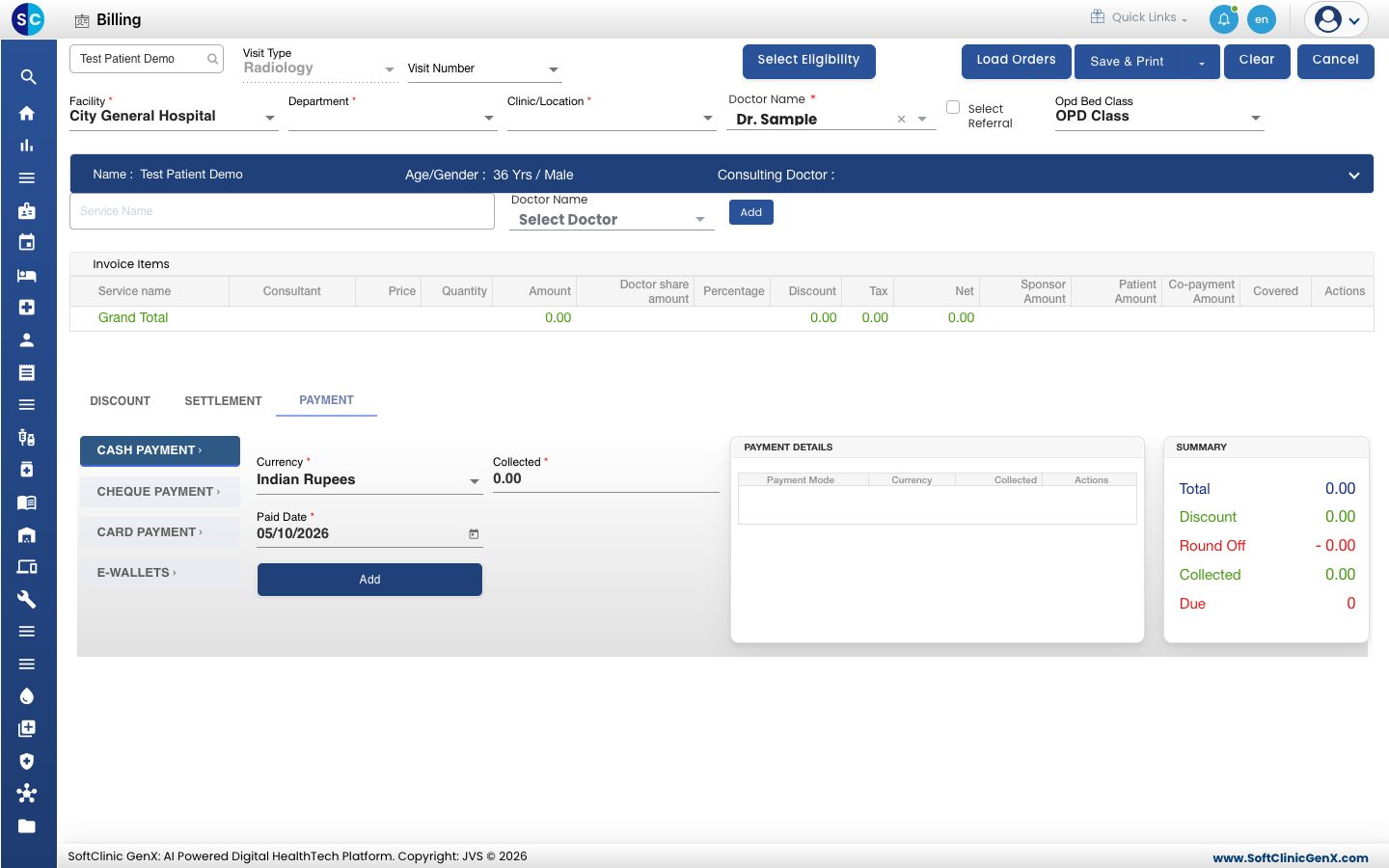
Search for the patient in the box at the top left. The patient's name, age and gender show in the blue bar. Visit Type is already Radiology.
-
Choose the Department and Clinic/Location. The Doctor Name fills in for you; change it if another doctor is prescribing.
-
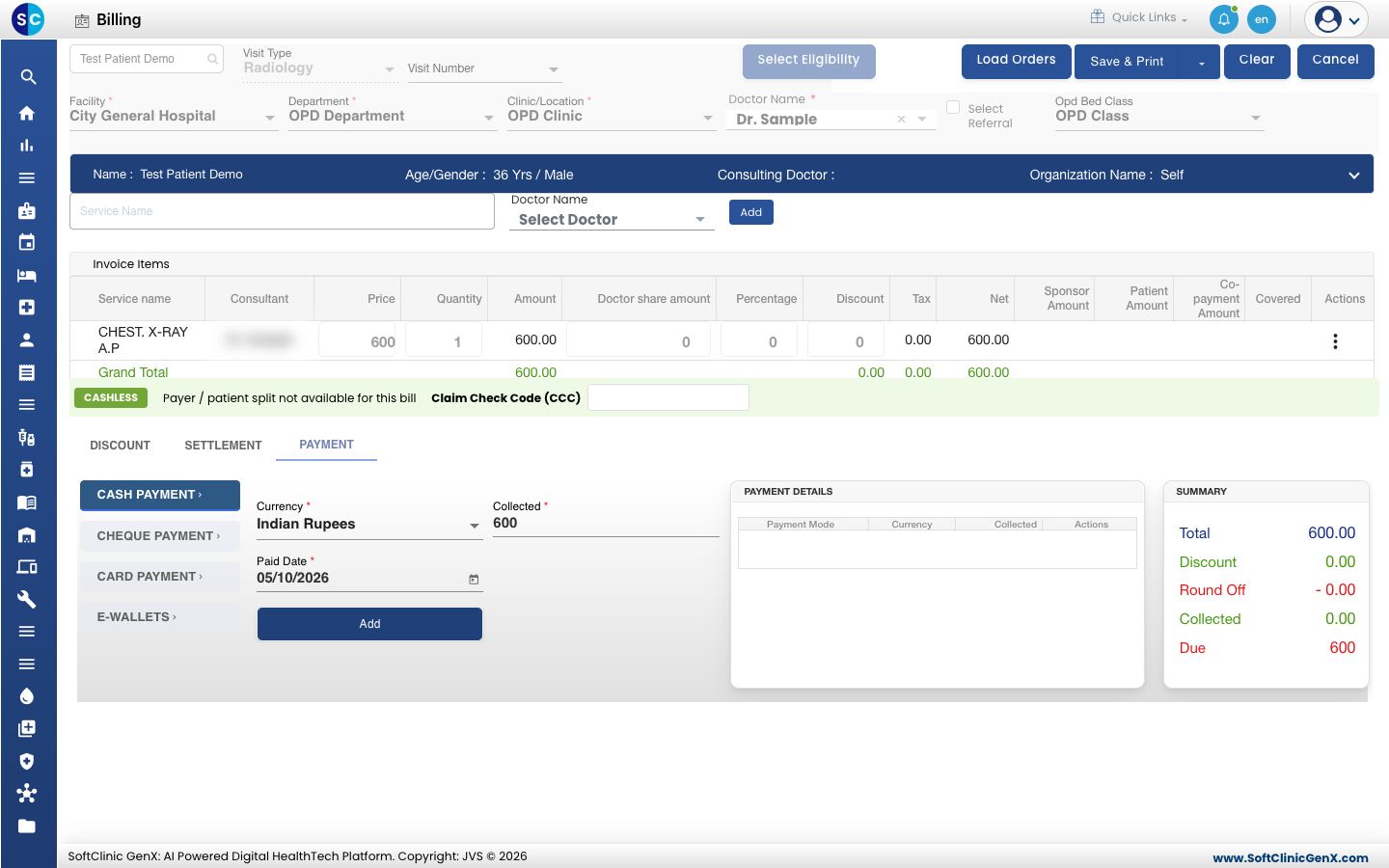
Type at least three letters of the test in Service Name and pick the test from the list. Click Add. The test appears under Invoice Items with its price.
-
Collect the payment. Open PAYMENT, choose the mode, check Collected and click Add. The payment shows under Payment Details.
-
Click Save & Print. The order is saved and the test appears on the Radiology Requisitions worklist with the status Requested.
Click Load Orders to bring in tests a doctor has already ordered for this patient, instead of typing each one.
Troubleshooting
| What you see | What it means | What to do |
|---|---|---|
| Please enter payment details | No payment row is added. | Add a payment under Payment Details, then save. |
| The test is not offered in Service Name | The service is not in the radiology service group, or is inactive. | Check it in Service. |
| A message says billing is not allowed | Your login does not have billing rights. | Ask your administrator for billing rights. |
| The ordered test is not on the worklist | The worklist shows only the dates and filters you set. | Widen From Date and To Date and click Search. |
Related
- Find and track radiology orders: the worklist the order lands on.
- Create an OPD bill: the billing screen in full.
- Radiology FAQs: short answers.