Order medicines and tests from the ward
Raise a pharmacy order or a lab order for an admitted patient straight from the bed card.
When the doctor asks for a medicine or a test, the ward raises the order from the patient's bed card. You add the items to a pending list and then sign the list. Signing sends the order to the pharmacy or the laboratory.
note
Who can do this: nurses and ward staff with Ward Management rights
Where: Nursing Work Bench › Ward Management › three dots on the bed › Medication Orders or Test Orders
Before you start
- The patient is admitted to a bed. See Admit a patient.
- The medicine is in the pharmacy's stock, and the test exists as a lab service.
Order medicines
- Go to Nursing Work Bench › Ward Management and find the patient's bed. See See the patients in your ward.
- Click the three dots on the bed card and choose Medication Orders. Order Details opens on the Pharmacy Order tab, with the patient's name at the top.
- Type the first letters of the medicine in Medicine and pick it from the list. The list shows the quantity in stock beside each name.
- Type the Quantity. Add Special Instructions if the doctor gave any.
- Click Add. The medicine moves to Pending Medicines to Sign.
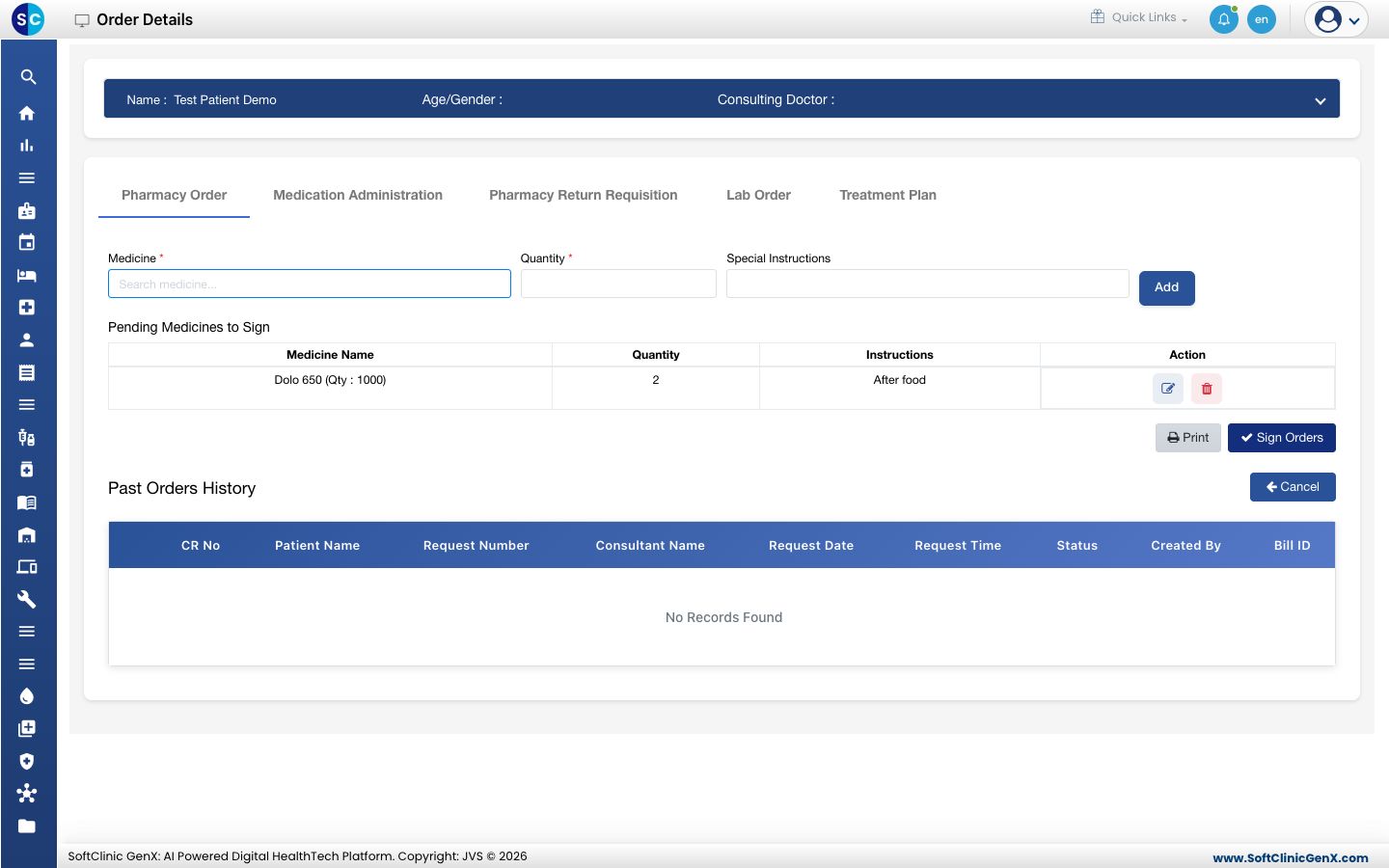
- Repeat for each medicine. Use the pencil or bin icon on a line to change or remove it.
- Click Sign Orders. The pending list clears and the order goes to the pharmacy. Click Print first if you need a paper copy.
Order a lab test
- On the bed card, click the three dots and choose Test Orders. Or click the Lab Order tab in Order Details.
- Type the test in Lab Service and pick it. Rate fills in.
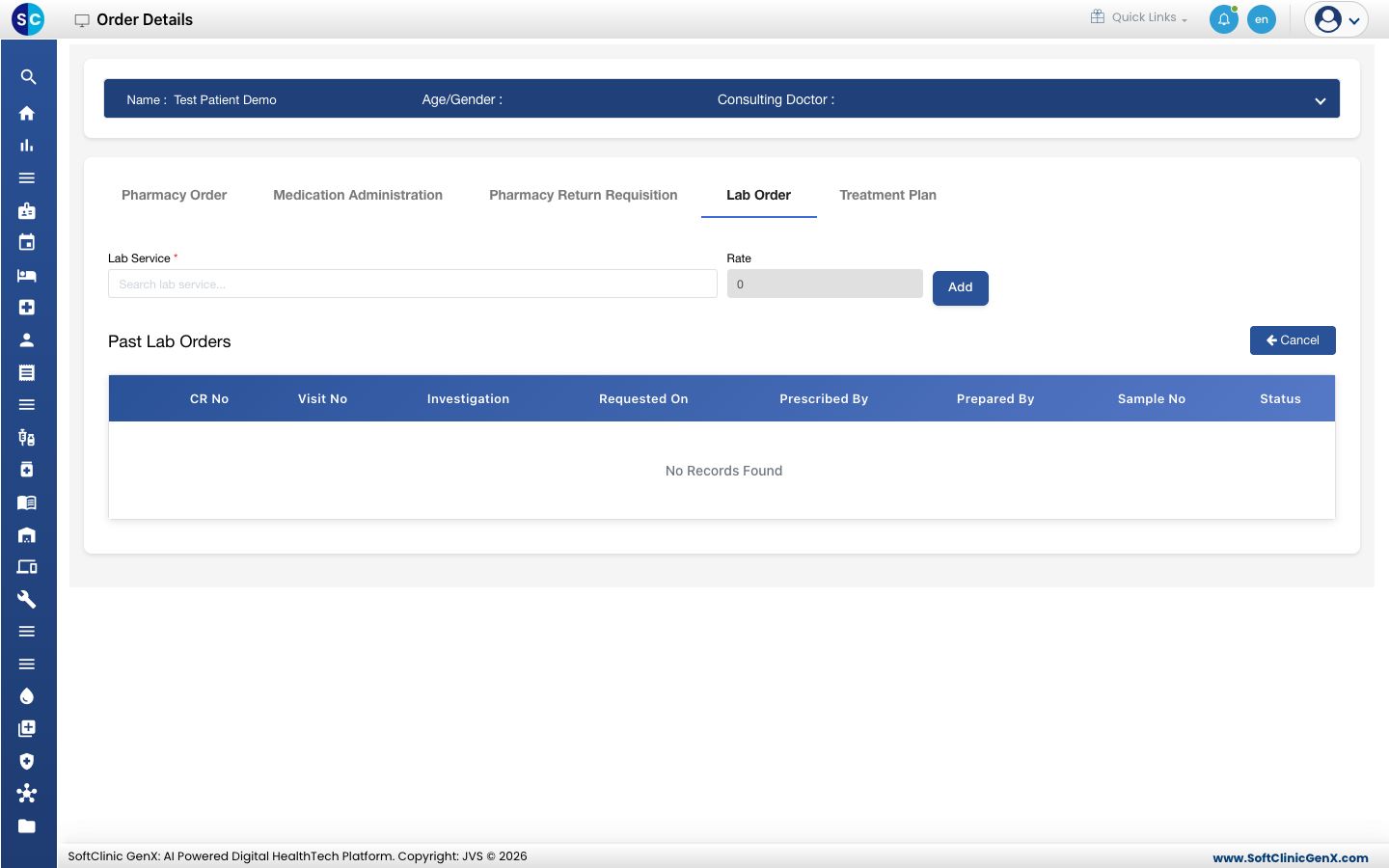
- Click Add. The test moves to Pending Lab Services to Sign, with a Grand Total.
- Click Sign Orders. The order goes to the laboratory, and Past Lab Orders lists it with its status.
Good to know
- Nothing is sent until you click Sign Orders. Leaving the screen drops the pending list.
- A signed order shows to the ward nurse under New orders in SC Nursing.
- The other tabs of Order Details are Medication Administration, Pharmacy Return Requisition and Treatment Plan.
- Click Cancel to go back to the ward board.
Troubleshooting
| What you see | What it means | What to do |
|---|---|---|
| The medicine is not in the list | It is not an item in the pharmacy, or the name is typed differently. | Type fewer letters, or ask the pharmacy to add the item. |
| Sorry, suggestions could not be loaded. | The medicine list did not load. | Type the name again. |
| Nothing happens on Add | Medicine is not picked from the list, or Quantity is empty. | Pick the medicine from the list and type a quantity of 1 or more. |
| The bed menu item does nothing and a red message appears | Your role is not allowed to raise orders for a patient's bill. | Ask your administrator for the right. |
Related
- Add a treatment to the treatment plan: order nursing care that is not a medicine.
- Work through a patient's nursing to-do list: where the nurse acknowledges the order.
- Nursing Work Bench FAQs: common questions on Ward Management.