Write nursing notes
Add a dated nursing note for an admitted patient, with the advice followed and a progress remark.
A nursing note records what the nurse observed or did for the patient at a given time. Each note carries the date and time, the nurse's name and a free-text progress note. The notes build up as a list for the whole stay.
note
Who can do this: nurses with Ward Management rights
Where: Nursing Work Bench › Ward Management › three dots on the bed › Intake / Output › Nursing Notes tab. Also Nursing Work Bench › SC Nursing › patient › Nursing Notes.
Before you start
- The patient is admitted to a bed. See Admit a patient.
Add a note
- Go to Nursing Work Bench › Ward Management and find the patient's bed. See See the patients in your ward.
- Click the three dots on the bed card and choose Intake / Output. The Nursing Chart opens with the patient's name, UHID, IP number and bed at the top.
- Click the Nursing Notes tab.
- Check Date & Time. It is set to now.
- Type what was done in Treatment / Advice, and the observation in Remarks / Progress Note. Fill the other fields when they apply.
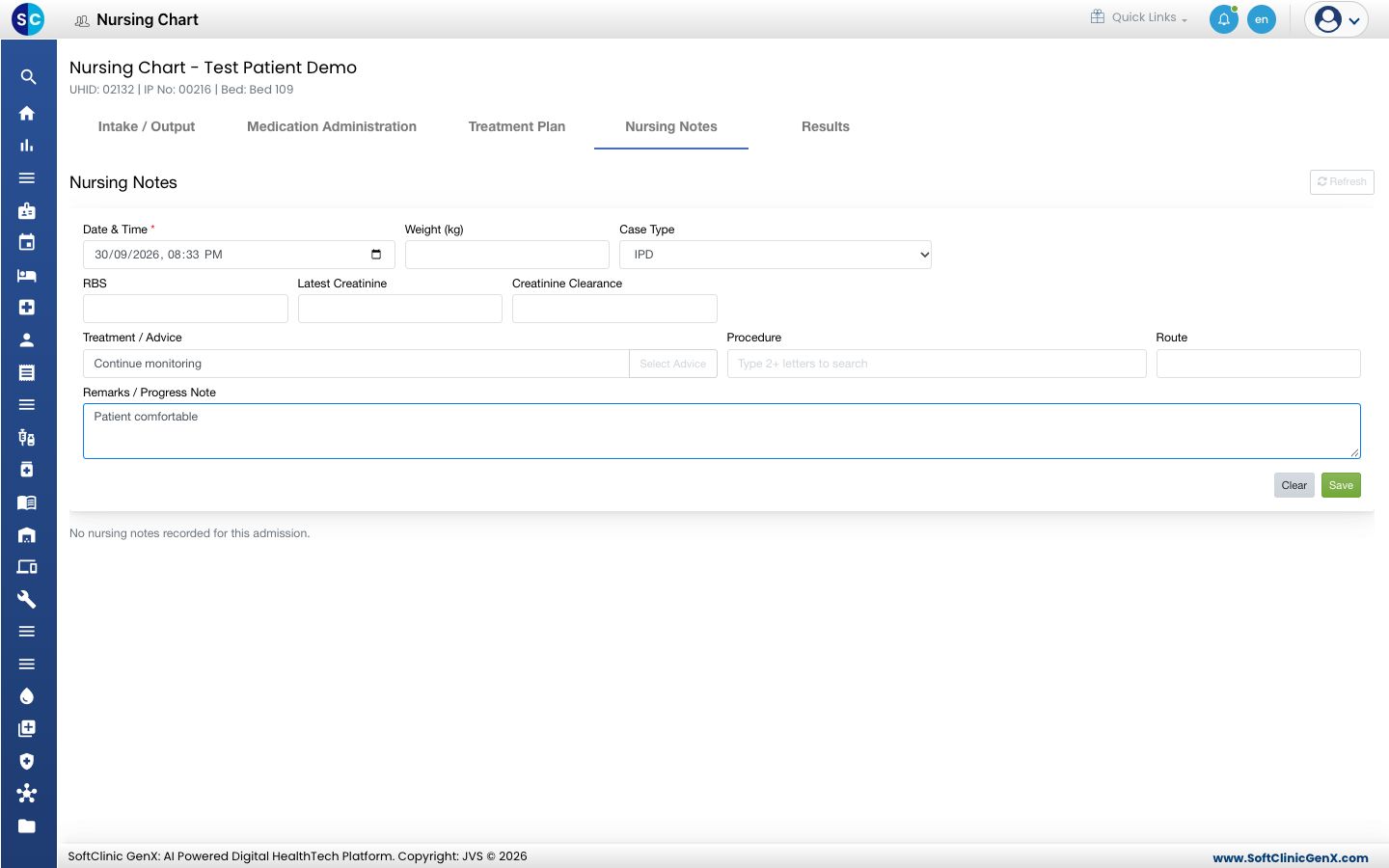
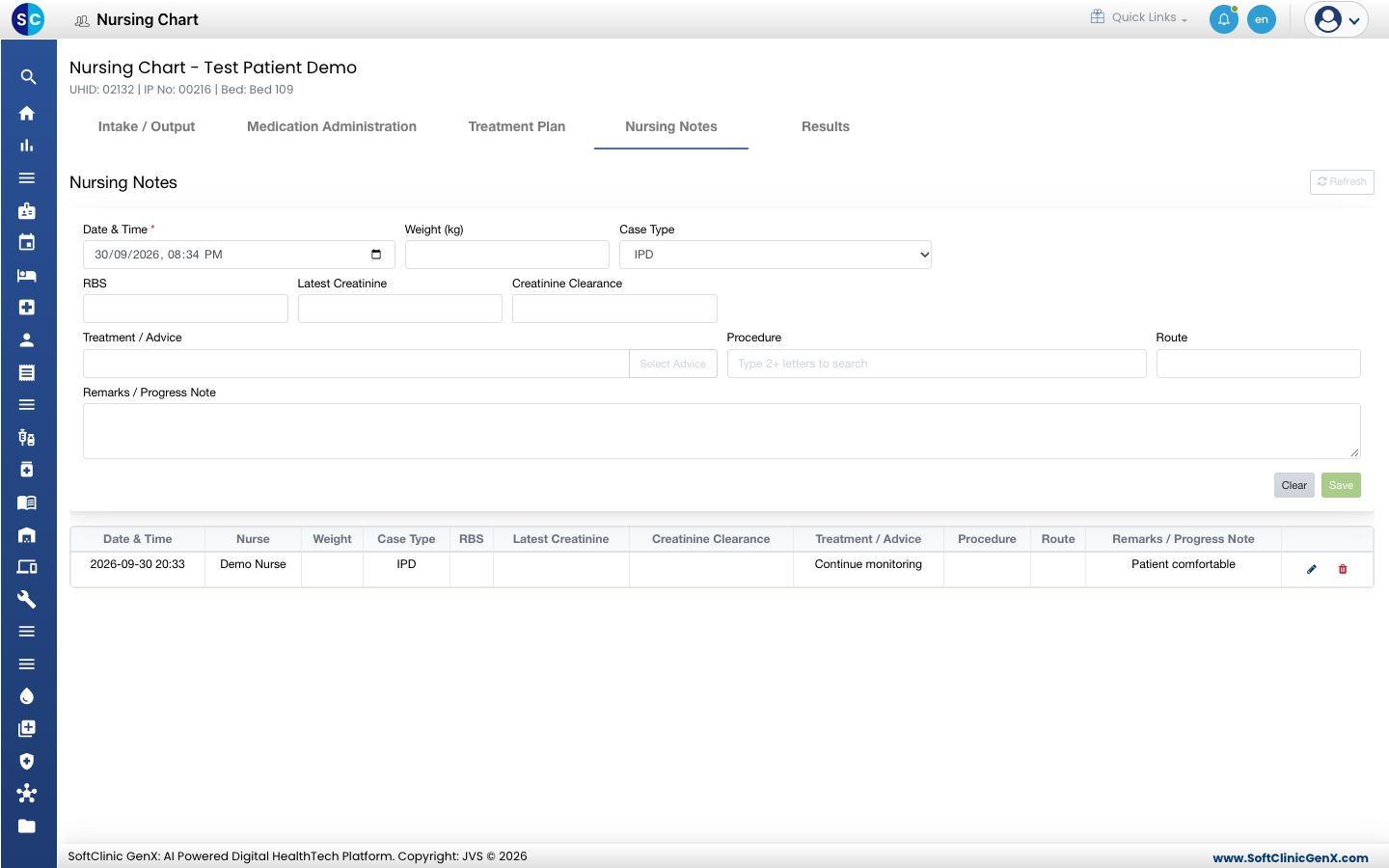
- Click Save. The note appears in the list below with your name.
Fields on the form
| Field | What to enter | Required |
|---|---|---|
| Date & Time | When the note applies. Now by default. | Yes |
| Weight (kg) | The patient's weight, when measured. | No |
| Case Type | IPD for an admitted patient. | No |
| RBS, Latest Creatinine, Creatinine Clearance | The latest values, when known. | No |
| Treatment / Advice | The treatment or advice followed. Type it, or click Select Advice to pick from the hospital's advice list. | No |
| Procedure | A procedure done for the patient. Type two letters and pick it. | No |
| Route | The route used, for example Oral or IV. | No |
| Remarks / Progress Note | The observation, up to 4000 characters. | No |
Change or delete a note
- Find your note in the list.
- Click the pencil icon to change it, then click Update. Click the bin icon to delete it.
Good to know
- You can change or delete only the notes you wrote.
- Select Advice opens the hospital's advice list. Tick the lines you need and click Add selected. You can add a new line to the list there.
- In SC Nursing, open the patient and tap Nursing Notes to write the same note at the bedside.
Troubleshooting
| What you see | What it means | What to do |
|---|---|---|
| Patient is discharged. Nursing notes are read-only. | The stay is closed. | No new note can be added for this stay. |
| The pencil and bin icons are missing on a note | Another nurse wrote the note. | Add a new note with the correction. |
| Save is greyed out | The note is empty, or Date & Time is blank. | Set the date and time and type the note. |
Related
- Record vitals for an admitted patient: the readings that go with the note.
- Record intake and output: the first tab of the same chart.
- Nursing Work Bench FAQs: common questions on nursing charting.