Record vitals for an admitted patient
Enter a patient's vital signs at the bedside in SC Nursing, or fill the day's Vital Data Sheet from the ward board.
Vitals are the readings a nurse takes through the stay, such as temperature, pulse and blood pressure. You can record them at the bedside in SC Nursing, or on the Vital Data Sheet, which holds the whole day in time slots. Both write to the same sheet.
note
Who can do this: nurses with Ward Management rights
Where: Nursing Work Bench › SC Nursing, or Nursing Work Bench › Ward Management
Before you start
- The vital signs are set up. See Set up Vital and Set up Vital Sign Chart Configuration.
- The patient is admitted. See Admit a patient.
Record vitals at the bedside
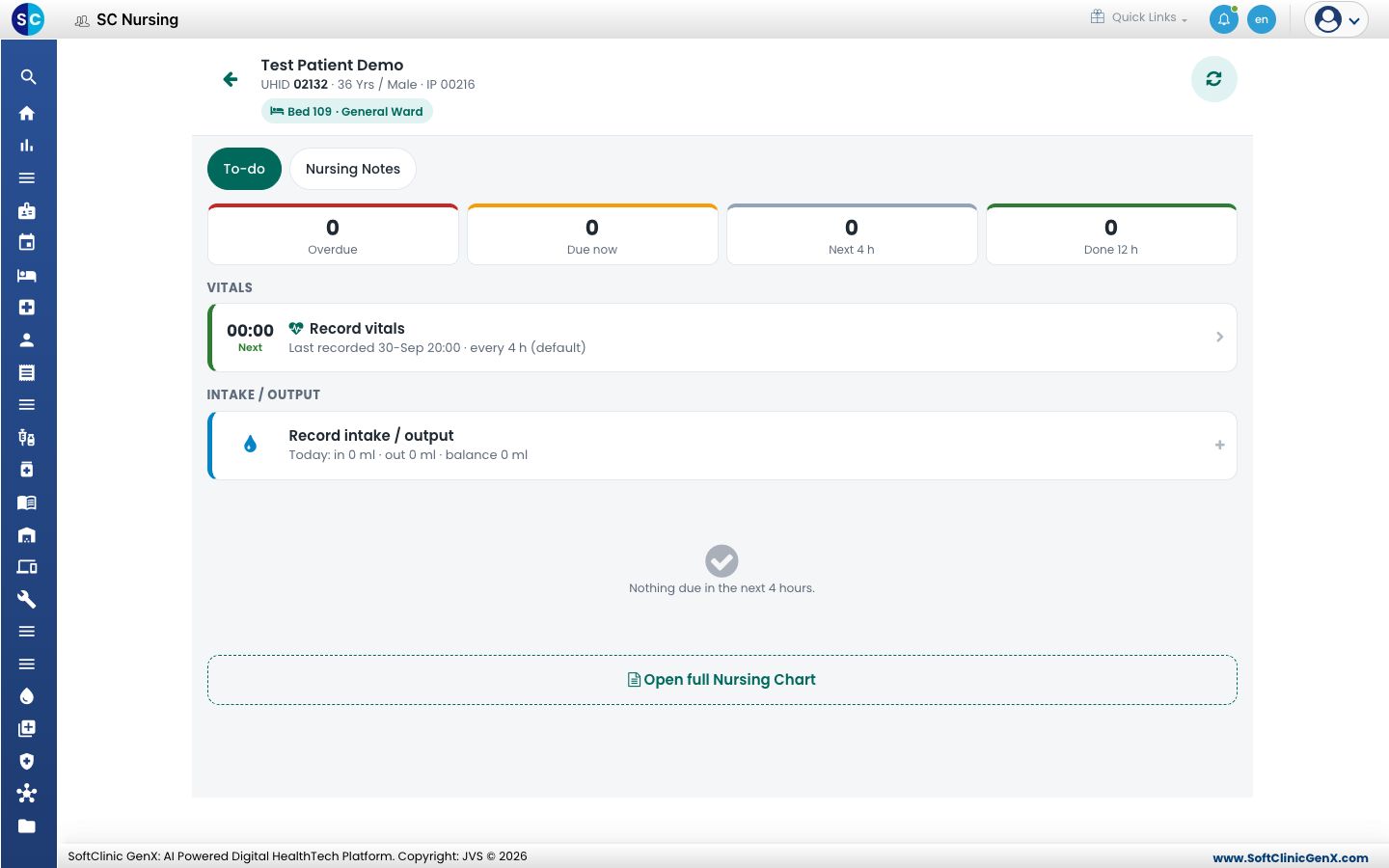
- Go to Nursing Work Bench › SC Nursing and tap the patient.
- Under Vitals, tap Vitals due or Record vitals. The Record vitals sheet opens with one row per vital.
- Tap a vital and type its value on the number pad. Tap Next to move to the next vital.
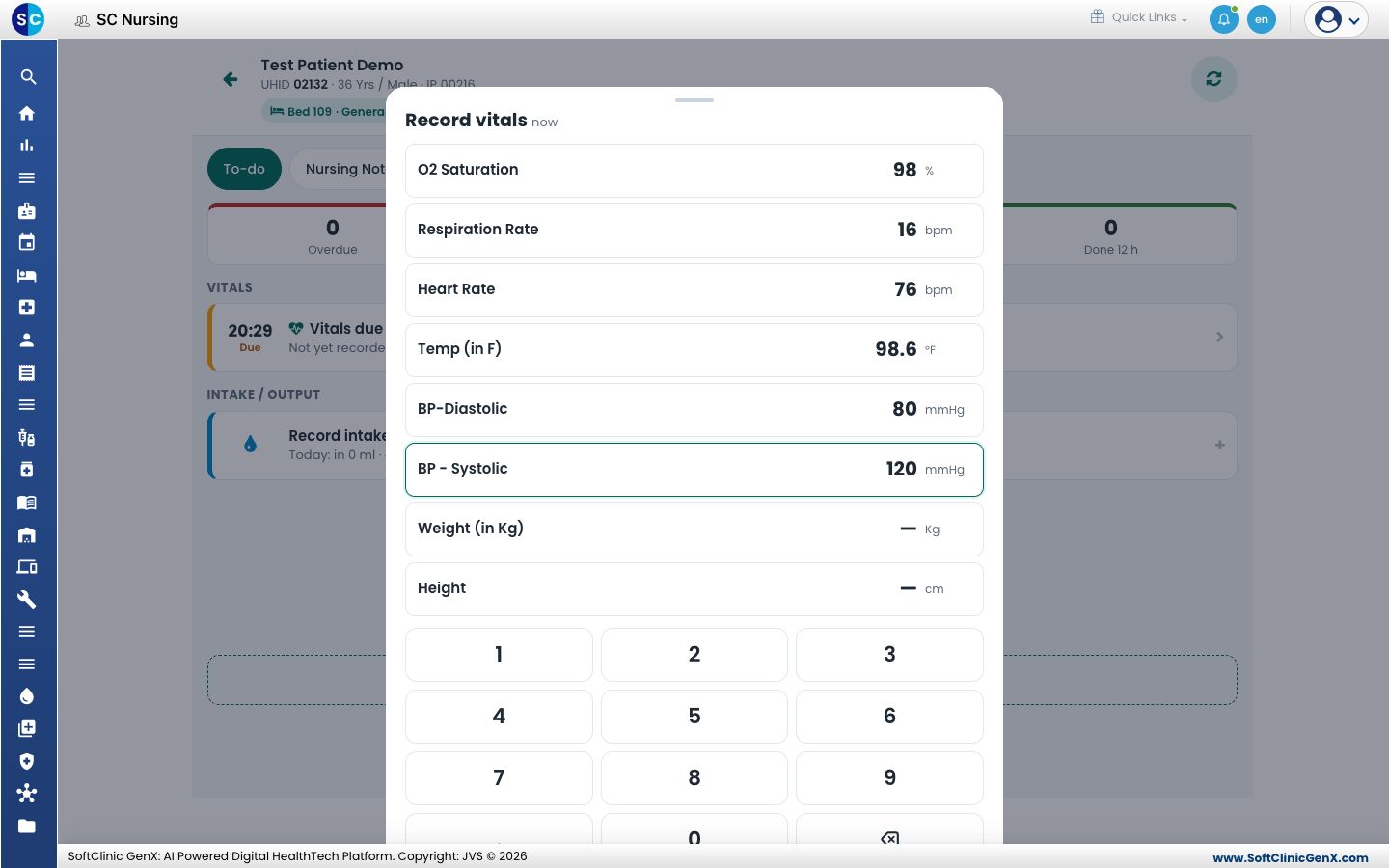
- Fill only the vitals you measured. A value outside the normal range turns red.
- Tap Save. You see Vitals saved, and the to-do list shows Last recorded with the time and when the next reading is due.
Fill the Vital Data Sheet
- Go to Nursing Work Bench › Ward Management and find the patient's bed. See See the patients in your ward.
- Click the three dots on the bed card and choose Vitals. The Vital Data Sheet opens for today.
- Type each reading in the row of its Time Slot. Readings saved at the bedside are already in their slot.
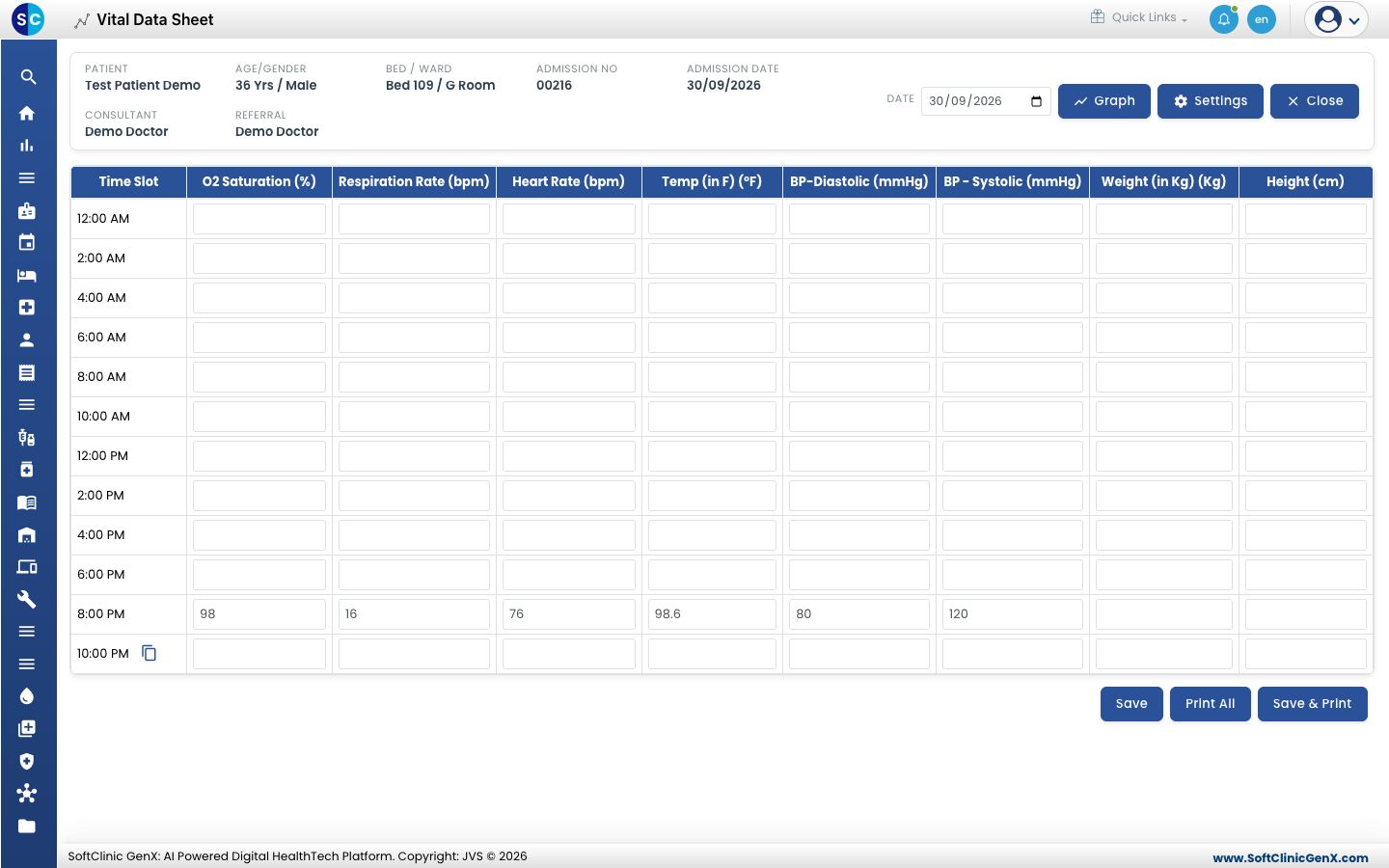
- Click Save. Click Save & Print to save and print the day, or Print All to print the sheet.
- Change Date to see or fill another day of the stay. Click Graph to see the readings as a chart.
tip
Click the copy icon beside a time slot to copy the row above into it, then change only what differs.
Good to know
- SC Nursing asks for vitals every 4 hours until a frequency is set for the patient. Click Settings on the Vital Data Sheet to choose the vitals and how often they are taken.
- The Vital Data Sheet does not go back before the admission date.
Troubleshooting
| What you see | What it means | What to do |
|---|---|---|
| Values in red are outside the normal range. Check and inform the doctor if confirmed. | A value is below or above the range set for that vital. | Measure again. If the value is right, save it and inform the doctor. |
| Save is greyed out on the Record vitals sheet | No value is entered yet. | Enter at least one vital. |
| A vital is missing from the sheet | It is not set up, or it is not marked for charting. | Check it in Set up Vital. |
| Vitals saved on this device | The device is offline. | Carry on. The reading is sent when the connection returns. |
Related
- Work through a patient's nursing to-do list: where vitals show as due.
- Set up Vital Sign Chart Configuration: group vitals into a chart.
- Nursing Work Bench FAQs: common questions on SC Nursing.