Record intake and output
Chart the fluids a patient takes in and passes out, and see the day's totals and net balance.
The intake and output chart records fluids in millilitres each time you measure them. The system totals every entry and shows the day's intake, output and net balance. Use it for any patient whose fluid balance the doctor wants watched.
note
Who can do this: nurses with Ward Management rights
Where: Nursing Work Bench › Ward Management › three dots on the bed › Intake / Output. Also Nursing Work Bench › SC Nursing › patient › Record intake / output.
Before you start
- The patient is admitted to a bed. See Admit a patient.
Add an entry
- Go to Nursing Work Bench › Ward Management and find the patient's bed. See See the patients in your ward.
- Click the three dots on the bed card and choose Intake / Output. The Nursing Chart opens on the Intake / Output tab.
- Check Date & Time. It is set to now.
- Under Intake (ml), type the amounts: Oral, NGT, IV Fluid, IV Drug / Infusion or Others.
- Under Output (ml), type the amounts: Urine, NGT, Drain, Vomit, Bowel / Stool or Others.
- Type a short remark under either block if needed. Each block shows its Total.
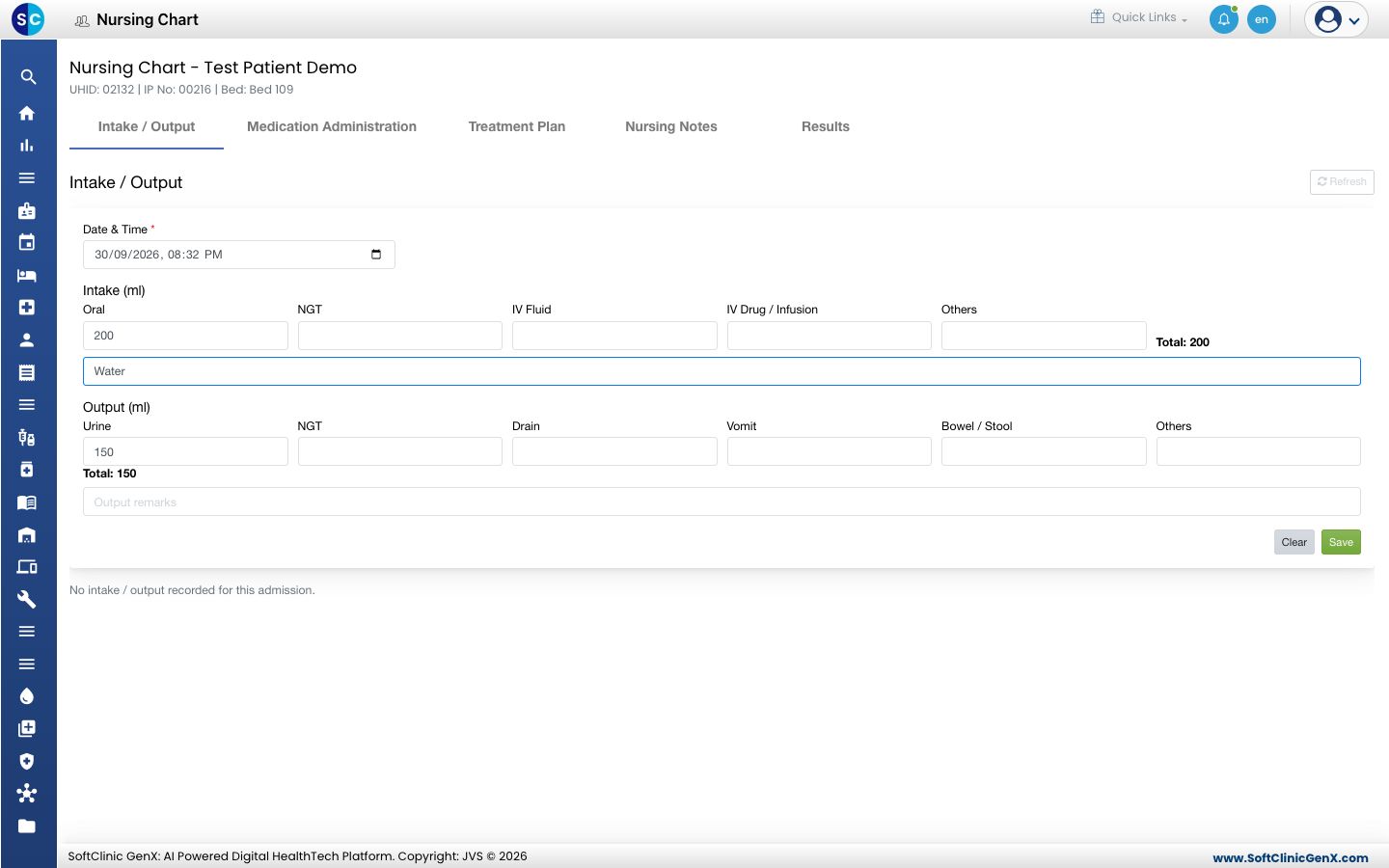
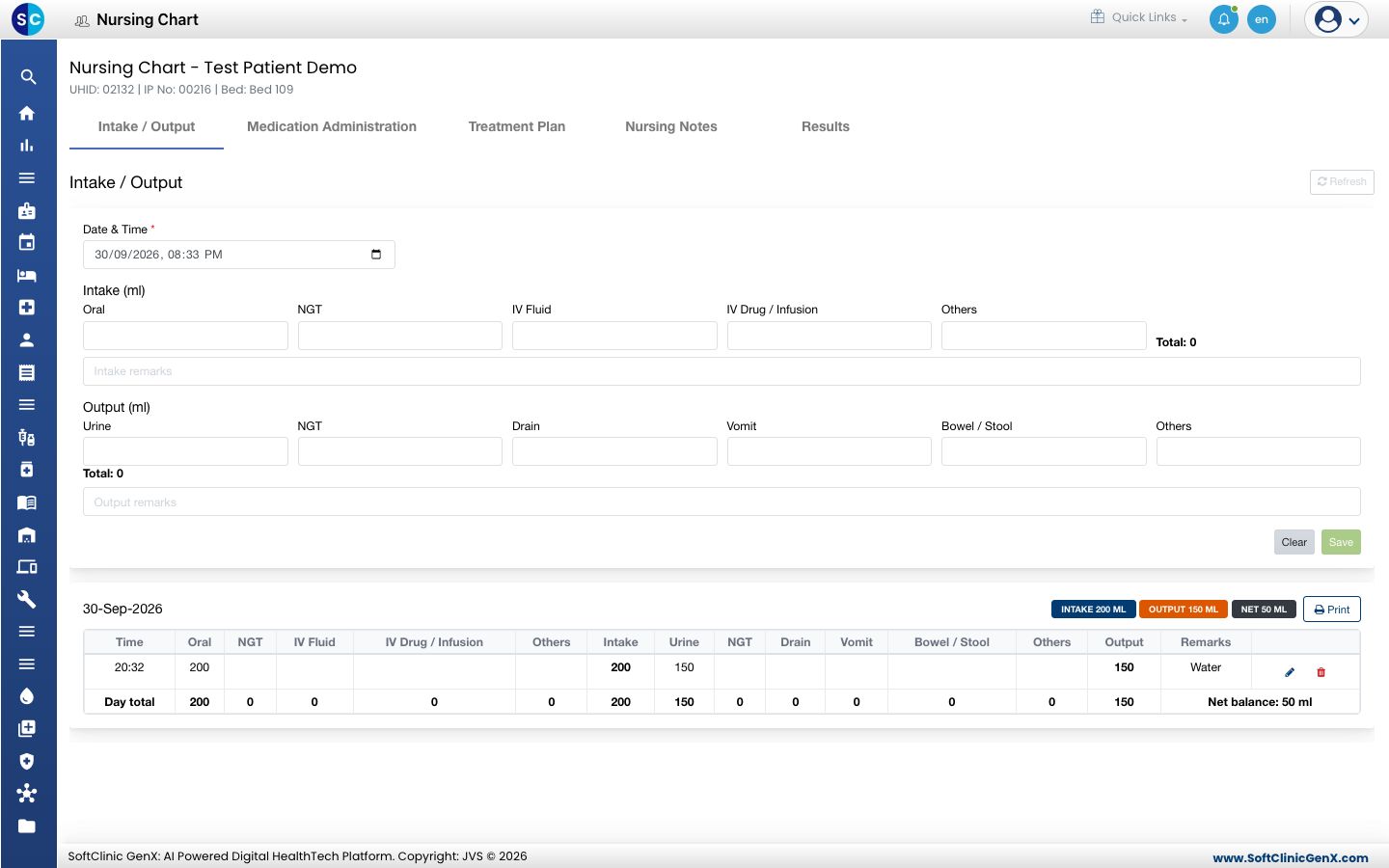
- Click Save. The entry appears under today's date with its time.
Read the day's totals
- The badges beside the date show Intake, Output and Net for that day.
- The Day total row adds up each column. Net balance is intake minus output.
- Click Print beside the date to print that day's chart.
Change or delete an entry
- Find the entry in the day's table.
- Click the pencil icon to change it, then click Update. Click the bin icon to delete it.
tip
At the bedside, open the patient in SC Nursing and tap Record intake / output. The to-do list shows today's running totals.
Troubleshooting
| What you see | What it means | What to do |
|---|---|---|
| Save is greyed out | No amount is entered. | Type at least one intake or output amount. |
| Patient is discharged. Intake / output is read-only. | The stay is closed. | No new entry can be added for this stay. |
| An entry already exists for this minute. Wait a minute and save again. | Two entries carry the same date and time. | Wait a minute, or change the existing entry. |
| No intake / output recorded for this admission. | Nothing is charted yet. | Add the first entry. |
Related
- Write nursing notes: another tab of the same chart.
- Work through a patient's nursing to-do list: the bedside view.
- Nursing Work Bench FAQs: common questions on Ward Management.