Take back returned medicines
Return medicines from a pharmacy bill to stock, and refund the amount, from the Pharmacy Return screen.
A pharmacy return takes medicines back against an earlier pharmacy bill. You pick the bill and the medicines coming back, and the screen works out the amount to refund.
note
Who can do this: pharmacist or pharmacy counter staff · Where: Pharmacy › Pharmacy Return
Before you start
- Know the invoice number of the original pharmacy bill. You can find it in Find and reprint a pharmacy bill.
- For a registered patient, know the patient's CR number.
Return medicines from a bill
- Go to Pharmacy › Pharmacy Return. The OPD option is selected and Bill Type is Cash.
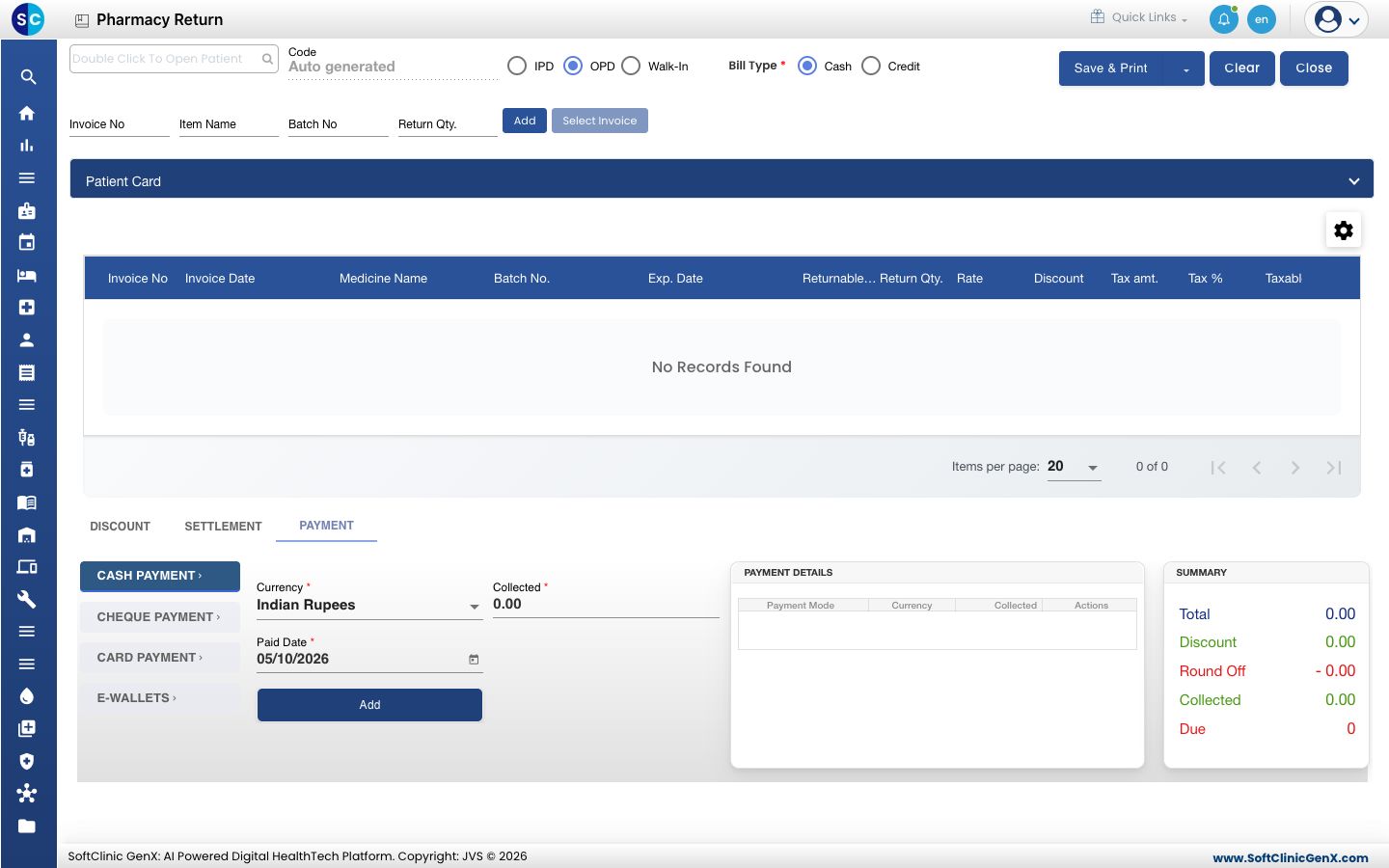
- Double-click the patient box at the top left. The Patient List opens.
- Click the filter icon in the CR Number column, type the patient's CR number and press Enter.
- Click Select at the end of the patient's row. The Select Invoice button is now available.
- Click Select Invoice. The Select Invoice window opens.
- Set Visit From Date to a date on or before the bill date, and type the Invoice No. Click Search.
- Tick the bill in the list. It shows the Invoice Date & Time, Invoice No, Patient Name, Prepared By and Total.
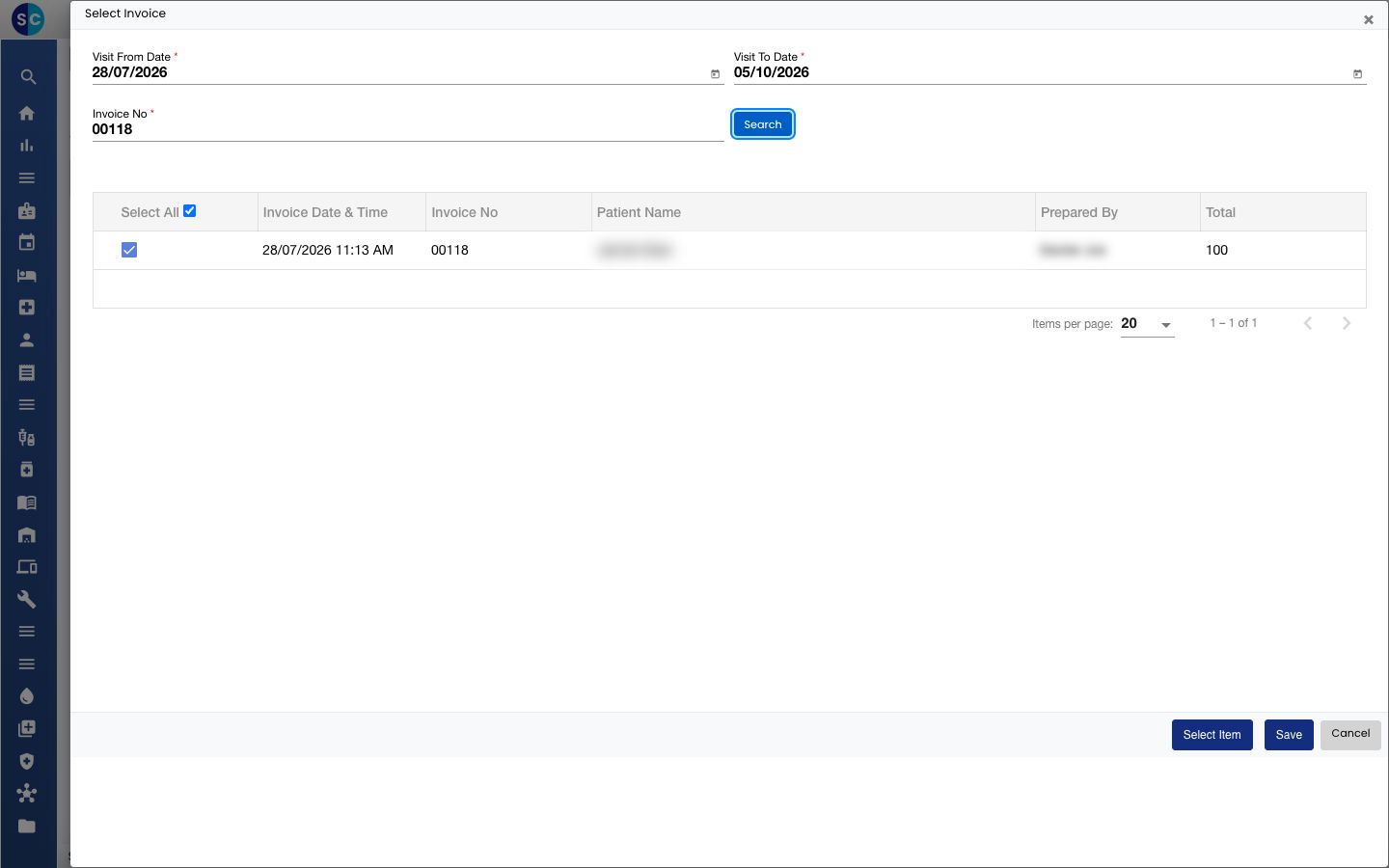
- Click Select Item. The Select Item window lists the medicines on that bill with the batch, expiry date, Returnable Qty., Return Qty., Rate and Discount.
- Tick each medicine that is coming back and check its Return Qty. It starts at the returnable quantity. Change it if the customer returns fewer.
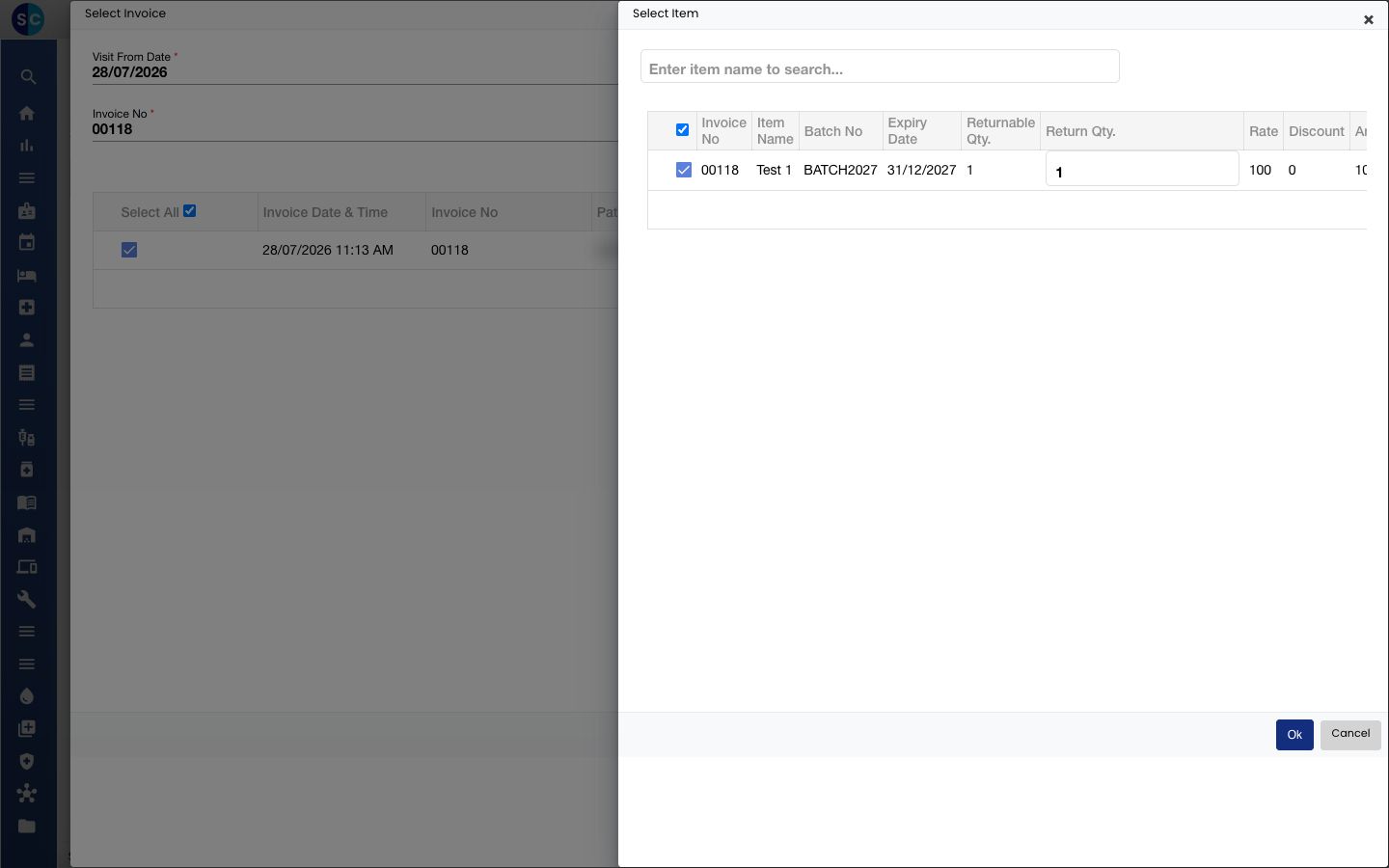
- Click Ok, then click Save in the Select Invoice window. The medicines appear in the return table.
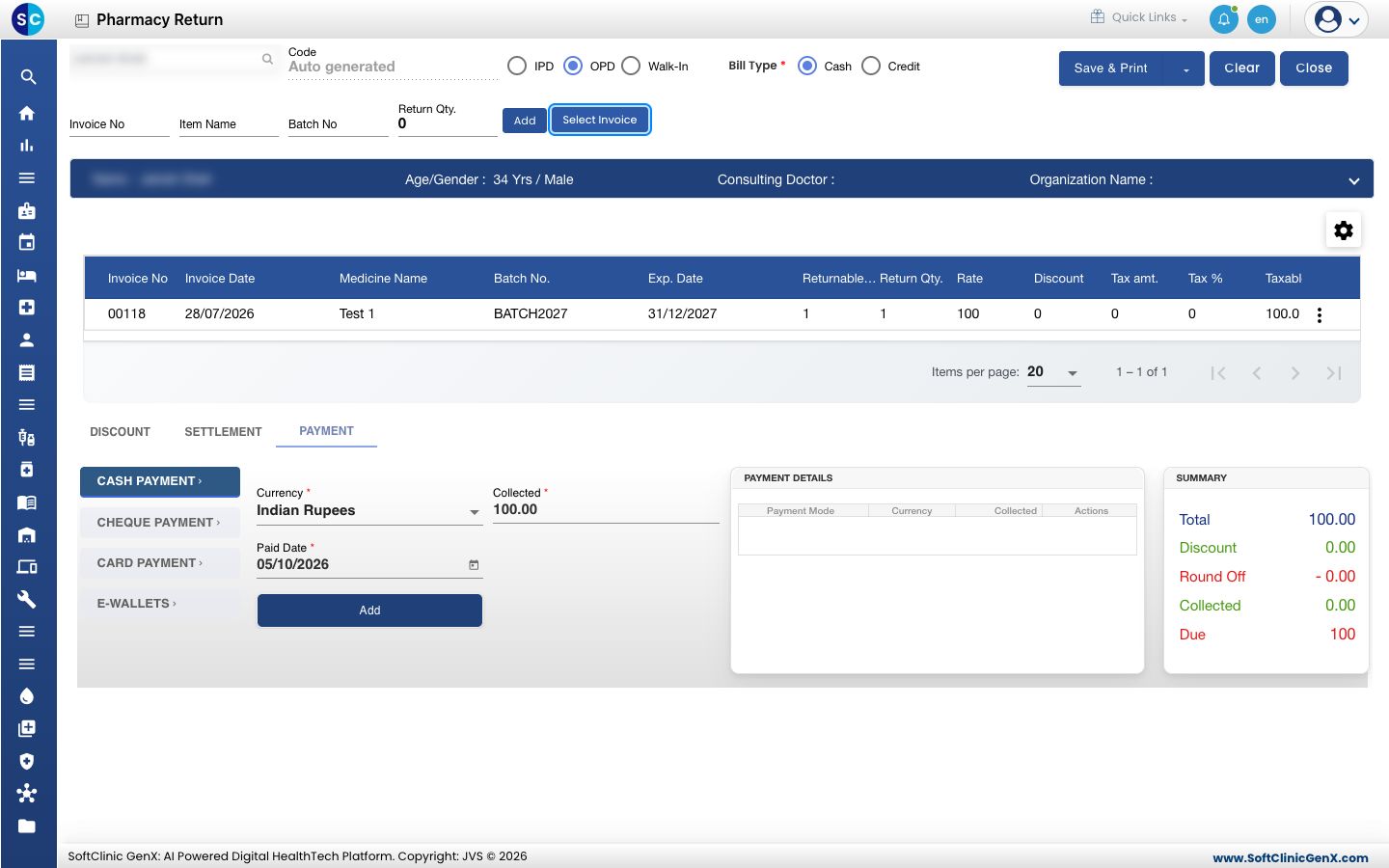
- Check the SUMMARY box and the PAYMENT tab. Collected holds the amount to refund.
- Click Save & Print.
To start again without saving, click Clear.
Troubleshooting
| What you see | What it means | What to do |
|---|---|---|
| Select Invoice is greyed out | No patient is chosen yet. | Double-click the patient box and select the patient first. |
| No invoice in the Select Invoice list | The dates do not cover the bill date, or the invoice number is wrong. | Move Visit From Date back, check the number and click Search again. |
Related
- Find and reprint a pharmacy bill: look up the invoice number
- Make a pharmacy sale
- Pharmacy FAQs
Was this helpful?