Fill a pharmacy requisition
Find the medicine requests raised for patients, and turn a pending request into a pharmacy bill.
A pharmacy requisition is a request for medicines raised for a patient, for example by a doctor or a ward. The Pharmacy Requisitions screen lists the requests sent to your store, and you bill them from there.
Who can do this: pharmacist or pharmacy counter staff · Where: Pharmacy › Pharmacy Requisitions
Find the requisitions
-
Go to Pharmacy › Pharmacy Requisitions.
-
Check the filters at the top:
Field What to choose Required Facility Name Your facility. Yes Store Name The pharmacy store you work in, for example Pharmacy Stores. Yes Visit From Date, Visit To Date The dates of the requests. Both start on today's date. Yes Visit Type All, or one visit type. No Status Type Pending for Invoice to see requests still to bill. Other choices are All, Invoiced, Partially Settled Invoices, Pending for Settlement, Cancelled Invoice and Partial cancelled Invoice. No Consultant Name Pick a doctor to see only that doctor's requests. No Invoice Type Pending or Invoice. No -
Click Search. The requests appear in the list with the CR Number, Patient Name, Req. No, Req. Date, Req. Time, Age/Gender, Status, Visit Date & Time, Dispense Type, Payer and TPA.
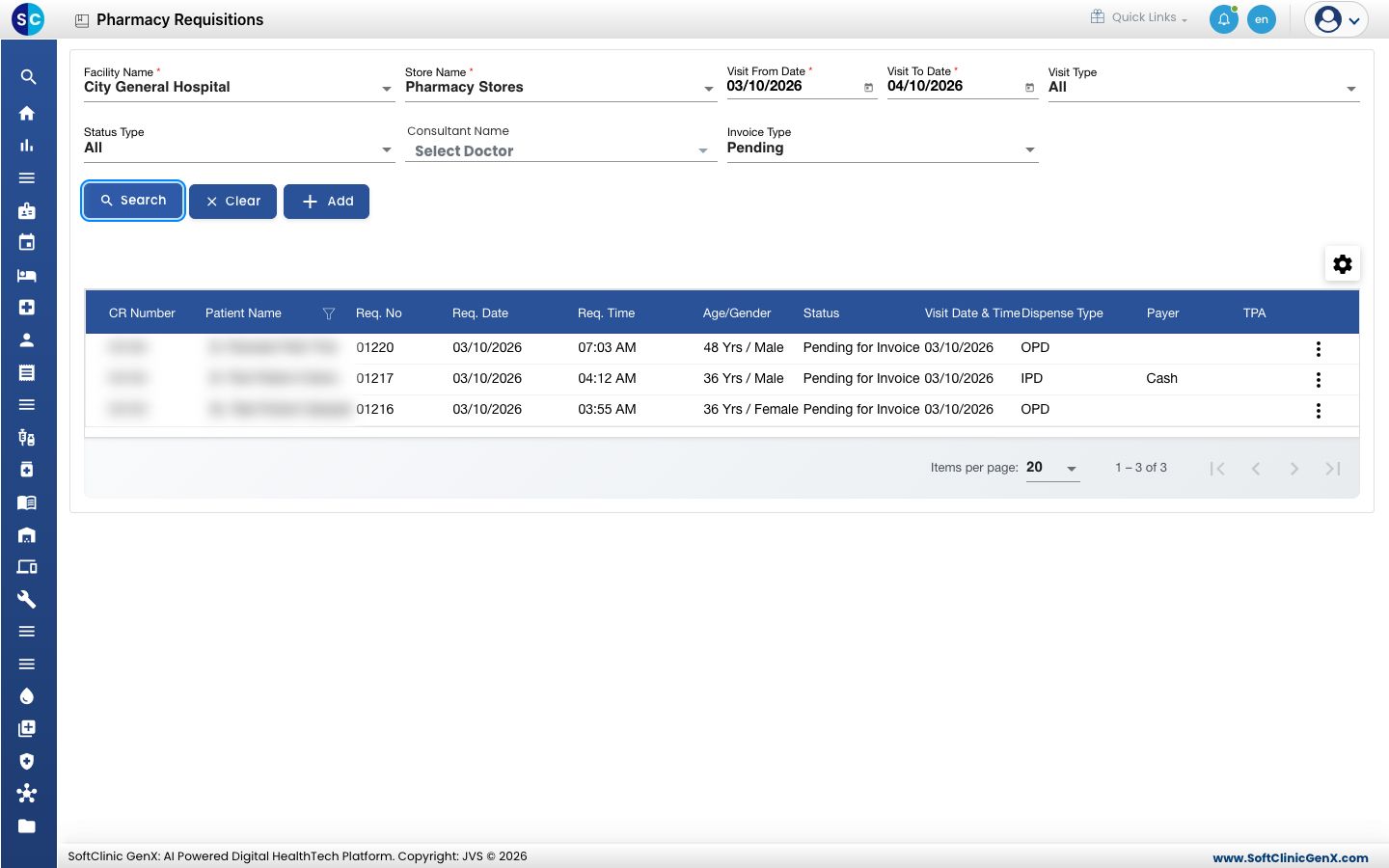
No Records Found usually means the dates are too narrow. Move Visit From Date back and click Search again. Clear resets the filters.
Bill a requisition
- In the list, click ⋮ at the end of the request's row. The menu offers View, Create Invoice and Print.
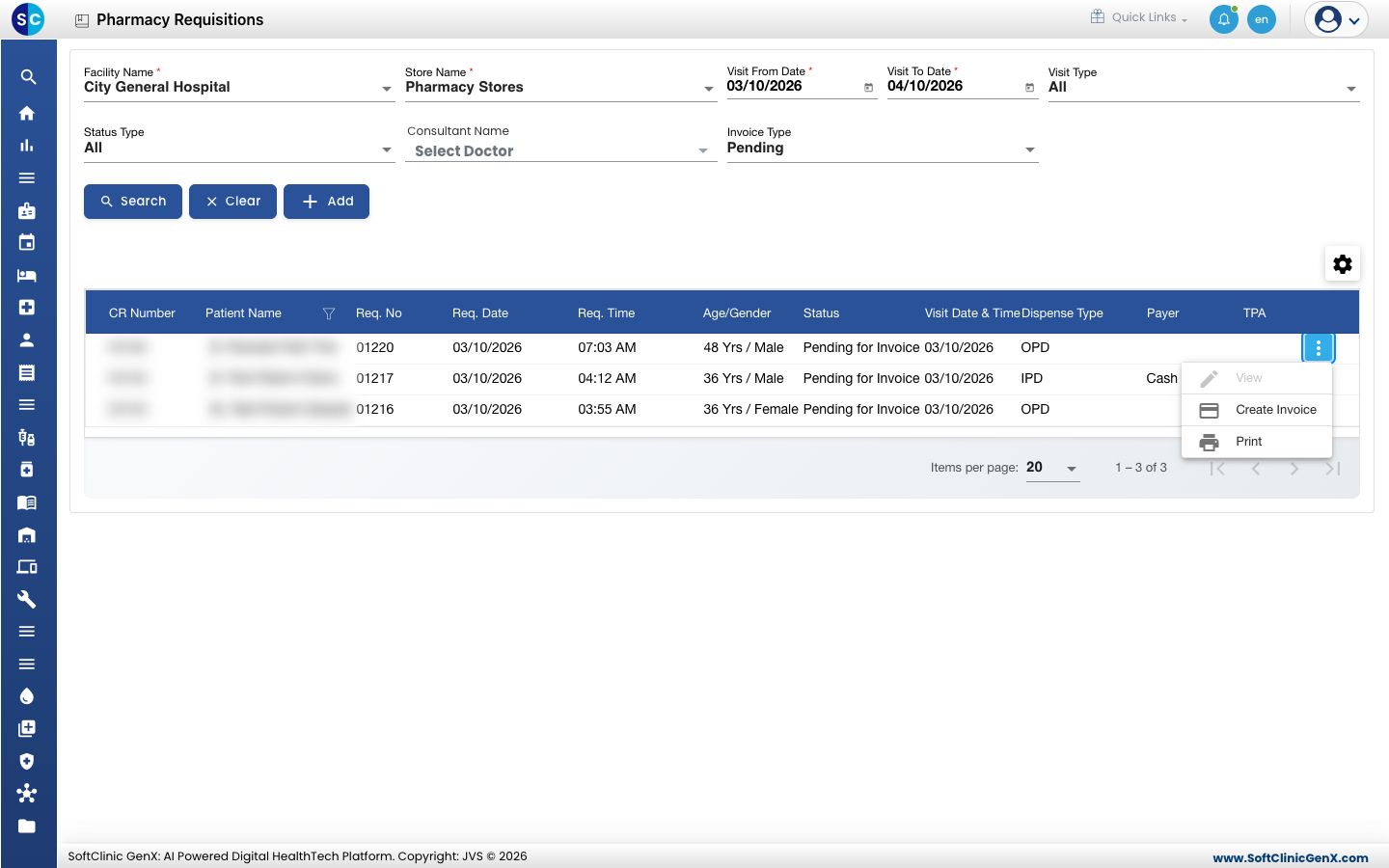
- Choose Create Invoice. The Pharmacy Bill opens with the patient, the prescribing doctor and the requested medicines, batches and quantities already filled in.
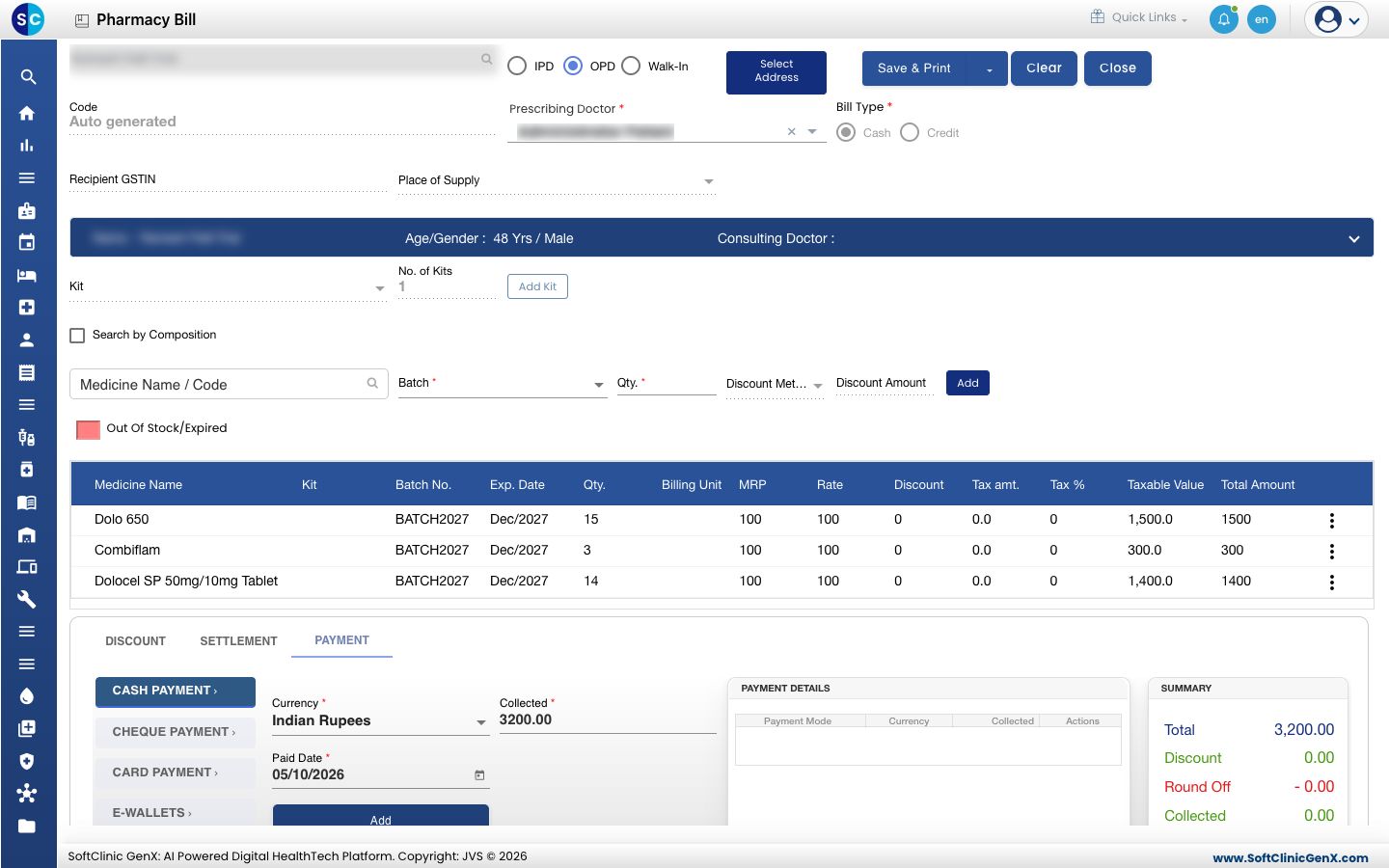
- Check the medicines and quantities in the bill table.
- Scroll down to the payment section. The Collected box already holds the bill total. Choose the payment type and click Add.
- Click Save & Print.
Take payment the same way as for a counter sale. See Make a pharmacy sale.
View is greyed out for a request that is still Pending for Invoice. Choose Create Invoice to open it.
Print a requisition
Click ⋮ at the end of the row and choose Print.
Related
- Make a pharmacy sale: the bill screen and payment options
- Find and reprint a pharmacy bill
- Pharmacy FAQs