Edit a settled bill
Reopen a paid in-patient or out-patient bill to correct it, after your administrator turns the option on and gives you the right.
A settled bill is a bill that has been saved and paid. It normally opens to view only, and corrections go through Bill Amendment. Your hospital can instead allow settled bills to be reopened and corrected on the bill screen itself. Every change is recorded in the bill's History.
Who can do this: an administrator turns the option on and gives the right; billing staff with the Settled Bill Edit right make the correction
Where: Configurations › Application Configurations › Accounting and Billing, then Configurations › User Roles, then In-Door Management › Admission List › row menu › IPD Billing
Before you start
- The bill is saved and settled. See Finalise an in-patient bill.
- Decide who at your hospital may correct paid bills. Only people with the Settled Bill Edit right see a settled bill as editable.
Turn on settled bill editing
- Open Configurations › Application Configurations and click the Accounting and Billing tab.
- Choose the Facility. The setting applies to that facility only.
- Scroll down to the Bill Edit panel and click Edit.
- Tick Allow Settled Bills to be Edited.
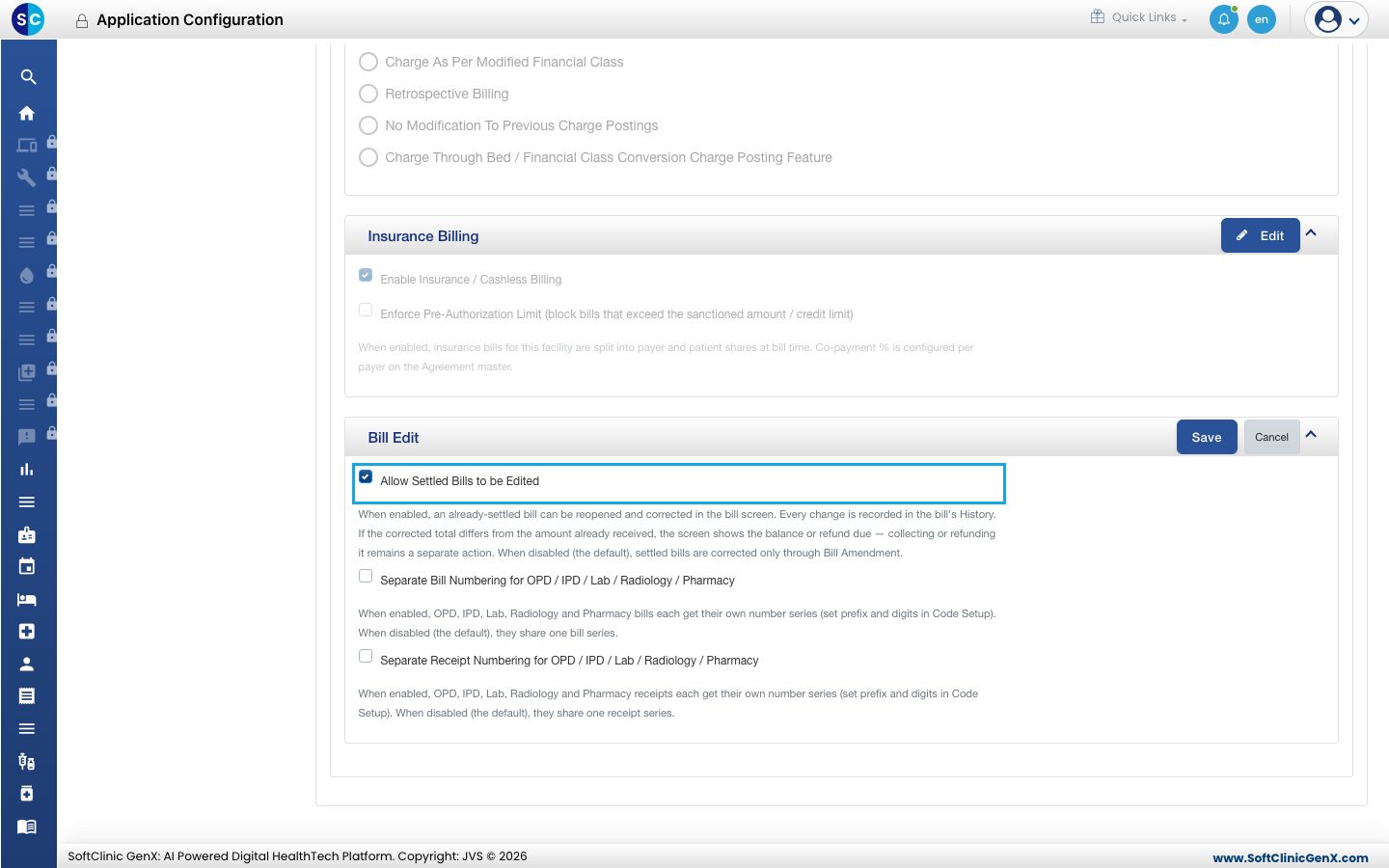
- Click Save on the panel.
Give the Settled Bill Edit right
Your hospital gives rights in one of two ways. Rights come from the user's role, or they are set for each user on the user's own record. Check the user first: open Configurations › User Management, open the user, go to Facilities & Roles and click Edit on the facility row. If the ROLES tab lists the modules with tick boxes for that user, follow For one user. Otherwise follow From the role.
From the role
- Open Configurations › User Roles, open the role's row menu and choose Edit.
- Click the arrow next to Billing to show its screens.
- On the Settled Bill Edit row, tick Update.
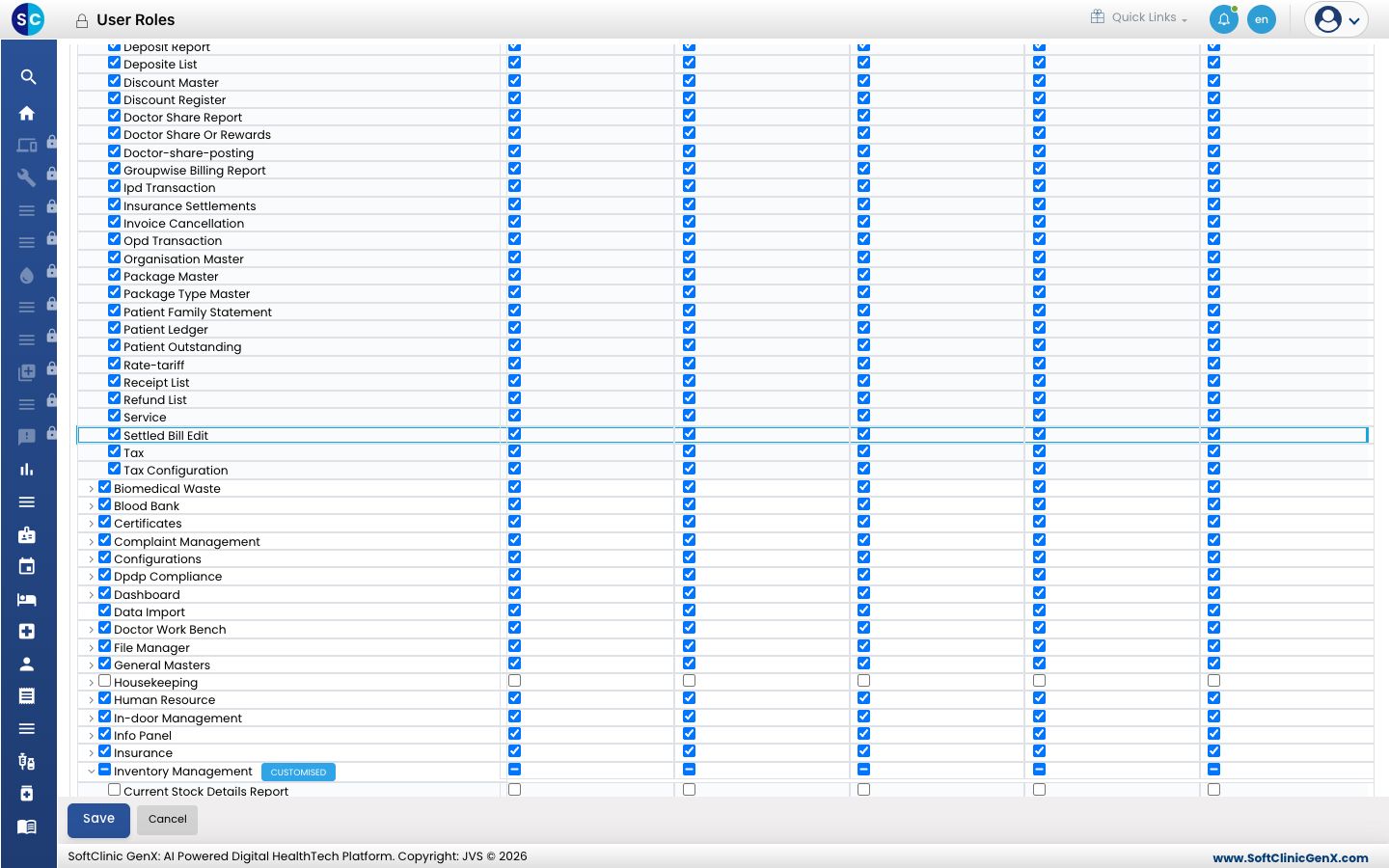
- Click Save.
For one user
- Open Configurations › User Management, open the user and go to Facilities & Roles.
- Click Edit on the facility row, then open the ROLES tab.
- Find Settled Bill Edit under Billing and tick Update.
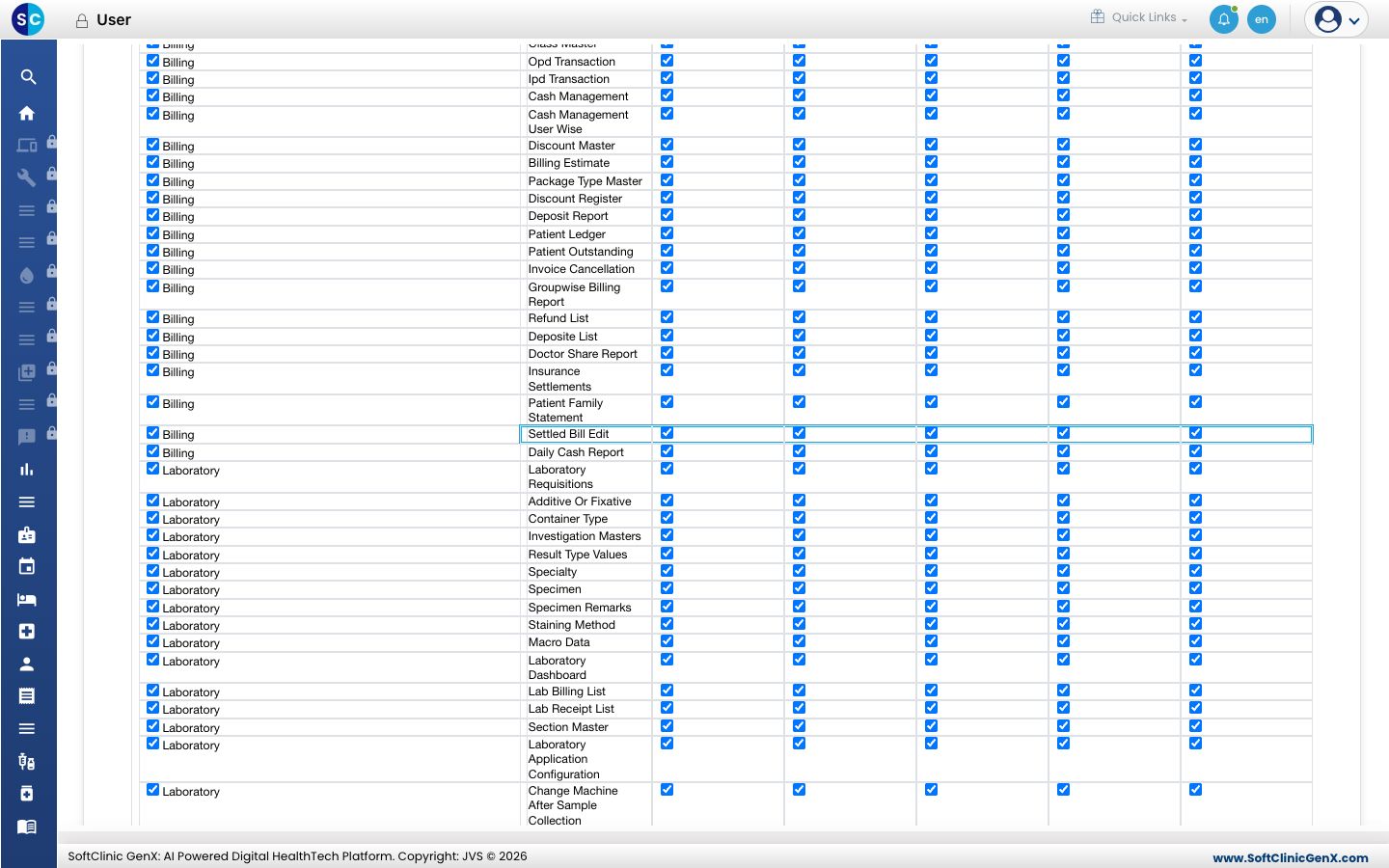
- Click Save.
Rights are read at sign-in. Ask the user to sign out and sign in again before trying the bill.
Correct a settled in-patient bill
- Open In-Door Management › Admission List, open the patient's row menu and choose IPD Billing. The saved bill opens.
- Check the notice above the footer: Editing a settled bill. This bill has already been paid. Every change you make is recorded in the bill's History. It confirms the bill is open for correction.
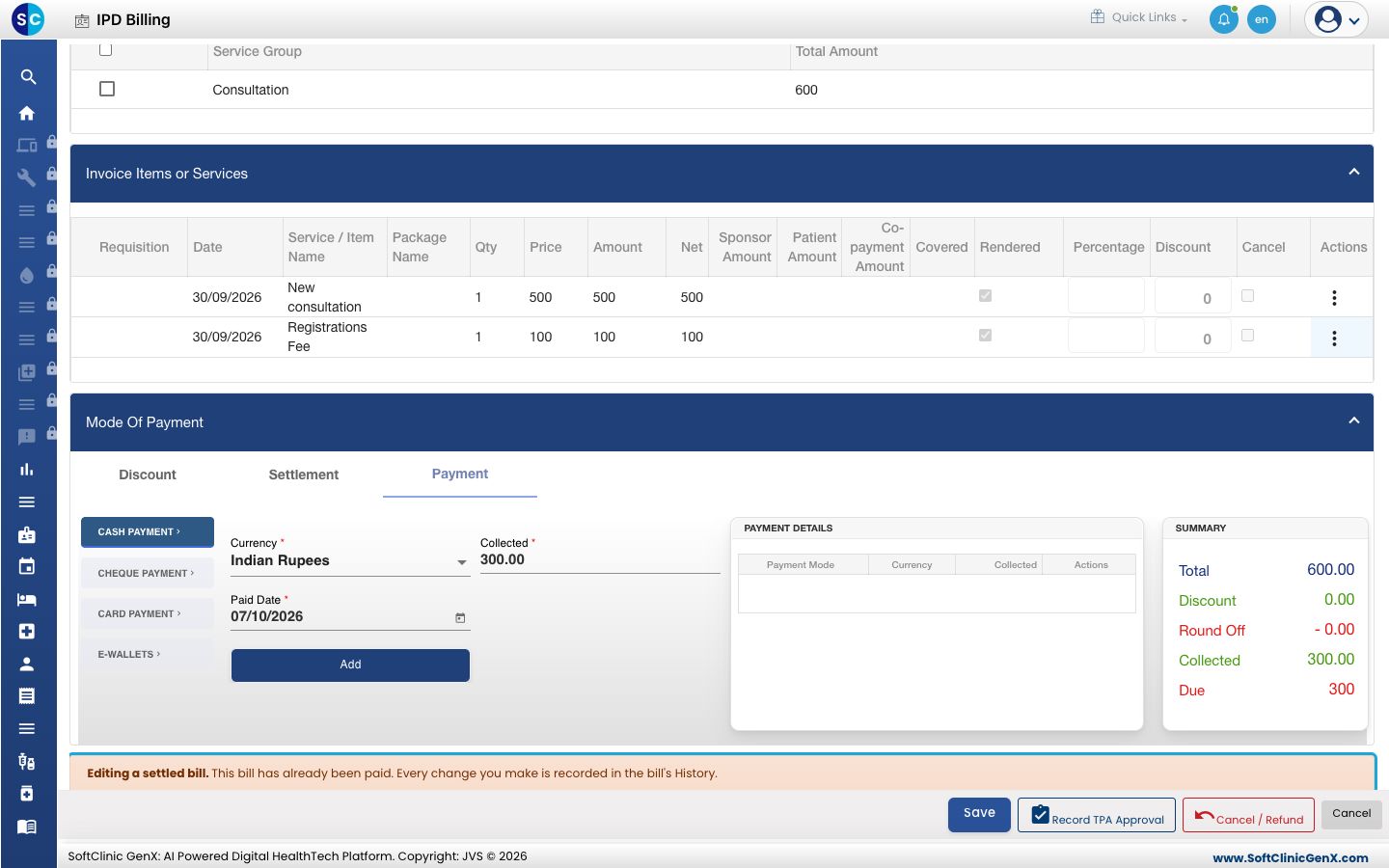
- Make the correction on the bill. The bill date cannot be changed.
- Click Save.
Receipts already issued stay as they are. If the corrected total is more than the amount received, collect the balance on the Payment tab as a new receipt. If it is less, give the refund from Cancel / Refund. See Cancel a bill and refund.
Correct a settled out-patient bill
- Open Billing › Billing Dashboard, find the bill in the list and choose Edit from its row menu.
- The bill opens with the same notice. When the total changes, the notice also shows Balance to collect or Refund due to patient.
- Make the correction and click Save.
If the option is off for the facility, Edit opens Bill Amendment instead.
Troubleshooting
| What you see | What it means | What to do |
|---|---|---|
| The saved bill opens but nothing can be changed | Allow Settled Bills to be Edited is off for this facility, or your login has no Settled Bill Edit right. | Ask your administrator to turn the option on and give the right, then sign in again. |
| You do not have the 'Settled Bill Edit' right. Opening Bill Amendment instead. | The option is on, but your login does not have the right. | Ask your administrator for the right, or correct the bill through Bill Amendment. |
| This bill is settled or closed. Please use the Amendment option to modify it. | The bill is refunded or cancelled and cannot be reopened. | Correct it through Bill Amendment. |
| The Bill Edit panel has no Save button | The panel is not in edit mode. | Click Edit at the right of the panel, tick the box, then click Save. |
Related
- Finalise an in-patient bill: how the bill is settled in the first place.
- Cancel a bill and refund: return money when a correction lowers the bill.
- Billing FAQs: common billing questions.