Set up Clinic
Who does this: hospital administrator Where: Appointments › Masters › Clinic Set up before: Location (a location of type Clinic), Department, Employee for each doctor, and Appointment Slot Types
A clinic is an OPD room or unit where doctors see patients, such as OPD Clinic or Cardiac Clinic. On this screen you link a clinic to its facility and department and list the doctors who are available there on each weekday and session. The clinic then appears when you book appointments, and each doctor you add gets a schedule in Resource Calendar.
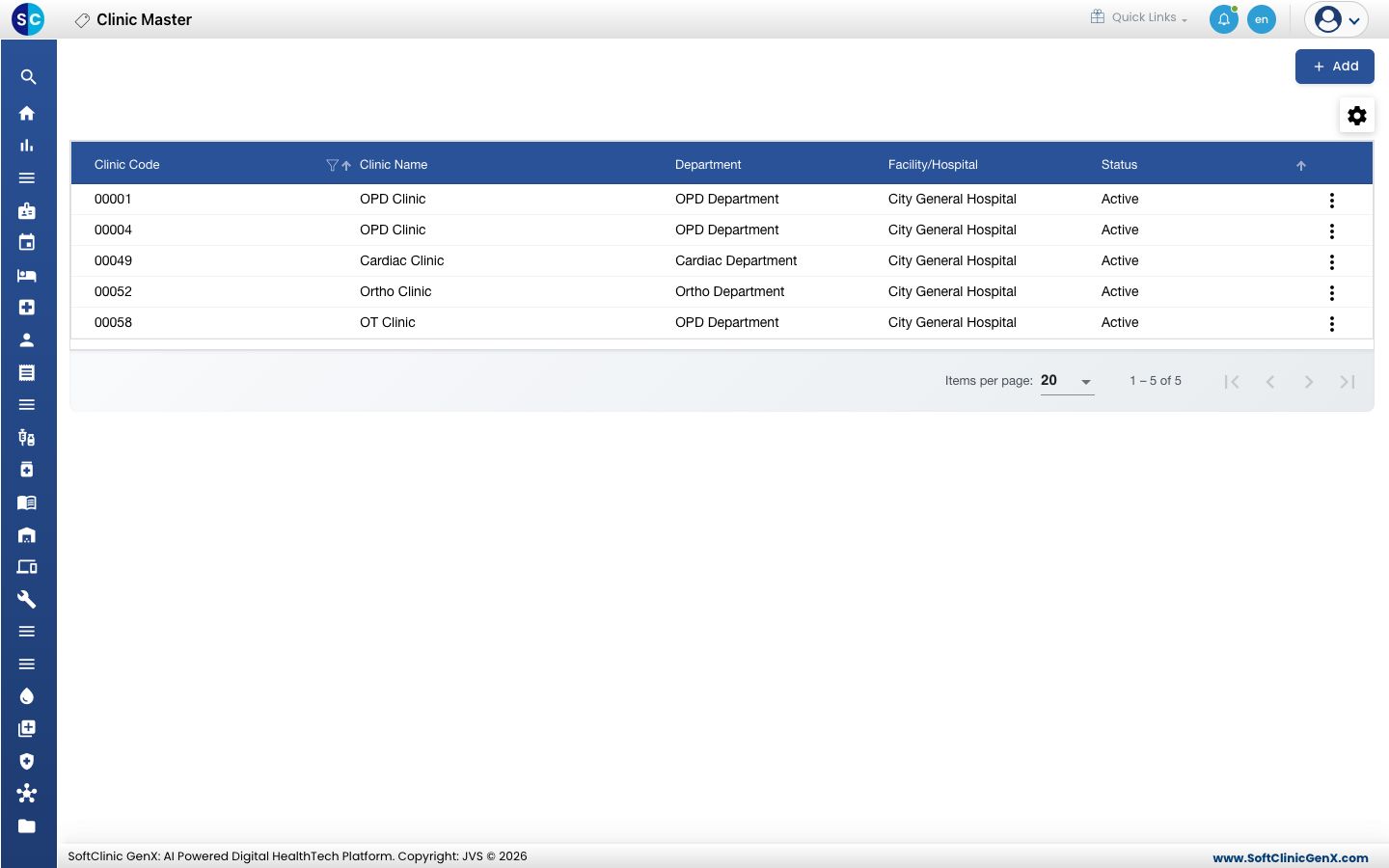
Add a clinic
-
Go to Appointments › Masters › Clinic.
-
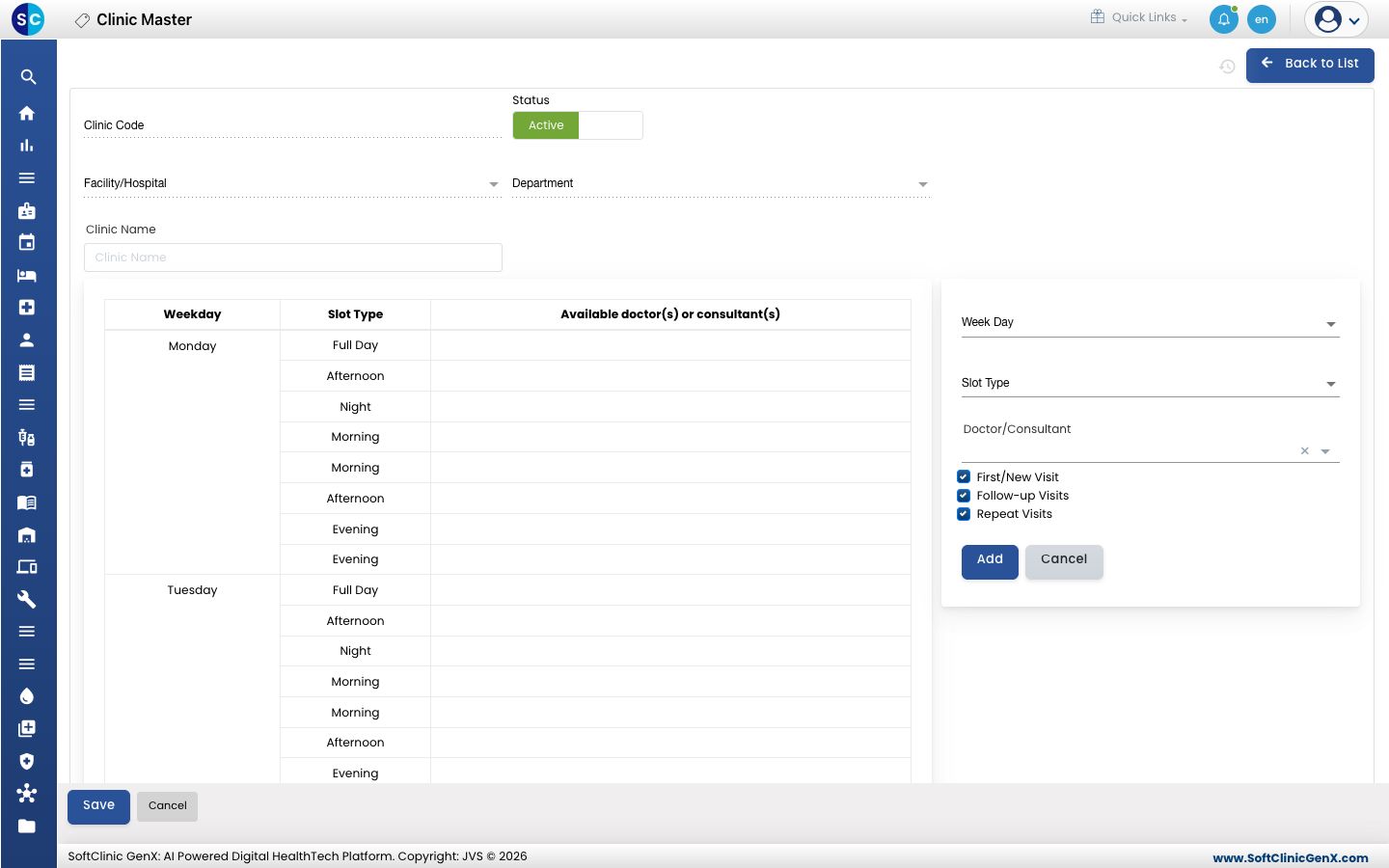
Click Add. The clinic form opens, with the weekly availability table below it.
-
Fill in the clinic details:
Field What to enter Required Clinic Code Filled in from the clinic location you pick. — Status Leave on Active. — Facility/Hospital The hospital or branch the clinic belongs to. Yes Department The department that runs the clinic, for example OPD Department. Yes Clinic Name Start typing and pick the clinic from the list. Only locations of type Clinic are offered. Yes -
For each doctor, fill in the panel on the right and click Add:
Field What to enter Required Week Day The day the doctor sits in this clinic. Yes Slot Type The session, for example Morning or Evening. Yes Doctor/Consultant Pick the doctor. Yes First/New Visit, Follow-up Visits, Repeat Visits Tick the kinds of visit the doctor takes in this session. All three are ticked by default. — The doctor appears in the table against that day and session. Repeat for every day and session the doctor works.
-
Click Save. You return to the list and the new clinic appears in it.
Change or deactivate a clinic
- In the list, click the ⋮ button at the end of the row and choose Edit.
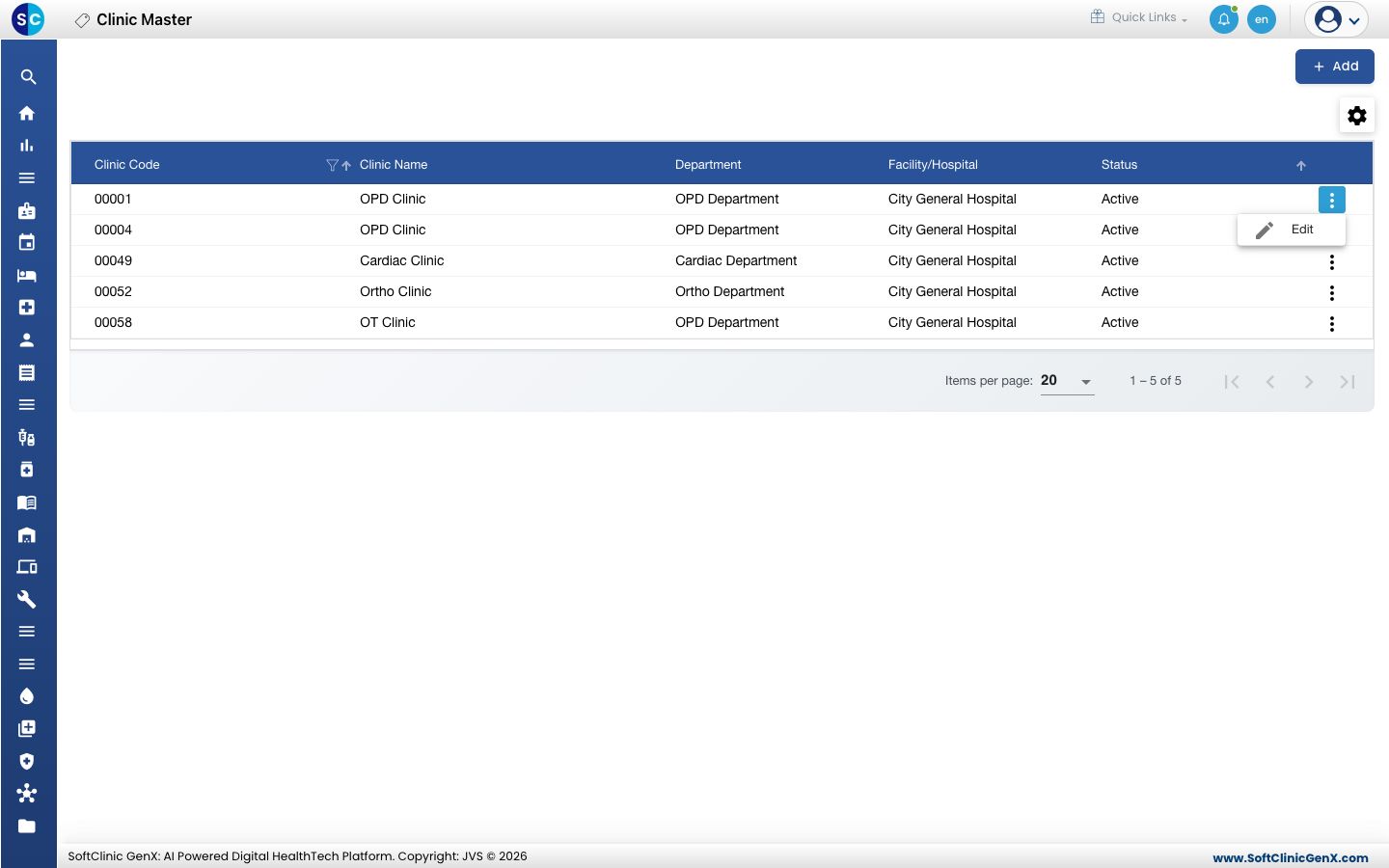
- Add or remove doctors in the availability table, or switch Status to Inactive to stop using the clinic.
- Click Save.
Clinics cannot be deleted from this screen. Make a clinic Inactive instead.
Good to know
- A clinic cannot be saved without at least one doctor in the availability table. The message Please fill Doctor's availability means no doctor has been added yet.
- If the clinic you want is missing from Clinic Name, add it first as a location of type Clinic in Location.
- If a doctor is missing from Doctor/Consultant, check that the doctor is set up as an active, appointable consultant in Employee.
- The sessions in Slot Type come from Appointment Slot Types.
- To set slot length, the number of patients per session or days off for a doctor, open that doctor's schedule in Resource Calendar.
- Click Back to List or Cancel to leave the form without saving.