Set up Package Type Master
Who does this: hospital administrator or billing manager Where: Billing › Masters › Package Type Master
A package type groups similar packages, for example Health Check Up, Medical or Surgical. Every package in Package Master must have a type, and you can search packages by type.
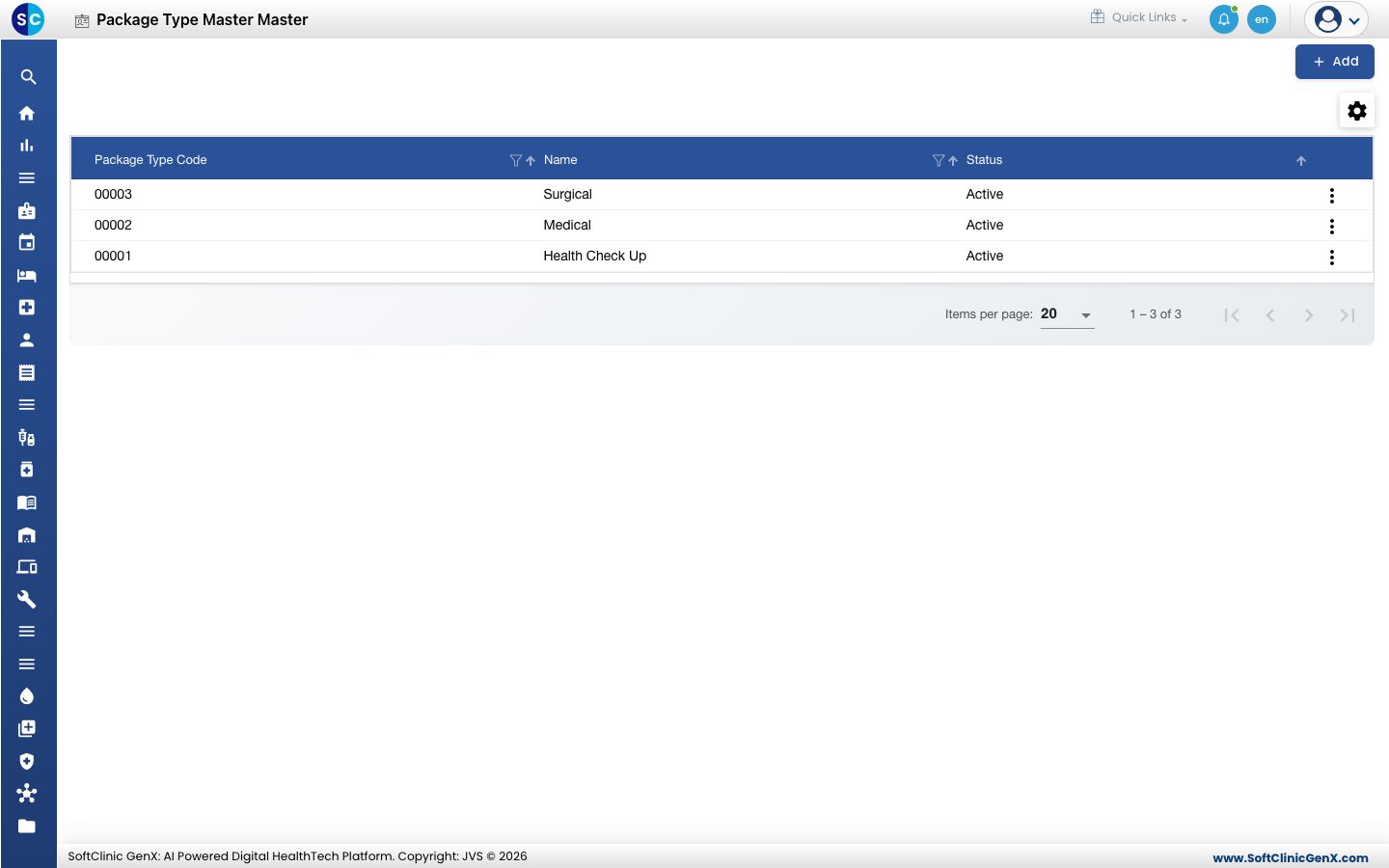
Add a package type
-
Go to Billing › Masters › Package Type Master.
-
Click Add. The Package Type Master form opens on the right.
-
Fill in the fields:
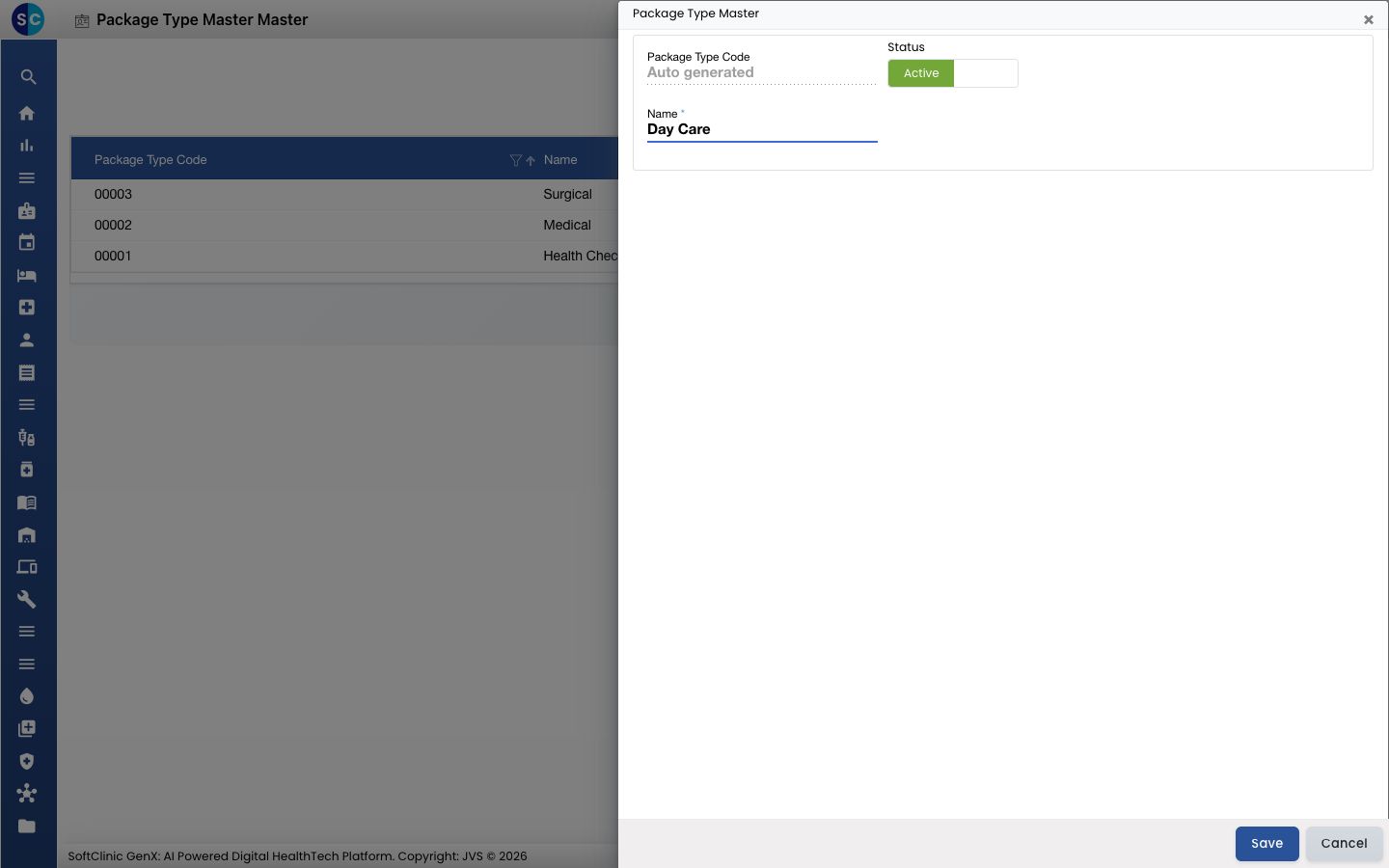
Field What to enter Required Package Type Code Filled in automatically when you save. — Status Leave on Active. — Name The type name, for example Day Care. Yes -
Click Save. The form closes and the new type appears in the list.
Change or deactivate a package type
- In the list, click the ⋮ button at the end of the row and choose Edit.
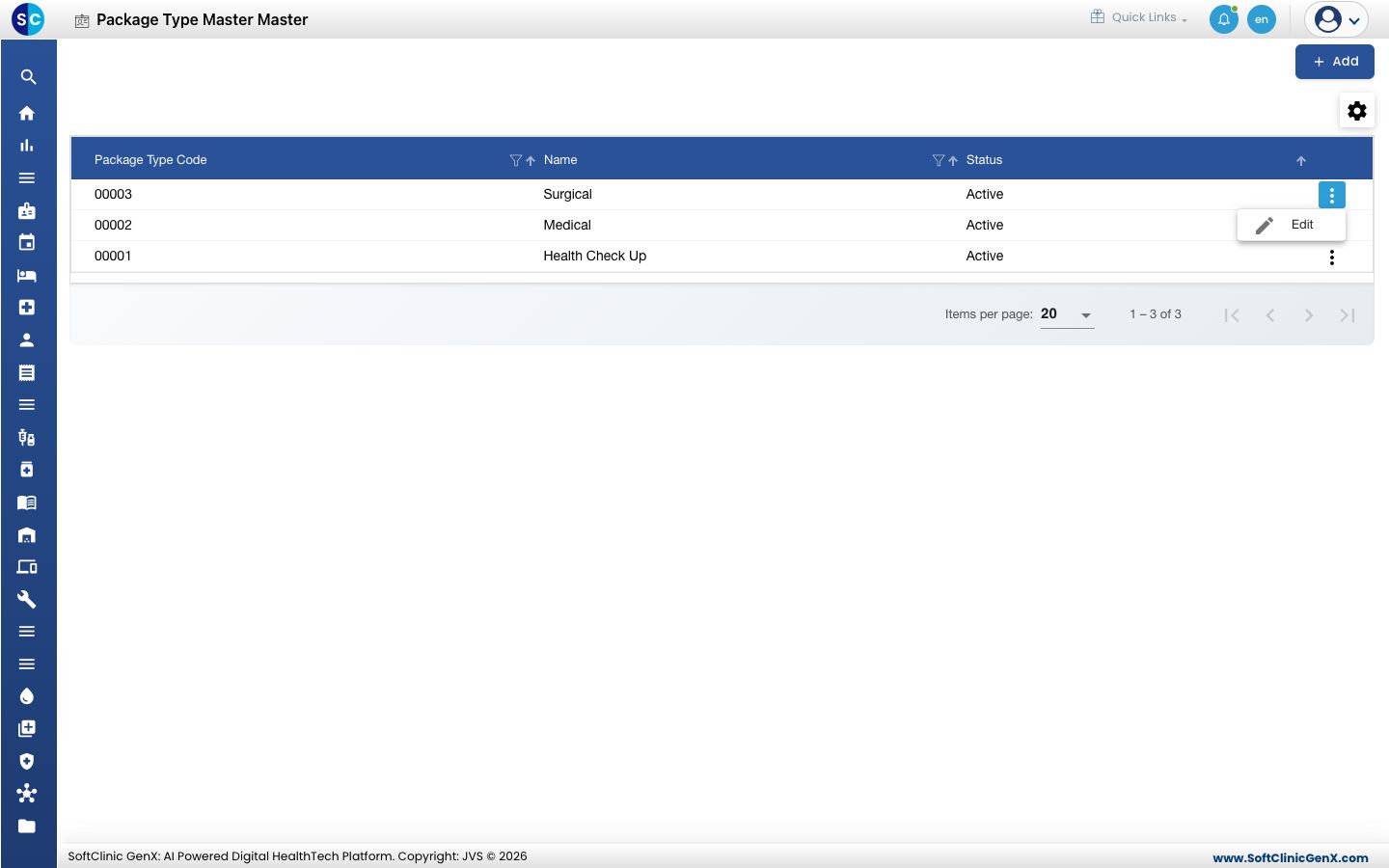
- Change the name. To stop using the type, switch Status to Inactive.
- Click Save.
Good to know
- Package types cannot be deleted. Make a type Inactive instead.
- Click Cancel or × to close the form without saving.
Related
- Next: Set up Package Master
- Previous: Set up Discount Master
- Billing FAQs