Cancel an admission
Cancel an admission that was made by mistake, record the reason and free the bed.
Cancel an admission when the patient was admitted by mistake, for example the wrong patient was picked or the patient decided not to stay. The admission stays on record with the status Cancelled and the bed becomes free. To end a real stay, discharge the patient instead.
note
Who can do this: admission desk staff with Admission List rights
Where: In-Door Management › Admission List › row menu › Cancel Admission
Before you start
- The admission is still Admitted.
- No services, such as lab tests or radiology, are added for this stay.
Cancel the admission
- Go to In-Door Management › Admission List and find the patient.
- Click the three dots at the end of the row and choose Cancel Admission.
- The Cancel Admission box asks Are you sure you want to cancel this admission? Type the reason in the box. The reason is mandatory.
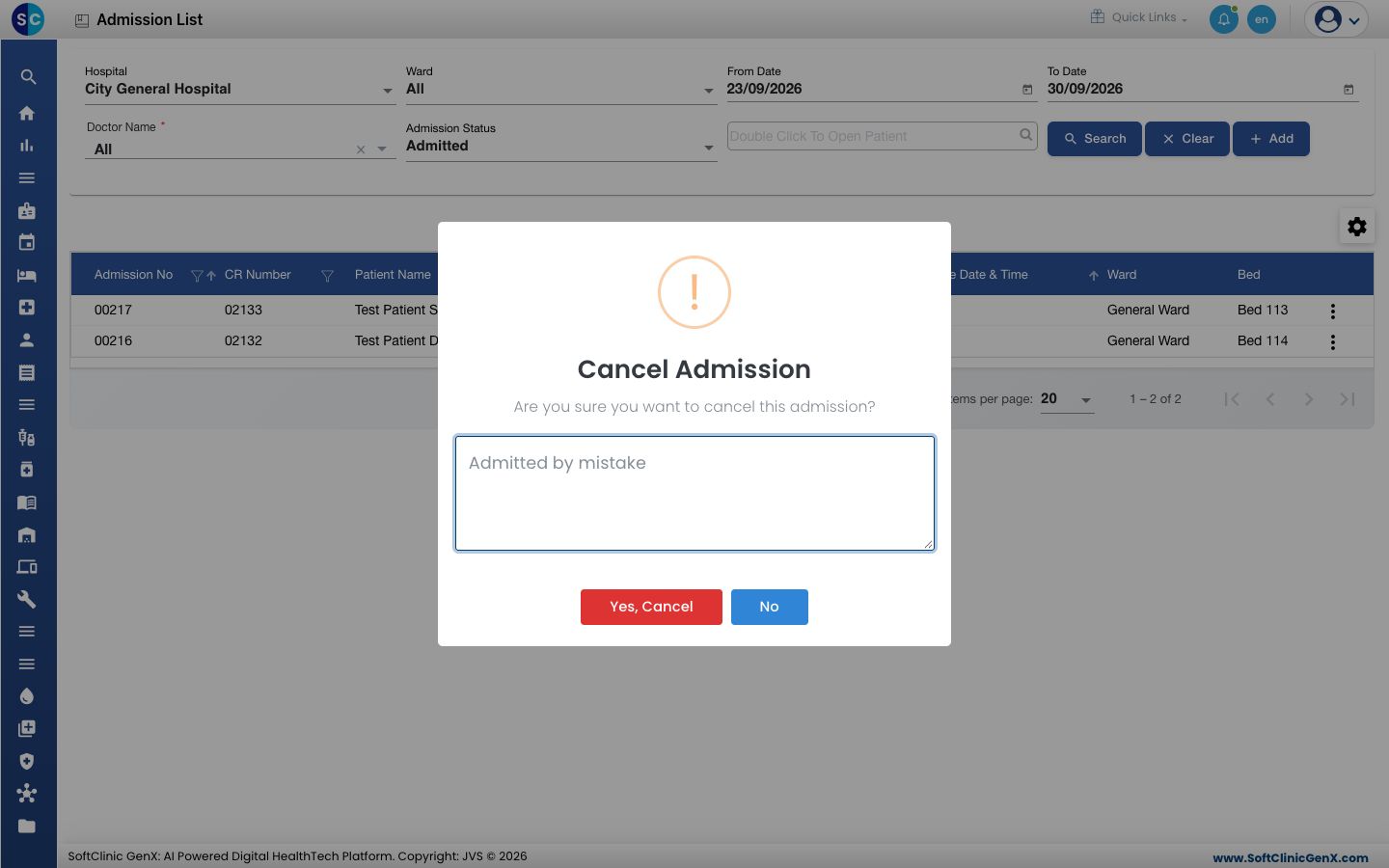
- Click Yes, Cancel. You see Admission cancelled successfully. Click No to keep the admission.
warning
A cancelled admission leaves the list of admitted patients and its bed is given up at once. Check the patient name and Admission No on the row before you confirm.
See cancelled admissions
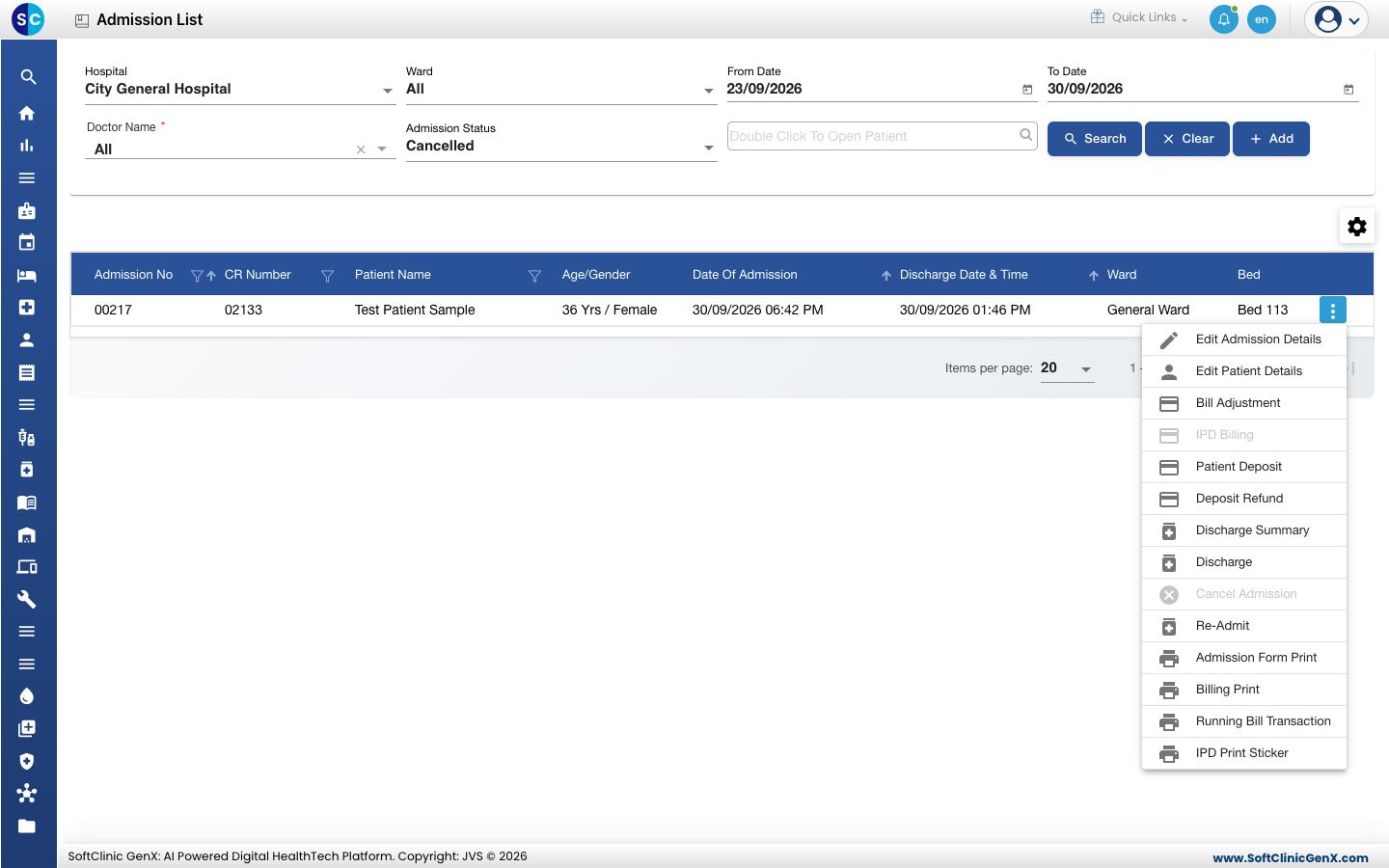
- On the Admission List, set Admission Status to Cancelled and click Search.
- The admission shows with Admission Status Cancelled. On its row menu, Cancel Admission is greyed out and Re-Admit is available.
Troubleshooting
| What you see | What it means | What to do |
|---|---|---|
| Cancellation reason is mandatory | The reason box is empty. | Type the reason and click Yes, Cancel again. |
| Cannot cancel admission while bill adjustment has active services (lab, radiology, etc.). | Services are already added for this stay. | Remove the services first, or discharge the patient instead. |
| Could not verify bill adjustment services for this admission. Please retry. | The bill could not be checked. | Try again after a moment. |
| Cancel Admission is greyed out | The admission is not Admitted any more, or it has services. | Check the Admission Status and the bill. |
Related
- Admit a patient: admit the right patient again.
- Find an admitted patient: search by status.
- Refund a patient deposit: return an advance taken for the cancelled stay.