Take an admission deposit
Collect an advance from an admitted patient straight from the Admission List and give a deposit receipt.
An admission deposit is the advance an in-patient pays at or after admission. It stays on the patient's account and is adjusted against the final bill. You can take it from the patient's row on the Admission List, without going to Billing.
note
Who can do this: cashier, billing and admission desk staff with deposit rights
Where: In-Door Management › Admission List › row menu › Patient Deposit
Before you start
- The patient is admitted. See Admit a patient.
Take the deposit
- Go to In-Door Management › Admission List and find the patient.
- Click the three dots at the end of the row and choose Patient Deposit.
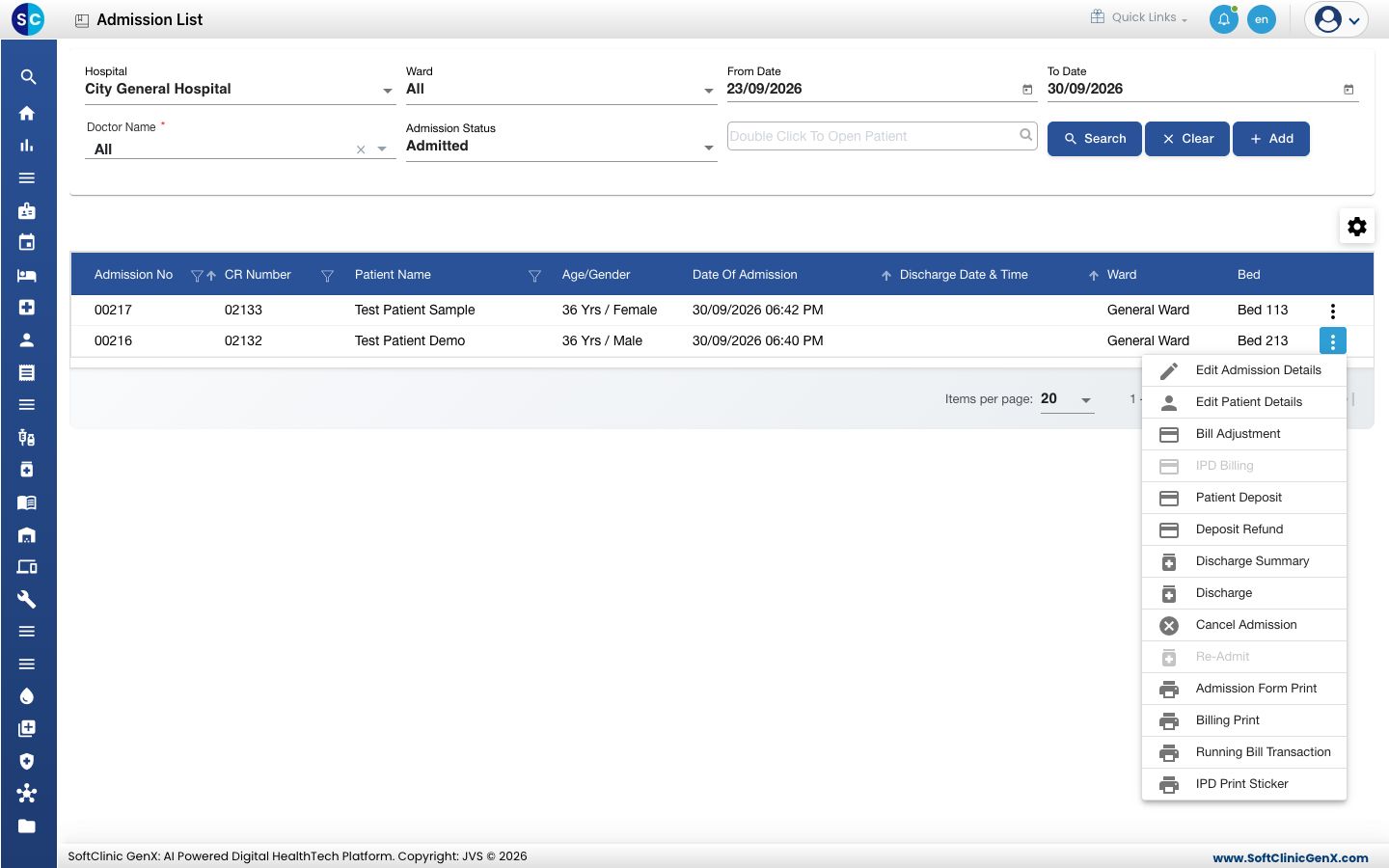
- The Patient Deposits form opens for that patient. Deposit Type is already Admission Deposit.
- Type the Deposit Amount and, if needed, a note in Comments.
- Under PAYMENT, choose the mode, check that Collected equals the deposit amount and click Add.
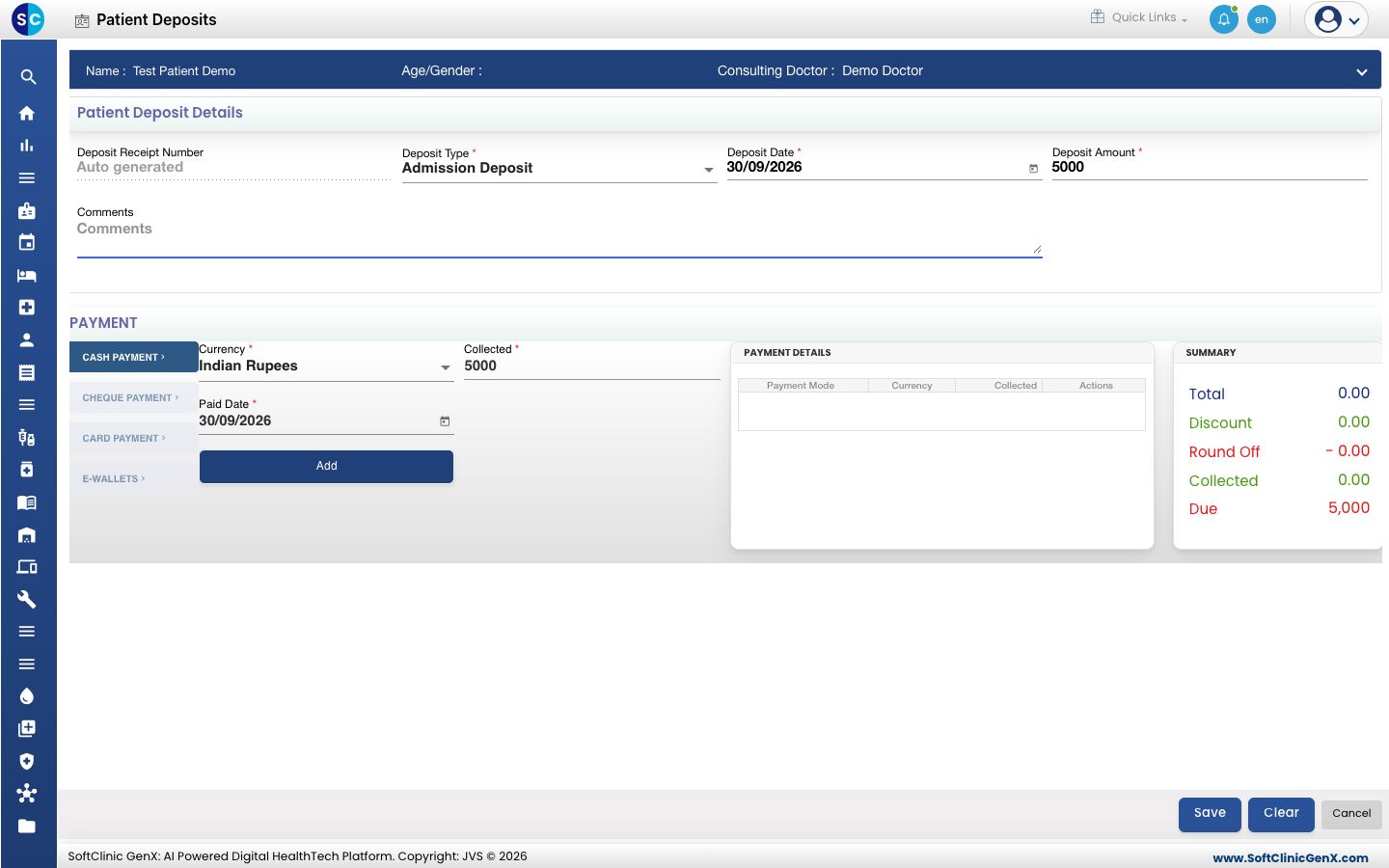
- Click Save. You see Your record has been saved.
This is the same form that Billing uses. For the payment modes, the receipt print and how the deposit is used on the bill, see Take a patient deposit.
Return an unused deposit
Choose Deposit Refund from the same row menu. See Refund a patient deposit.
Troubleshooting
| What you see | What it means | What to do |
|---|---|---|
| Please select Admission Deposit for IPD | On Account Deposit is chosen for an admitted patient. | Change Deposit Type to Admission Deposit. |
| Please add deposit Payment | No payment line is added. | Add the payment under PAYMENT and save again. |
| deposit amount and paid amount should be same | The payment lines do not equal the Deposit Amount. | Correct the payment lines. |
| You are not allowed to perform this operation | Your role has no deposit rights. | Ask the cashier to take the deposit, or ask your administrator for the right. |
Related
- Take a patient deposit: the deposit form in detail, with the receipt print.
- Refund a patient deposit: return the unused balance.
- Collect a payment: the payment modes in detail.