Choose a bed for an admission
Pick a vacant bed from the list or the bed chart while admitting, and let the class, room and ward fill in.
Every admission needs a bed. On the admission form you pick the bed in one of two ways: from the Bed list when you already know the bed number, or from the Select Bed chart when you want to see which beds are free.
note
Who can do this: admission desk and front desk staff with Admission List rights
Where: In-Door Management › Admission List › Add › Bed or Bed Details
Before you start
- Beds are set up in Bed Masters with their bed type and class.
- You have the admission form open. See Admit a patient.
Pick the bed from the list
- Check that Hospital shows the right facility.
- Click Bed. The list shows only the vacant beds of that hospital.
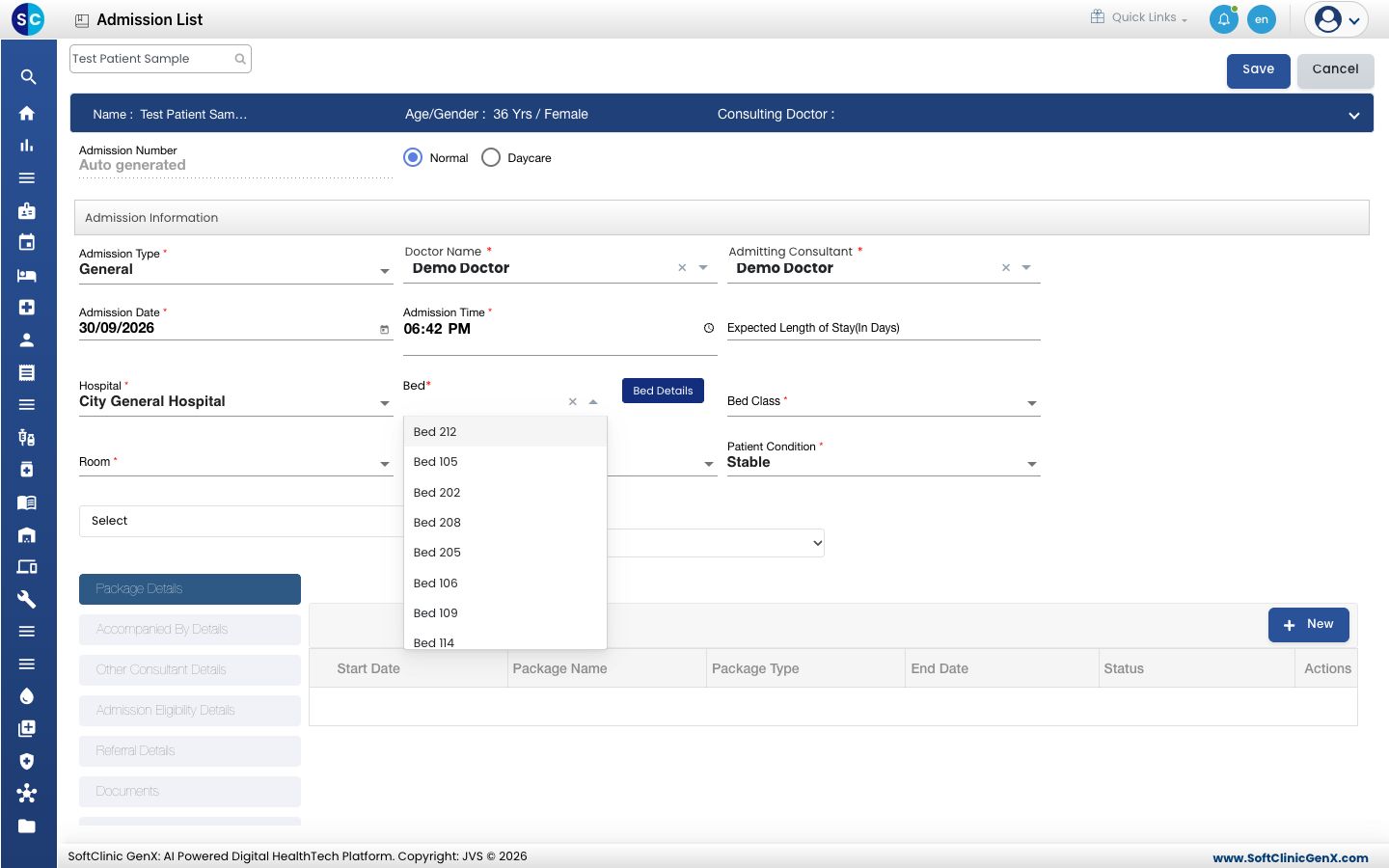
- Click the bed. Bed Class, Room and Ward fill in and lock.
Pick the bed from the chart
- Click Bed Details. The Select Bed window opens with every bed as a card. Green cards are Vacant, red cards are Occupied.
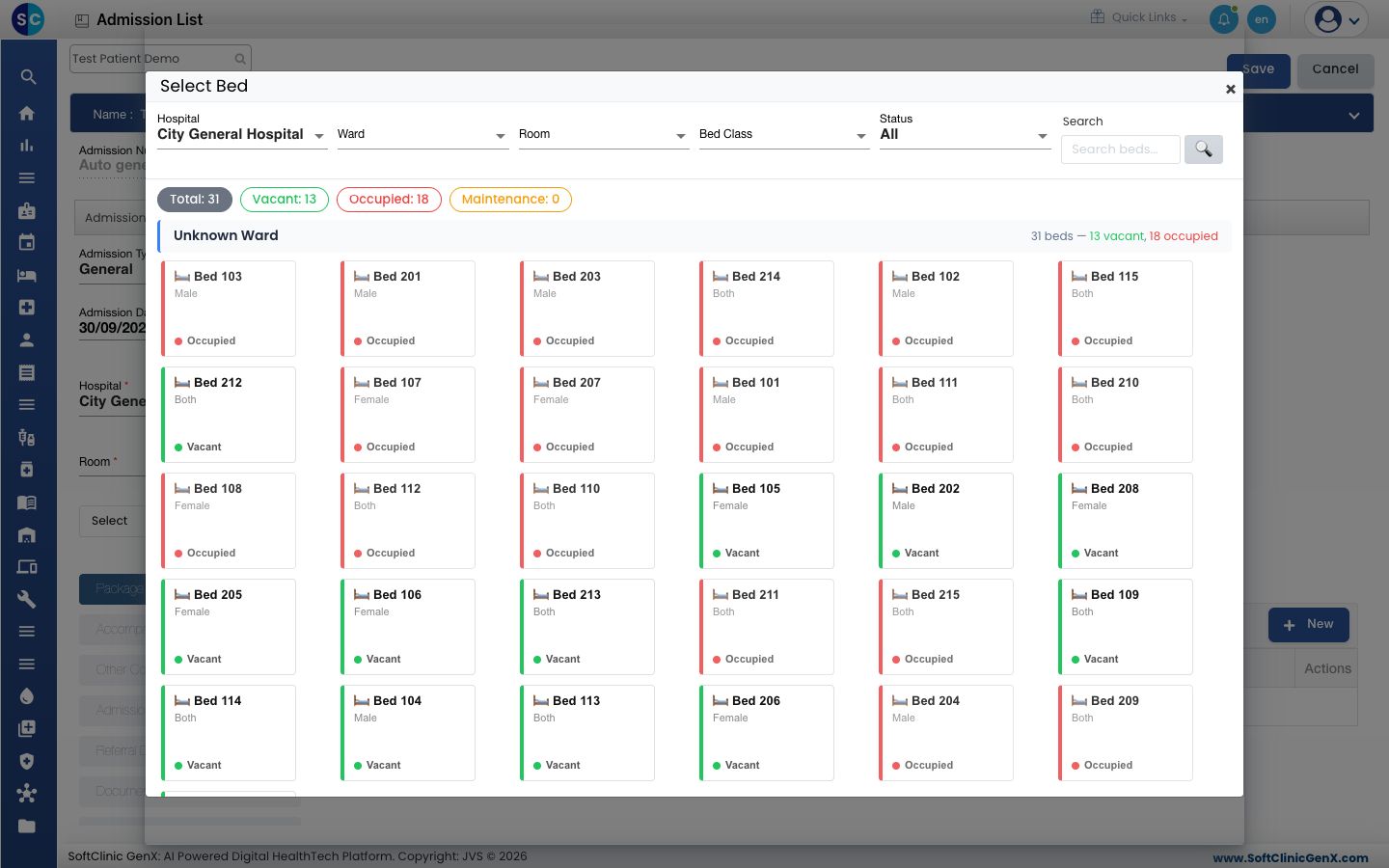
- Narrow the chart with Ward, Room, Bed Class or Status, or type a bed number in Search.
- Click a Vacant card. The window closes and the bed, class, room and ward are filled on the form.
When the bed is meant for the other gender
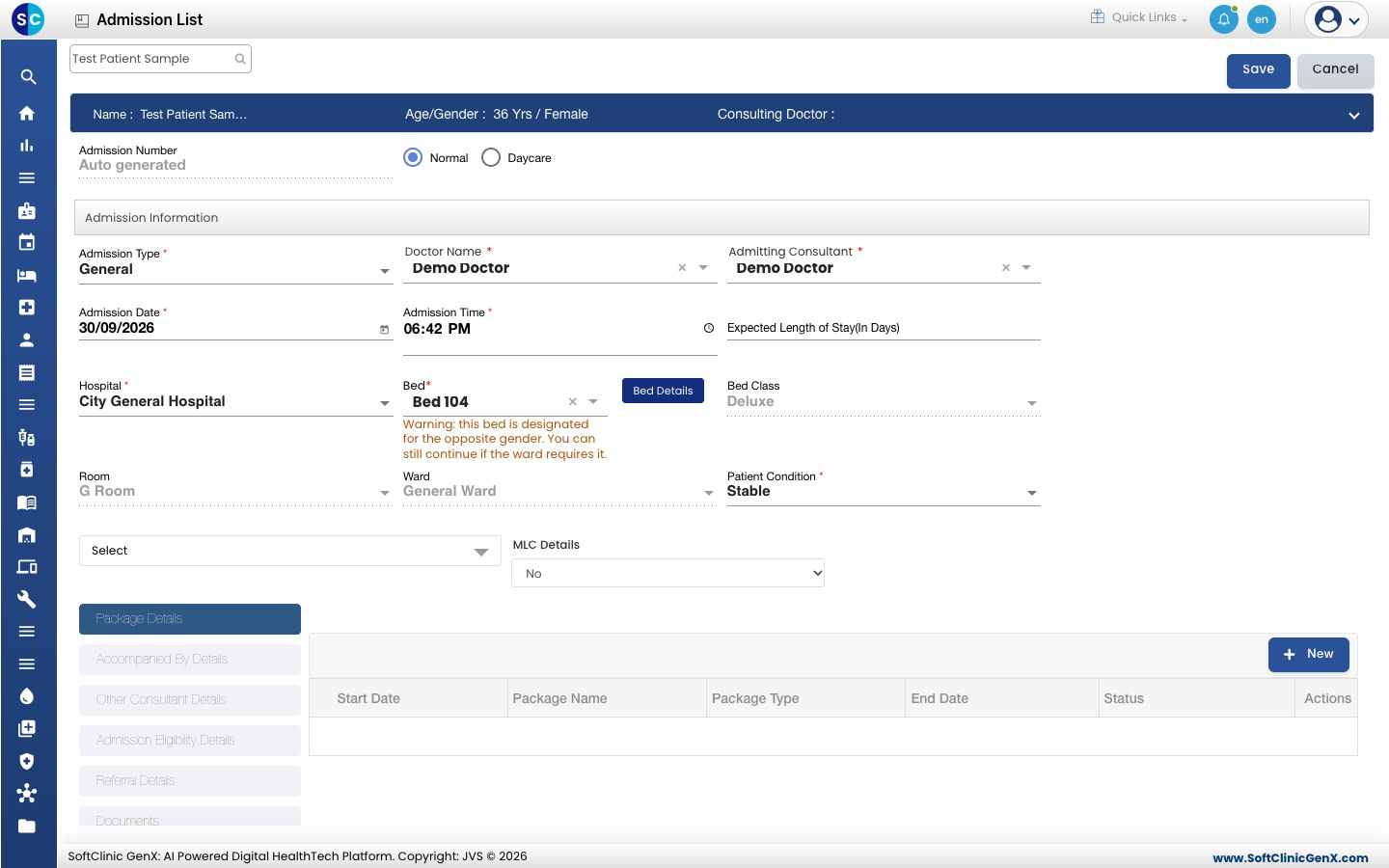
Each bed card shows who it is meant for: Male, Female or Both. If you pick a Male bed for a female patient, or the other way round, the form shows a warning under Bed. You can still save.
Good to know
- Bed Class, Room and Ward cannot be typed. They always come from the bed.
- To change the bed after the admission is saved, see Transfer a patient to another bed.
Troubleshooting
| What you see | What it means | What to do |
|---|---|---|
| The bed you want is not in the Bed list | The bed is occupied or inactive. | Check the bed on the Bed Chart, or pick another bed. |
| Warning: this bed is designated for the opposite gender. You can still continue if the ward requires it. | The bed is set for the other gender. | Pick another bed, or continue if the ward allows it. |
| Bed is already occupied by an admitted patient | The bed was taken before you saved. | Select another bed and save again. |
| No beds found. Adjust your filters. | No bed matches the filters in the Select Bed window. | Clear Ward, Room, Bed Class or Status. |
Related
- Admit a patient: the full admission flow.
- See free and occupied beds: the same chart as a full screen.
- Set up Bed Masters: add wards, rooms and beds.