Refund a patient deposit
Return the unused balance of a patient's deposit and give a refund receipt.
When a patient has deposit money left after the bills are paid, you return it with a deposit refund. The refund takes the amount that is not yet adjusted against any bill.
note
Who can do this: cashier and billing staff with deposit rights
Where: Billing › Billing Dashboard › row menu › Deposit Refund
Before you start
- The patient has a deposit with a remaining balance. Check it under Billing › Views › Deposit List. See Take a patient deposit.
Refund the deposit
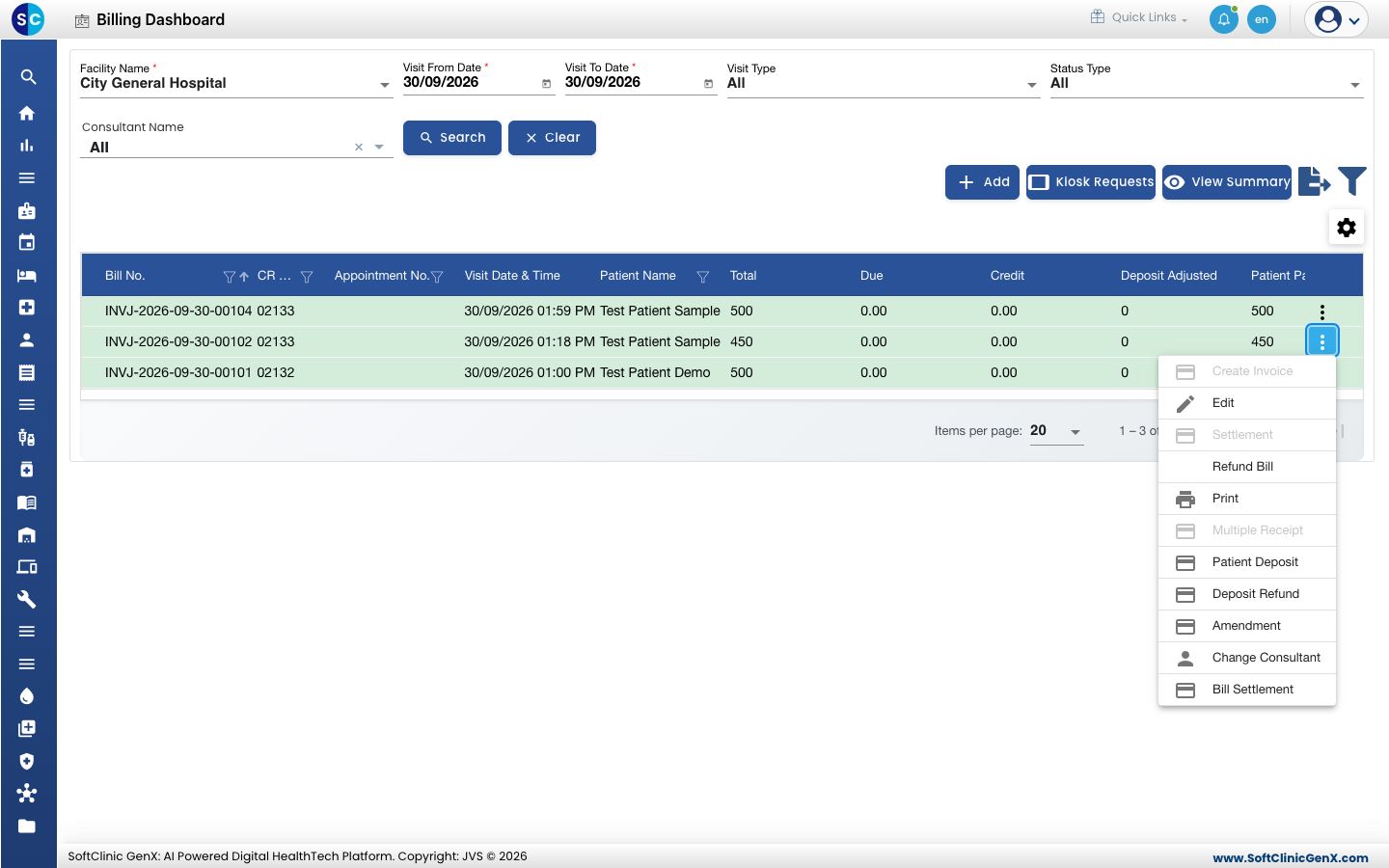
- Go to Billing › Billing Dashboard, set the dates and Status Type, and click Search to find the patient.
- Click the three dots at the end of the patient's row and choose Deposit Refund.
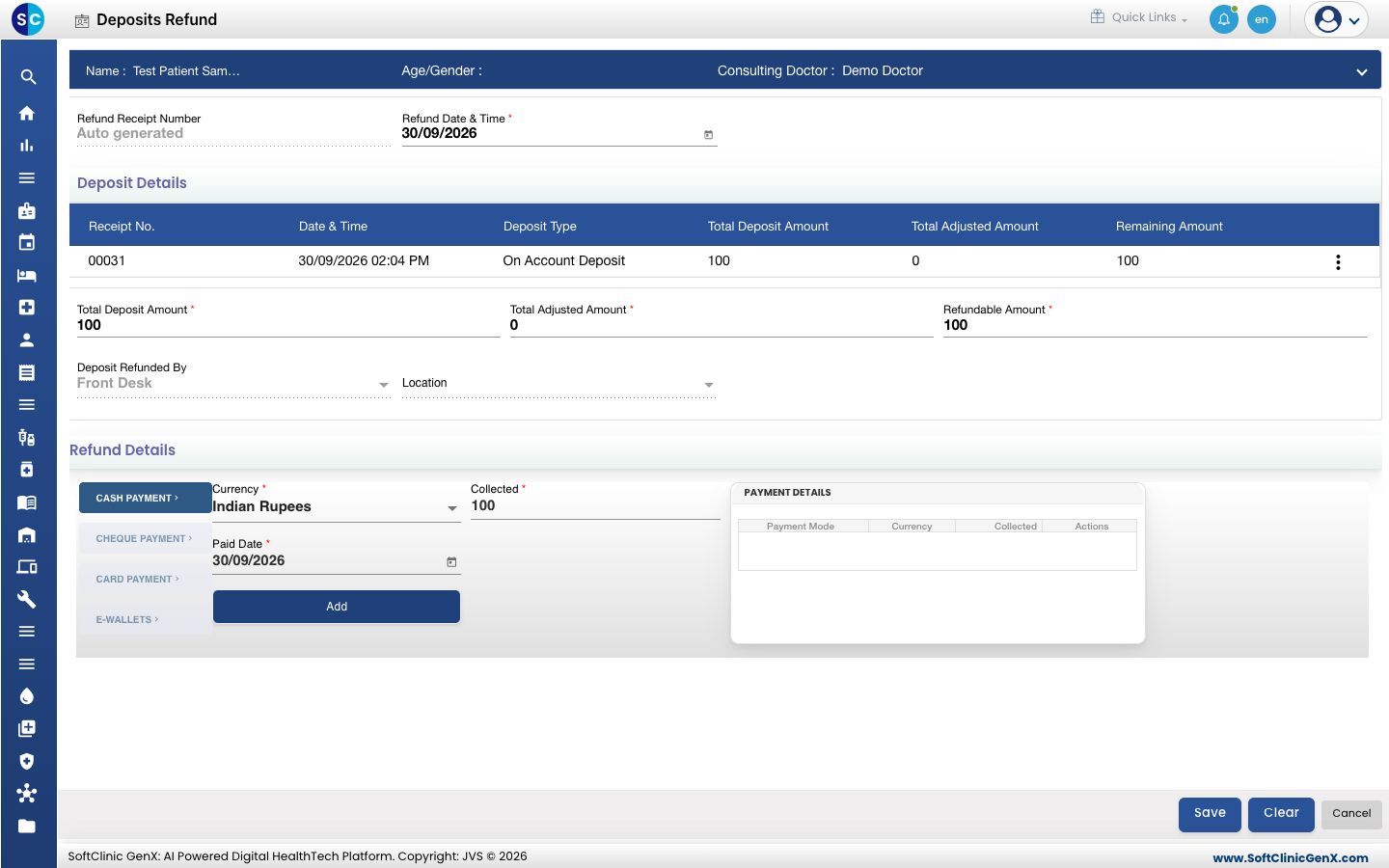
- The refund form opens. Deposit Details lists the patient's deposits. Total Deposit Amount, Total Adjusted Amount and Refundable Amount are filled for you.
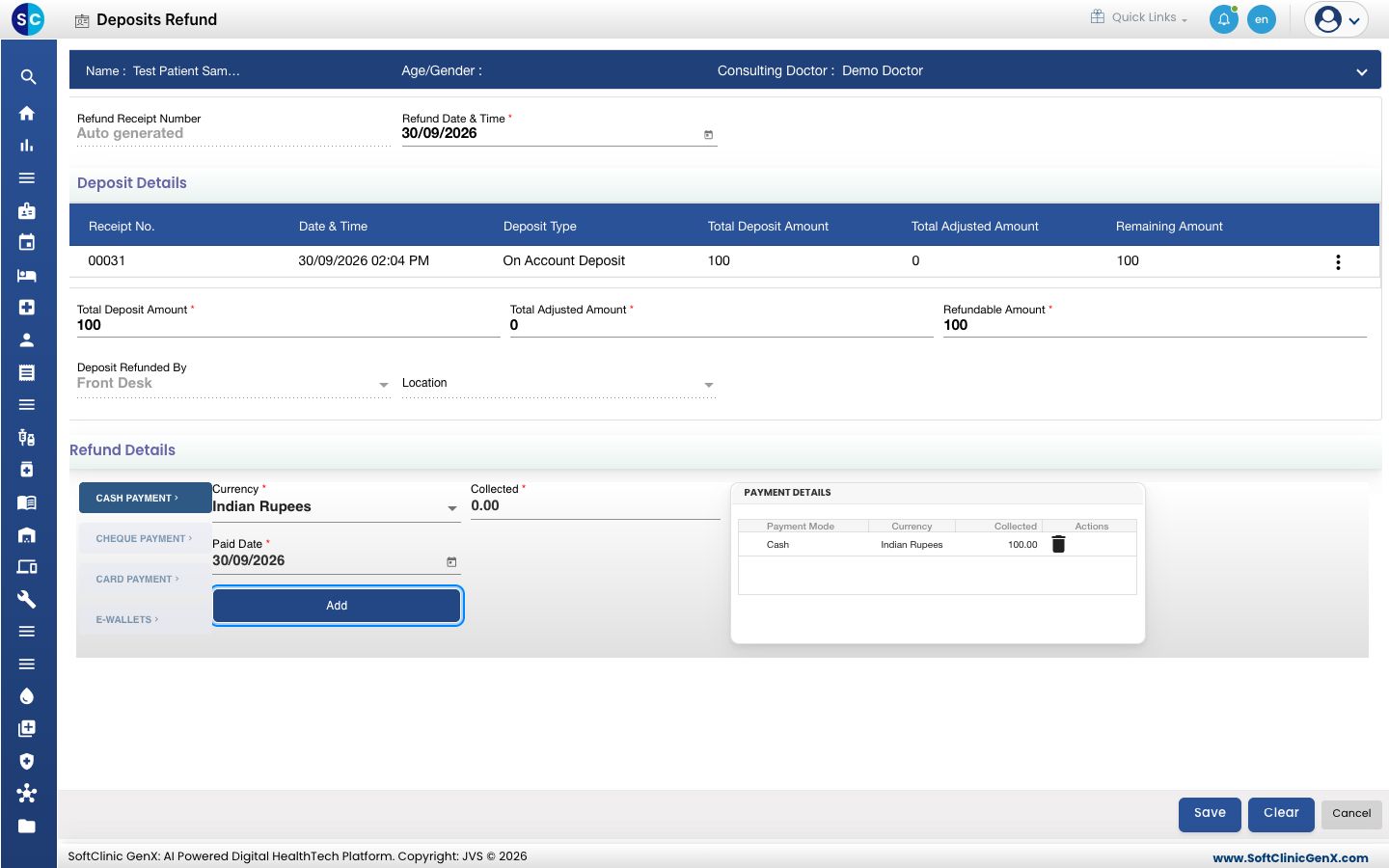
- Under Refund Details, choose how the money is returned. Collected shows the refundable amount. Click Add.
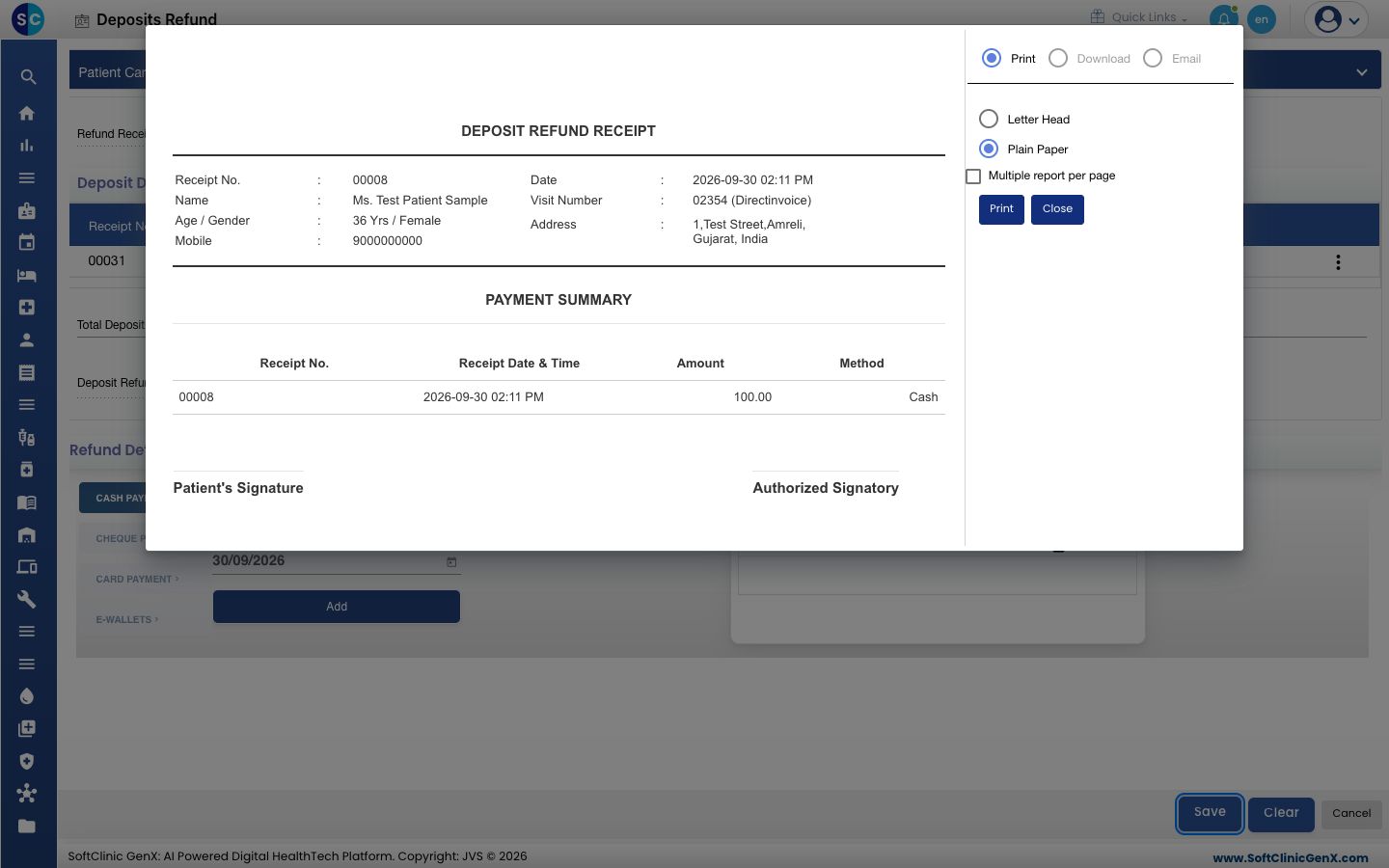
- Click Save. You see Your record has been saved. and the DEPOSIT REFUND RECEIPT opens.
- Choose Letter Head or Plain Paper and click Print, or click Close.
tip
To see deposit refunds for a day, open Billing › Views › Refund List and click Search, or open Billing › Views › Deposit Report and select Deposit Refund.
Troubleshooting
| What you see | What it means | What to do |
|---|---|---|
| refund amount Should Be greater than zero | The patient has no deposit balance left. | Check the Remaining Amount in the Deposit List. |
| Refund amount cannot exceed the available refundable amount | The refund lines are more than the Refundable Amount. | Reduce the amount under Refund Details. |
| Refundable Amount does not match with Bill Refund Amount | The refund lines do not equal the Refundable Amount. | Correct the lines under PAYMENT DETAILS. |
| Refund Already Generated | This deposit is already refunded. | Check the Refund List. |
| Please fill all mandatory fields highlighted in red | Refund Date & Time is empty. | Fill the date. |
Related
- Take a patient deposit: collect an advance and print its receipt.
- Cancel a bill and refund the patient: return money paid against a bill.
- Billing FAQs: common questions about refunds.