Print the admission form and stickers
Print the admission form for the patient file, the patient stickers and the wristband of an admission.
The admission form is the one-page record of the admission that goes into the patient file and is signed by the relative or guardian. The stickers label the file, samples and charts. Both print from the patient's row on the Admission List.
note
Who can do this: admission desk and ward staff with Admission List rights
Where: In-Door Management › Admission List › row menu › Admission Form Print or IPD Print Sticker
Print the admission form
- Go to In-Door Management › Admission List and find the patient.
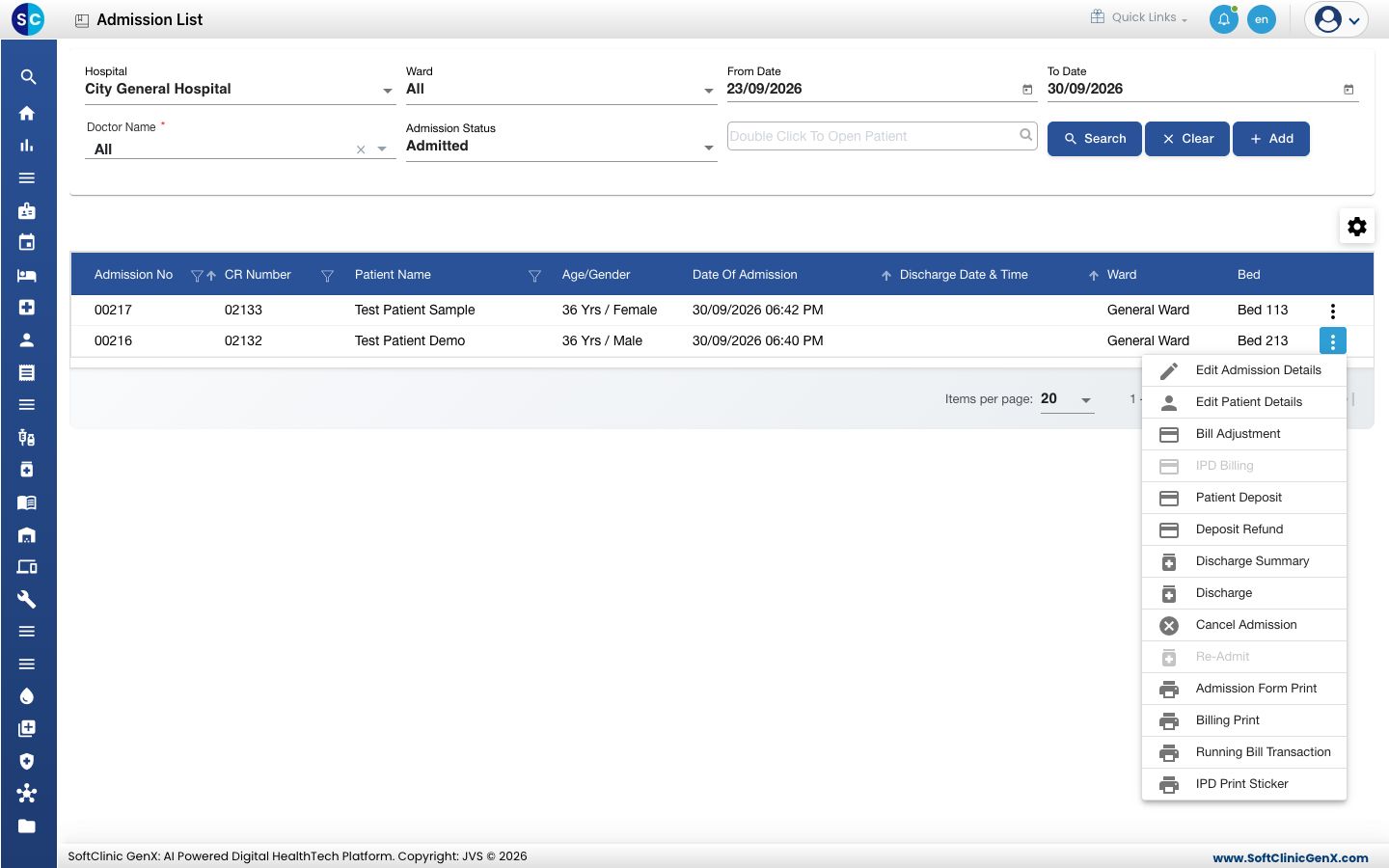
- Click the three dots at the end of the row and choose Admission Form Print.
- A preview of the ADMISSION FORM opens under your hospital's name and address. It shows the CR number, admission number, date and time, the patient's details, the admitting and attending doctor, the allotted class and bed, and the payer.
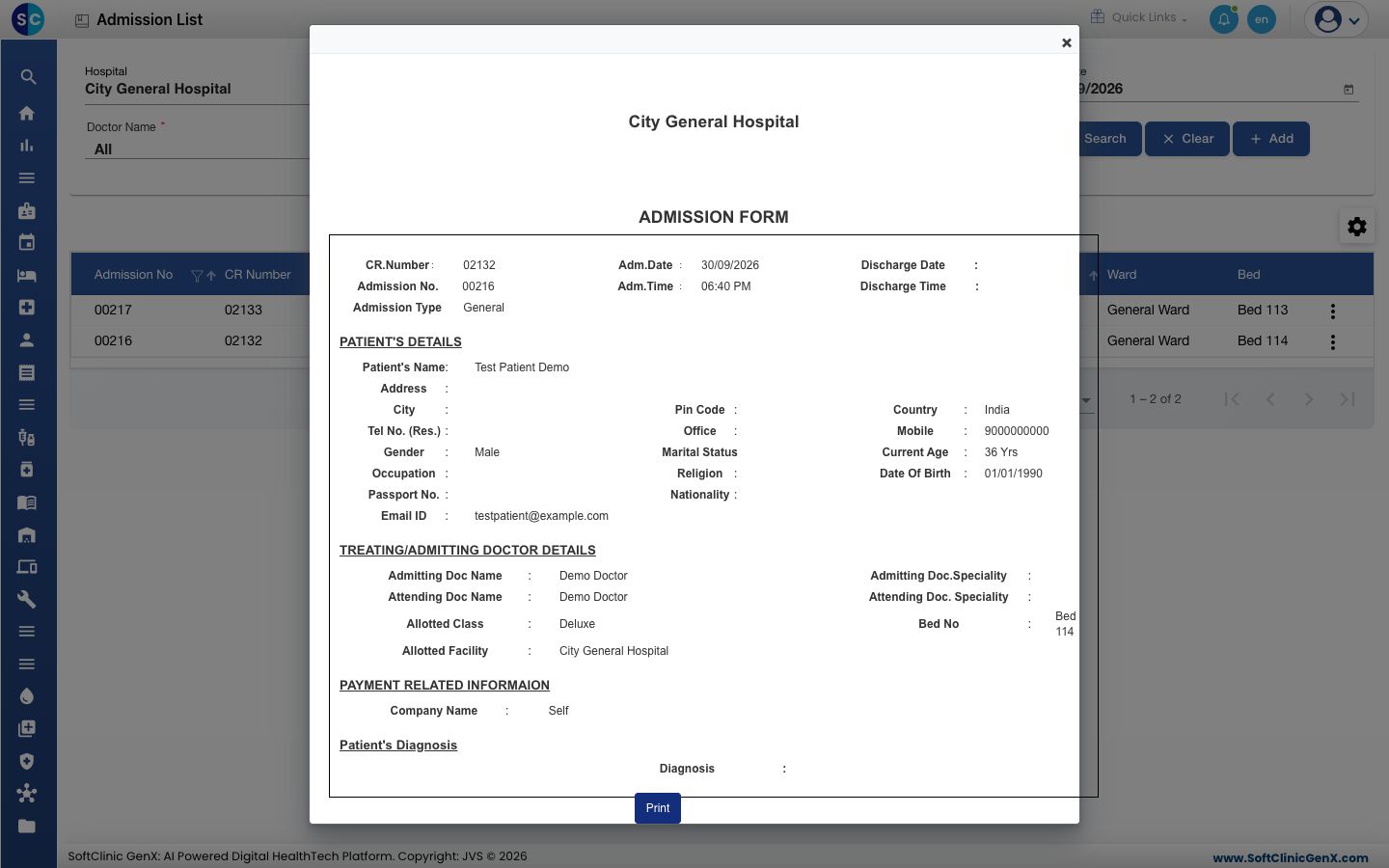
- Click Print and choose the printer.
Print the patient stickers
- On the same row menu, choose IPD Print Sticker.
- A sheet of stickers opens as a PDF. Each sticker carries the UHID, the patient's name, age, gender, mobile number and address.
- Print it on your sticker sheet from the PDF viewer.
Print the wristband
The wristband prints when the admission is saved. See Admit a patient.
Good to know
- The form prints what is saved on the admission and the registration. If a detail is wrong, change the admission or edit the patient, then print again.
- Billing Print and Running Bill Transaction on the same menu print the bill, not the admission papers.
Troubleshooting
| What you see | What it means | What to do |
|---|---|---|
| Address, marital status or other lines are blank on the form | Those details are not filled on the patient's registration. | Edit the patient and print again. |
| The bed or doctor on the form is out of date | The form was printed before a transfer or a change. | Print the form again. |
Related
- Admit a patient: the wristband prints here.
- Print a patient sticker: stickers for an outpatient.
- Find an admitted patient: search the Admission List.