Set up Specimen
Who does this: laboratory administrator Where: Laboratory › Laboratory Masters › Specimen
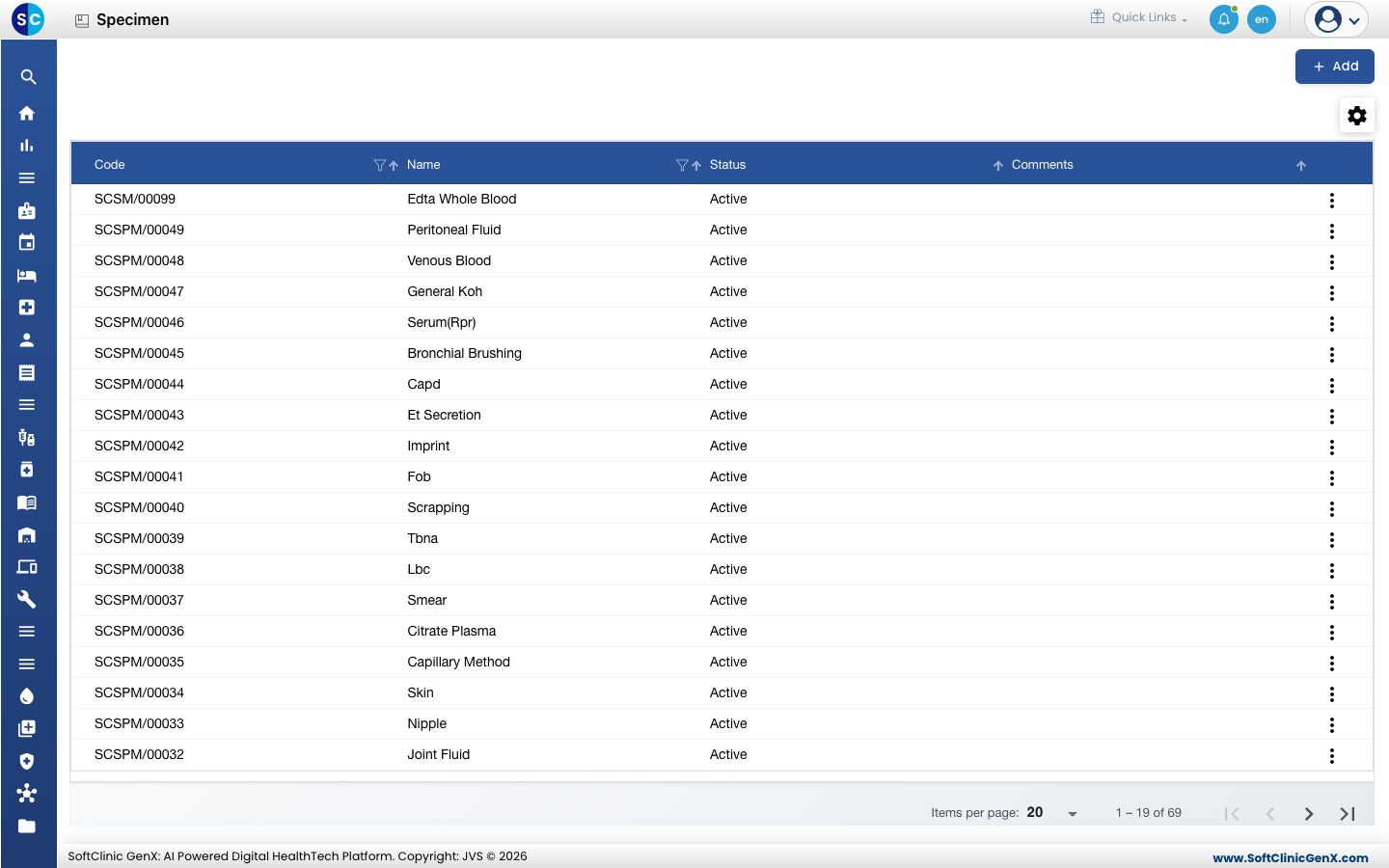
A specimen is the kind of sample a test is done on, such as EDTA Whole Blood, Venous Blood, Citrate Plasma or Joint Fluid. Specimens are picked when a test is set up and are shown to staff when they collect and receive samples.
Add a specimen
-
Go to Laboratory › Laboratory Masters › Specimen.
-
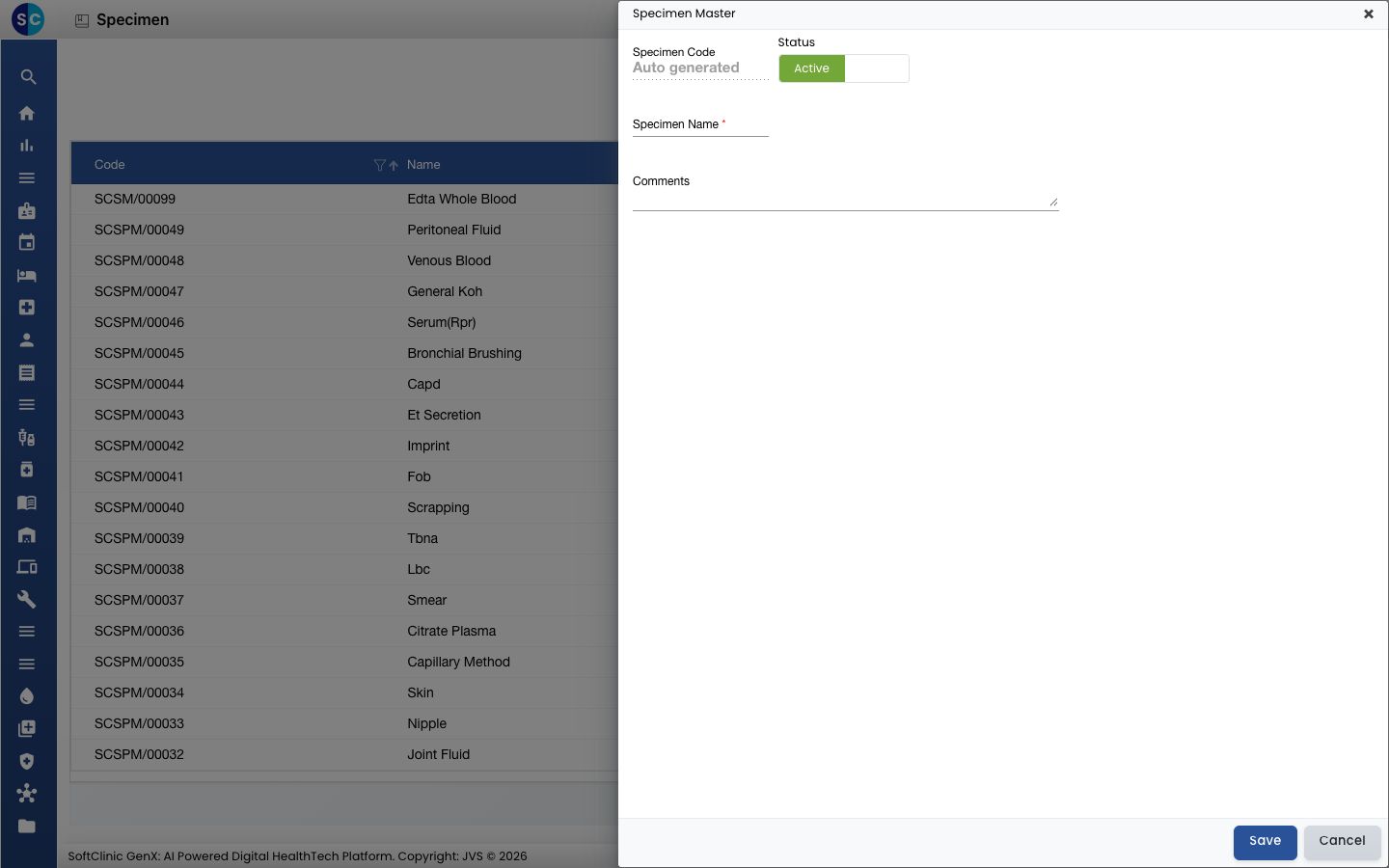
Click Add. The form opens on the right.
-
Fill in the fields:
Field What to enter Required Specimen Code Filled in automatically when you save. — Status Leave on Active. — Specimen Name The specimen name, for example Peritoneal Fluid. Yes Comments Any note for your team, up to 1,000 characters. No -
Click Save. The form closes and the new specimen appears in the list.
Change or deactivate a specimen
- In the list, click the ⋮ button at the end of the row and choose Edit.
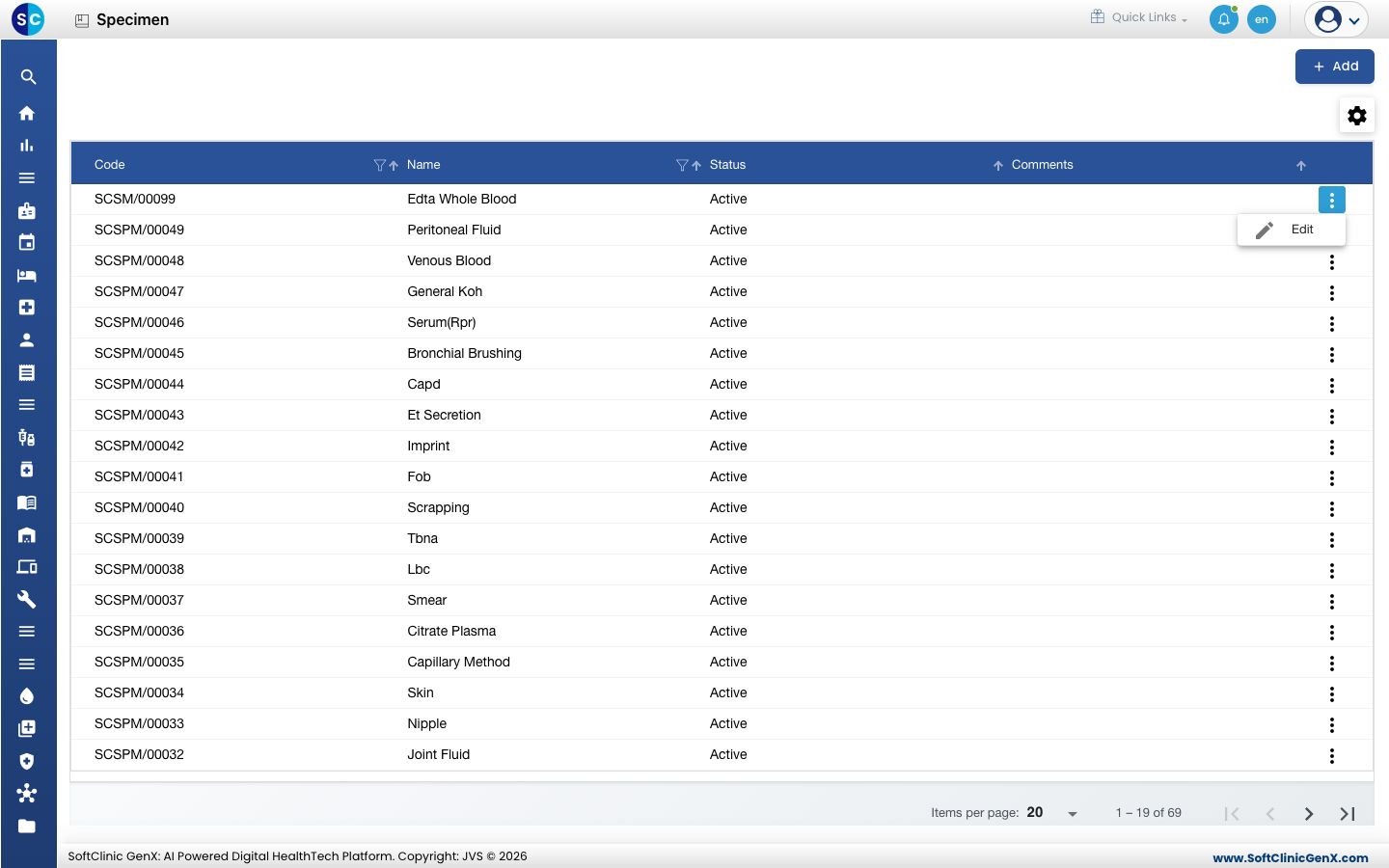
- Change the fields you need. To stop using the specimen, switch Status to Inactive.
- Click Save.
Specimens cannot be deleted from this screen. Make a specimen Inactive instead.
Good to know
- Use one clear name per specimen, so the same sample is not listed twice under different spellings.
- Click Cancel to close the form without saving.
Related
- Previous: Set up Container Type
- Next: Set up Staining Method
- Laboratory FAQs