Set up Result Type Values
Who does this: laboratory administrator Where: Laboratory › Laboratory Masters › Result Type Values
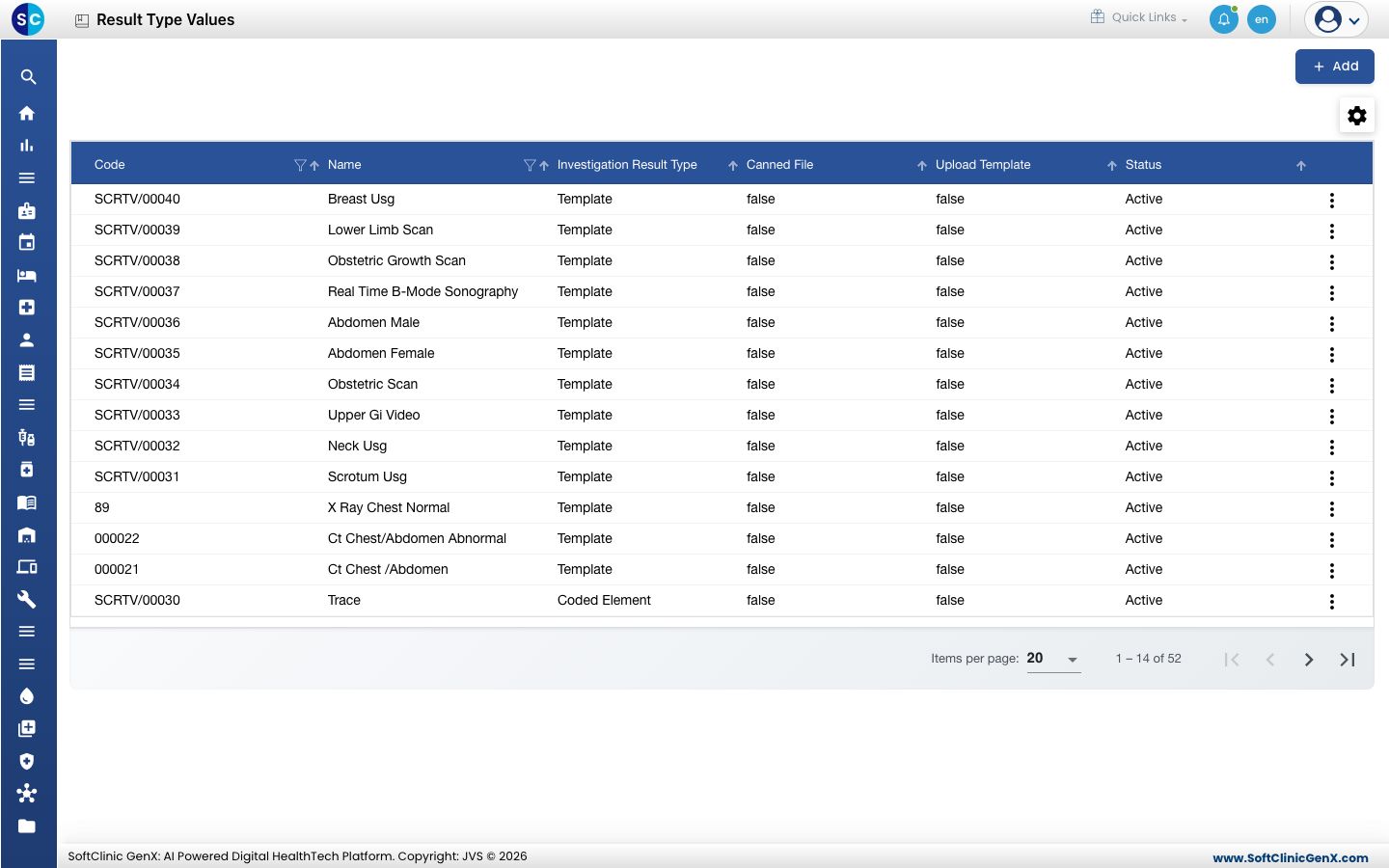
A result type value is a ready-made result. It can be a fixed answer, such as Positive, Negative or Trace, or a report template, such as an ultrasound or chest X-ray report format. When a test is set up in Investigation Masters, you choose which of these values it offers, so staff pick the result instead of typing it.
Add a result value
-
Go to Laboratory › Laboratory Masters › Result Type Values.
-
Click Add. The form opens on the right.
-
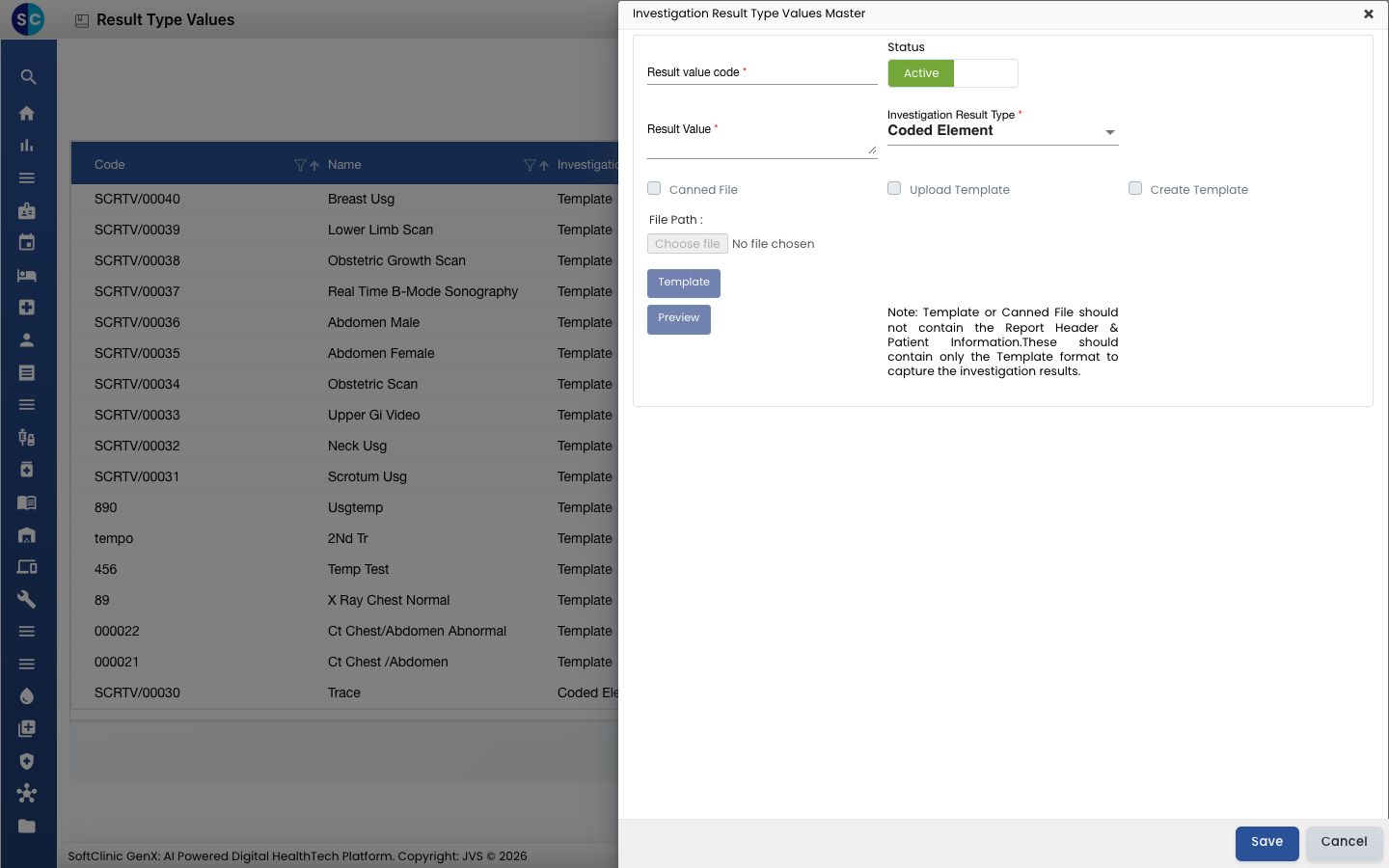
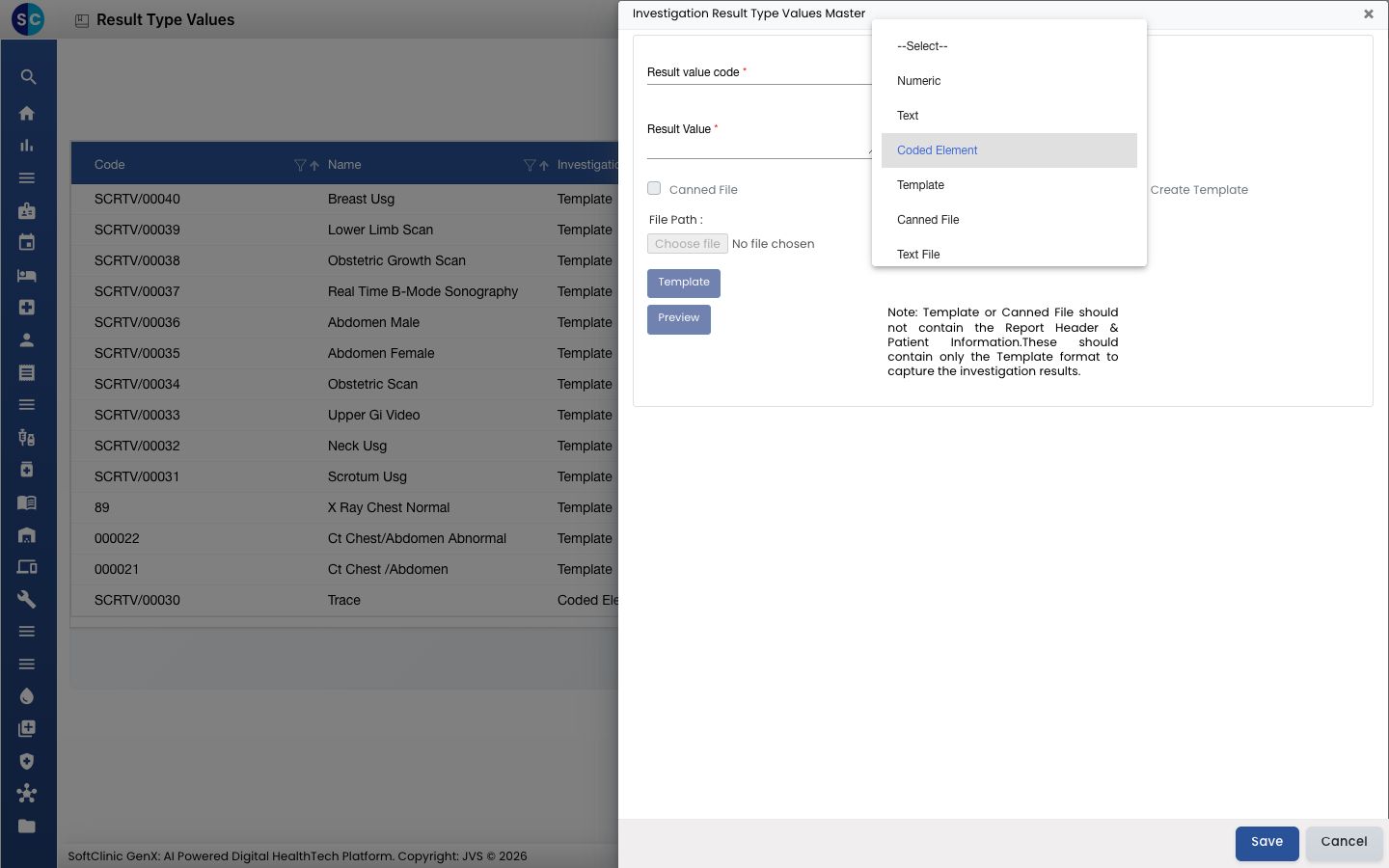
Choose the Investigation Result Type first, because it decides which other fields you need.
-
Fill in the fields:
Field What to enter Required Result value code A short, unique code, up to 50 characters. Yes Status Leave on Active. — Investigation Result Type Numeric, Text, Coded Element, Template, Canned File, Text File or Display. For a fixed answer such as Positive or Negative, choose Coded Element. Yes Result Value The answer itself, for example Positive. Up to 500 characters. Not needed for Template or Canned File. Yes, for Numeric, Text and Coded Element -
For a Template, choose how to provide the report format:
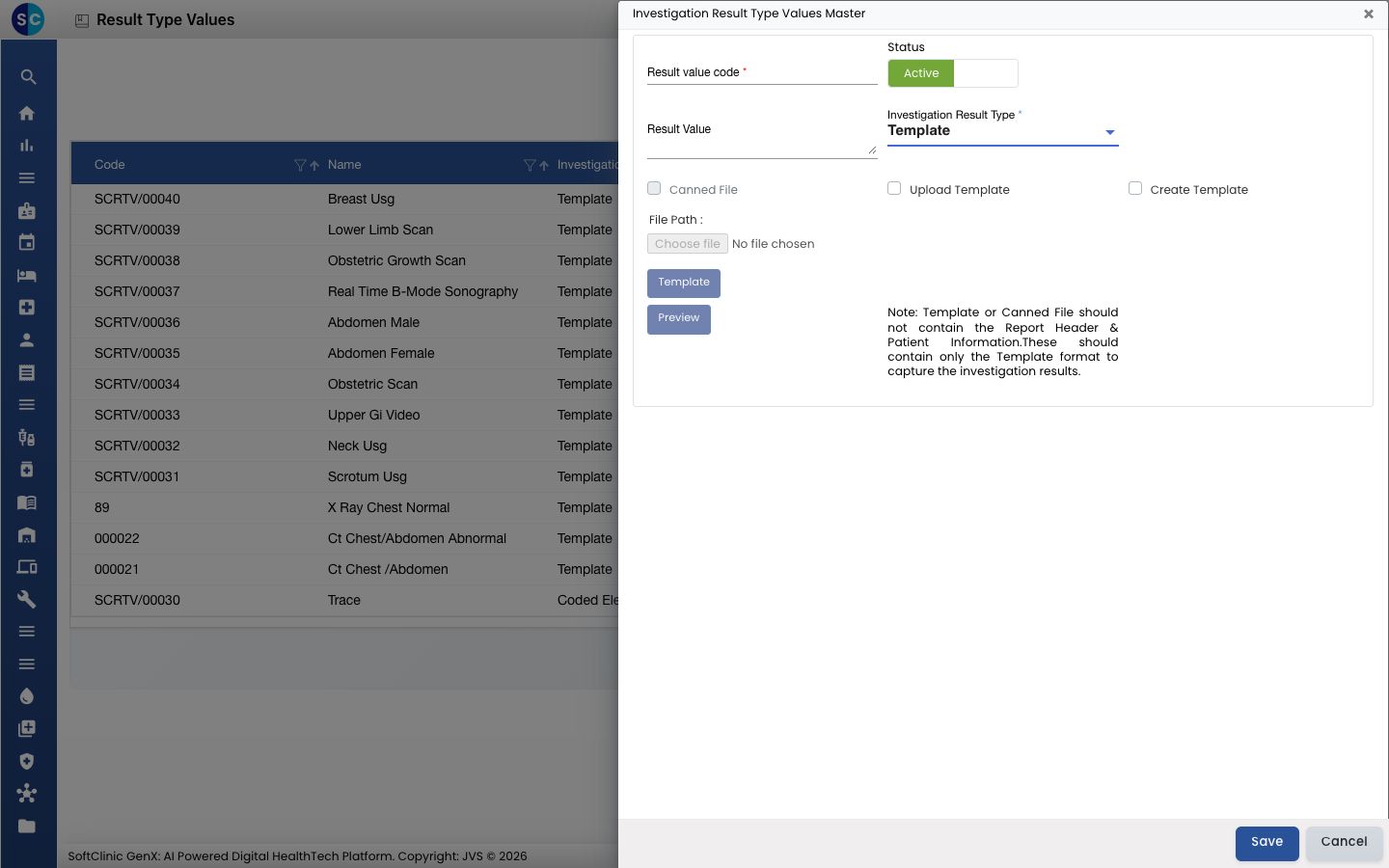
- Tick Upload Template, then click Choose file and select the file.
- Or tick Create Template, click Template and type the format in the editor.
- Click Preview to check how it looks.
-
For a Canned File, tick Canned File and choose the file.
-
Click Save. The form closes and the new value appears in the list.
Change or deactivate a result value
- In the list, click the ⋮ button at the end of the row and choose Edit.
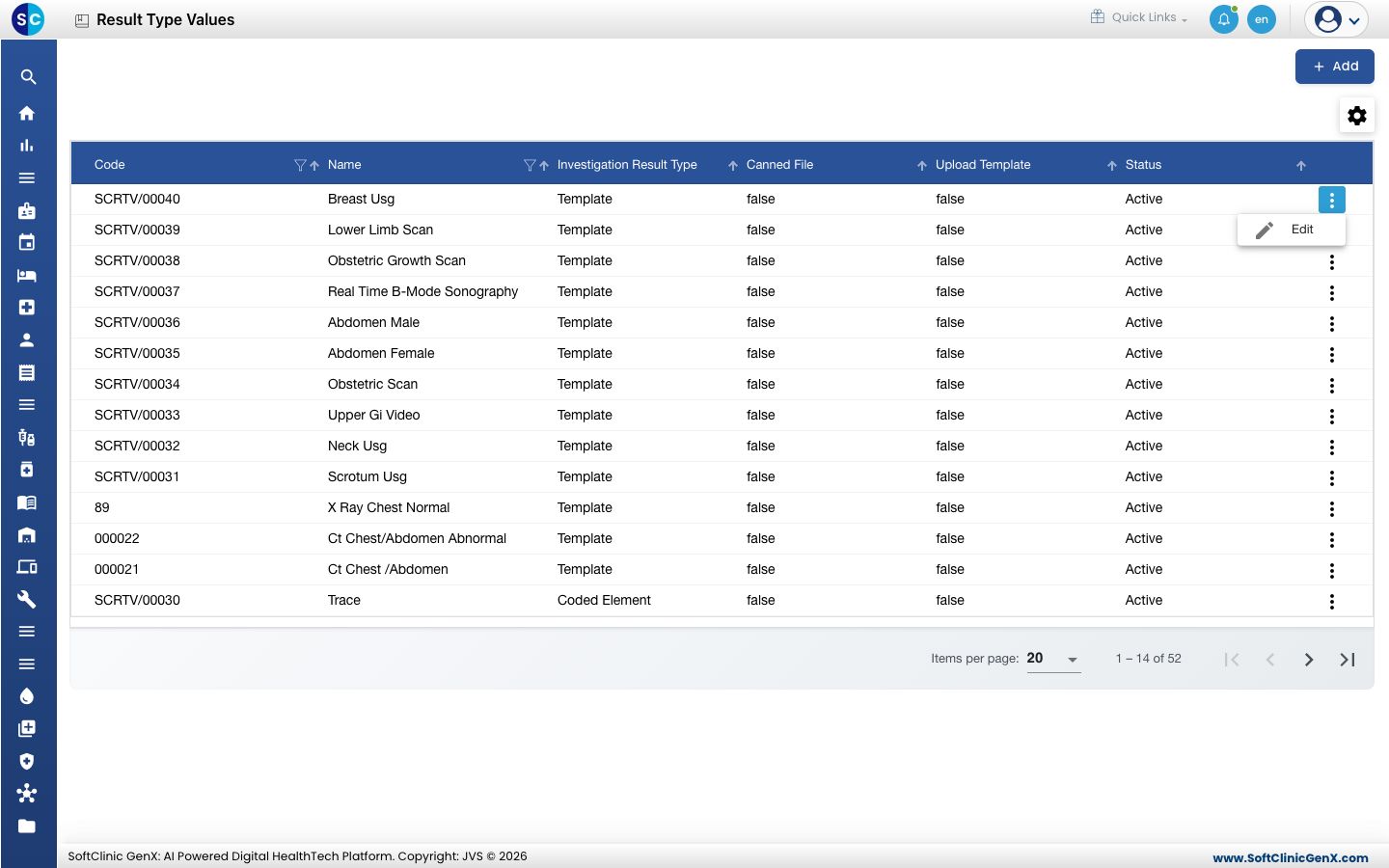
- Change the fields you need. To stop offering the value, switch Status to Inactive.
- Click Save.
Result values cannot be deleted from this screen. Make a value Inactive instead.
Good to know
- Codes must be unique.
- A template or canned file should contain only the result format. Leave out the report header and the patient details, as the note on the form says.
- If you tick Create Template, the template cannot be left empty.
- Click Cancel to close the form without saving.
Related
- Previous: Set up Staining Method
- Set up Section Master and Set up Service — laboratory tests are billed as services grouped under sections.
- Laboratory FAQs