Set up Drug Form
Define the forms your medicines and pharmacy supplies come in, such as tablet, injection or syrup, so each drug generic can list them with a strength.
Who does this: hospital administrator or pharmacy in-charge Where: General Masters › Drug Masters › Drug Form Set up before: none
A drug form is the shape a medicine is supplied in, for example Tablet, Capsule or Injection. On a drug generic you pick a form together with a strength and a unit of measurement.
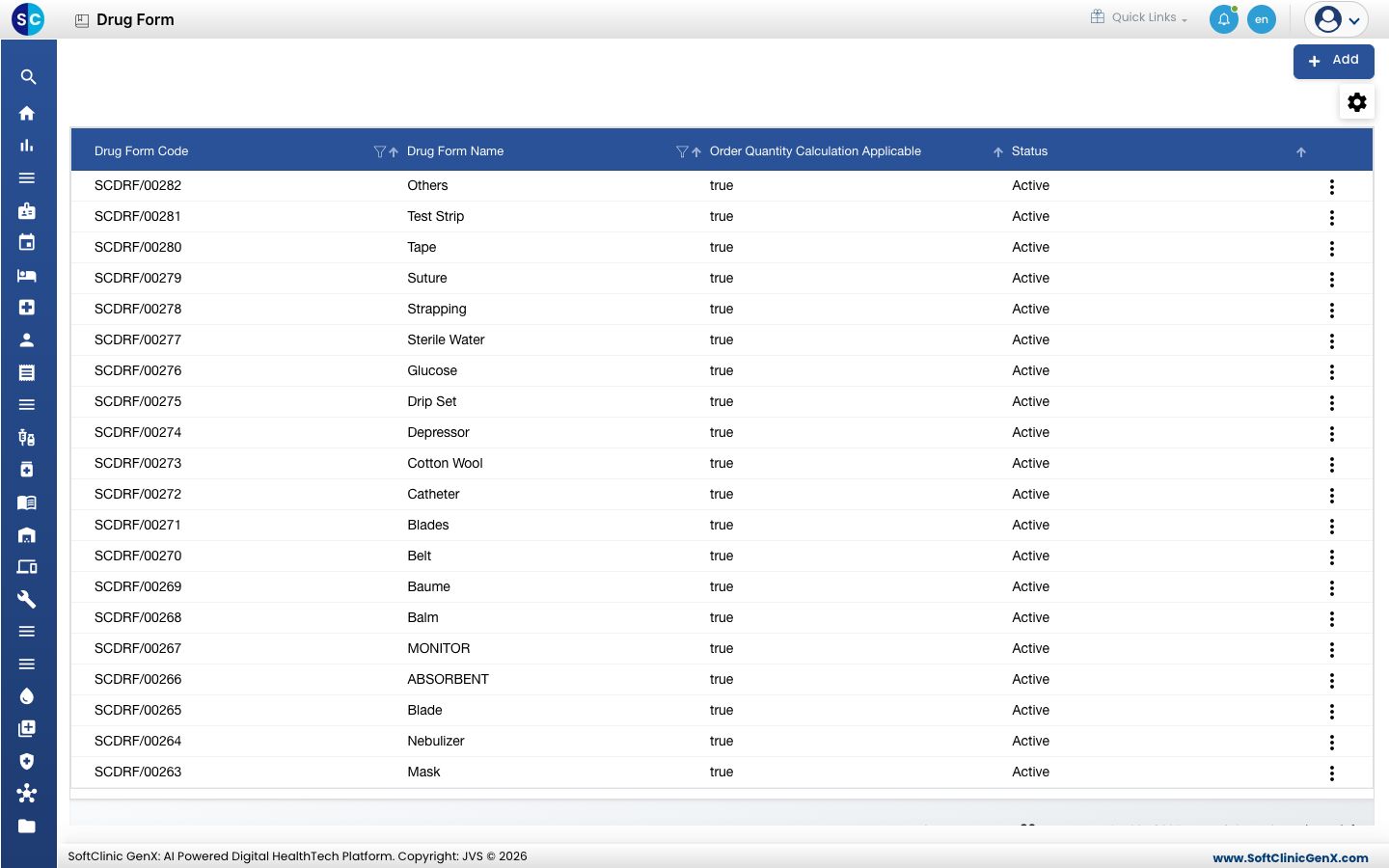
The list already holds many forms, including supplies such as Drip Set and Cotton Wool. Search it before you add a new one.
Add a drug form
-
Go to General Masters › Drug Masters › Drug Form.
-
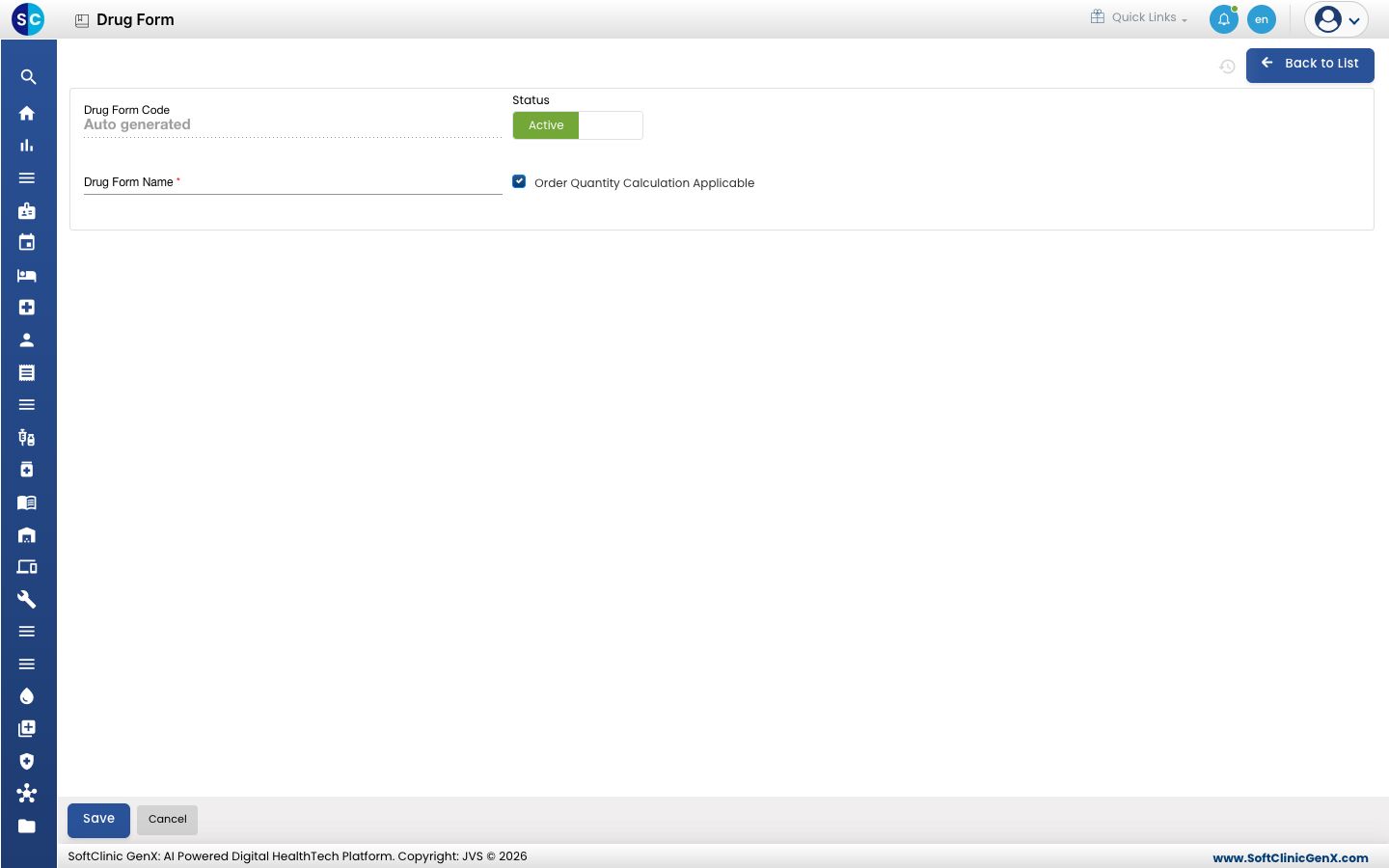
Click Add. The drug form opens.
-
Fill in the form:
Field What to enter Required Drug Form Code Filled in automatically when you save. — Drug Form Name The form name, for example Syrup. Up to 50 characters. Yes Status Leave on Active. — Order Quantity Calculation Applicable Tick this when order quantity calculation applies to this form. It is ticked when the form opens. No -
Click Save. You return to the list and the new form appears in it.
Change or deactivate a drug form
- In the list, click ⋮ at the end of the row and choose Edit.
- Change the name or the tick. To stop using the form, switch Status to Inactive.
- Click Save.
Drug forms cannot be deleted from this screen. Make a form Inactive instead.
Good to know
- The Order Quantity Calculation Applicable column in the list shows true or false for each form.
Related
- Previous: Set up Drug Class
- Next: Set up Route of Administration
- Set up Drug Generic: where you pick the form
- Pharmacy FAQs