Add advice and a follow-up date
Write the advice for the patient and set when the patient should come back, so that both print on the prescription.
The Follow Up section of the SOAP note holds two things: when the patient should return, and your advice in plain words.
note
Who can do this: doctors
Where: Doctor Work Bench › Doctor Dashboard › row menu › Start Consultation › Follow Up
Before you start
- Open the patient's SOAP note and choose a template that has a Follow Up section. See Start a consultation from the Doctor Dashboard.
Set the follow-up and write the advice
- Click the Follow Up card.
- Enter a number in Follow Up After and choose the Duration: Day, Week, Month or Year. For a review in five days, enter
5and Day. - To set an exact day instead, pick it in Follow Up Date.
- Type your advice to the patient in Advice.
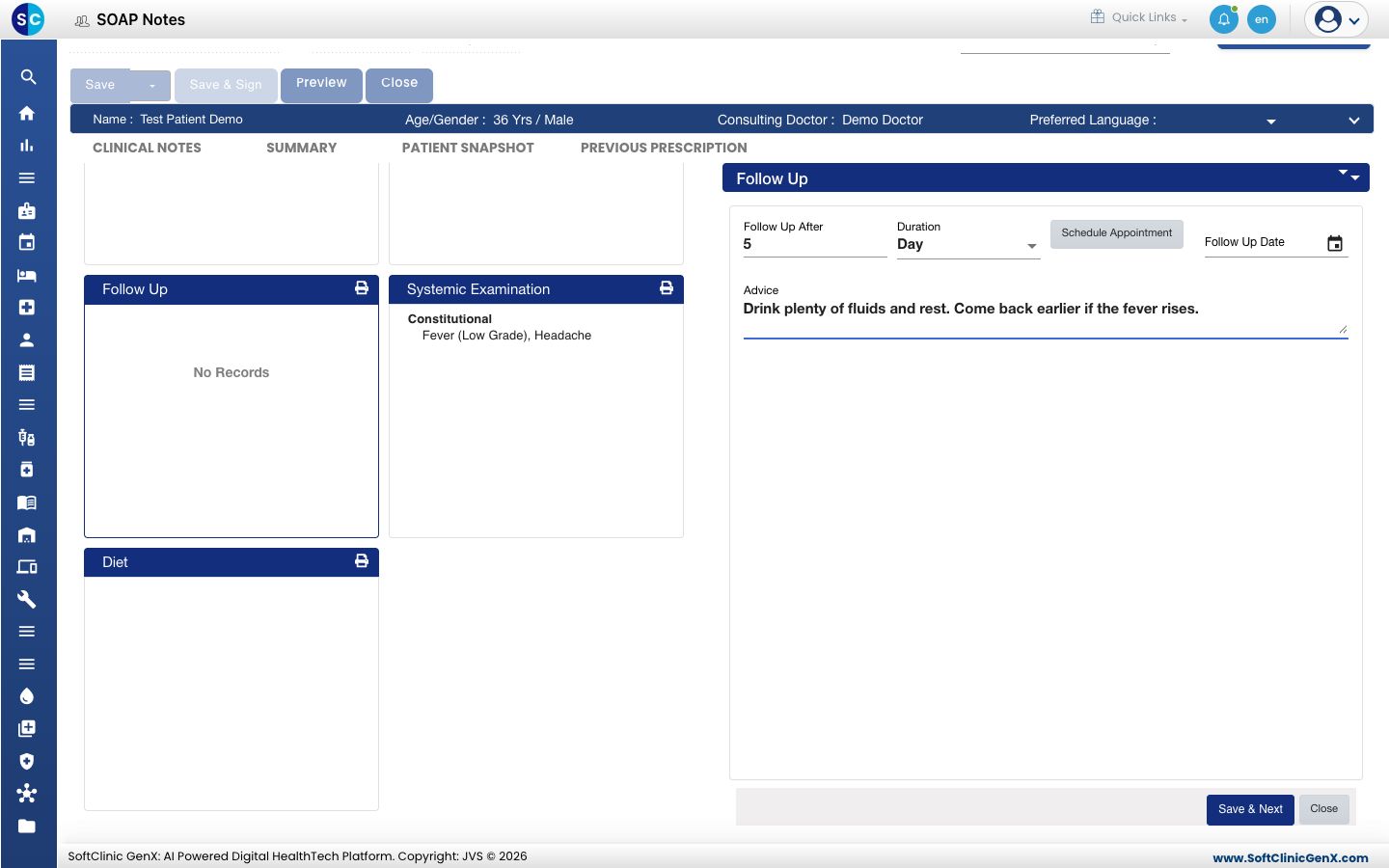
- Click Save & Next. The Follow Up card shows the follow-up date and the advice.
Good to know
- Every field is optional. You can write advice without a follow-up, or the other way round.
- Follow Up After may already hold a number of days when you open the section. Change it if it does not suit the patient.
- Advice takes up to 1,000 characters.
- Setting a follow-up date does not book an appointment. The front desk books the visit. See Book an appointment.
Troubleshooting
| What you see | What it means | What to do |
|---|---|---|
| There is no Follow Up card | The chosen template does not include it. | Choose another template. See Use a template in a SOAP note. |
| The card shows a date you did not choose | The section was saved with the number of days it opened with. | Open Follow Up, correct Follow Up After or Follow Up Date, and click Save & Next. |
Related
- Write a prescription: add the medicines.
- Save, sign and print a SOAP note: print the advice and the follow-up date for the patient.
- Book an appointment: book the follow-up visit.