Record a patient's vitals
Enter height, weight, blood pressure, temperature and the other vital signs in the SOAP note and compare them with earlier readings.
Vitals are the measurements taken at the start of a visit, such as height, weight, blood pressure and temperature. You record them in the Vitals section of the SOAP note.
note
Who can do this: doctors
Where: Doctor Work Bench › Doctor Dashboard › row menu › Start Consultation › Vitals
Before you start
- Open the patient's SOAP note. See Start a consultation from the Doctor Dashboard.
- The list of vitals comes from a vital sign chart. See Set up Vital Sign Chart Configuration.
Record the vitals
- Click the Vitals card. In some templates it is named Vital Signs Review And Recording. The VITAL SIGNS section opens on ADD NEW VITALS.
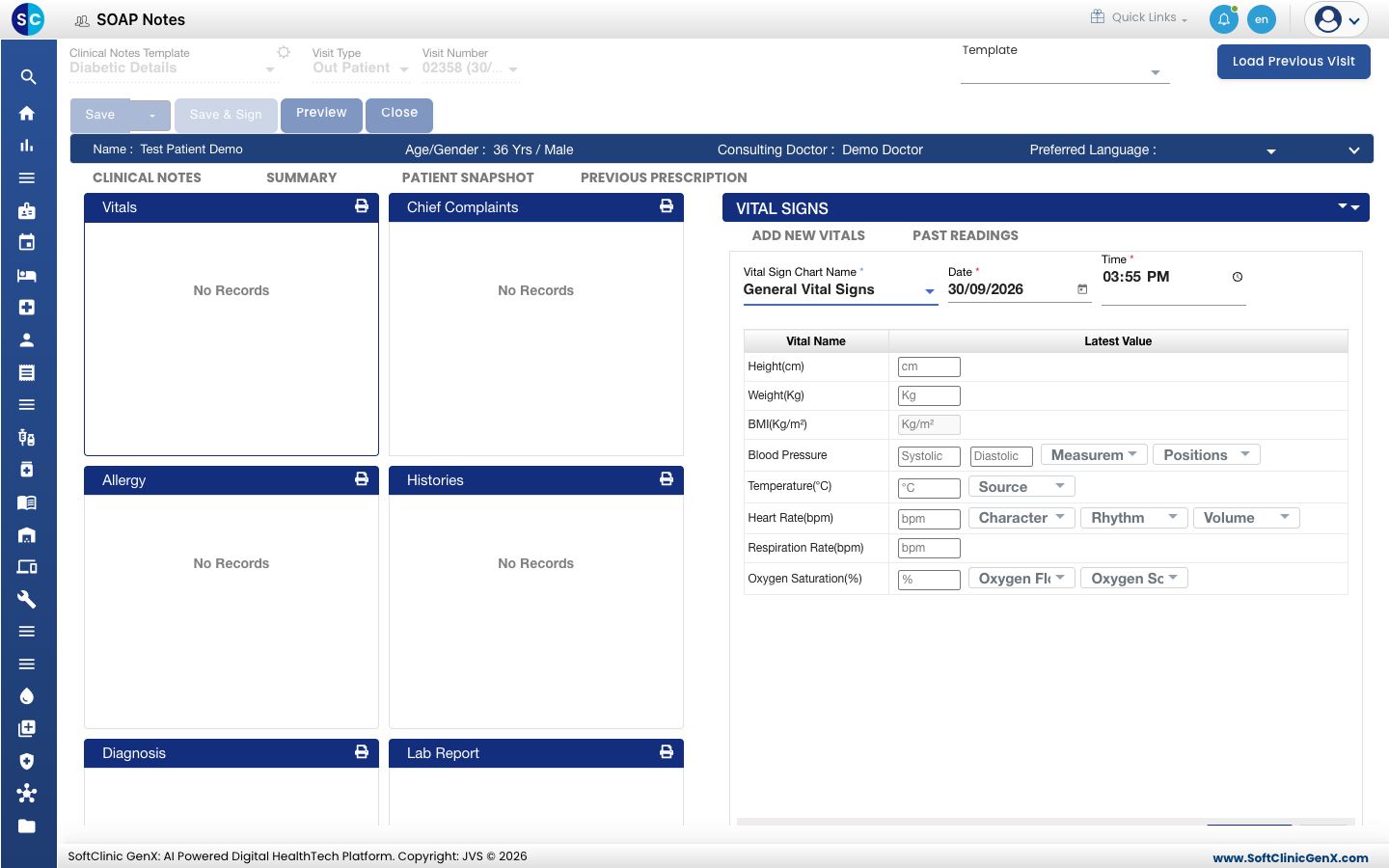
- Check Vital Sign Chart Name, Date and Time. They start as the default chart and the current date and time.
- Type each reading under Latest Value. BMI fills in from the height and weight.
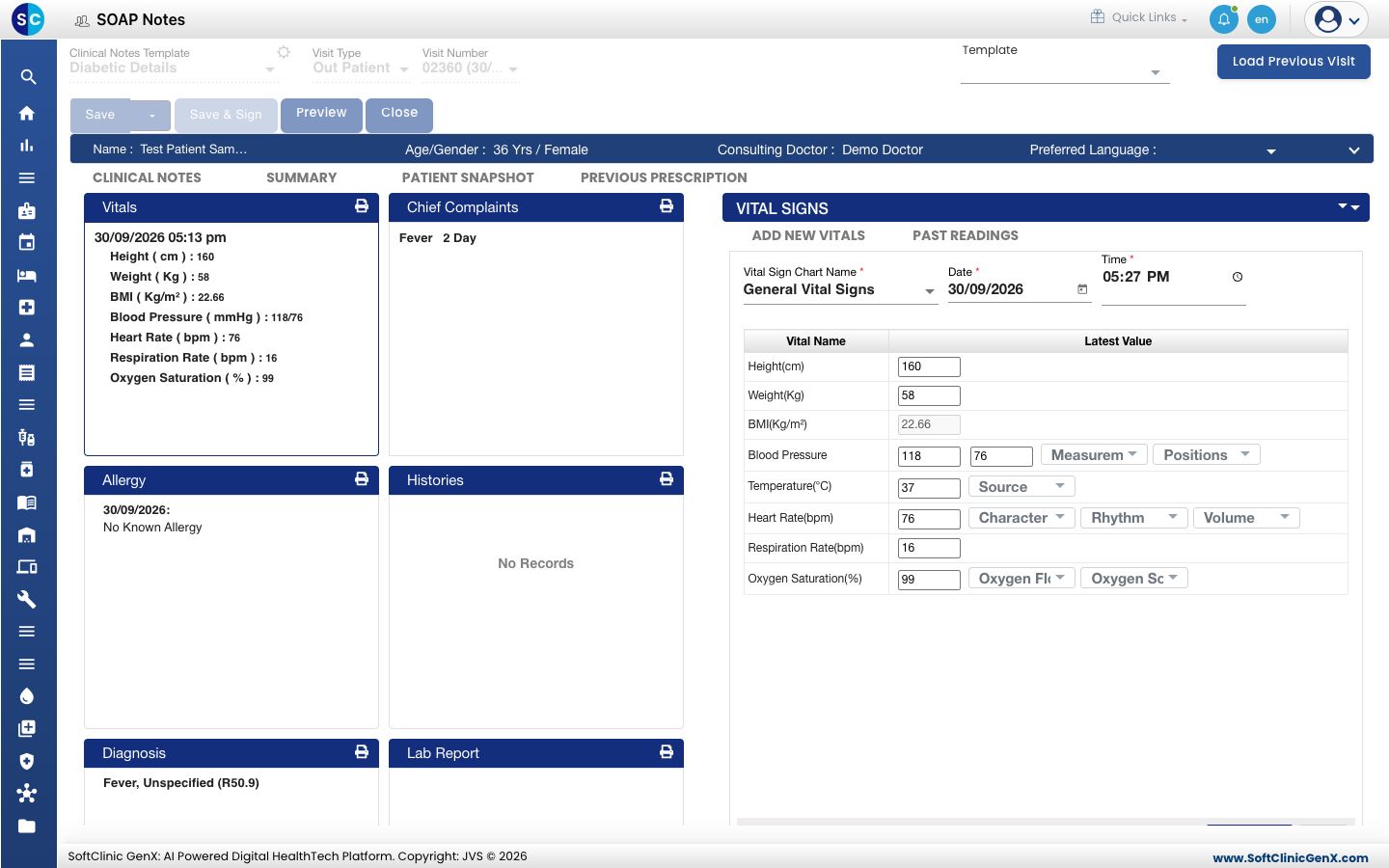
- Use the lists next to a reading for extra detail, such as the position for blood pressure or the source for temperature.
- Click Save & Next. The Vitals card shows the readings with the date and time.
tip
When you click a box, common values appear as buttons. Click one to enter it without typing.
Compare with earlier readings
- Click the Vitals card.
- Click PAST READINGS.
- Choose the Duration, for example Last 3 months. The table shows the readings taken in that period.
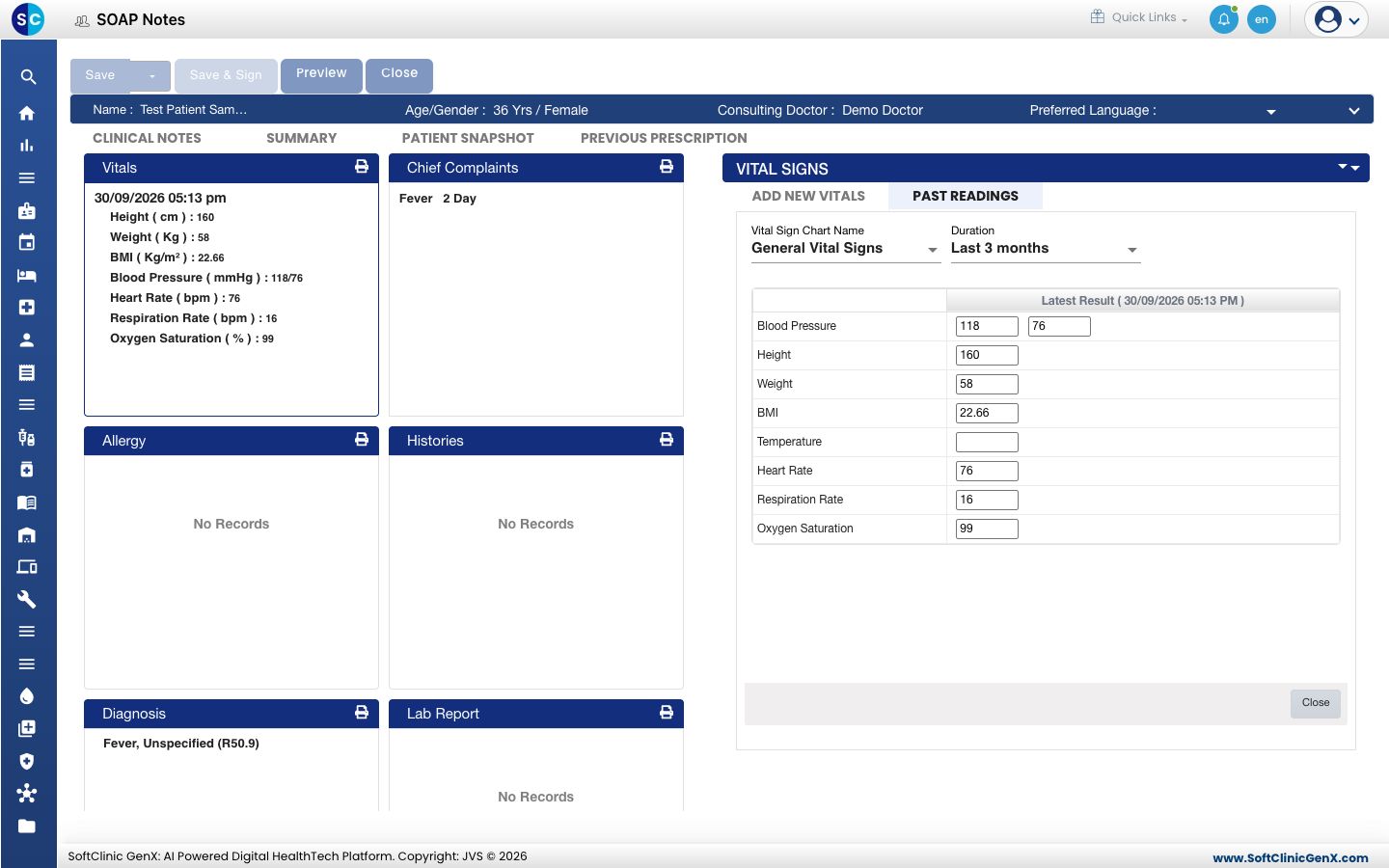
- Click Close.
Good to know
- You can leave a reading empty. Only the chart, the date and the time are required.
- A red arrow next to a value on the card means that the value is outside the reference range set for that vital. See Set up Vital.
Troubleshooting
| What you see | What it means | What to do |
|---|---|---|
| A vital you need is not in the form | It is not part of the chosen chart. | Choose another Vital Sign Chart Name, or see Set up Vital Sign Chart Configuration. |
| BMI is empty | Height or weight is missing. | Enter both. |
| There is no Vitals card | The chosen template does not include vitals. | Choose another template. See Use a template in a SOAP note. |
Related
- Record complaints, history and allergies: the next sections of the note.
- Set up Vital: units and reference ranges.
- Doctor Work Bench (EMR) FAQs: why a vital is missing.