Order lab tests, radiology and services
Order investigations and other services for the patient from inside the SOAP note, sign the order, and find it again in the order list.
You order laboratory tests, radiology and other services in the Other Orders section of the SOAP note. In some templates the card is named Advice. Signing confirms the order.
Who can do this: doctors
Where: Doctor Work Bench › Doctor Dashboard › row menu › Start Consultation › Other Orders
Before you start
- Open the patient's SOAP note. See Start a consultation from the Doctor Dashboard.
- The test or service must be in the hospital's service list. See Set up Service.
Order a test or service
-
Click the Other Orders card. The section opens on the New Order tab.
-
Type the first letters of the test or service in the Search box and pick it from the list. Tests and services you have ordered before are highlighted.
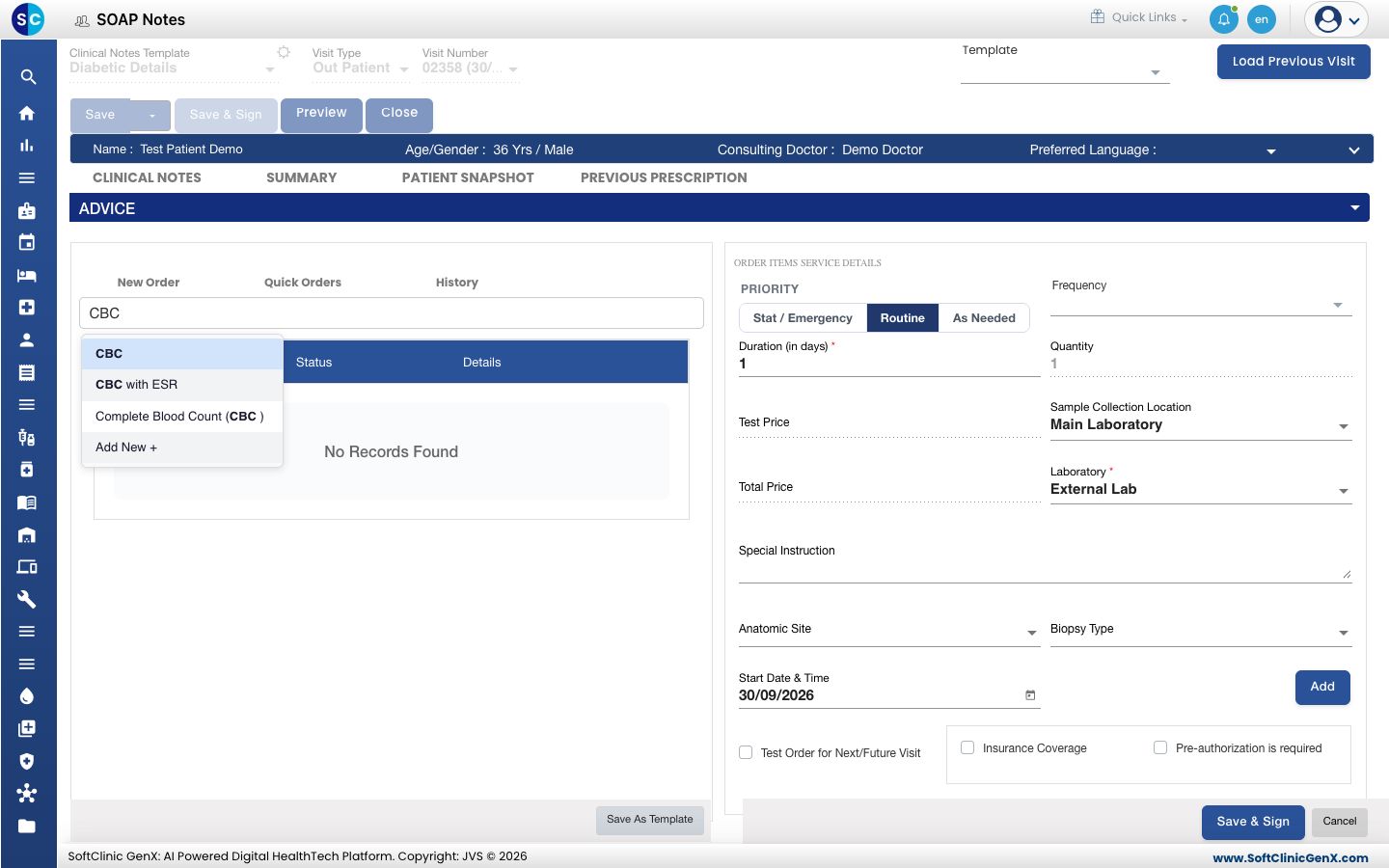
-
Check the details on the right.
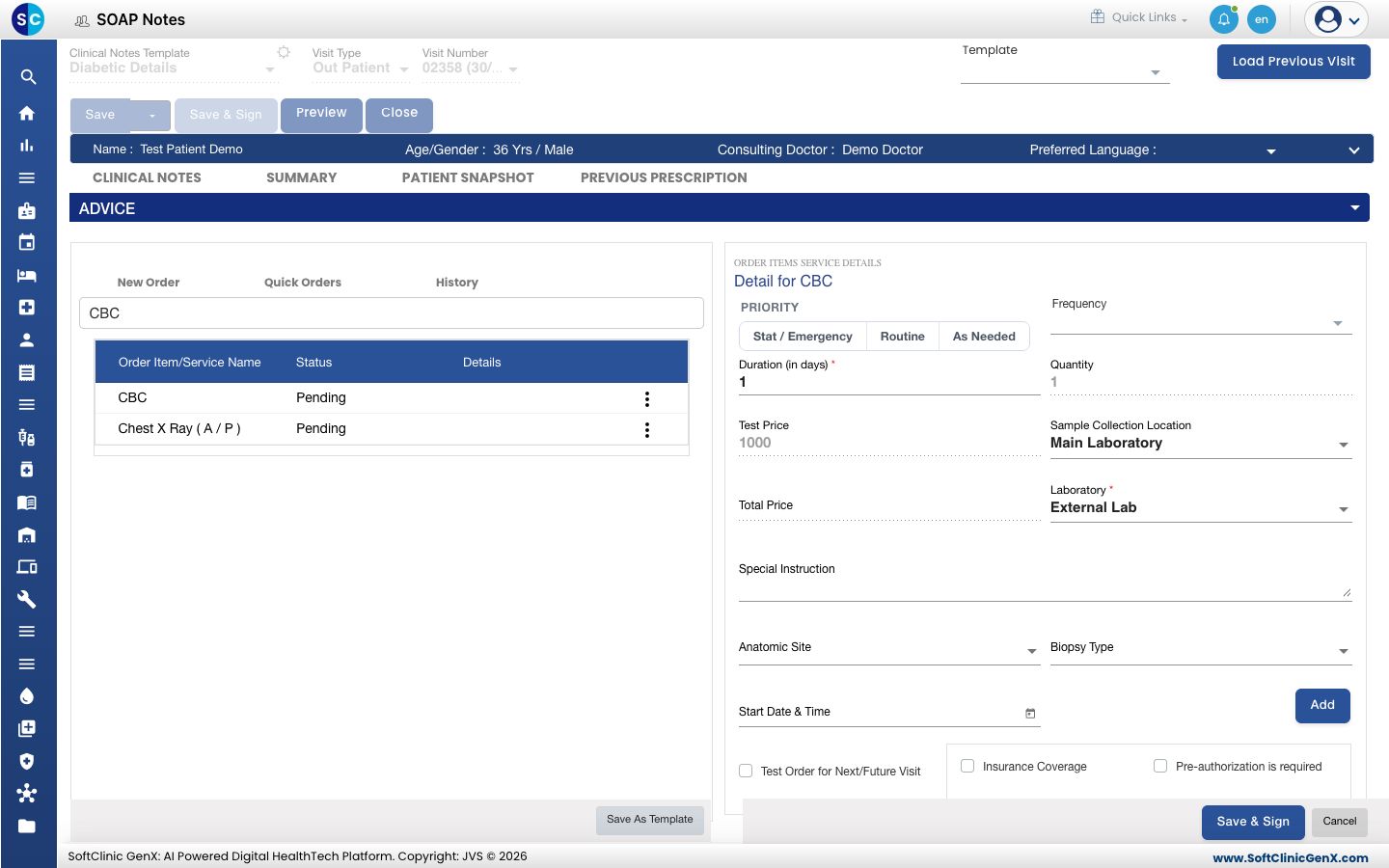
Field What to enter Required PRIORITY Stat / Emergency, Routine or As Needed. No Duration (in days) It starts as 1.Yes Test Price and Total Price Filled in from the service. You cannot change them here. - Sample Collection Location Where the sample is taken, for a laboratory test. No Laboratory The laboratory that runs the test. Yes Special Instruction A note for the department. No Start Date & Time When the test is to be done. No Test Order for Next/Future Visit Tick when the test is for a later visit. No Insurance Coverage, Pre-authorization is required Tick when they apply to the patient. No -
Click Add. The test moves to the list on the left with the status Pending.
-
Repeat for each test or service.
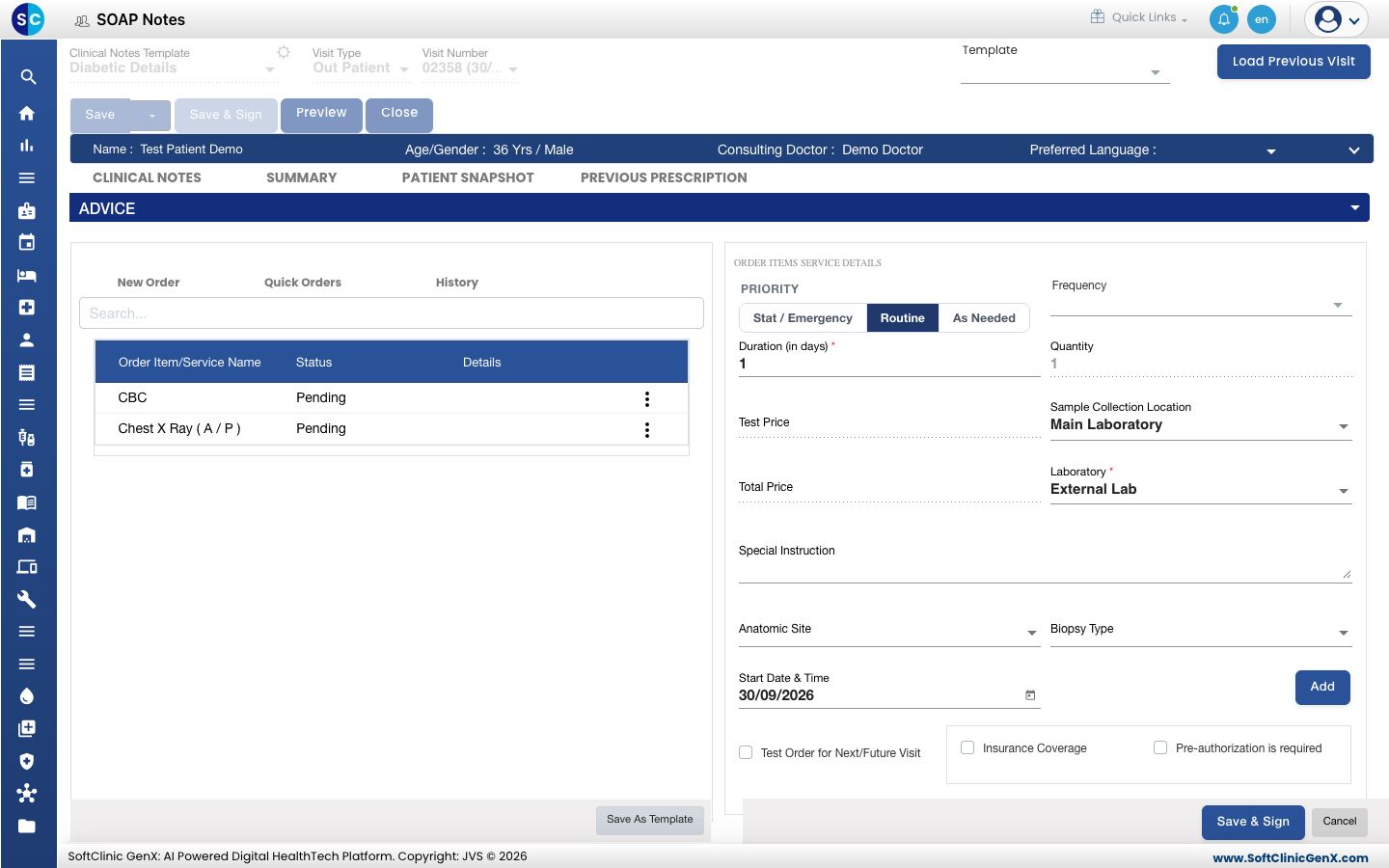
-
Click Save & Sign at the bottom of the section. The Other Orders card now shows each line as Signed.
To change a line before you sign, click the three dots at its end and choose Edit or Remove.
The flask icon on the Other Orders card opens Lab Report and Radiology Report for the patient.
Find an order later
- Go to Doctor Work Bench › Views › Order Entry List. Each signed order has an Order No., the date, the patient, the Order Status and the consultant.
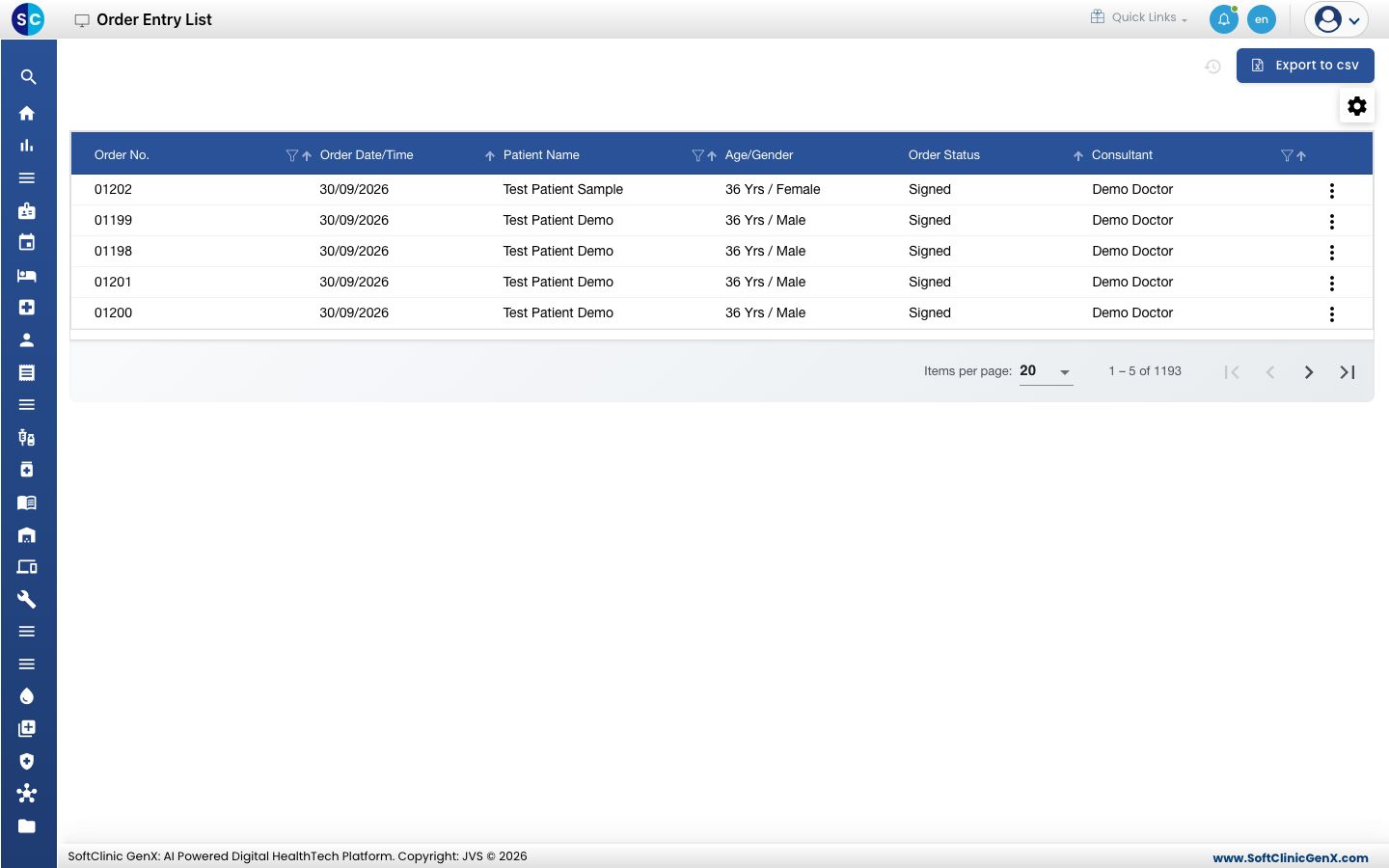
- Use the filter icon in a column heading to narrow the list, for example by Patient Name.
- Click the three dots at the end of a row and choose Print to print that order.
Good to know
- Medicines and other orders are separate. Medicines go in Medications. See Write a prescription.
- On the SUMMARY tab, orders are grouped under Laboratory and Radiology.
Troubleshooting
| What you see | What it means | What to do |
|---|---|---|
| The test is not in the search list | It is not in the hospital's service list. | Ask your administrator to add it. See Set up Service. |
| You have already added this item | The test is already in the order. | Edit the existing line. |
| please select Order Item first | You clicked Add before picking a test, or a required field is empty. | Pick the test from the search list and fill Laboratory. |
| The line stays Pending | The order is not signed yet. | Click Save & Sign at the bottom of the section. |
Related
- Write a prescription: add the medicines.
- Save, sign and print a SOAP note: finish the consultation.
- Doctor Work Bench (EMR) FAQs: common questions about orders.