Record complaints, history and allergies
Note what the patient reports in the SOAP note - the chief complaints, the medical and family history, and any allergies.
The subjective part of the SOAP note holds what the patient tells you. You record it in three sections: Chief Complaints, Histories and Allergy.
Who can do this: doctors
Where: Doctor Work Bench › Doctor Dashboard › row menu › Start Consultation › Chief Complaints, Histories or Allergy
Before you start
- Open the patient's SOAP note and choose a template that has these sections. See Start a consultation from the Doctor Dashboard.
- Complaints, allergens and reactions come from pick lists. See Set up Chief Complaints or Problems, Set up Allergen and Set up Reaction.
Add a chief complaint
- Click the Chief Complaints card.
- Type the complaint in Chief Complaints and pick it from the list.
- Enter the Onset as a number and choose the Duration: Day, Week, Month or Year. For a fever of two days, enter
2and Day.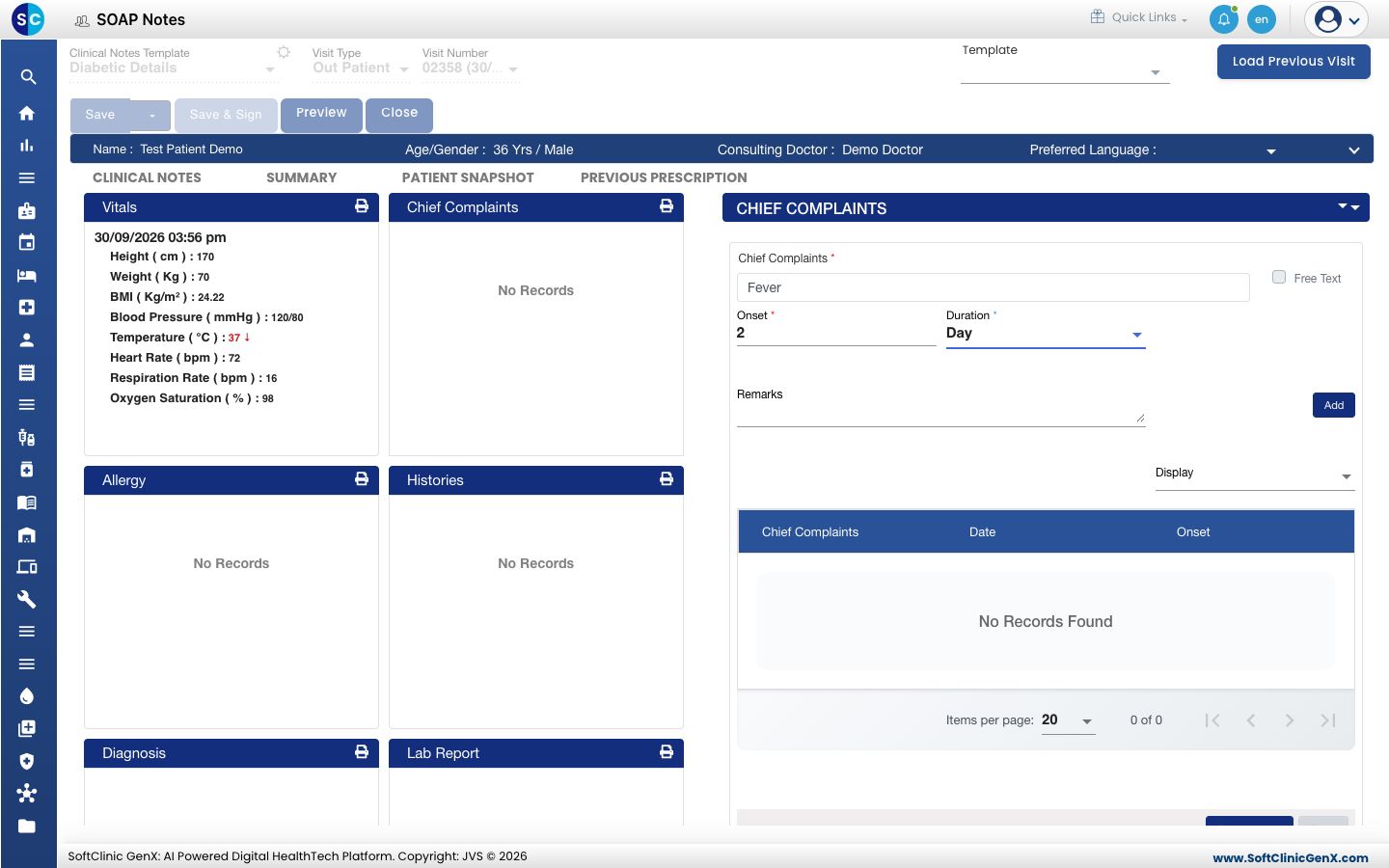
- Add Remarks if you need them, then click Add. You see Record saved successfully, and the complaint appears in the list and on the card.
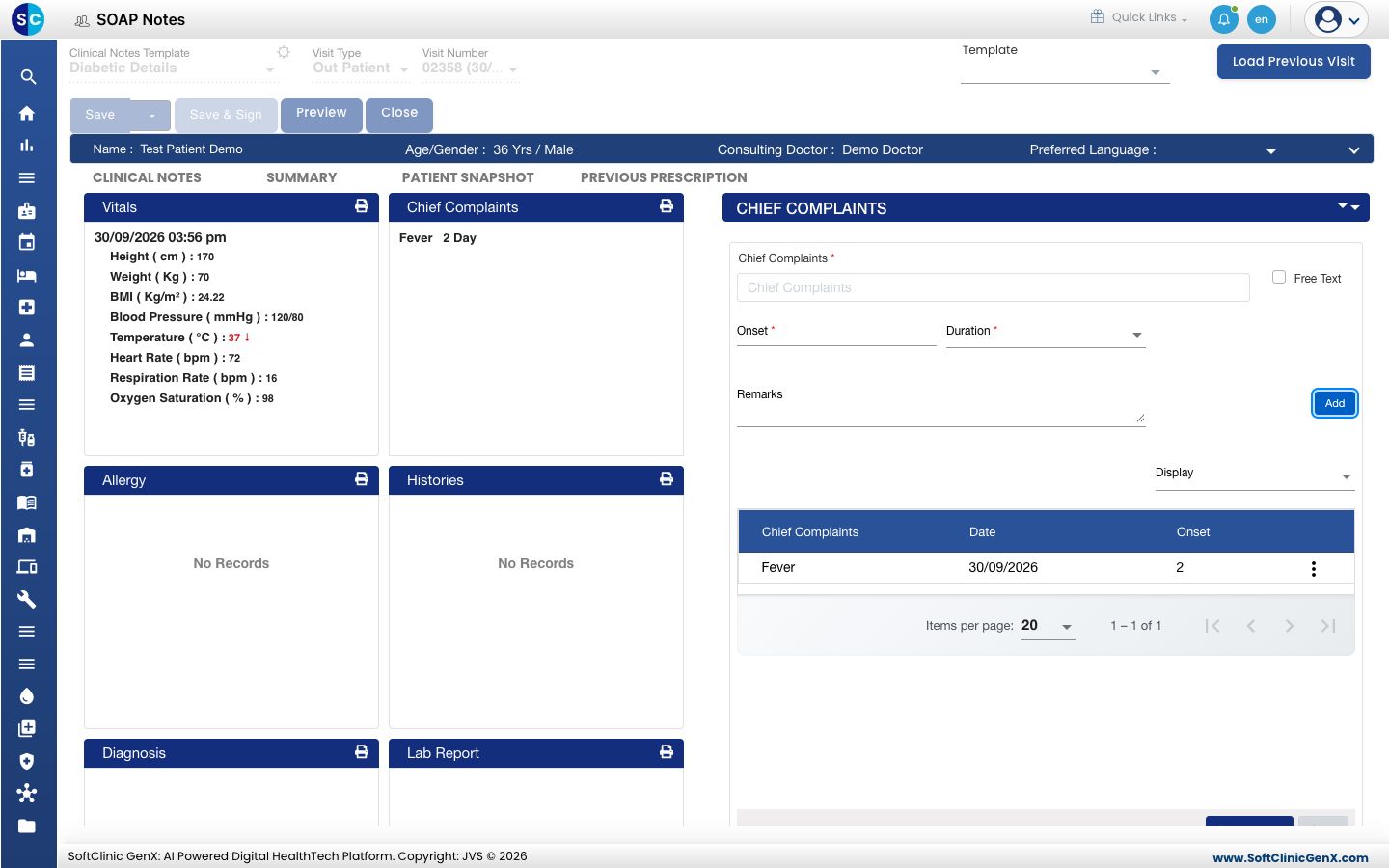
- Repeat for each complaint, then click Save & Next.
To change a complaint, click the three dots on its line and choose Edit, Repeat or Remove.
For a complaint that is not in the list, tick Free Text and type it in your own words.
Record an allergy
- Click the Allergy card. No Known Allergies is ticked for a patient with no allergy on record.
- Untick No Known Allergies. The allergy form appears.
- Type the Allergen or Substance and pick it from the list.
- Type the reaction in Reactions and pick it from the list.
- Choose the Severity: Mild, Moderate, Severe / High or Unable To Confirm. Status starts as Active.
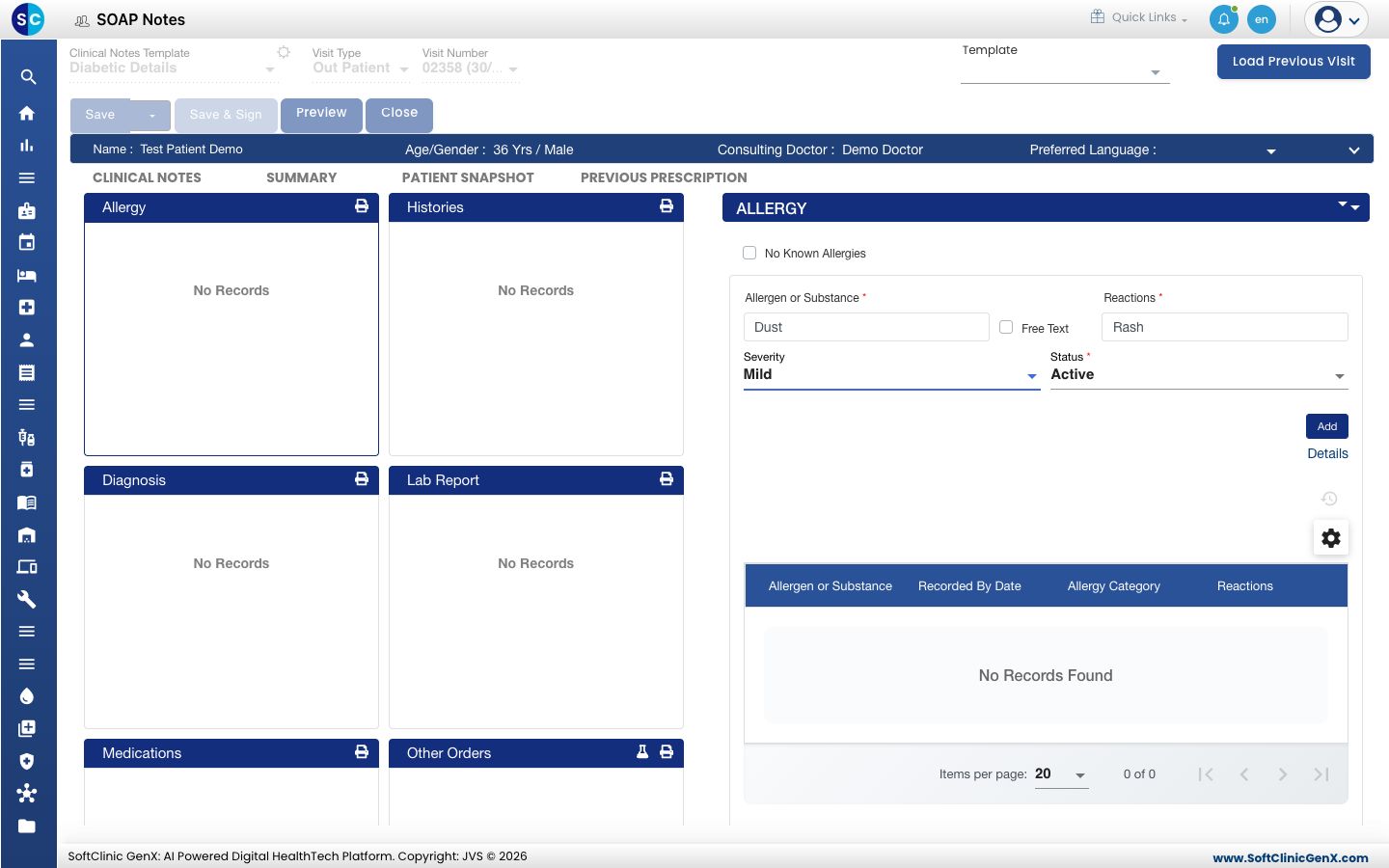
- Click Add. You see Record saved successfully and the allergy appears in the list.
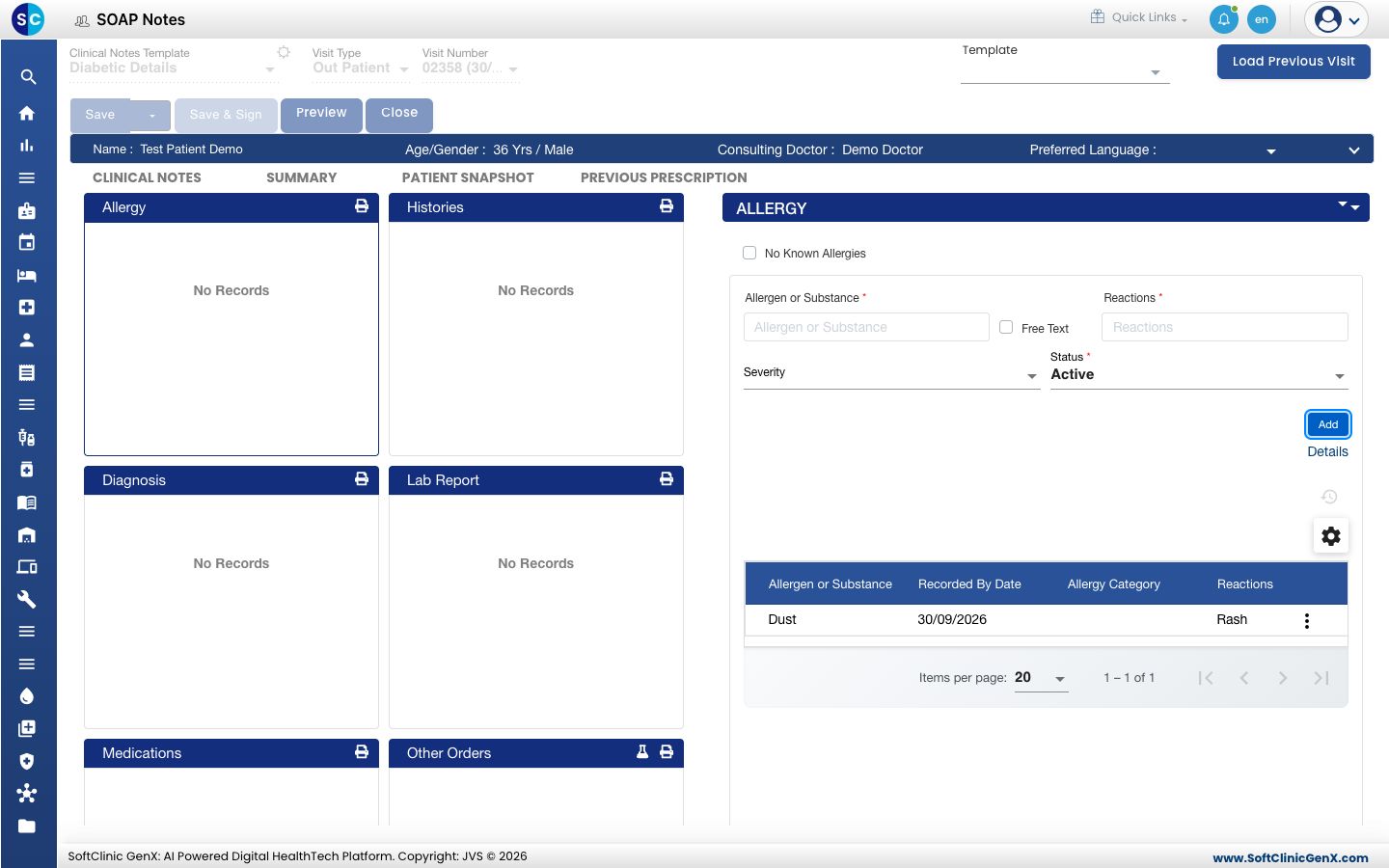
- Click Save & Next.
Click Details to add more, such as the onset date, the source of the information and comments.
If the patient has no allergy, leave No Known Allergies ticked. The card reads No Known Allergy once the note is saved.
Record the history
- Click the Histories card.
- Type in the Details box under Medical, Family, Social and Surgical History. Leave a box empty if there is nothing to record.
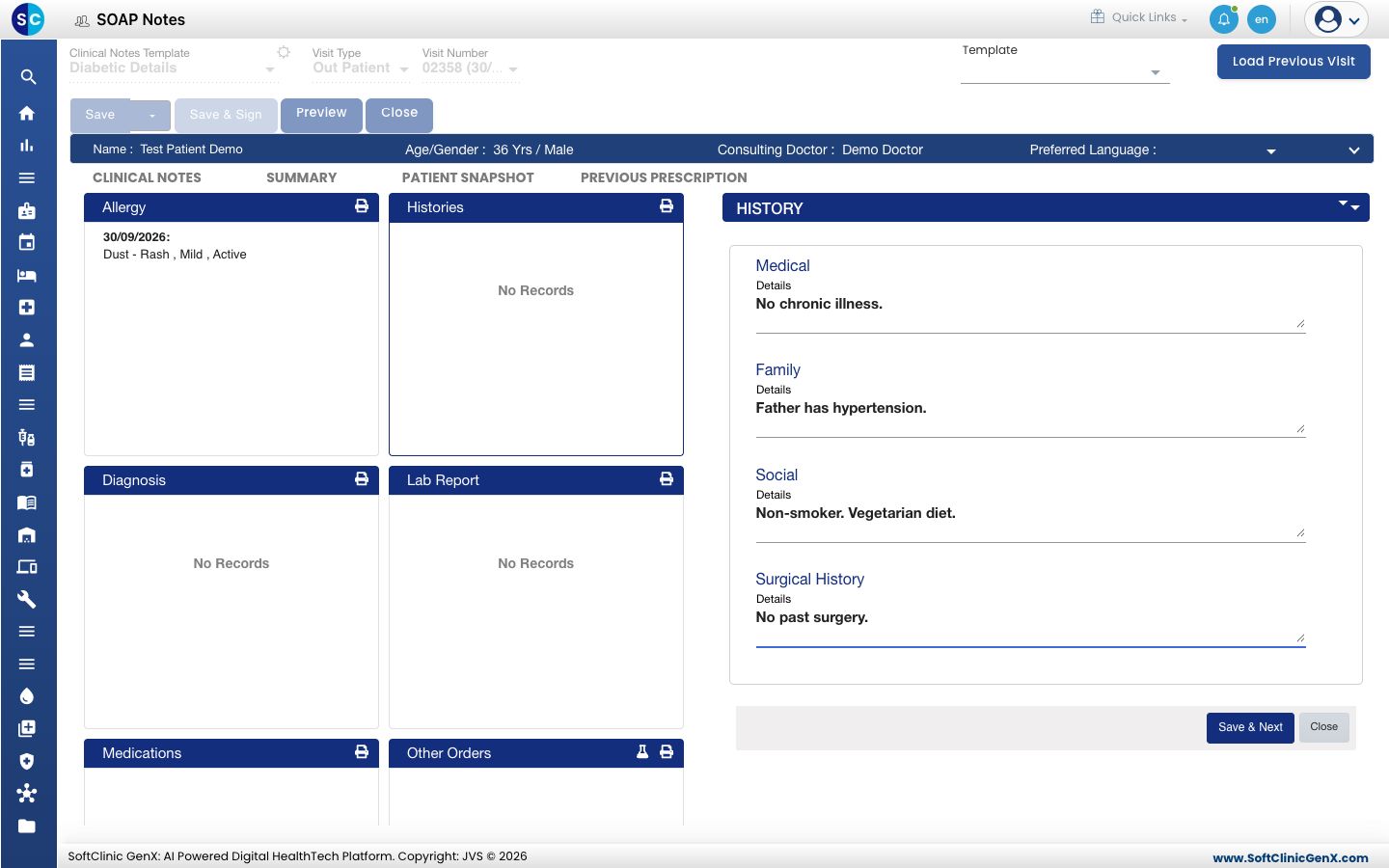
- Click Save & Next.
Good to know
- Allergies and history belong to the patient, not to one visit. They show again when the patient comes back.
- A chief complaint belongs to the visit.
Troubleshooting
| What you see | What it means | What to do |
|---|---|---|
| Chief Complaints is required | You clicked Add with an empty complaint. | Type the complaint and pick it from the list. |
| Select a chief complaint from the suggestions, or tick Free Text to add a new one | You typed a complaint without picking it from the list. | Pick it from the list, or tick Free Text. |
| Chief Complaints Name Already Added ! | The complaint is already on this visit. | Edit the existing line. |
| The allergy form is not shown | No Known Allergies is ticked. | Untick it. |
| An allergen or reaction is not in the list | It has not been created. | Tick Free Text for the allergen, or see Set up Allergen and Set up Reaction. |
Related
- Record examination findings and a diagnosis: the next part of the note.
- Record a patient's vitals: height, weight, blood pressure and the rest.
- Doctor Work Bench (EMR) FAQs: why an allergen or reaction is missing.